

ImagePress – Image Gallery
A simple, multi-user WordPress plugin with a list of advanced options for creating beautiful, responsive image gallery plugin with front-end upload.
Plugin info
Maintenance & Compatibility
Maintenance score
Stale • Last updated 353 days ago • Support resolved 0% • 5 reviews
Is ImagePress – Image Gallery abandoned?
Likely maintained (last update 353 days ago).
Compatibility
Similar & Alternatives
Explore plugins with similar tags, and compare key metrics like downloads, ratings, updates, support, and WP/PHP compatibility.
Description
ImagePress is a WordPress image gallery plugin used to generate user image galleries. Users can upload images, categorize them and add a small description. Images are grouped into separate sortable and filterable galleries.
Check out several live PRO demos.
Some of the features of ImagePress include:
➜ Image uploading
➜ Image editing
➜ Image variants PRO
➜ Detail shots PRO
➜ Progress shots (à la Behance) PRO
➜ Front-end login, registration and password forgotten forms PRO
ImagePress generates user profiles, user portfolios and user cards.
Some of the features include author profiles and portfolios, custom avatars, cover images, front-end profile editing, front-end registration and login, and more.
The level of customization includes colours, fonts, templates, dimensions and switchable features. No two websites will be the same.
Installation
- Upload
/image-gallery/to the/wp-content/plugins/directory - Activate the plugin through the ‘Plugins’ menu in wordpress
- Check the ImagePress menu item for images and settings
Frequently Asked Questions
Review feed
Great plugin for a small wedding website
Screenshots
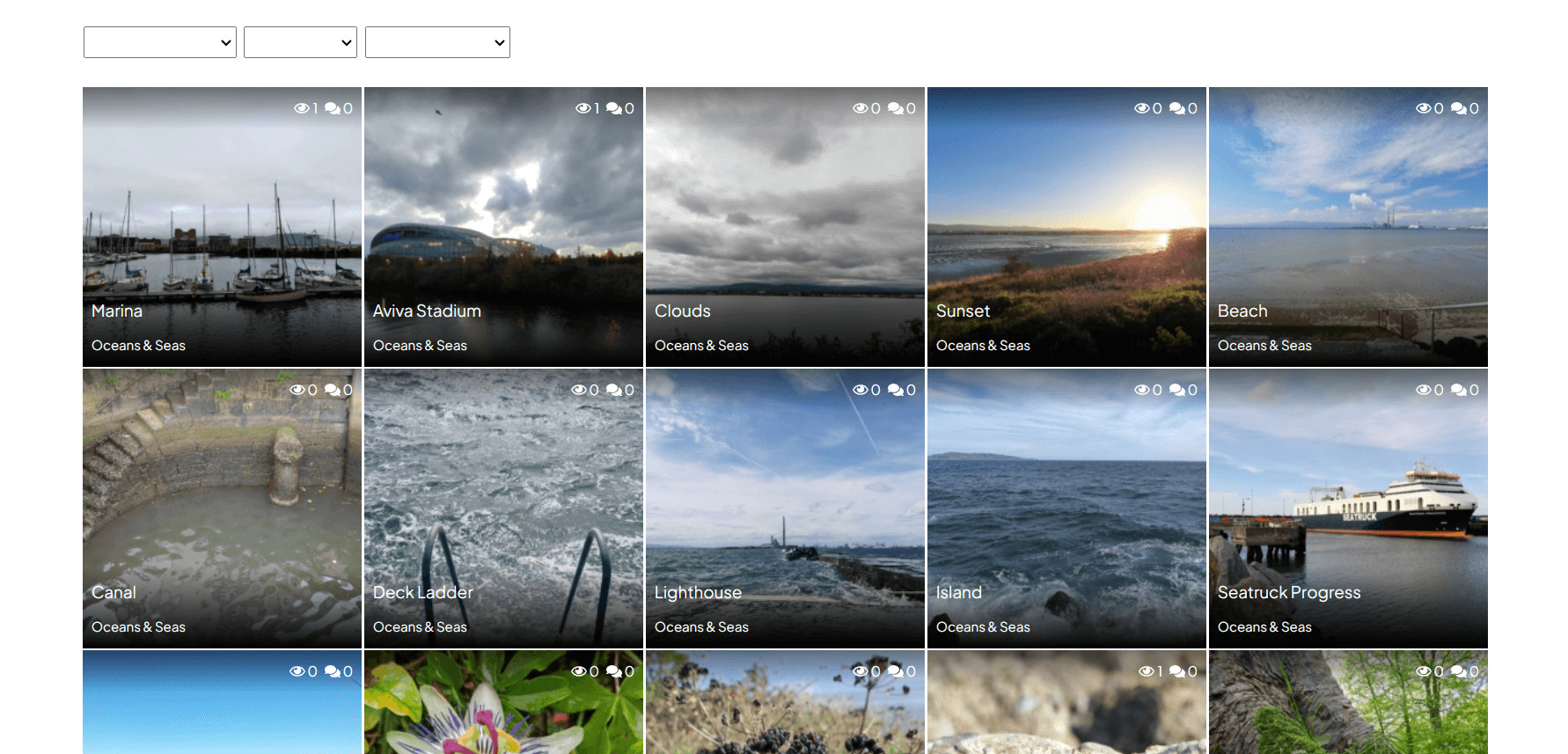
A full-featured image gallery
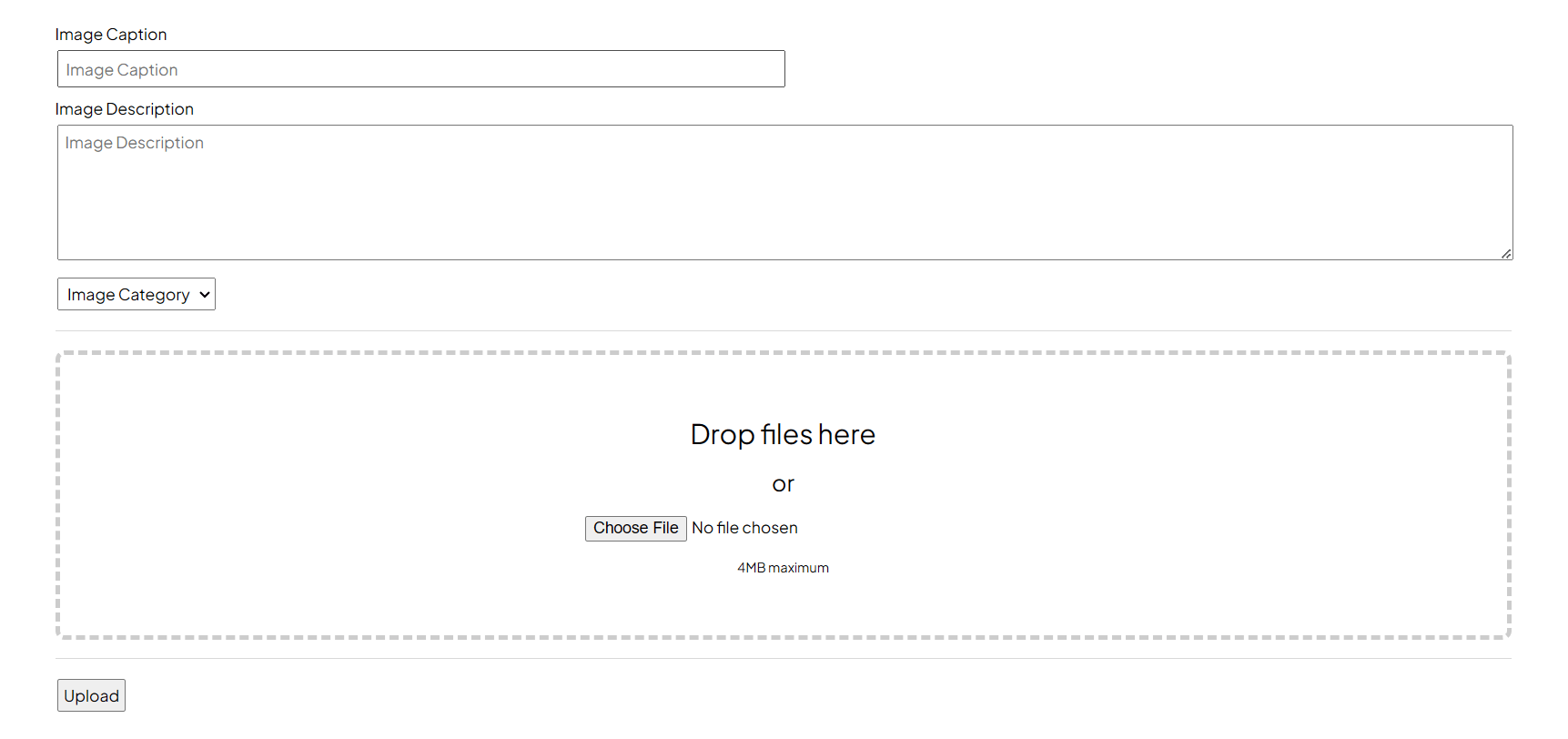
An image upload form
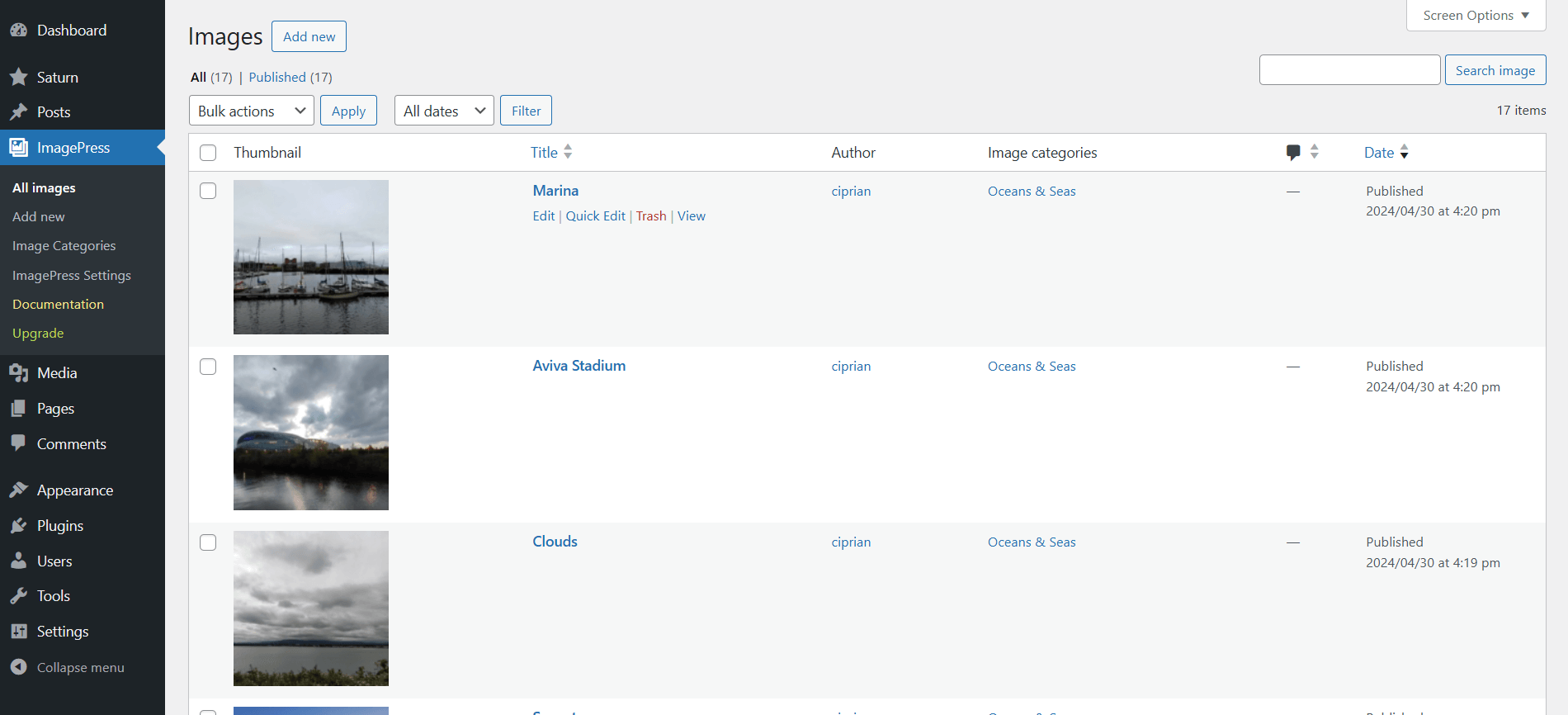
Image dashboard
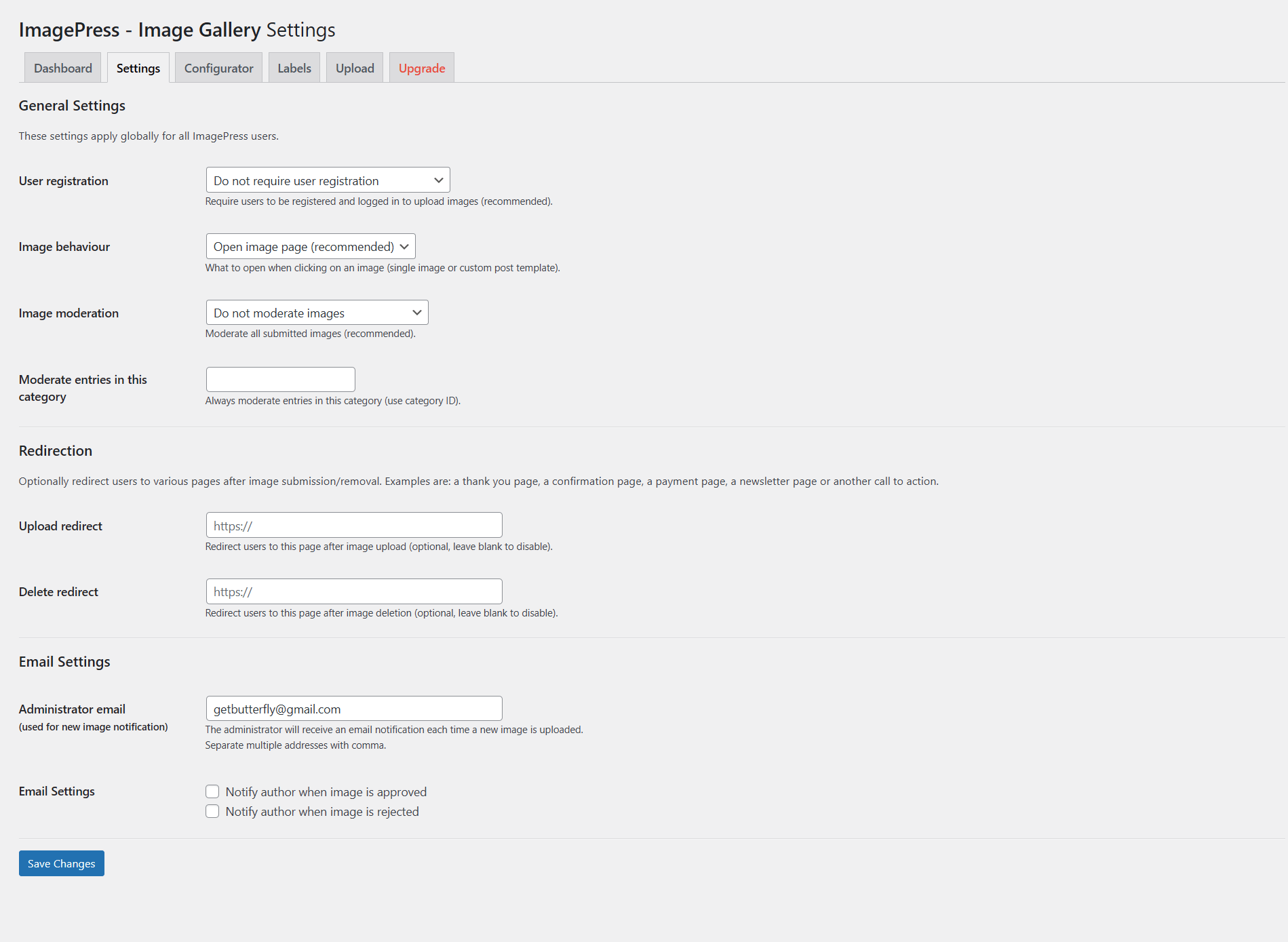
ImagePress - Image Gallery settings
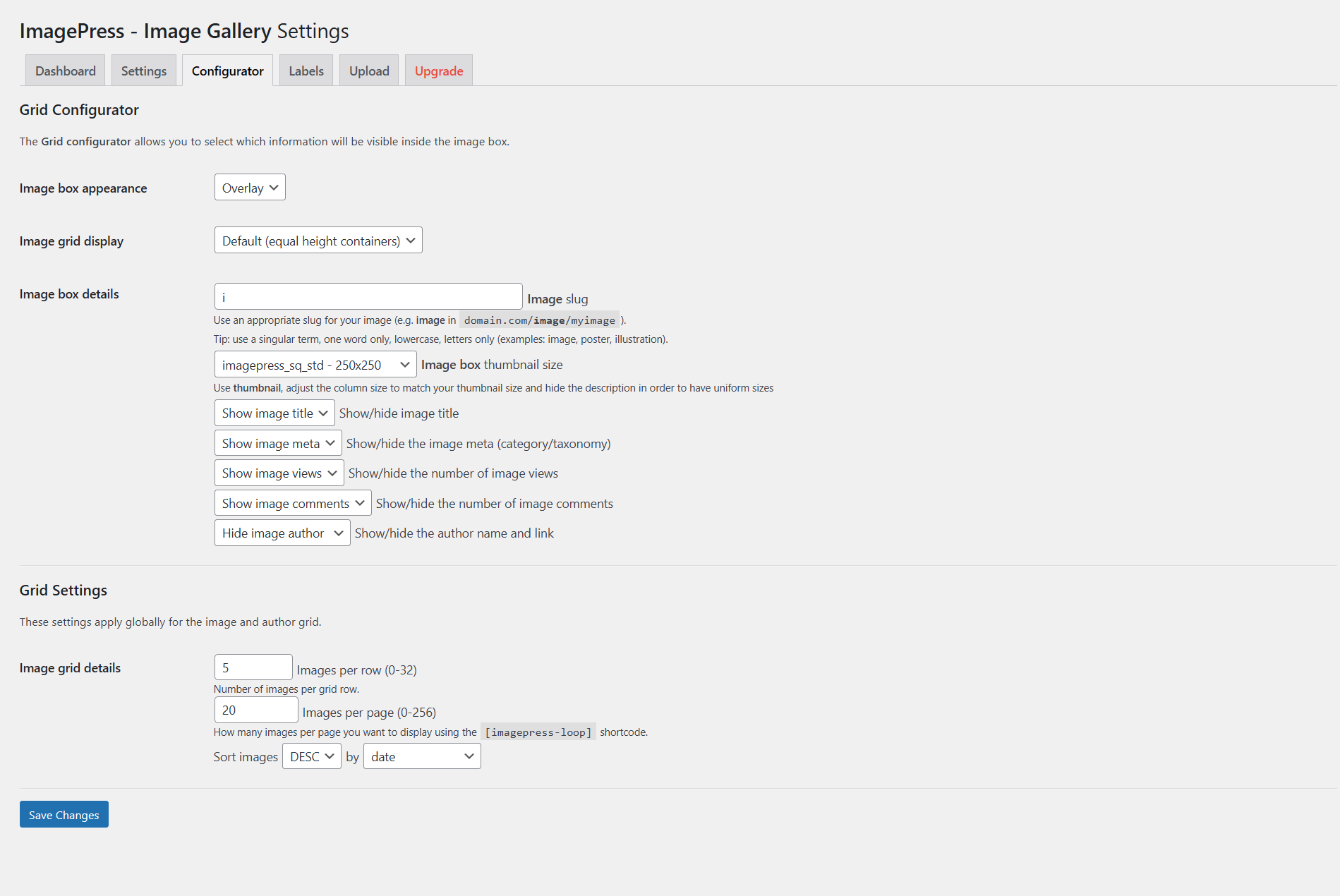
ImagePress - Image Gallery settings
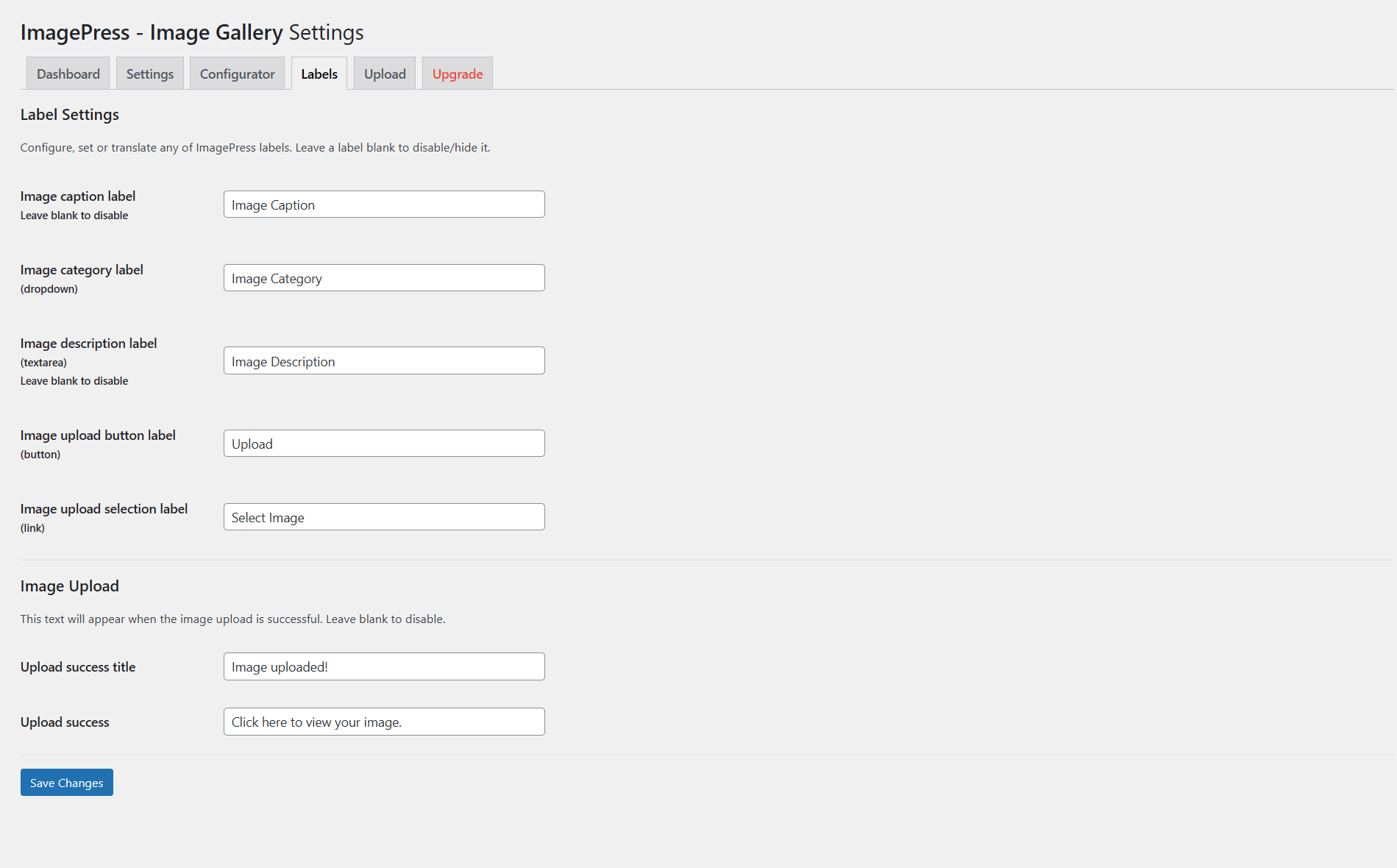
ImagePress - Image Gallery settings
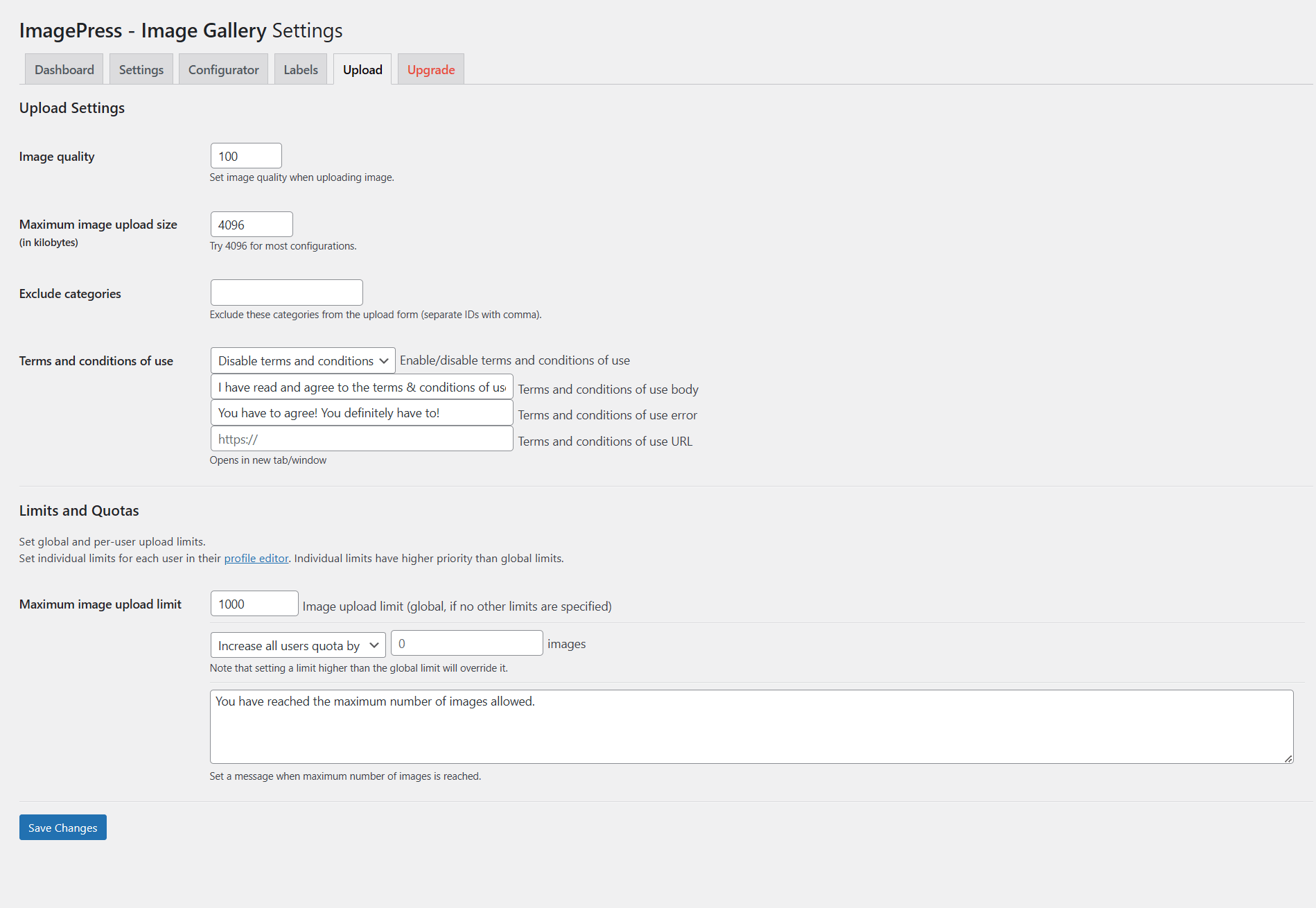
ImagePress - Image Gallery settings
Changelog
1.3.1
- UPDATE: Update WordPress compatibility
1.3.0
- FIX: Fix Authenticated (Administrator+) Stored Cross-Site Scripting via Plugin Settings CVE ID: CVE-2024-9776 (props 家桥 王)
- FIX: Fix Cross-Site Request Forgery to Plugin Settings Update CVE ID: CVE-2024-9778 (props Michelle Porter)
- FIX: Fix Missing Authorization to Authenticated (Subscriber+) Arbitrary Post Deletion and Post Title Update CVE ID: CVE-2024-9824 (props Michelle Porter)
1.2.2
- FIX: Fix textdomain
- UPDATE: Reduce WordPress requirement to 4.9 (from 5.0)
- UPDATE: Replace external Font Awesome icons with local Akar icons
- UPDATE: Remove obsolete functionality (legacy widgets and SlickJS library)
1.2.1
- FIX: Fix gallery filter placeholders
- UPDATE: Update WordPress compatibility
1.2.0
- UPDATE: Update Upgrade tab
- UPDATE: Update WordPress compatibility
1.1.1
- FIX: Fix console error due to non-initialized element
- UPDATE: Update screenshots
- UPDATE: Update readme.txt
- UPDATE: Update demo links
1.1.0
- FIX: Fix missing thumbnails in specific configurations
- FIX: Fix nonce being echoed instead of returned, breaking the page editor
- UPDATE: Update WordPress compatibility
1.0.8
- UPDATE: Updated WordPress compatibility
1.0.7
- UPDATE: Updated WordPress compatibility
1.0.6
- UPDATE: Updated WordPress compatibility
- UPDATE: Updated plugin assets
- UPDATE: Set up plugin demo
1.0.5
- UPDATE: Updated WordPress compatibility
1.0.4
- UPDATE: Updated PHP requirements
- UPDATE: Updated WordPress compatibility
1.0.3
- UPDATE: Updated PHP requirements
- UPDATE: Updated WordPress compatibility
1.0.2
- UPDATE: Updated WordPress compatibility
- UPDATE: Updated PHP compatibility
- UPDATE: Added plugin assets
- UPDATE: Updated FontAwesome (5.0.13 -> 5.1.1)
- UPDATE: Code compliance/standards updates
1.0.1
- UPDATE: Removed unnecessary installation steps
- UPDATE: Grouped email options together
- UPDATE: Moved installation steps to plugin dashboard
- UPDATE: Cleaned up CSS
1.0.0
- UPDATE: Added settings page and shortcodes
0.9.4
- UPDATE: Updated WordPress compatibility
- UPDATE: Updated PHP compatibility
0.9.3
- UPDATE: Updated readme.txt file (relevant tags)
- UPDATE: Updated WordPress compatibility
0.9.2
- FIX: Fixed readme.txt file (changelog and relevant tags)
- UPDATE: Updated WordPress version requirement to include hosted translations
0.9.1
- FIX: Fixed readme.txt typo
- FIX: Moved SlickJS to plugin folder (from CDN)
- FIX: Renamed plugin file to have the same folder name (for WordPress.org-hosted translations)
0.9.0
- FIX: Fixed class constructor for PHP 7 compatibility
- FIX: Fixed plugin header, compatibility and requirements
- FIX: Removed obsolete, hardcoded jQuery script
- FIX: Fixed broken, unquoted field, injecting unwanted strings
- UPDATE: Moved admin CSS to external file
- UPDATE: Moved frontend CSS to external file
- UPDATE: Refactored gallery script (switched to SlickJS)
0.8b
- FIX: Fixed minor bug with delayed image loading on Google Chrome
0.8a
- FIX: Fixed compatibility for jQuery
0.8
- First release