

Photo Gallery, Sliders, Proofing and Themes – NextGEN Gallery
The most popular gallery plugin that lets you create galleries and albums in seconds.
Plugin info
Maintenance & Compatibility
Maintenance score
Stale • Last updated 344 days ago • Support resolved 47% • 4,326 reviews
Is Photo Gallery, Sliders, Proofing and Themes – NextGEN Gallery abandoned?
Likely maintained (last update 344 days ago).
Compatibility
Developers
Languages
Similar & Alternatives
Explore plugins with similar tags, and compare key metrics like downloads, ratings, updates, support, and WP/PHP compatibility.
Description
WordPress Gallery Plugin
NextGEN Gallery has been the industry’s standard WordPress gallery plugin since 2007 and continues to receive over 1.5 million new downloads per year. It’s easy to use for simple photo galleries, but powerful enough for the most demanding photographers, visual artists, and imaging professionals who need a comprehensive photo gallery solution.
NextGEN Gallery offers complete WordPress gallery management with the ability to batch upload photos, import metadata, easily add, delete, rearrange photos and create an unlimited number of galleries. You can even simply provide a zip file or choose a folder to upload photos.
But our photo gallery plugin doesn’t stop there!
NextGEN Pro
This plugin is the lite version of the NextGEN Gallery plugin, which offers all the gallery features you’ll need like photo albums, lightboxes, backups, search, sharing, filtering, print fulfillment, eCommerce, animations, and tons more. Click here to purchase the best photo gallery plugin for WordPress now!
The free version of NextGEN gallery provides three main gallery styles (slideshow, thumbnail, and imagebrowser galleries) and two album styles (compact and extended), all of which come with a wide array of options for controlling size, style, timing, transitions, controls, lightbox effects, and more. Learn more about NextGEN WordPress Gallery Plugin features.
The best gets better with full support for the Gutenberg block editor. Now you can add a photo gallery or album anywhere on your site, with a page builder type feel directly in the WordPress editor. We truly make creating, building, and editing galleries easy.
Feature List
We’ve built NextGEN Gallery to be extremely powerful and full of features.
- Albums Organize multiple photo galleries into albums for easy sorting and viewing
- Tags Group multiple images together with tags, with easy-to-update renaming and management
- eCommerce Sell images from your photo gallery, or sell entire galleries with our built in payment processing. Works with Stripe and PayPal.
- Slideshows Make your galleries automatically rotate through a series of images
- Themes Access 84+ different types of themes to showcase your galleries
- Animations Create visual interest with 25+ different types of animations for each gallery
- Watermarks Protect your work with image and text-based watermarks.
- Capabilities Customize who can read, edit, and publish galleries with refined permsisions controls
- Image Proofing Let your customers choose which photos to purchase and improve your workflow.
- Print Fulfillment Sell your photos and ship prints directly to customers with automated print lab fulfillment and zero commissions
- Auto Tax calculations Automatically calculate sales tax when required for your customers.
- Coupons Offer discounts and incentives to increase your gallery sales
- Lightroom Integration Automatically sync and create photo galleries from Adobe Lightroom into NextGEN Gallery without any need to update your website.
- Social Sharing Create viral social media opportunities when your images are optimized for Open Graph and X
- Image Commenting * Add deep engagement to your images within the lightbox to increase gallery engagement
- Deep Linking Link directly to a specific image from one of your galleries
- Frontend Search * Add powerful filtering for your gallery based on tags
- Hover Captions * Add social sharing, tiles, and descriptions for each image
- Digital Downloads Offer digital downloads of your images for free, or chage for them with our eCommerce gallery plugin
- Right Click Disable prevent images in your galleries from being downloaded with easy right click and drag/drop protection.
- Customization * We’ve built in lots of individual customizations for each of our features so that you can make NextGEN Gallery perfect for you
As you can see, we’ve built a photo gallery plugin that is suitable for everyone! Want a specific or missing feature? Just let us know.
NEXTGEN GALLERY DEMOS
*Basic Thumbnail Gallery
*Basic Slideshow Gallery
*Basic Imagebrowser Gallery
*Basic Compact Album
*Basic List Album
NEXTGEN PRO DEMOS
*Photo Print Sales
*Photo Proofing
*Digital Downloads
*Pro Mosaic Gallery
*Pro Masonry Gallery
*Pro Tile Gallery
*Pro Filmstrip Gallery
*Pro Lightbox
About Imagely
NextGEN Gallery is a WordPress gallery plugin maintained by Imagely. We’re the WordPress photography experts. In addition to NextGEN Gallery, NextGEN Plus, and NextGEN Pro, we also make WordPress themes for photographers, providing beautiful turnkey websites for photographers.
Learn more or connect with us:
*Imagely Website
*WordPress Themes for Photographers
*Turnkey Photography Sites
*NextGEN Gallery Documentation
Credits
Copyright: Imagely 2016-2024
Shortcodes
NextGEN Gallery offers an easy-to-use Insert Gallery Window, which means you never need to work with shortcodes again when inserting and manageing galleries – if you would prefer not too.
If you do want to work with shortcodes, there is a powerful shortcode system as you’d expect of a popular WordPress gallery plugin. Learn About NextGEN Gallery Shortcodes.
For more information, feel free to visit the official website for the NextGEN Gallery WordPress Gallery Plugin.
Installation
INSTALLATION: The easiest way to start uploading your photos is to login to you WordPress dashboard, go to Plugins > Add New, search for NextGEN Gallery, and click to install the plugin. You can also download the plugin zip file from this page and upload it from the Plugins > Add New > Upload page.
HOW TO USE: Just go to a page or post and add a NextGEN Gallery block. Within the block, click the Add Gallery button to open our Insert Gallery Window, where you can create, manage, customize, and display your WordPress photo galleries. You can also manage your photo galleries and gallery settings from the central options area under the “Gallery” tab on your dashboard menu.
DOCUMENTATION: See NextGEN Gallery Documentation.
That’s it … have fun! For more information, feel free to visit the official website for the NextGEN Gallery WordPress Gallery Plugin.
Frequently Asked Questions
This is often due to the URL paths to the CSS and JavaScript files used by the Lightbox Effects not being changed to relevant addresses based on the new site. This article will help sort out this issue if that is the case: Why are my galleries not opening up in a lightbox?.
Yes. See NextGEN Gallery Documentation.
Yup, NextGEN is a popular and well-established WordPress gallery plugin, and has been for a long time. It will work well with most other themes and plugins in the WordPress ecosystem.
Nope, we do not use flash elements.
Yes, we’ve put a lot of work into this and, NextGEN Galleries are compatible with phones and tablets, inluding Android and iOS operating systems. All photo galleries are also responsive, so galleries look good on diverse screen sizes. NextGEN Pro also includes a fullscreen, responsive Pro Lightbox with mobile gesture support. It’s great for viewing photos on mobile devices.
In simple terms, Albums are collections of galleries. So Galleries contain your photos and Albums contain your Galleries. Albums act as links and placeholders to quickly and easily navigate your galleries. Galleries will actually display your images.
Yes, you can batch upload entire photo galleries at one time or even include zip folders.
Yes, WordPress allows you to password protect pages by default – which includes all photo galleries and content for the entire page. Password protection pages can be turned on and off at any time, with just a few clicks.
Yes, you can add text or image watermarks to your gallery images.
Yes, each thumbnail image can be individually adjusted to suit your needs.
Yes, you can use pagination when displaying thumbnail galleries. You can adjust the amount of photos to be shown on a page at any time.
Yes, the lightbox can be configured with multiple options directly from the Dashboard, and there are multiple CSS styles, which can be applied and modified as well. If you want even more options, consider upgrading to NextGEN Pro and using the NextGEN Pro lightbox.
Yes, caption areas are fully HMTL capable.
Since the captions are fully HTML capable, you can add external links and any other type of markup you wish.
Yes, our WordPress gallery plugin has been translated into dozens of languages – click here to find out more.
For more information, feel free to visit the official website for the NextGEN Gallery WordPress Gallery Plugin.
Review feed
Support is responsive
Great plugin and easy to customize
Screenshots

Thumbnail Gallery
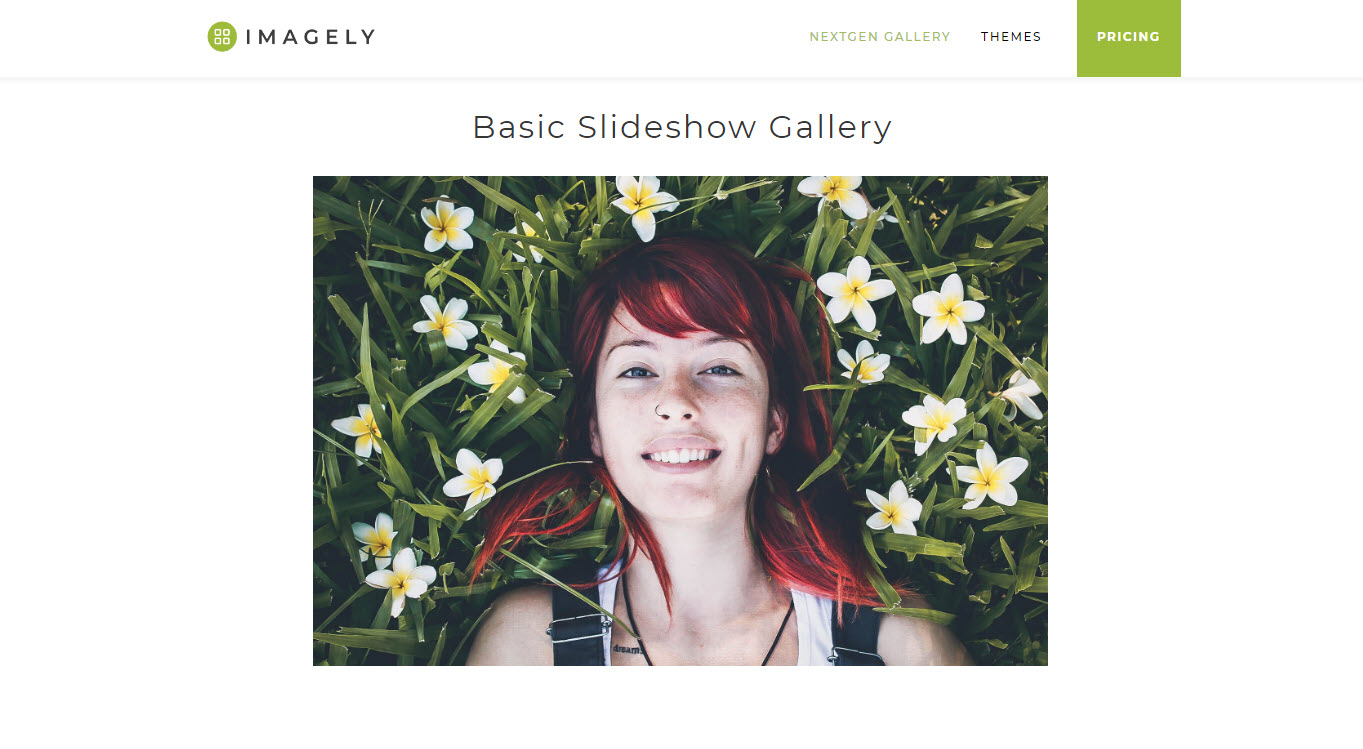
Slideshow Gallery

Imagebrowser Gallery
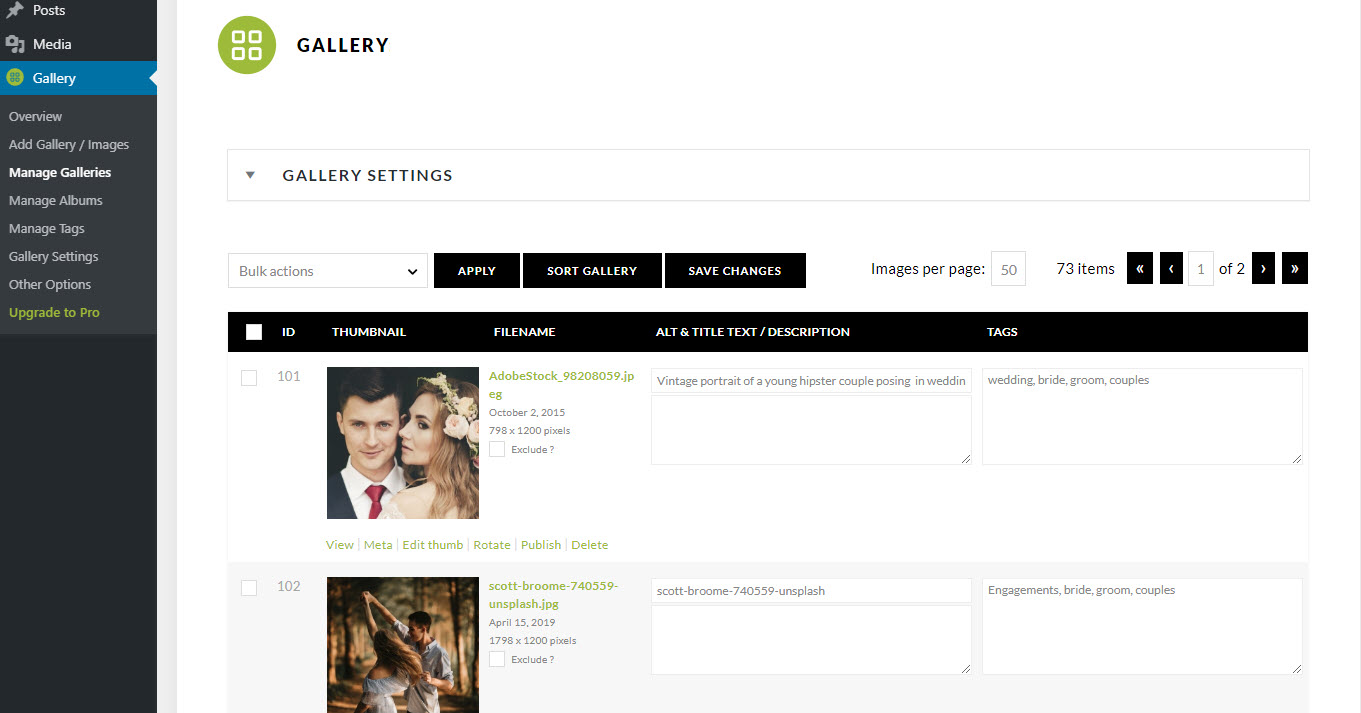
Manage Gallery Page
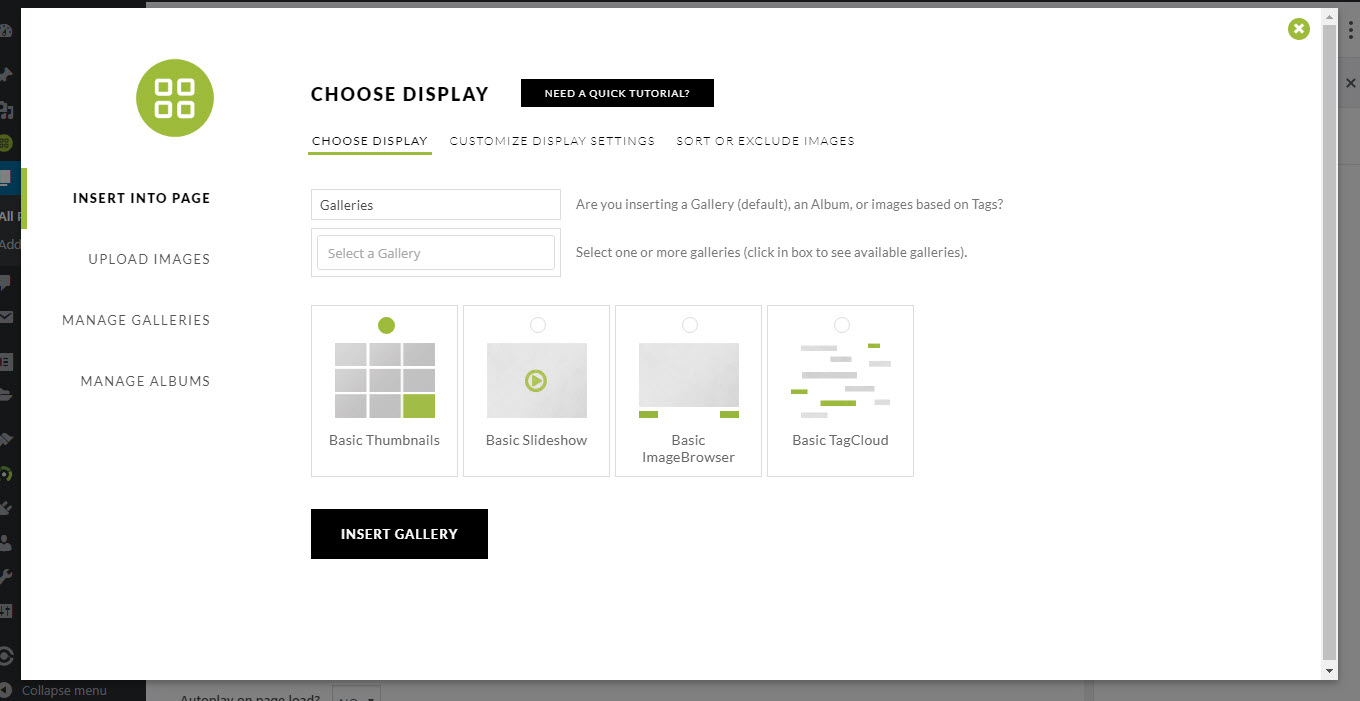
Insert Gallery Window
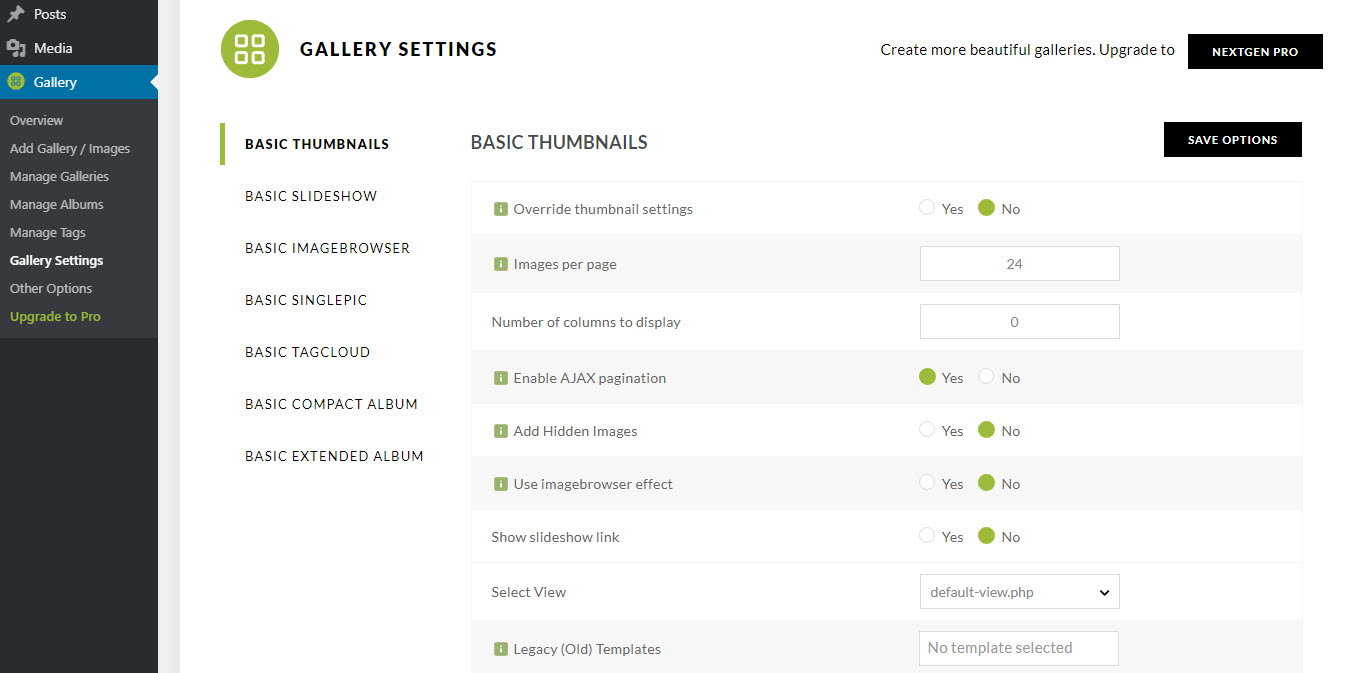
Gallery Settings Page
Changelog
V3.59.12 – 04.23.2025
- Fixed: Lightbox allowed html discrepancy
V3.59.11 – 04.17.2025
- Fixed: SQL formatting error on plugin activation
- Fixed: Translation warning in some admin pages
V3.59.10 – 01.28.2025
- Fixed: Frontend search not working in some cases
V3.59.9 – 01.16.2025
- Fixed: Title and caption allowed html tags.
V3.59.8 – 01.06.2025
- Fixed: Apostrophes not being added to image title
- Improved: Fields sanitization
V3.59.7 – 12.05.2024
- Fixed: Links and styles on about page
- Fixed: Readme update
V3.59.6 – 11.05.2024
- Fixed: Title and captions escaping
- Added: Onboarding wizard
- Added: Optional usage tracking
- Fixed: Blurry images on cropping
V3.59.5 – 09.24.2024
- Fixed: Improved security
V3.59.4 – 07.18.2024
- Fixed: Warning on WP import file
- Added: Create gallery nudge
- Added: Notifications count to the navbar menu
- Fixed: Duplicated gallery name in the Gutenberg block
- Fixed: Gutenberg block not working when adding into the page template
- Added: Link on the header section logo and make it clickable
- Fixed: Duplicate thumbnail in basic thumbnails carousel
V3.59.3 – 05.29.2024
- Fixed: Improved transient registration.
- Fixed: Rendering shortcodes on rest endpoints.
- Fixed: Album name sanitization.
- Removed: Deprecated admin notices.
- Fixed: PHP 8.2 warnings
V3.59.2 – 04.10.2024
- Fixed: Various bugs and improved UI/UX in various places.
V3.59.1 – 04.03.2024
- Fixed: Warning when saving settings.
- Fixed: Show ordered filenames on order details page.
V3.59 – 03.14.2024
- Fixed: URI too long prevents “Sort or exclude images” from loading images.
- Fixed: Correcting Lightroom clients being unable to sync image .
- Fixed: Prevent PHP warning / error when watermarking.
- Fixed: Sorting images from a Classic Editor launched IGW.
- Fixed: Shutter lightbox randomly failing to load the captions.
- Fixed: PHP notices and warnings.
- Fixed: Addressed a bug reported by Dmitrii Ignatyev of Cleantalk.
V3.58 – 02.08.2024
- Fixed: A potential fatal DivisionByZeroError caused by image files being deleted outside of NextGEN.
- Fixed: A potential fatal error in the XML-RPC controller.
- Fixed: An issue with classic (non-block) themes could break Pro’s “Open album children in the Pro Lightbox” feature.
- Fixed: Assorted potential PHP notices and warnings.
- Fixed: Manage Galleries’ “Images per Page” feature was not working.
- Fixed: Passing ‘gallery_width=”auto”‘ to a Slideshow shortcode could result in a fatal error.
V3.57 – 01.10.2024
- Fixed: Albums were generating an incorrect URL to their child galleries.
- Fixed: Albums could generate a fatal error when viewing a sub-album.
- Fixed: Do not call opcache_reset() if it does not exist.
V3.56 – 01.09.2024
- Fixed: “Open album children in Pro Lightbox” feature was only working with block based themes.
- Fixed: Adding more than one Pro display to one page caused galleries after the first to be unstyled.
- Fixed: Albums with very a large number of children may have broken gallery displays if it relies on the dynamic-css feature.
- Fixed: Continued fixing recently introduced incompatibilies with 3rd party extensions.
- Fixed: Creating a new gallery from the Manage Galleries page was just reloading the page.
- Fixed: Display Type settings could be forced back to their default settings when upgrading.
- Fixed: IIS servers may generate a fatal error searching for an absolute path to template files.
- Fixed: Inserting NextGEN singlepic from the Add Media popup was creating an without a src attribute.
- Fixed: Possible PHP notices, warnings.
- Fixed: Restored the NGG_DISABLE_SHORTCODE_MANAGER constant.
- Fixed: Router->fix_page_parameter() generated a warning if the global $post is not an object.
- Fixed: The button ‘Scan folder for new images’ was re-importing existing images.
- Fixed: Updating tags via the Manage Tags page did not flush the displayed gallery rendering cache.
V3.55 – 12.13.2023
- Changed: Changing SweetAlert library version to prevent the interference on .ru sites.
V3.54 – 12.01.2023
- Fixed: Assorted possible PHP warnings and notices with PHP 8.0+.
- Fixed: Compatibility with some 3rd party extensions.
V3.53 – 11.30.2023
- Fixed: A potential conflict with NextGEN Pro Lightbox.
V3.52 – 11.30.2023
- Fixed: A potential fatal error caused by accessing NextGEN Pro constants before they are defined.
- Fixed: Compatibility with ARI Fancy Lightbox & Imagify, both could generate a fatal exception since 3.50.
- Fixed: Paths to non-default template files were being calculated incorrectly, causing the incorrect template to display.
- Fixed: Some bulk actions in the Manage Gallery page were broken by the last release.
- Fixed: Users of PHP 7 and WordPress 5.8 or older could experience a fatal error due to the use of str_contains().
V3.50 – 11.29.2023
- IMPORTANT: Support for PHP 5.6 and lower has been discontinued. If you are running PHP 5.6 or lower, you MUST upgrade PHP before installing NextGEN 3.5.0. Failure to do that will disable NextGEN core functionality.
- Updated: Major refactor of the plugin to support future improvements! Note: This release Requires at least PHP 7.0.
- Fixed: We closed some issues affecting Lightroom users
V3.41 – 09.27.2023
- Fixed: NextGEN 3.39 could generate a fatal error when viewing a gallery hosted on IIS.
- Fixed: NextGEN 3.39 could not accept uploads from the LightRoom plugin.
- Fixed: NextGEN 3.39 could generate a PHP exception when using custom template paths.
V3.39 – 09.13.2023
- Fixed: Prevent template files from existing outside of the site document root, WP_CONTENT_DIR, or WP_PLUGIN_DIR
V3.37 – 05.05.2023
- Fixed: A fatal error was thrown when uploading images’ whose ‘Flash’ EXIF field is an array instead of the integer it should be.
- Fixed: Correcting a possible error in our RankMath SEO compatibility.
- Fixed: Prevent duplicate entries from being added to the photocrati_cache_tracker transient.
V3.36 – 05.10.2023
- NEW: Added support for WP-Sweep so that NextGEN’s tags will not be automatically removed.
- NEW: Added NextGEN Gallery images to RankMath SEO’s sitemaps.
- Fixed: A JS error could trigger on the Manage Gallery page in some circumstances.
- Fixed: In some specific situations NextGEN Gallery could cause an infinite loop on all pages.
- Fixed: Manage Gallery’s “Add Page” button used the legacy [nggallery] shortcode.
V3.35 – 02.03.2023
- Fixed: Sites still using PHP 5.6 experience a fatal error due to an incompatibility with the latest version of Composer.
V3.34 – 02.02.2023
- Fixed: FontAwesome could load SVG font files which broke some Pro Lightbox elements.
V3.33 – 01.18.2023
- Fixed: FontAwesome icons were broken by 3.32 if not enqueued by another source.
V3.32 – 01.11.2023
- NEW: Added the filter ‘ngg_metadata_parse_order’
- Changed: Now including all CSS & JS resources inside the plugin to avoid GDPR issues.
- Fixed: Viewing sub-albums could result in a PHP warning regarding array_pop()