

Duplicate All
The easiest way to duplicate pages, posts, and custom post types with a single click. Fully compatible with page builders like Elementor.
Plugin info
Maintenance & Compatibility
Maintenance score
Stale • Last updated 226 days ago • 1 reviews
Is Duplicate All abandoned?
Likely maintained (last update 226 days ago).
Compatibility
Similar & Alternatives
Explore plugins with similar tags, and compare key metrics like downloads, ratings, updates, support, and WP/PHP compatibility.
Description
Duplicate All provides a simple and straightforward way to clone your posts, pages, or any custom post type with just a single click.
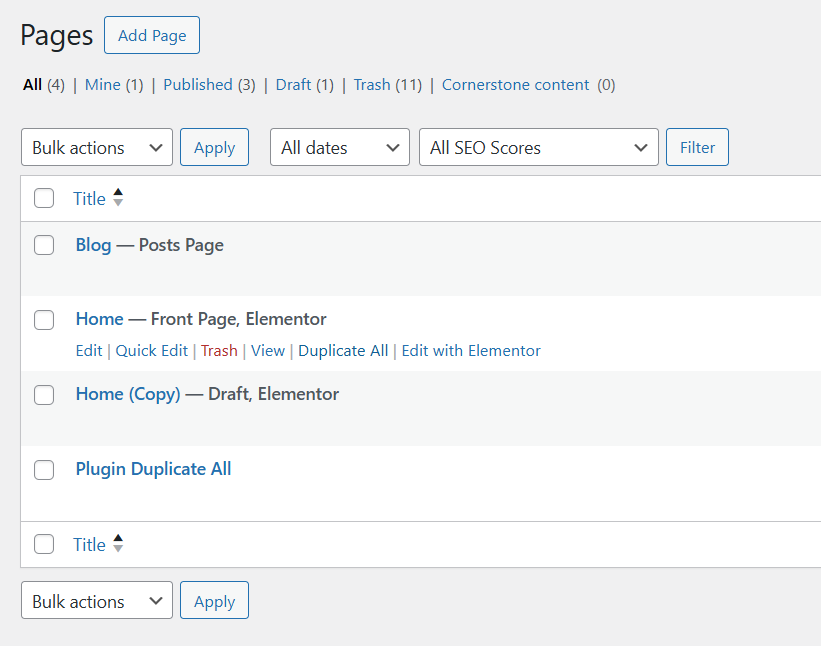
Tired of manually copying and pasting content, especially on complex pages built with Elementor or other page builders? With Duplicate All, a “Duplicate All” link will appear in your post/page listings. Clicking it instantly creates a perfect copy as a draft (or any other status you choose), preserving all content, metadata, and page builder settings.
Key Features:
- One-Click Duplication: Clone any post, page, or custom post type instantly.
- True Page Builder Compatibility: Works flawlessly with Elementor. It properly clones all data and ensures the duplicated page is immediately recognized as an Elementor page, no extra steps needed.
- Lightweight and Fast: No unnecessary code. Built for performance.
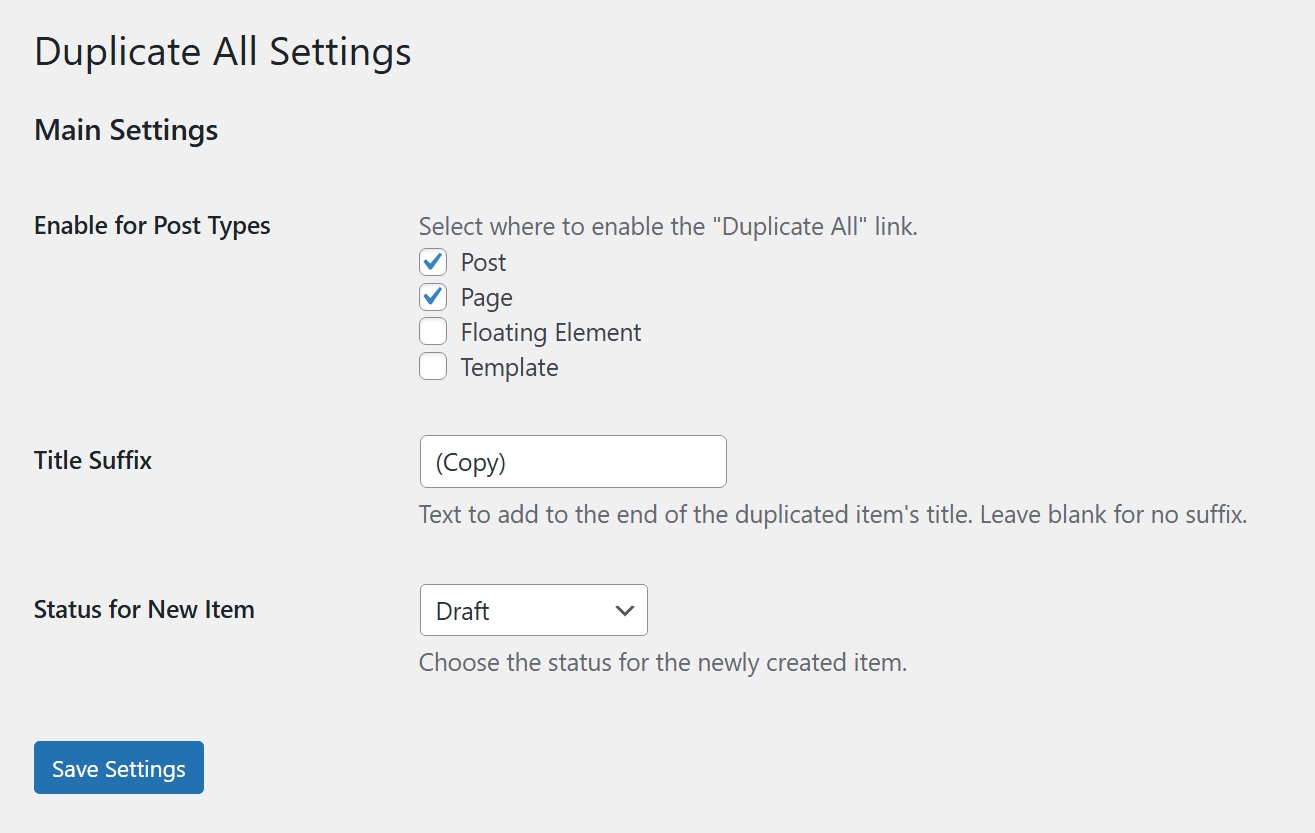
- Highly Customizable: From the settings page (Settings > Duplicate All), you can:
- Enable or disable duplication for specific post types.
- Customize the suffix added to the title of the duplicated item (e.g., “(Copy)”).
- Choose the status of the new item (Draft, Pending, Private, or Publish).
- Fully Translatable: Ready for internationalization.
Installation
- Upload the
informigados-duplicate-allfolder to the/wp-content/plugins/directory. - Activate the plugin through the ‘Plugins’ menu in WordPress.
- (Optional) Go to
Settings > Duplicate Allto configure the plugin. - Navigate to any post or page list. You will now see a “Duplicate All” link when you hover over an item.
Frequently Asked Questions
Yes. This version includes a definitive fix for Elementor. It works by cloning all the necessary metadata first (including the flags that mark a page as being “built with Elementor”) and then triggers Elementor’s CSS regeneration. This ensures a perfect clone that is immediately editable with Elementor. The same robust metadata cloning method works well for other page builders.
You can find the settings page under Settings > Duplicate All in your WordPress admin menu.
Review feed
Screenshots
The "Duplicate All" link in action on the post list.
The simple and clean settings page.
Changelog
1.0.0
- Initial release.