

Inline Preview
Inline Preview adds a preview of the post you're writing next to the editor when you click Preview (instead of opening it in a new tab).
Plugin info
Maintenance & Compatibility
Maintenance score
Possibly abandoned • Last updated 3404 days ago • 8 reviews
Is Inline Preview abandoned?
Possibly abandoned (last update 3404 days ago).
Compatibility
Similar & Alternatives
Explore plugins with similar tags, and compare key metrics like downloads, ratings, updates, support, and WP/PHP compatibility.
Description
Inline Preview is a plugin for WordPress that adds a live preview of the current post next to the post editor instead of opening the preview in a new tab.
Problem: When creating a post in WordPress, previewing your post in a separate tab can be slow and/or complicated.
Solution: Show the preview right next to the editor.
It’s just an idea I’m playing with for streamlining the post creation process, and if it feels familiar, it’s probably because it is: through version 2.1, WordPress contained a preview iframe at the bottom of the post editing screen, but this is a more elegant implementation.
Installation
Frequently Asked Questions
Review feed
Screenshots
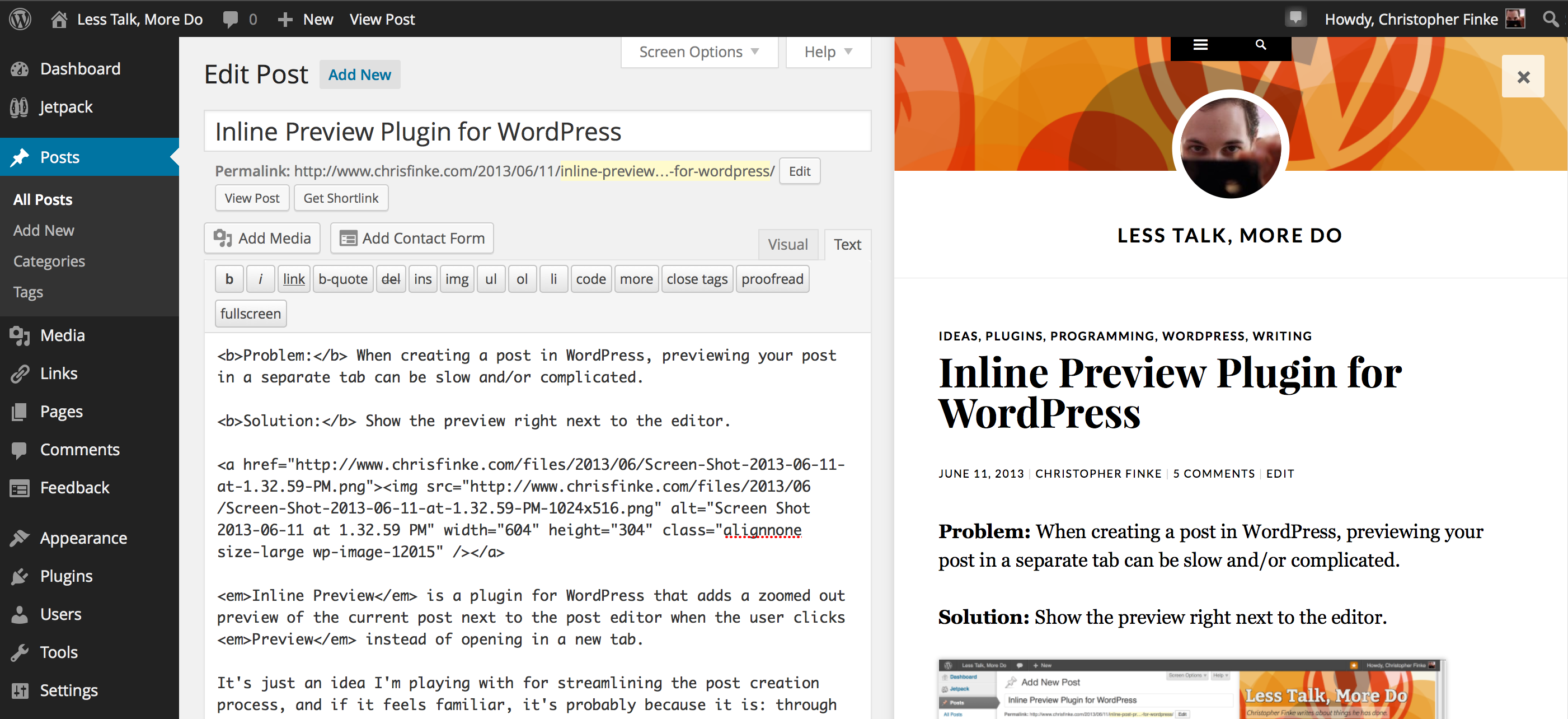
An example of Inline Preview in action.
Changelog
4.3
- Better compatibility with WordPress 4.1
- Fixed a bug preventing the preview frame from being resizable.
- Fixed a bug preventing live preview from working sometimes.
4.2
- Better compatibility with WordPress 3.9
4.1
- Better compatibility with WordPress 3.8
- The close button now fits in better with the rest of the WordPress UI.
4
- A better method for seamlessly reloading the preview frame.
- Keep the preview iframe the same relative size when the window is resized.
3
- Seamless reloading (and auto-reloading) of the preview frame.
2
- Added a close button to the preview frame.
- Properly restoring one- or two-column view after the preview closes.
1.1
- Removed jquery.spin dependency.
1
- The initial release.