
Live Event Seating Lite
Create and display beautiful, interactive seating charts for your events. The perfect tool for mapping venues, halls, and theaters.
Plugin info
Maintenance & Compatibility
Maintenance score
Maintained • Last updated 121 days ago • 1 reviews
Is Live Event Seating Lite abandoned?
Likely maintained (last update 121 days ago).
Compatibility
Similar & Alternatives
Explore plugins with similar tags, and compare key metrics like downloads, ratings, updates, support, and WP/PHP compatibility.
Description
The Easiest Way to Create & Display a Seating Chart in WordPress!
Are you trying to create a visual seating chart for an upcoming event? Building a custom venue map or an interactive floor plan in WordPress can be a challenge. Live Event Seating Lite is the solution. It provides a powerful, intuitive, drag-and-drop builder to create a detailed seating plan for any occasion. It’s perfect for visualizing your event seating arrangements without any code.
Create Any Kind of Floor Plan or Venue Map
Whether you’re organizing a wedding reception, a corporate conference, a theatrical performance, or a classroom layout, this plugin makes it simple to design your space. Create a detailed floor plan with tables, design a theater-style venue map with rows of seats, or map out any other event seating configuration you can imagine. Once your chart is complete, you can display it on any page or post using a simple shortcode.
This is the free version of the powerful Live Event Seating for WooCommerce plugin.
Lite Version Features:
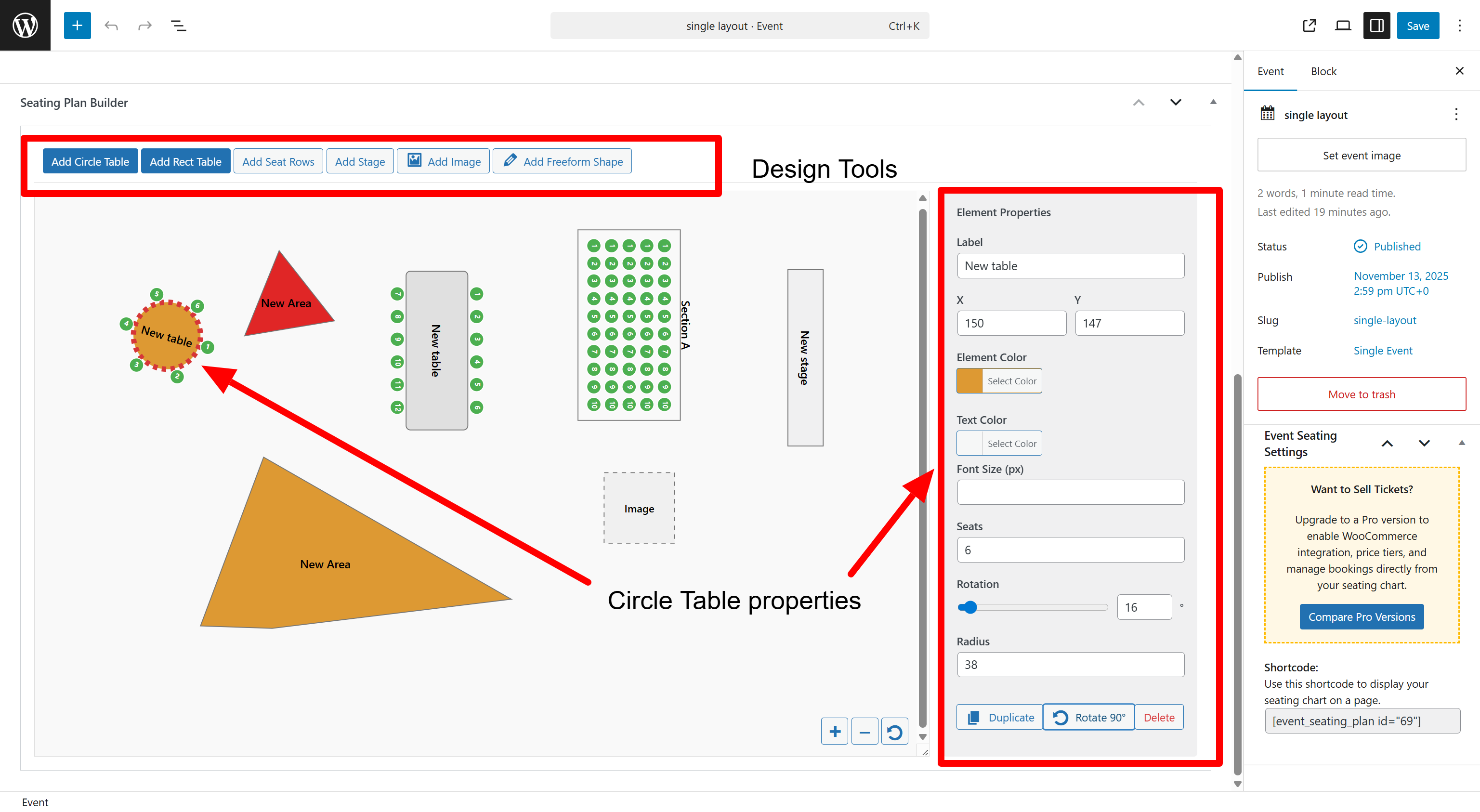
- Visual Drag & Drop Builder: Create your seating chart right inside the WordPress admin area.
- Multiple Elements: Add circle tables, rectangle tables, seat rows, stages, images, and even freeform polygon shapes.
- Intuitive Controls: Easily move, rotate, duplicate, and delete elements. Use smart snapping guides for perfect alignment.
- Smart Alignment: Use snapping guides for a clean and professional layout.
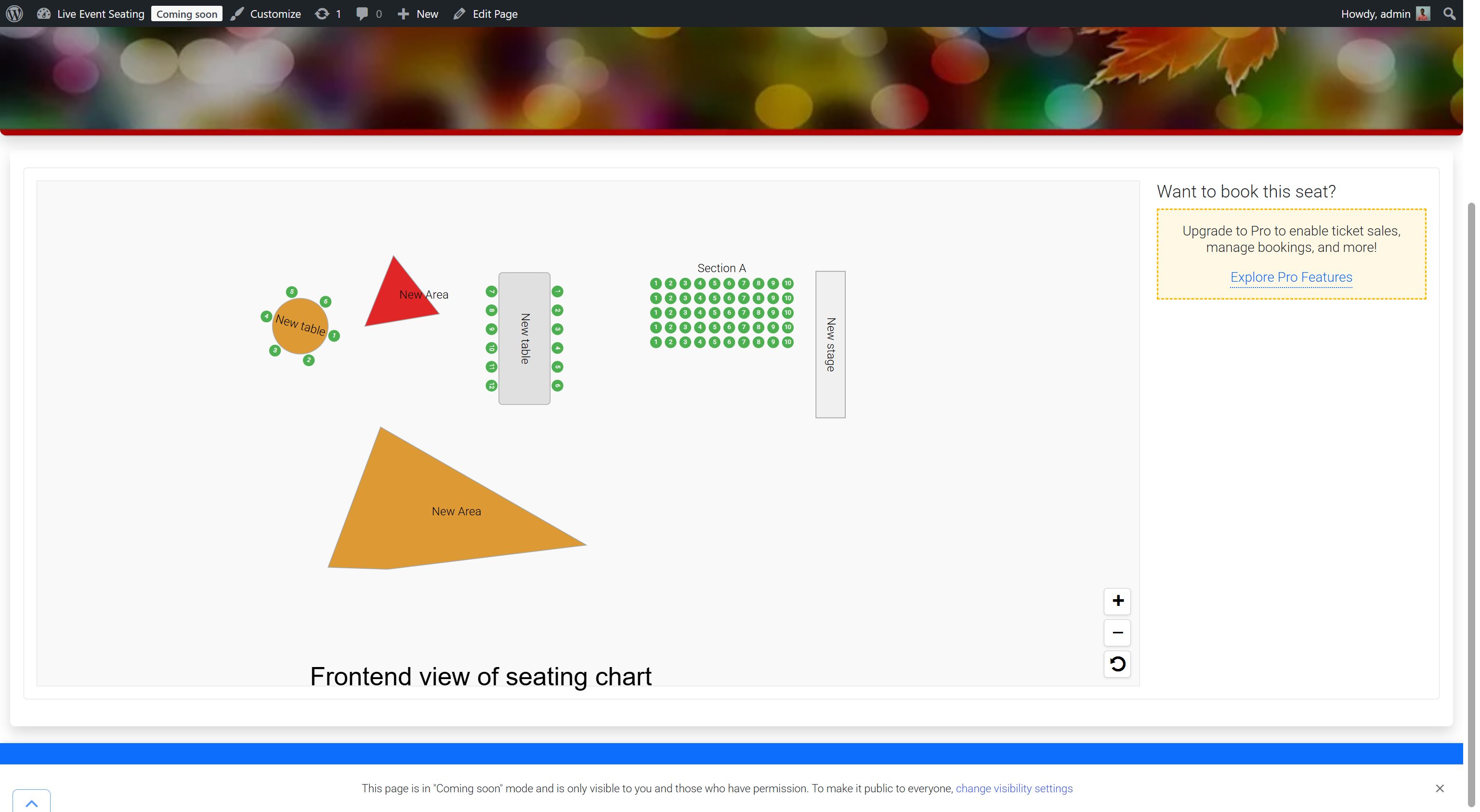
- Simple Display: Use a shortcode
[event_seating_plan id="YOUR_EVENT_ID"]to display your chart on the frontend. - Responsive & Interactive: Users can pan and zoom the displayed seating chart on any device.
Upgrade to Pro for Ticket Sales & Advanced Features!
The Lite version is the perfect tool for displaying a seating plan. However, if you need to handle ticket sales, the real power comes with our Pro versions. Upgrading allows you to connect your seating chart directly to WooCommerce. You can sell tickets for individual seats, book entire tables, and manage all your tickets and reservations seamlessly.
- Basic Version: Integrates seamlessly with WooCommerce, allowing you to sell individual seats and tables.
- Pro Version: Unlocks powerful features for complex venues, including Multi-Section Layouts (e.g., “Balcony,” “Orchestra”), General Admission (GA) areas, ticket scanning, and more!
Find the perfect version for your needs and start your ticket sales!
Installation
- Upload the
live-event-seating-litefolder to the/wp-content/plugins/directory. - Activate the plugin through the ‘Plugins’ menu in WordPress.
- Go to
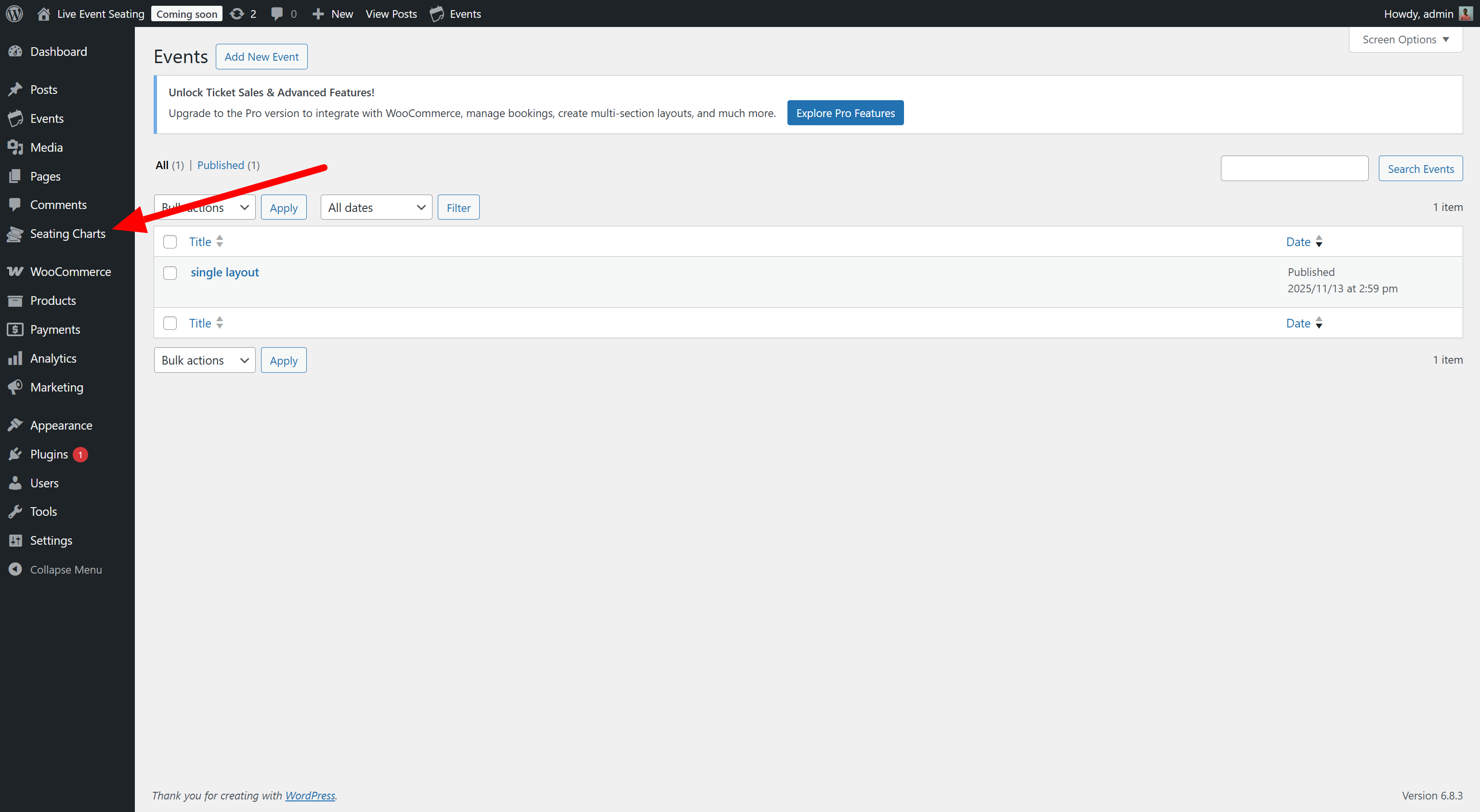
Seating Charts>Add New. - Use the “Seating Plan Builder” to create your chart.
- Copy the shortcode from the “Event Seating Settings” box.
- Paste the shortcode into any page or post to display your seating chart.
Frequently Asked Questions
Review feed
Screenshots
The intuitive drag-and-drop seating chart builder.
Changelog
1.0.1
- FIX: Add prefixes to all global functions to prevent conflicts.
- FIX: Remove deprecated load_plugin_textdomain function.
- FIX: Escape post ID in shortcode output.
1.0.0
- Initial release on WordPress.org.