

Maintenance 42/100296d since update
Active installs
5,000
Downloads
52,535
Reviews
19
Age
5.9y
Plugin info
Total downloads: 52,535
Active installs: 5,000
Total reviews: 19
Average rating: 5
Support threads opened: 0
Support threads resolved: 0 (0%)
Available in: 1 language(s)
Contributors: 1
Last updated: 6/10/2025 (296 days ago)
Added to WordPress: 5/26/2020 (5 years old)
Minimum WordPress version: 4.7
Tested up to WordPress version: 6.8.3
Minimum PHP version: 5.6.20
Maintenance & Compatibility
Maintenance score
Stale • Last updated 296 days ago • 19 reviews
42/100
Is LuckyWP ACF Menu Field abandoned?
Likely maintained (last update 296 days ago).
Compatibility
Requires WordPress: 4.7
Tested up to: 6.8.3
Requires PHP: 5.6.20
Similar & Alternatives
Explore plugins with similar tags, and compare key metrics like downloads, ratings, updates, support, and WP/PHP compatibility.
User Menus – Nav Menu Visibility
Rating 5.0/5 (1,262 reviews) • Active installs 90,000
Nav Menu Roles
Rating 4.9/5 (218 reviews) • Active installs 70,000
Font Awesome 4 Menus
Rating 4.9/5 (28 reviews) • Active installs 40,000
Privilege Menu
Rating 5.0/5 (7 reviews) • Active installs 2,000
Advance Menu Manager
Rating 3.7/5 (22 reviews) • Active installs 700
Multilevel Navigation Menu
Rating 5.0/5 (3 reviews) • Active installs 600
Description
Add navigation menu field type to Advanced Custom Fields.
Features
- Customizable return value: ID, object (WP_Term) or HTML (use function wp_nav_menu()).
- Hook filter
lwpamf_wp_nav_menu_argsto change arguments of wp_nav_menu() function.
Compatibility
LuckyWP ACF Menu Field is compatible with:
- Advanced Custom Fields 5
- Advanced Custom Fields PRO 5
- Advanced Custom Fields 6
- Advanced Custom Fields PRO 6
Installation
Installing from the WordPress control panel
- Go to the page “Plugins > Add New”.
- Input the name “LuckyWP ACF Menu Field” in the search field
- Find the “LuckyWP ACF Menu Field” plugin in the search result and click on the “Install Now” button, the installation process of plugin will begin.
- Click “Activate” when the installation is complete.
Installing with the archive
- Go to the page “Plugins > Add New” on the WordPress control panel
- Click on the “Upload Plugin” button, the form to upload the archive will be opened.
- Select the archive with the plugin and click “Install Now”.
- Click on the “Activate Plugin” button when the installation is complete.
Manual installation
- Upload the folder
luckywp-acf-menu-fieldto a directory with the plugin, usually it is/wp-content/plugins/. - Go to the page “Plugins > Add New” on the WordPress control panel
- Find “LuckyWP ACF Menu Field” in the plugins list and click “Activate”.
After activation
Into ACF field type will appear option “Menu” (group “Relational”).
Frequently Asked Questions
No FAQ available
Review feed
Christina
Excellent!!!!
Thank you very, very much for making this. It saved so much time.
Screenshots
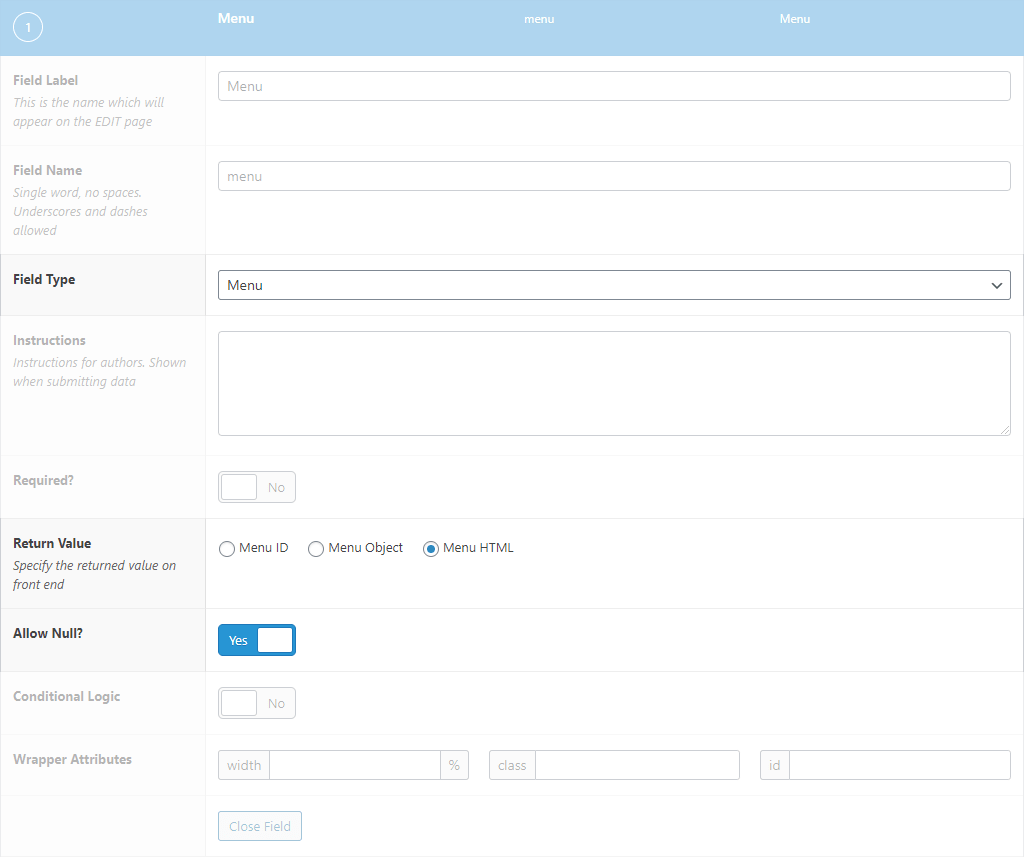
Edit Field Configuration
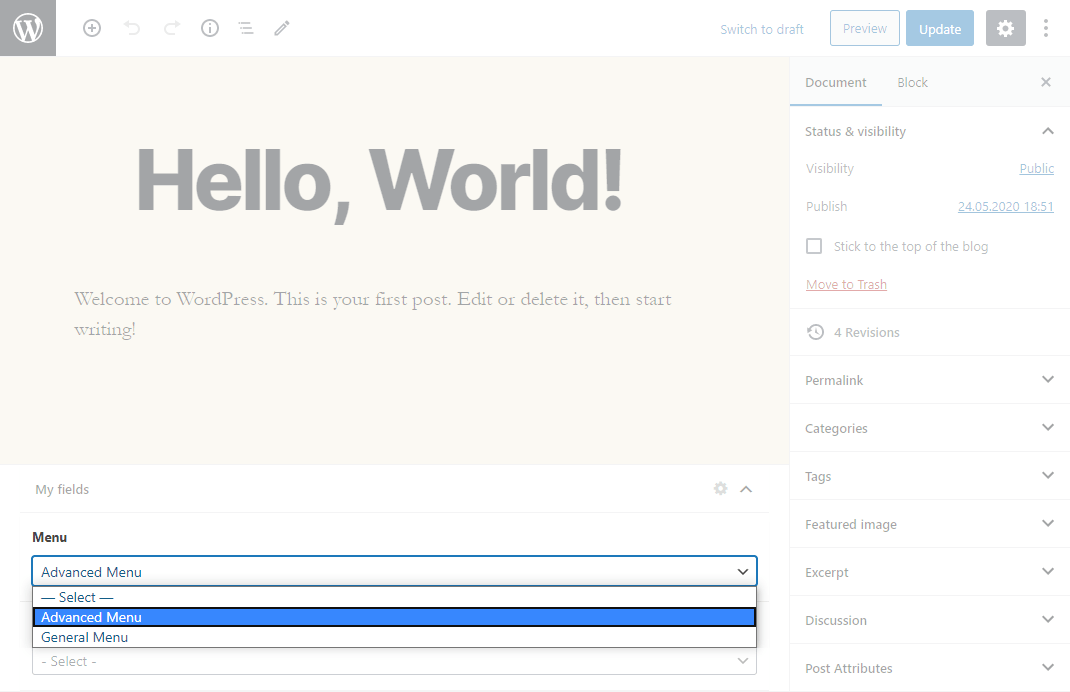
Menu Field
Changelog
1.0.3 — 2025-06-10
- Adapt to WordPress 6.8.
1.0.2 — 2024-11-28
- Fix deprecated notices.
- Test with WordPress 6.7.
1.0.1 — 2024-11-11
- Fix “LuckyWP Plugins” page.
1.0 — 2020-05-26
- Initial release.