

Magic Text Block — Styles & Effects: Gradients and Tooltips
Enhance your Gutenberg editor with advanced text formatting options.
Plugin info
Maintenance & Compatibility
Maintenance score
Maintained • Last updated 118 days ago
Is Magic Text Block — Styles & Effects: Gradients and Tooltips abandoned?
Likely maintained (last update 118 days ago).
Compatibility
Similar & Alternatives
Explore plugins with similar tags, and compare key metrics like downloads, ratings, updates, support, and WP/PHP compatibility.
Description
Magic Text Block enhances your WordPress Gutenberg editor with powerful text formatting options that go beyond the standard capabilities. This plugin brings creative typography and styling directly to your content creation workflow.
Key Features:
- Gradient Stroke Text: Apply beautiful gradient borders to your text that catch the eye and make headlines pop.
- Gradient Text Color: Transform ordinary text with vibrant gradient color fills that flow smoothly from one color to another.
- Post Theme Selector: Apply custom themes (Dark, Light, Milkshake, Popsicle) to individual posts or pages, creating unique visual experiences for different content.
- Text Background Image: Select images from your media library to apply as backgrounds behind specific portions of text, creating striking visual effects.
- Underline Effects: Apply decorative curved underline effects with customizable colors to highlight important text.
- Tooltip Text: Add customizable tooltip bubbles to text with your own message, background color, and text color—great for inline explanations or quick hints.
- Unstyle Text: Remove all formatting from selected text instantly.
- Realistic Text Marker: Highlight text with authentic marker effects using 8 handcrafted styles (uneven, thick, messy, double, faded, wavy, textured) that simulate real highlighter strokes.
Perfect for bloggers, designers, and content creators looking to make their content stand out without requiring any coding knowledge. Simply select your text and apply the formatting options from the text toolbar.
Compatible with all WordPress themes and works seamlessly with the Gutenberg block editor.
This plugin’s code is available on GitHub. Please feel free to fork the repository and send a pull request. If you find a bug in the plugin, open an issue.
Video Tutorial
Watch our step-by-step guide on how to apply Magic Text Block formatting in WordPress! Learn how to enhance your text with gradient effects, background images, and stylish underlines.
📺 Watch the tutorial here:
Demo
Installation
Installation from within WordPress
- Visit Plugins > Add New.
- Search for Magic Text Block.
- Install and activate the plugin.
Manual installation
- Upload the plugin files to the
/wp-content/plugins/directory. - Activate the plugin through the Plugins screen in WordPress.
- Use the Gutenberg editor to access the Magic Text Block formatting options.
Frequently Asked Questions
Simply highlight the text you want to style in the Gutenberg editor, and choose the Magic Text Block options from the toolbar.
The source code for this plugin, including the original JavaScript files used to build the block, is available in the GitHub repository:
https://github.com/younes-dro/magic-text-block/tree/main/src/magic-text-block
These files are not included in the plugin ZIP but are available in the public repository for transparency and contribution.
Yes, the gradient colors are fully customizable through the editor interface.
Review feed
Screenshots
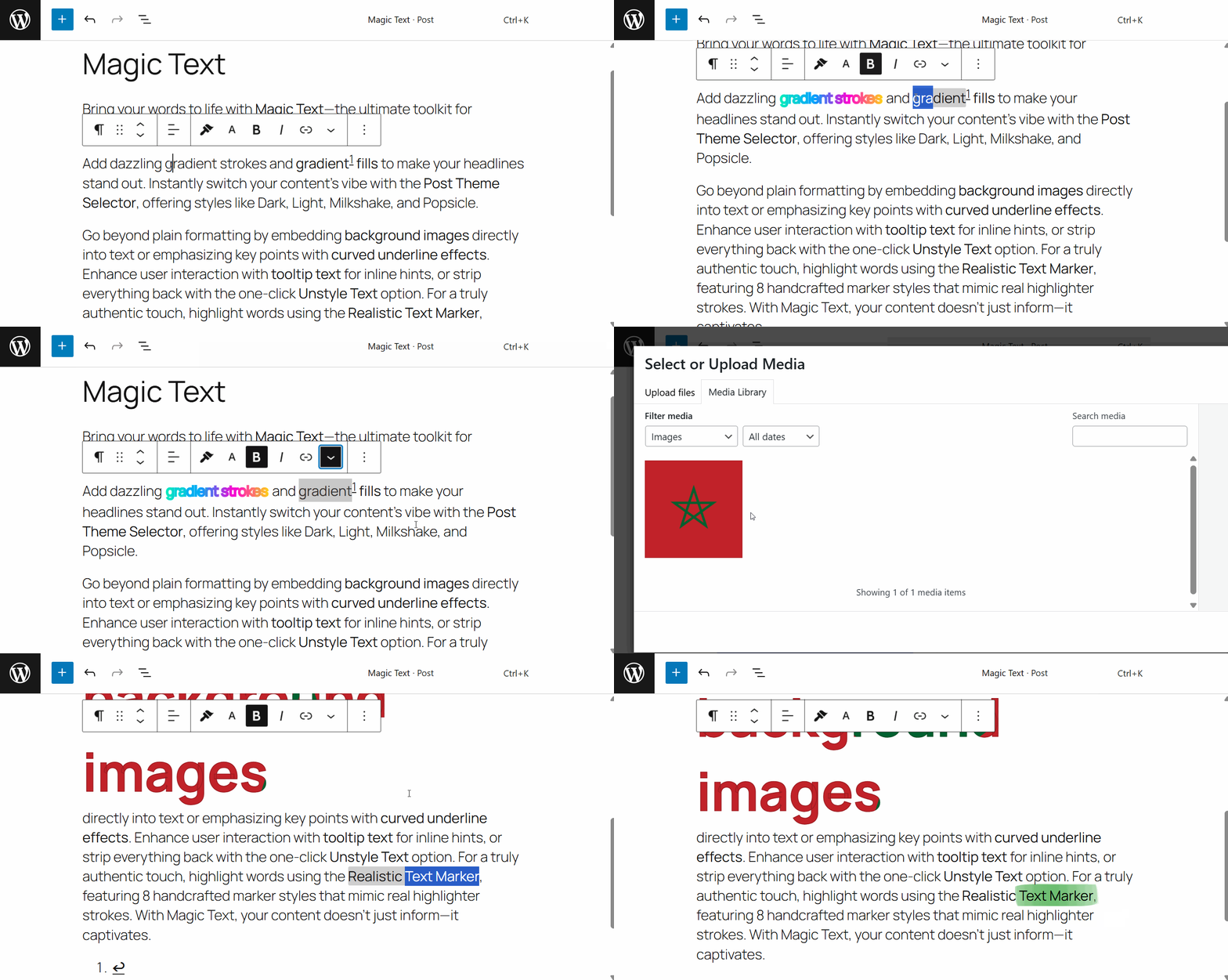
Demo Video - All the features in action.

Gradient Text Color – Enhance text appearance with gradient colors.
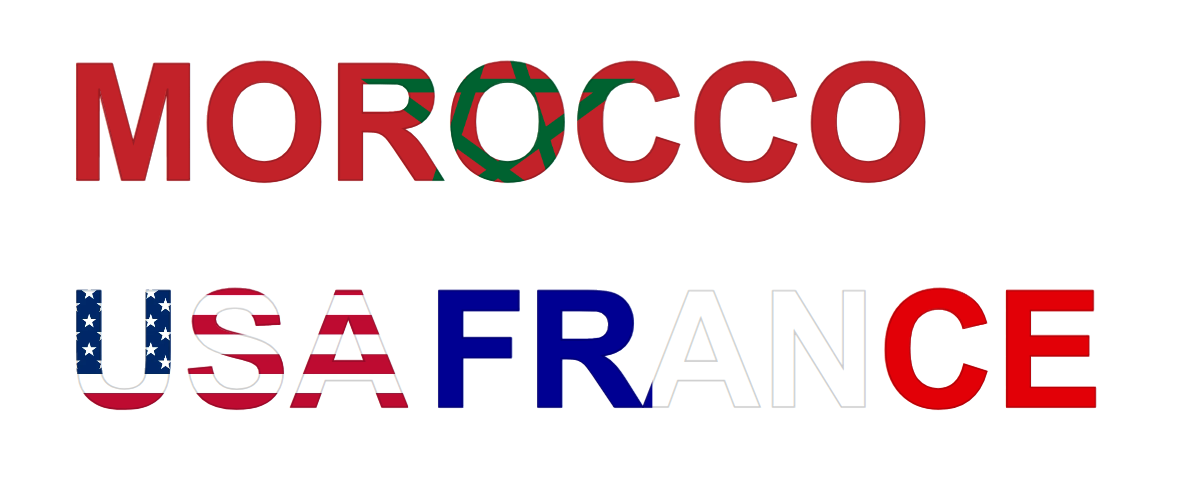
Text Background Image – Add visual depth with background images.
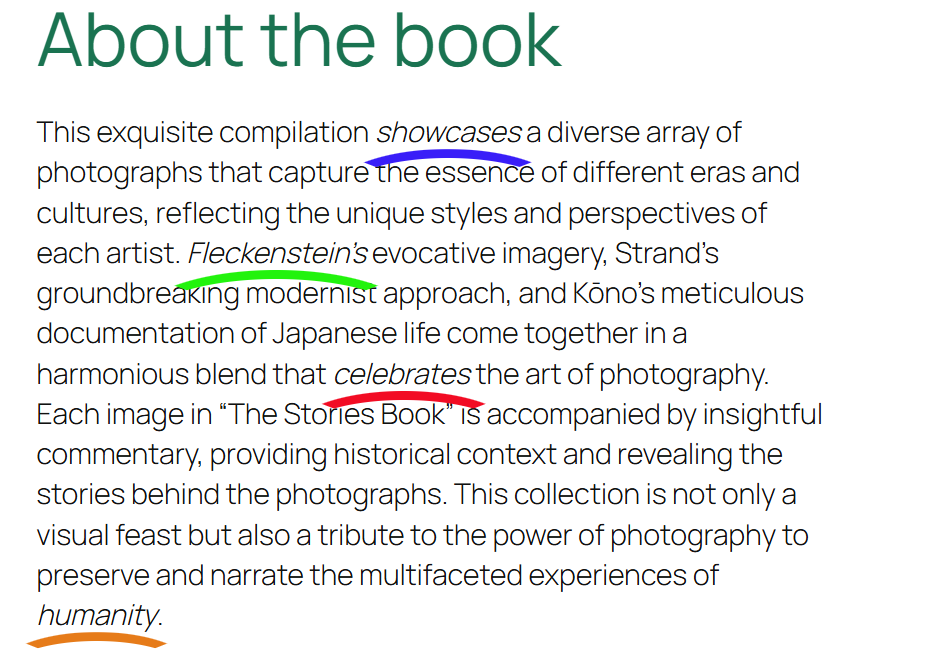
Underline Effect – Improve text with custom underline styles.
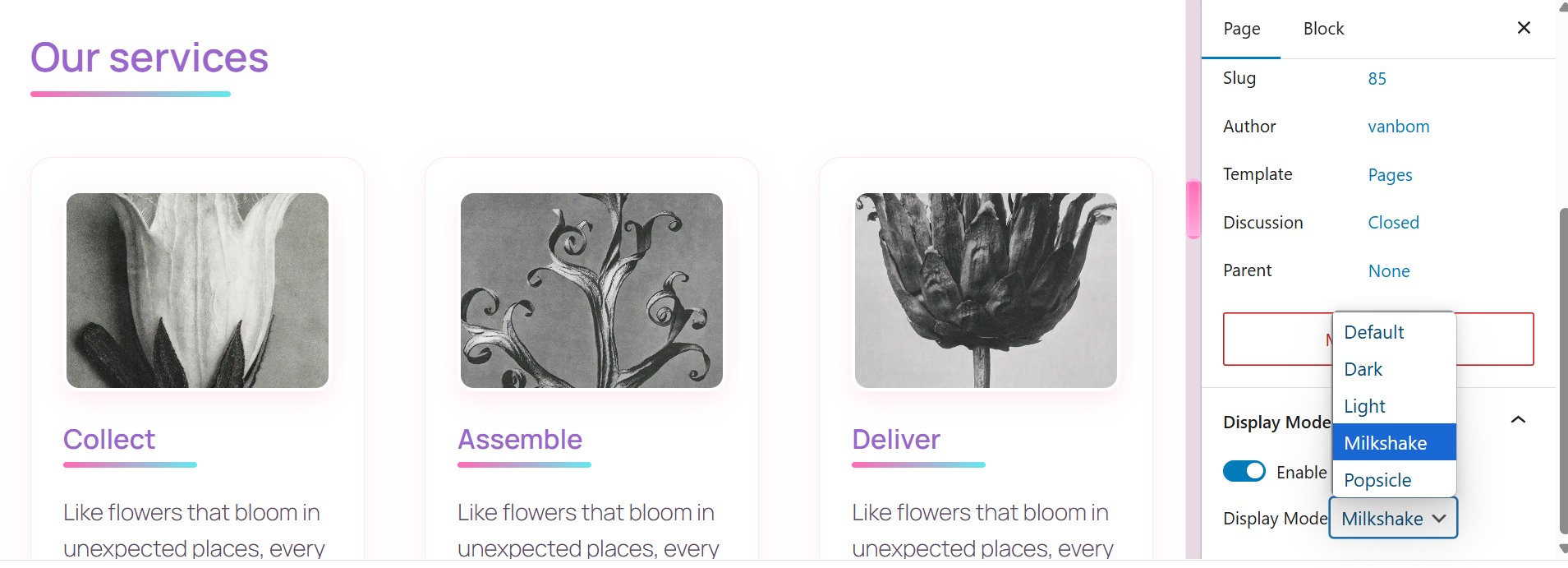
Post Theme Selector – Easily adjust text styling per post/page.
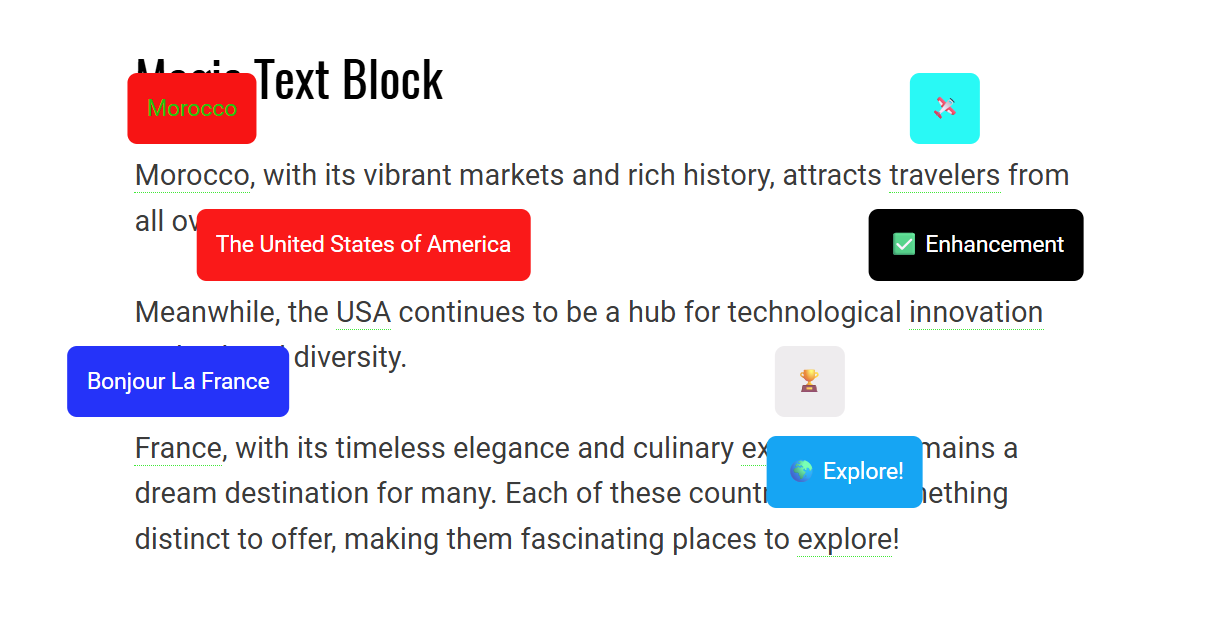
Tooltip Text - Customizable tooltip.
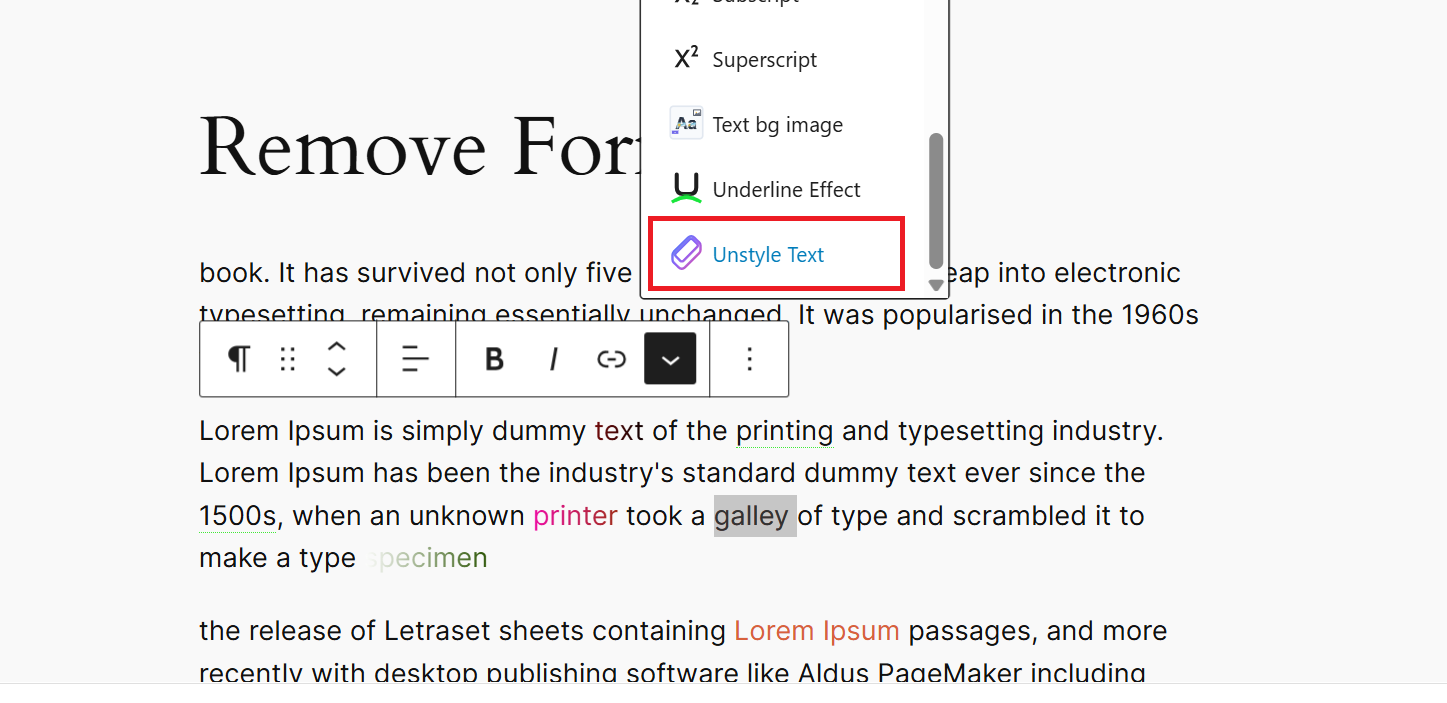
Unstyle Text - Remove all formatting from selected text instantly.
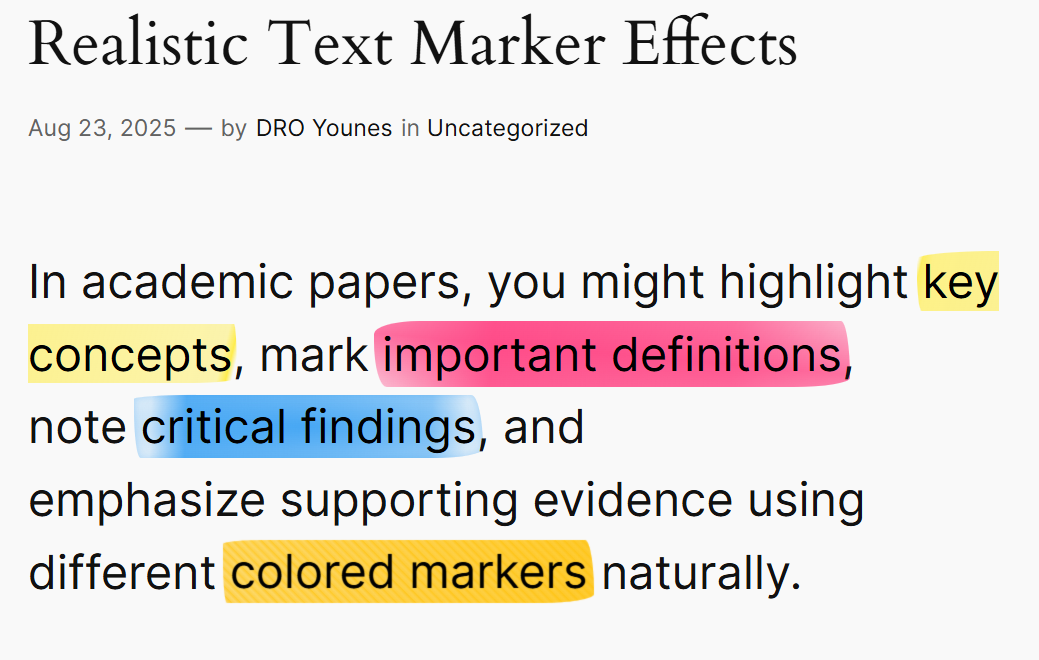
Realistic Text Marker – Highlight text with authentic marker effects and 8 handcrafted styles.

Gradient Stroke – Apply unique strokes to text using gradients.
Changelog
1.6.0
- Added Realistic Text Marker with 8 authentic highlighter styles and live preview selection interface
1.5.0
- Enhanced unstyle text format type with comprehensive formatting removal
- Added robust format detection using WordPress data store for unstyle feature
- Improved unstyle format removal to handle all registered format types instead of only active ones
1.4.1
- Fixed React DOM warnings by converting SVG attributes to proper JSX format
- Improved console output by eliminating invalid DOM property warnings
1.4.0
- Added custom SVG icons for all rich text format types
- New icons include: Tooltip, Text Background Image, Underline Effect, Gradient Text Color, and Gradient Stroke
1.3.1
Improve gradient color picker UI.
1.3.0
- Enhanced Tooltip Position options: added 4 new diagonal positions (top-left, top-right, bottom-left, bottom-right) for more precise tooltip placement.
1.2.0
- Added Tooltip Position options: choose from top, bottom, left, right, and diagonal positions.
- Added Gradient Background support: create beautiful gradient tooltips with customizable colors and directions.
- Improved UI: replaced radio controls with select menus for better space utilization.
1.1.0
- Added new Tooltip Text component: allows you to display a customizable tooltip on hover, with configurable text, background color, and text color.
- Updated the components to use a
<span>tag to respect proper text-level semantics.
1.0.0
- Initial release 🎉