

MailChimp Importer
Automatically import your MailChimp campaigns into your blog posts. Select an author and categories for your posts.
Plugin info
Maintenance & Compatibility
Maintenance score
Possibly abandoned • Last updated 4760 days ago
Is MailChimp Importer abandoned?
Possibly abandoned (last update 4760 days ago).
Compatibility
Similar & Alternatives
Explore plugins with similar tags, and compare key metrics like downloads, ratings, updates, support, and WP/PHP compatibility.
Description
The MailChimp Importer is a WordPress plugin that can automatically import your MailChimp newsletters as WordPress posts.
By using the WP Cron functionality it will automatically go out at the interval you specify and download the text version
of your newsletters for you. Through the settings you can set the author and categories that get assigned to the post.
If you don’t want to import the newsletters but show links to the archives we offer a shortcode to do that. By placing [ mailchimp ]
anywhere in your post or page it will use the settings and grab your newsletters. You can also override the settings by adding attributes
to your shortcode.
Installation
- Upload the
hms-mailchimpfolder to your/wp-content/plugins/directory - Activate the plugin through the ‘Plugins’ menu in WordPress
- In Settings -> MailChimp Importer enter your API key. Click Save Changes and from there select what list you want to import.
- If you want to show a listing of your newsletters add [mailchimp] to any post or page.
Frequently Asked Questions
Does this work with free MailChimp accounts?
Yes it does.
Can I set how frequently it checks?
Yes, there is a setting to set the frequency
Review feed
Screenshots
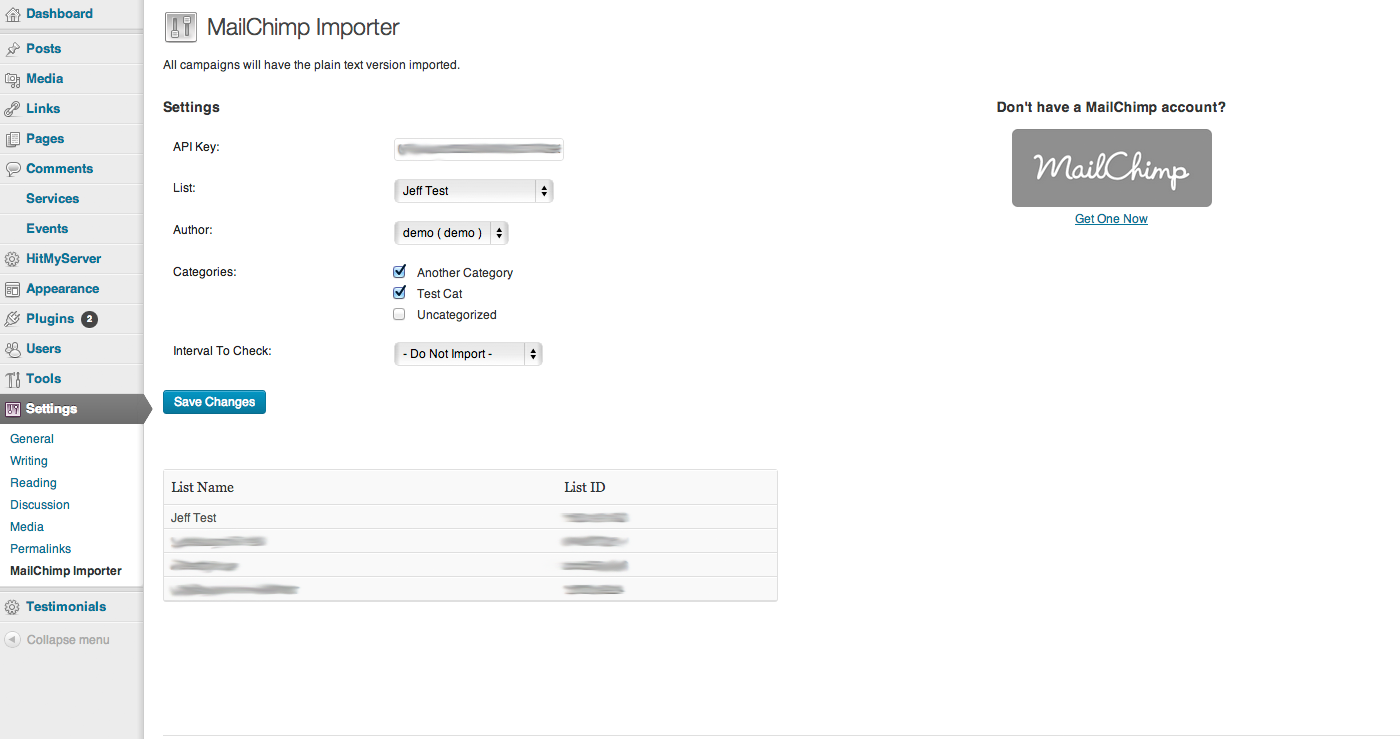
Settings screen
Changelog
1.0
- Plugin is released