

meBounce – Best Lead Generation Tool
meBounce encourage your visitors to put their information before leaving your blog and website pages. It helps you grow your email list by converting …
Plugin info
Maintenance & Compatibility
Maintenance score
Possibly abandoned • Last updated 2496 days ago
Is meBounce – Best Lead Generation Tool abandoned?
Possibly abandoned (last update 2496 days ago).
Compatibility
Languages
Similar & Alternatives
Explore plugins with similar tags, and compare key metrics like downloads, ratings, updates, support, and WP/PHP compatibility.
Description
meBounce is a WordPress plugin & powerful tool that converts your WordPress website visitors more into subscribers. This helps you to grow your email list significantly & fast. Download the subscribers list in CSV format and then import this list to your email marketing platform, like mailchimp and grow your business like never before.
meBounce encourage your visitors to put their information before leaving your blog and website pages.
Here are few benefits of getting meBounce, than getting from other similar services:
- MailChimp Integration
- CSV Download of subscriber mailing list for those who are using other marketing tools except MailChimp.
- Grow Email List
- Recover abandoning visitors
- Reduce bounce rate
- More email subscriber
- Import list in any email marketing tool
- Increase in Sales
Installation
- Upload the meBounce zip file to the
/wp-content/plugins/directory, or install meBounce through the WordPress plugins screen directly. - Activate the meBounce through the ‘Plugins’ screen in WordPress
- Navigate to meBounce tab at the above of appearance admin menu and go to settings to setup & change configuration of meBounce.
- Just sit & relax, see meBounce grabbing leads for you at subscribers menu.
Frequently Asked Questions
What is required to install meBounce?
As meBounce is a WordPress plugin, it will work only on WordPress platform as of now.
How long it will take setup?
meBounce is hassle free and can be setup within a minute. After installing you have to just put few some texts to display on your popup for your visitors. And if you wish, you can customize its behaviour, but by default it should be fine for you.
Review feed
Screenshots
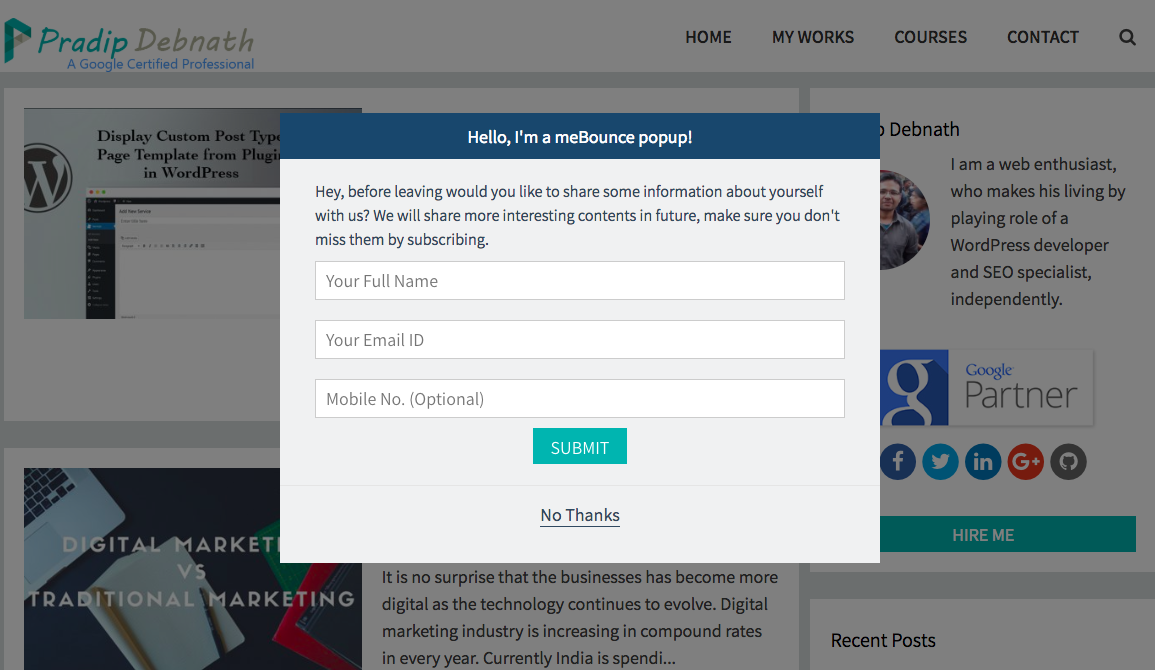
How the meBounce popup will show on your blog/website.

meBounce settings page, where you can customize/manage its behaviour.
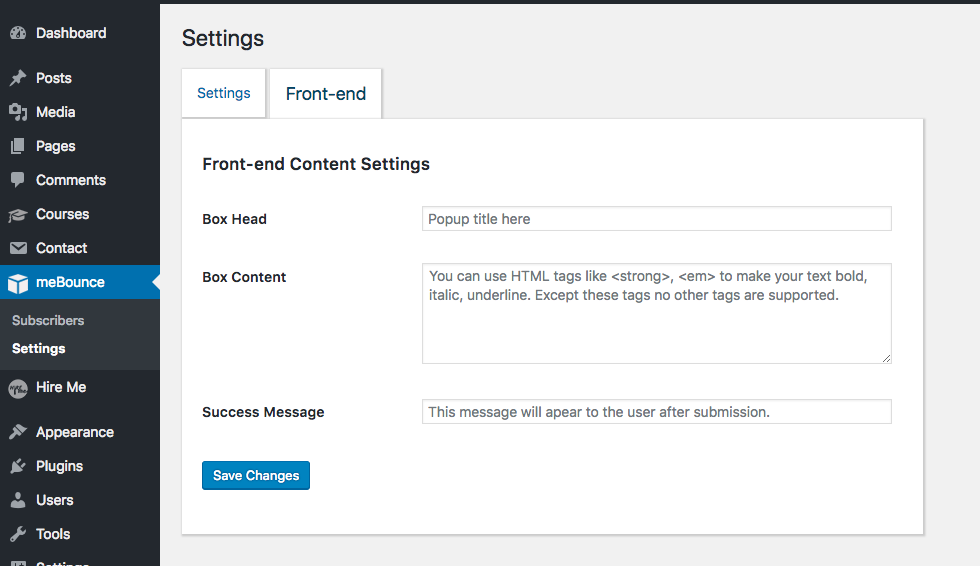
meBounce popup customization settings page

Subscribers list page

MailChimp Setting page

CSV Download Page
Changelog
2.2
- Added MailChimp Integration
- Added subscriber email list download in a CSV file
2.0
- Fixes problem with subscriber list pagination
- Added new subscriber notification in admin menu
- Added name and mobile fields to popup
1.2
- Fixes bugs related to database
1.0
- Initial release