
Missing Menu Items
Adds missing menu items into your Appearance menu in the WordPress admin area to make maneuvering to useful WordPress editor features easy.
Plugin info
Maintenance & Compatibility
Maintenance score
Possibly abandoned • Last updated 1228 days ago • 4 reviews
Is Missing Menu Items abandoned?
Possibly abandoned (last update 1228 days ago).
Compatibility
Similar & Alternatives
Explore plugins with similar tags, and compare key metrics like downloads, ratings, updates, support, and WP/PHP compatibility.
Description
Frustrated navigating around the latest WordPress admin whild building your site? Why does it take so many clicks to get to Editor Templates?
The Missing Menu Items for WordPress plugin adds useful Editor related links to the admin navigation.
Missing Menu Items adds the following under the Appearance menu:
* Reusable Blocks
* Navigation Menus
* Templates
* Template Parts
* More Coming Soon…
Support
You can get support from the community here, or in our growing Facebook Group and find information in our documentation.
Direct support is offered to BlockStyles members.
Stay Connected
Stay up-to-date on Missing Menu Items updates and Gutenberg development, using the links below. The plugin is also being built transparently on GitHub, so give it a star and follow along! 😉
Missing Menu Items is a part of BlockStyles, a collection of tools that transforms the default WordPress Block Editor into a true page builder.
Installation
From WordPress Backend
Navigate to Plugins Add New
Click “Upload Plugin” next to the “Add plugins” title
Upload the downloaded zip file and activate it.
Direct Upload
Upload the downloaded zip file into your ‘wp-content/plugins/’ folder.
Unzip the uploaded zip file.
Navigate to the Plugins menu on your WordPress admin area.
Activate the plugin.
Once activated, you will see the missing menu items under the Appearance menu in the WordPress admin area.
Frequently Asked Questions
Of course! Feel free to contact us with the menu item you want us to add.
The Missing Menu Items plugin does not store any data.
Review feed
Screenshots

Missing menu items are added under the appearance menu.

Reusable blocks are accessible right from your WordPress admin area.
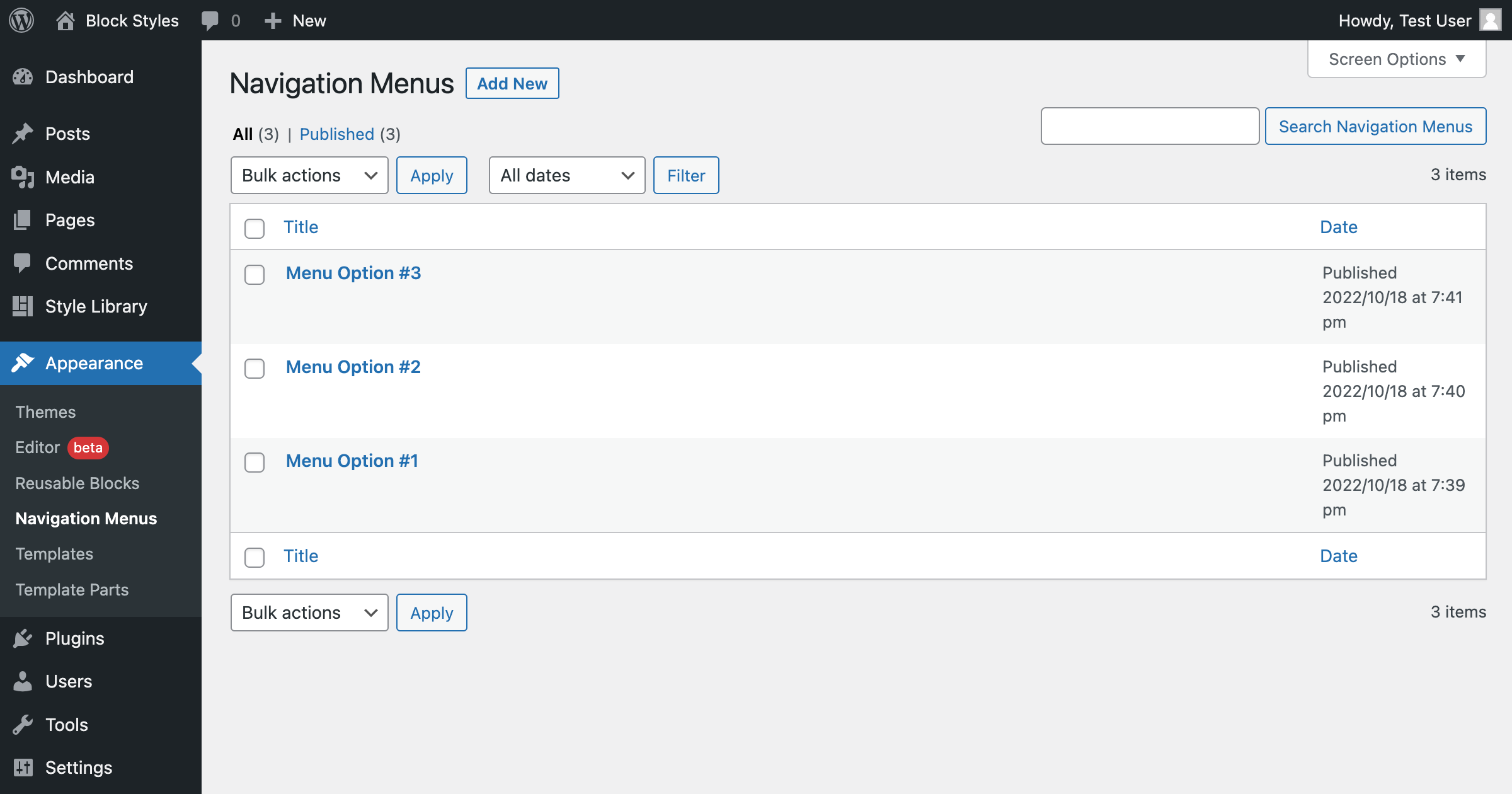
Navigation menus can be created from the WordPress admin area.

Access your theme template with one click.

View individual template parts easily.
Changelog
1.2.3
- Changed text domain for plugin repo
1.2.2
- Added localization
1.2.1
- Move assets
- Update author
1.2.0
- Initial Release