

Modular DS: Manage all your websites from a single dashboard
Save time and effort on routine website maintenance. Manage, back up, and monitor all your WordPress websites from one intuitive dashboard.
Plugin info
Maintenance & Compatibility
Maintenance score
Maintained • Last updated 154 days ago • 94 reviews
Is Modular DS: Manage all your websites from a single dashboard abandoned?
Likely maintained (last update 154 days ago).
Compatibility
Similar & Alternatives
Explore plugins with similar tags, and compare key metrics like downloads, ratings, updates, support, and WP/PHP compatibility.
Description
Modular DS lets you optimize your web maintenance workflow, save time on daily tasks, and demonstrate the value of your work — helping you improve client retention and grow recurring revenue.
To make all that possible, it provides a centralized dashboard where you can access and manage all your WordPress websites, enabling you to:
- Manage plugins, themes, and WordPress versions across all your sites. Update, activate, deactivate, or delete them in bulk or individually.
- Monitor uptime and SSL status to ensure all your websites stay online and secure.
- Schedule automatic cloud backups and easily restore files and databases when needed — compliant with GDPR regulations.
- Track site health and get notified when any security issues or vulnerabilities affect your sites.
- Optimize WordPress databases right from Modular DS to keep your websites running smoothly.
- Generate maintenance reports for clients, featuring metrics from Google Analytics, Search Console, PageSpeed, and WooCommerce, as well as a record of updates and work performed.
What’s more, Modular DS is built with usability at its core — and a real team behind it, ready to support you whenever you need it.
Start free and see how much time and effort you can save.
All your websites in one place
Connect all your WordPress websites to Modular DS and manage them from a single, intuitive dashboard. Assign tags or teams to group them as needed and give collaborators restricted access. All while keeping everything organized.
Bulk updates
Update WordPress versions, plugins, and themes across all your managed websites, all at once or one by one. No need to log in to each site’s admin panel.
Automated backups, easy restores
Schedule reliable, automatic backups and restore files or databases in just a few clicks, so your clients’ websites stay safe, no matter what. Fully GDPR-compliant.
Health, performance, and security scans
Stay on top of your websites’ health with alerts whenever a vulnerability is detected or something requires your attention.
Uptime monitoring
Never get caught off guard by downtime. Get notified by email or SMS when any of your websites go down so you can act quickly and stay in control.
Customize check frequency, response time, keyword detection, and alert settings to fit your workflow. Modular DS includes one of the most complete uptime monitoring systems built for WordPress.
Database optimization
Easily clean up post revisions, spam comments, transients, orphaned tables, and more — directly from your Modular DS dashboard. No need for extra plugins.
Keep your websites running smoothly while saving time and keeping a clear record of every optimization performed.
Client reports
Automatically generate and send maintenance reports to your clients, including updates, site performance, backups, analytics (Google Analytics, Search Console, PageSpeed, and WooCommerce), and even specific tasks completed.
Add time logs, dates, and screenshots to show the full scope and impact of your work.
Support that understands you
Modular DS is the first website management platform to offer human support in both English and Spanish. Whether you have a question or run into an issue, our team is here to help. No complications, no language barriers.
Installation
- Create an account at app.modulards.com/register
- Follow the instructions to connect your first website
- Start saving time by automating maintenance tasks
Feel free to reach out if you have any issues or questions. We will be happy to help and guide you through the process.
Minimum requirements:
- WordPress 5.6 or higher
- PHP 7.4 or higher
Frequently Asked Questions
Absolutely, specially when working with WordPress. Maintenance isn’t just about updates, which are essential for performance and security; it covers many aspects that help keep a website in good shape over time.
From backups and uptime monitoring to vulnerability tracking and plugin management, keeping everything under control helps prevent small issues from turning into bigger problems (and frustrated clients).
If you offer this service, maintenance is also a way to provide ongoing value and peace of mind. Modular DS helps you cover all these fronts efficiently and deliver high-quality service with confidence.
Modular DS offers a free plan that lets you connect up to 5 websites and explore its feature set in its basic version.
Premium plans start at $34/month and scale with your needs. Whether you manage 10 or 100 websites, you only pay for the plan — with no per-site fees or paid add-ons for core features.
No, Modular DS works independently of your hosting provider. You can connect and manage websites hosted anywhere.
Yes, it is. Modular DS uses the OAuth2 protocol to securely authenticate the connection between your website and our servers. This protocol generates tokens that expire and can be revoked at any time.
We never store your WordPress user passwords, ensuring your login credentials remain private and under your control.
We’ve placed strong emphasis on building an excellent user experience, so you can manage all your websites in the simplest, most intuitive way possible — something our customers love and consistently highlight in their reviews.
Modular DS also stands out for its bilingual support (English and Spanish), delivered by a dedicated team that’s there when you need them. Plus, the platform is in active development, with frequent updates, improvements, and new features added regularly.
The Modular Connector plugin links your WordPress installation with Modular DS, enabling secure communication between both systems. It allows actions like plugin updates, backup scheduling, and other maintenance tasks to be triggered from the Modular DS dashboard.
Review feed
Me vino de perlas!
Lo mejor: el equipo que hay detrás
Herramienta que mejora día a día
Ganar tiempo para lo importante
Just keeps getting better!
Screenshots
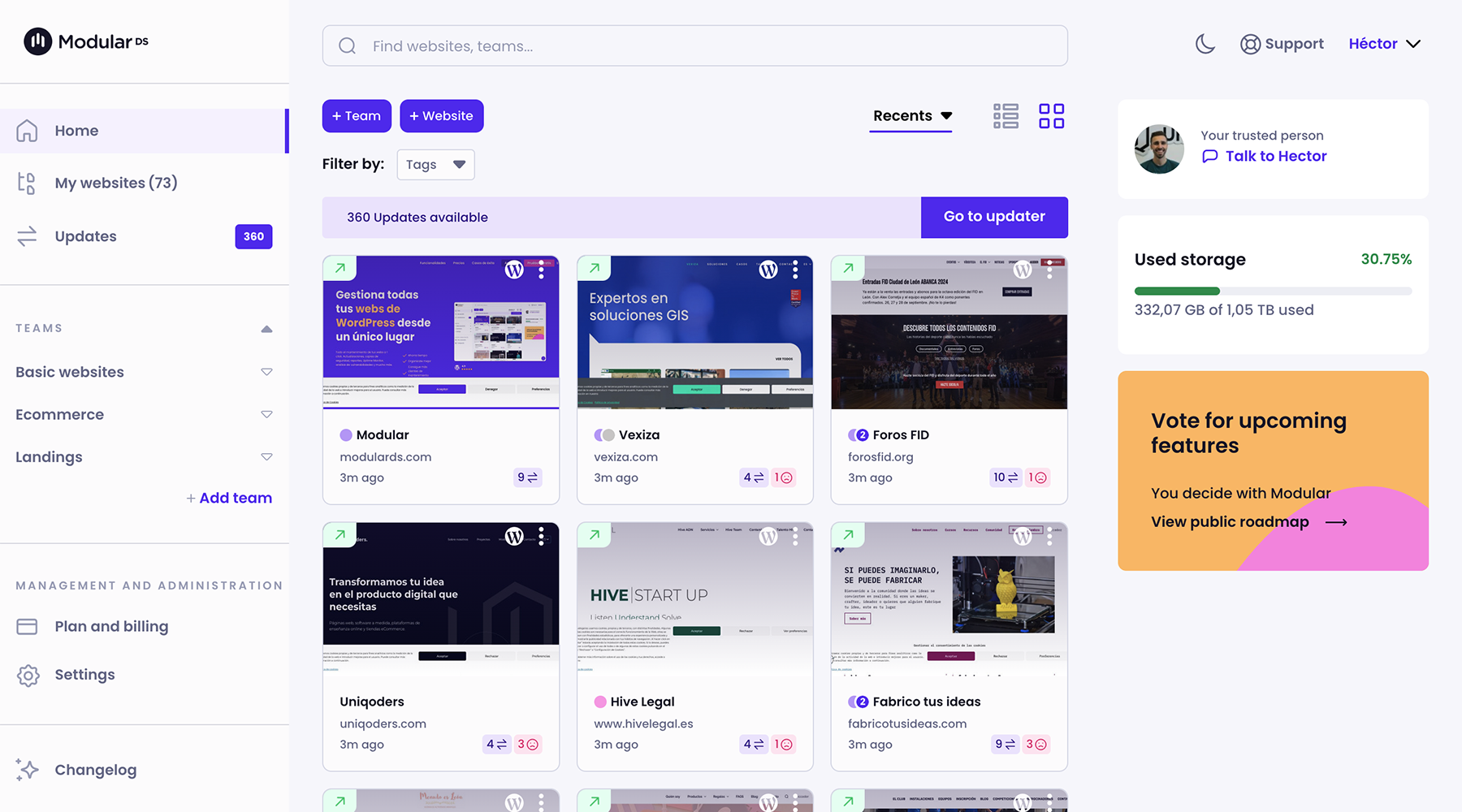
Modular DS dashboard
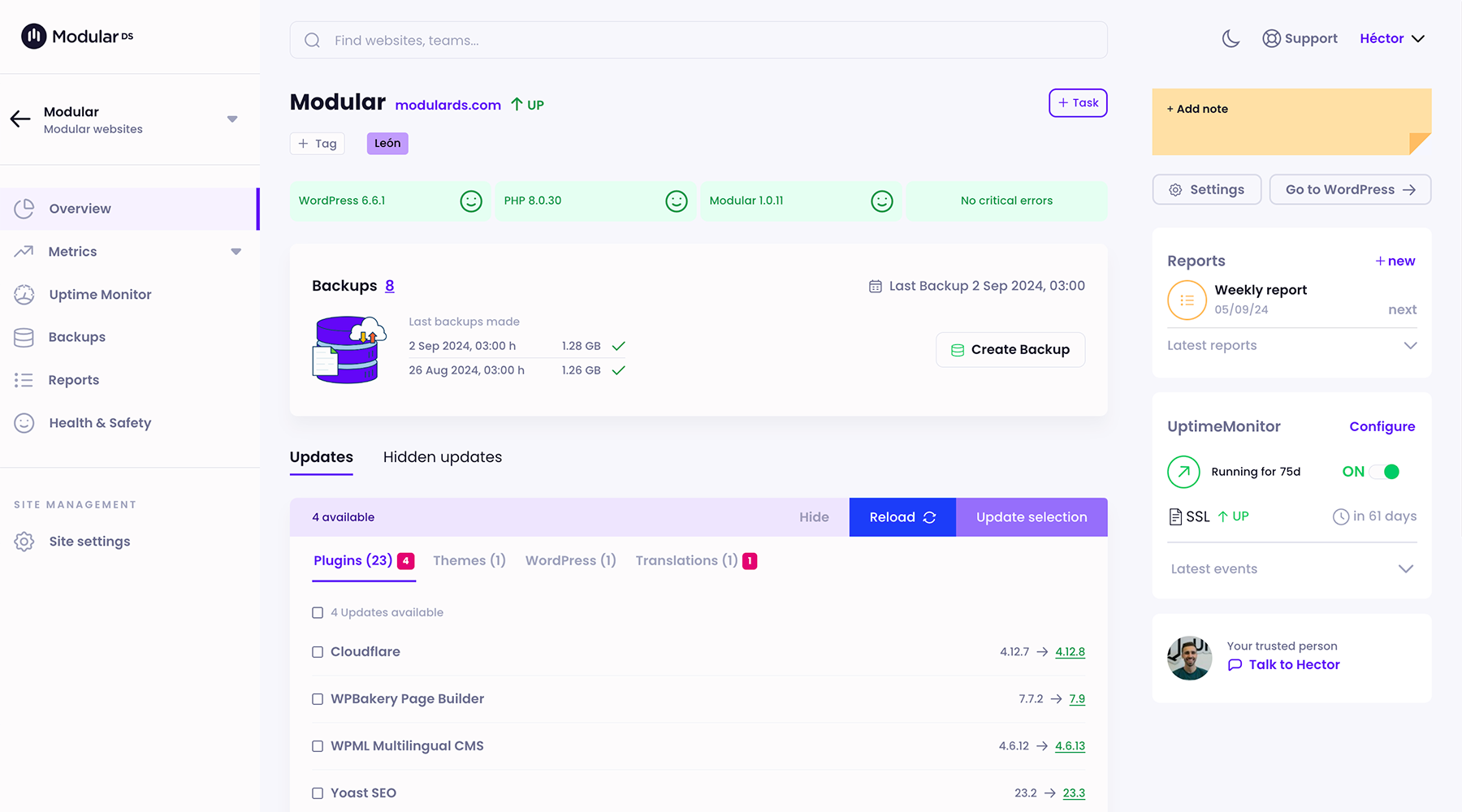
Website overview
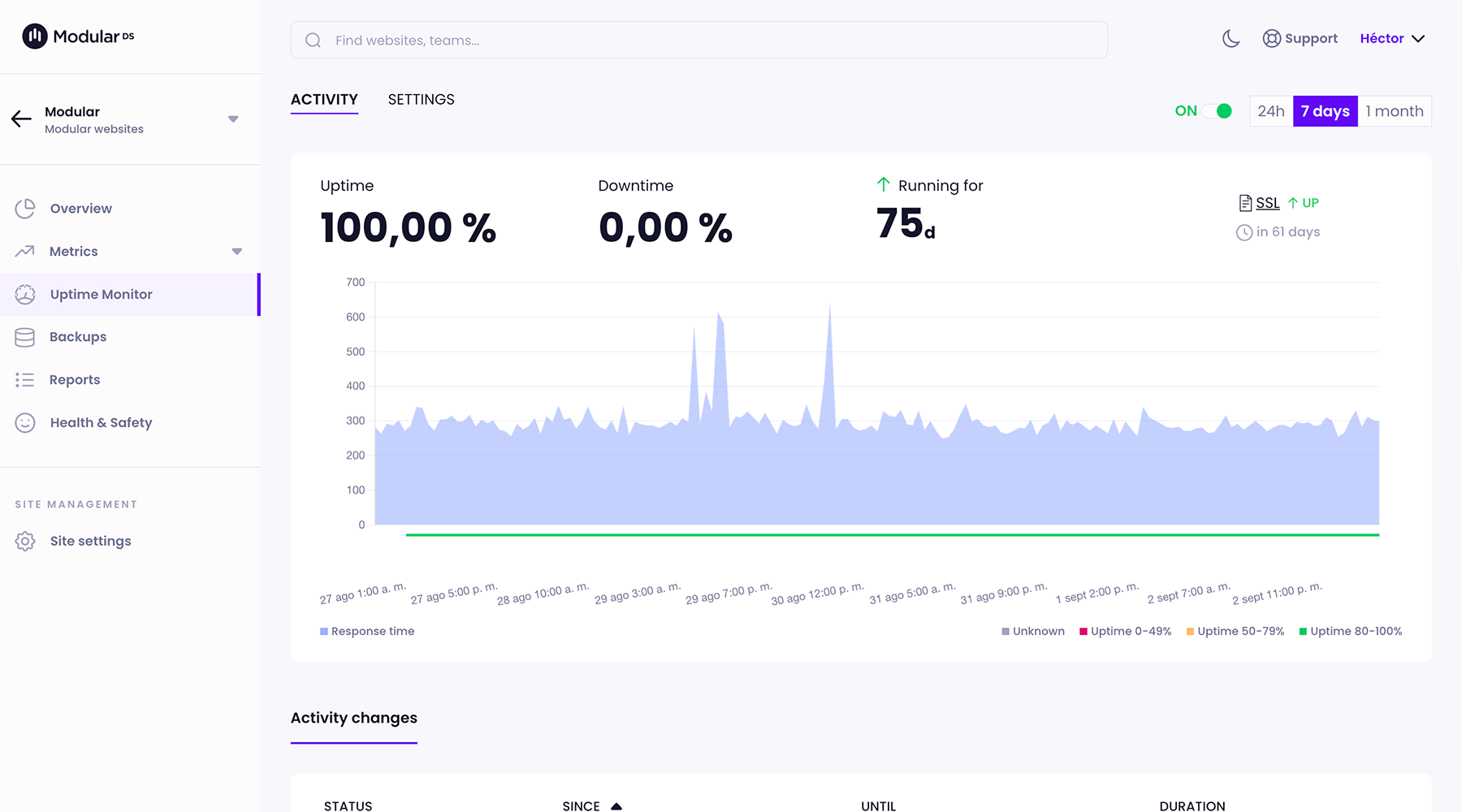
Uptime Monitor

Integrations with GA4, Search Console and PageSpeed
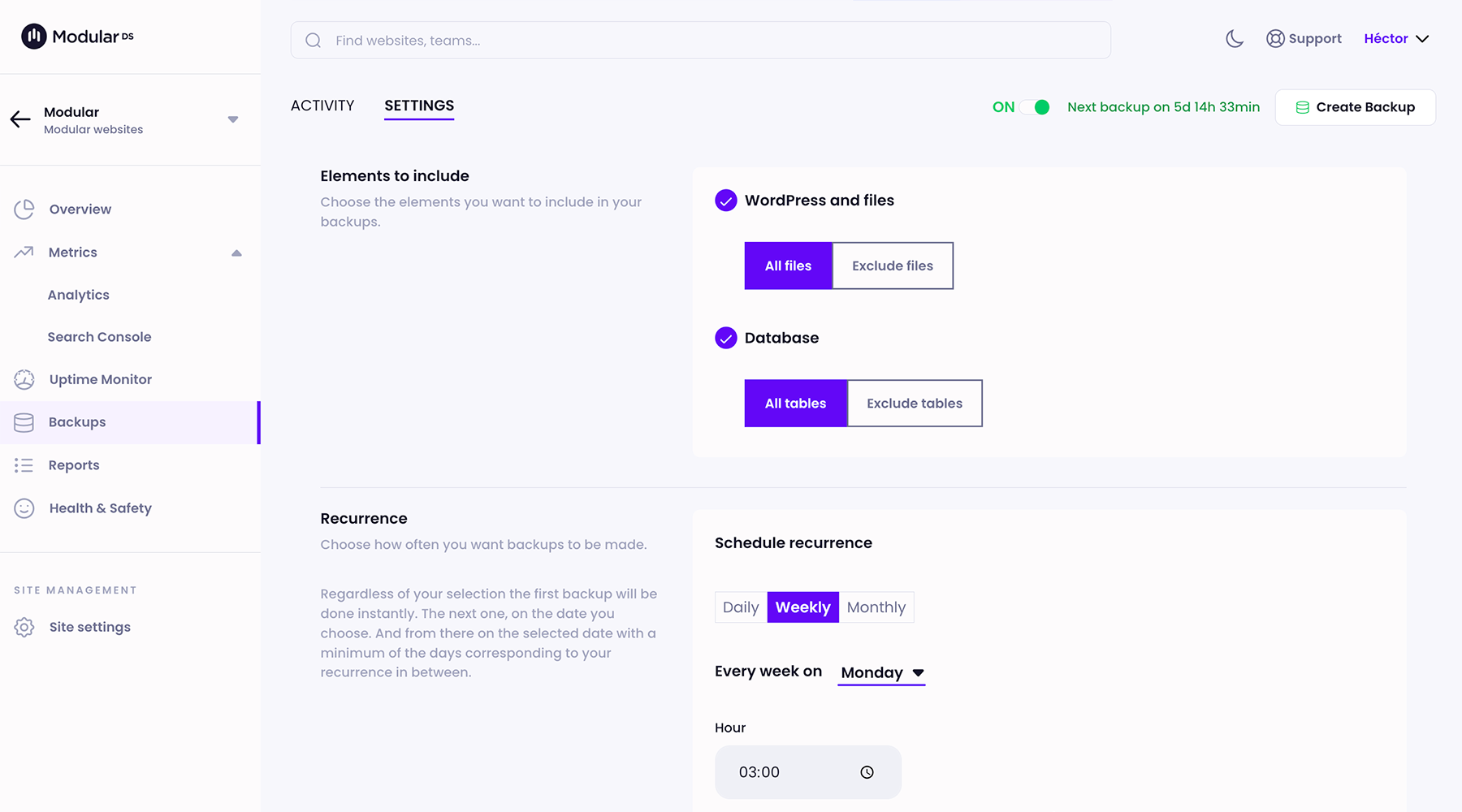
Cloud backups
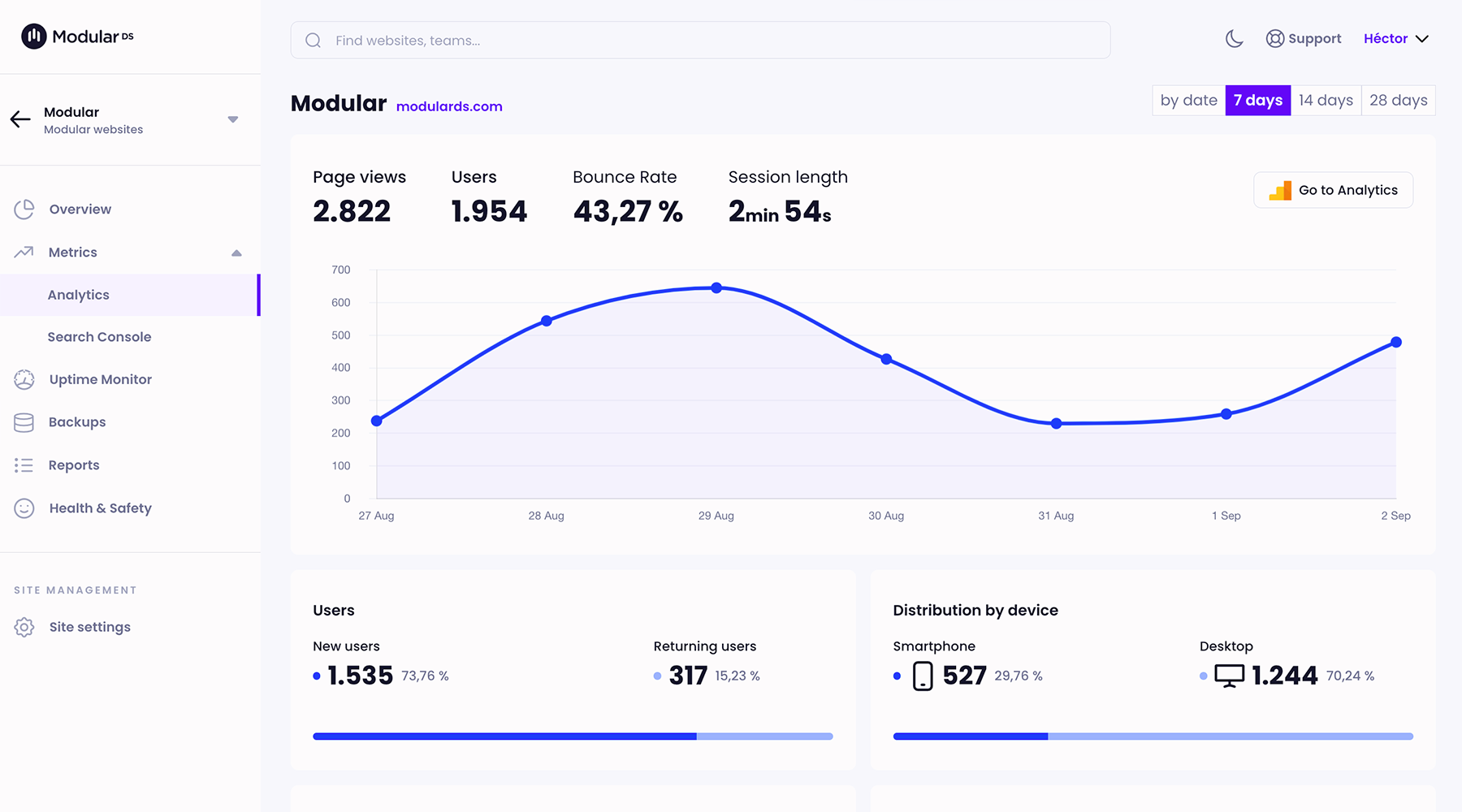
Google Analytics integration
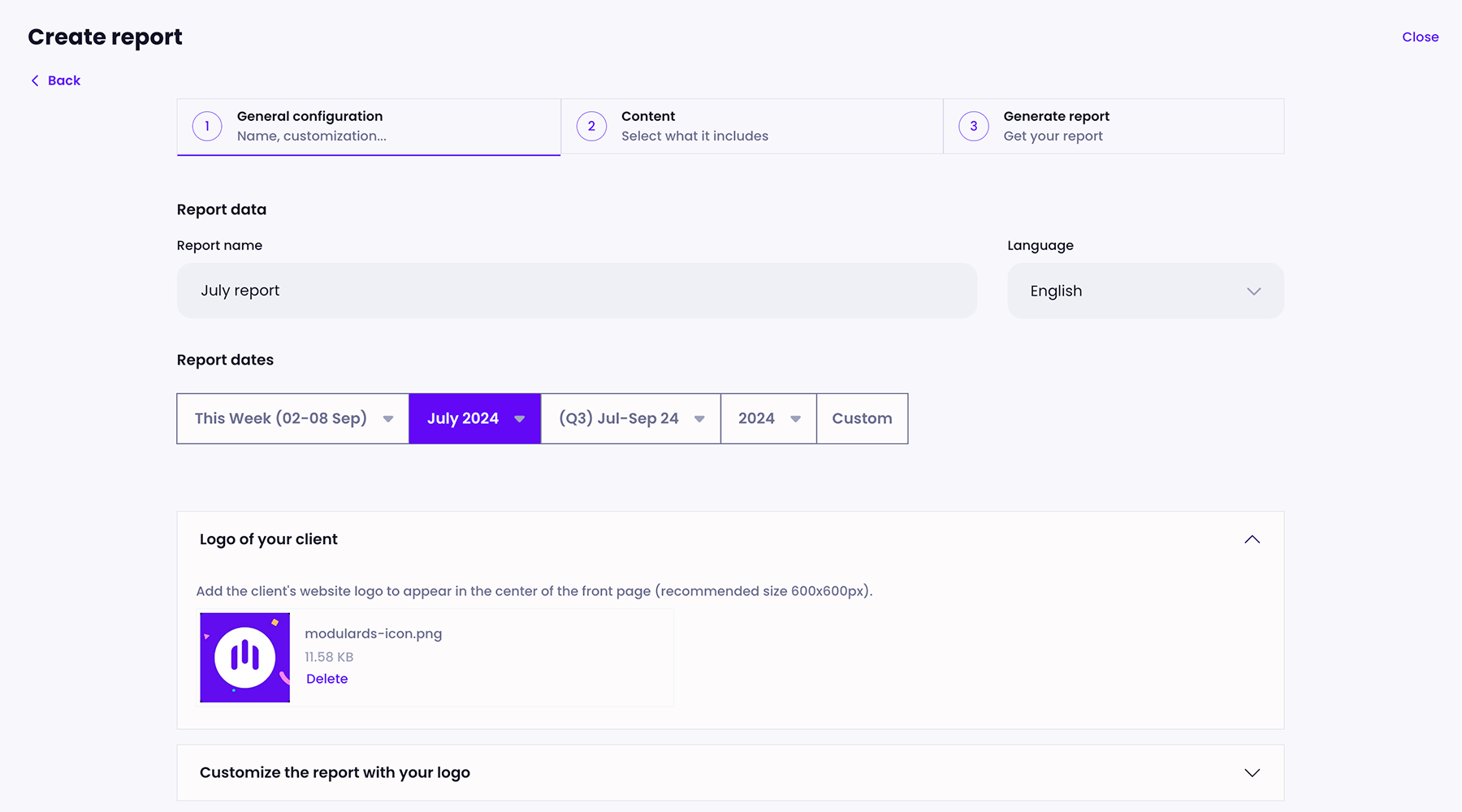
Client reports builder
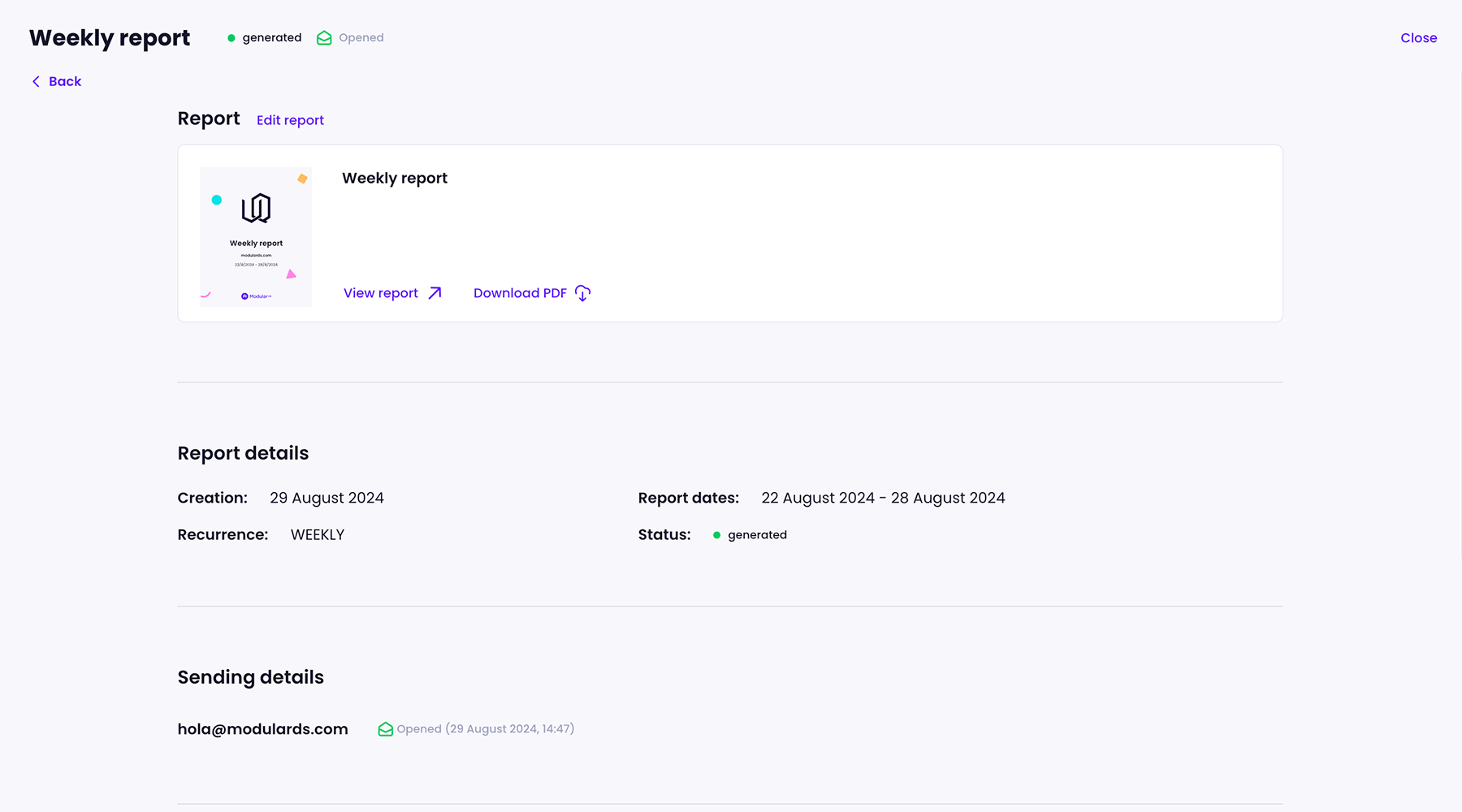
Client report details
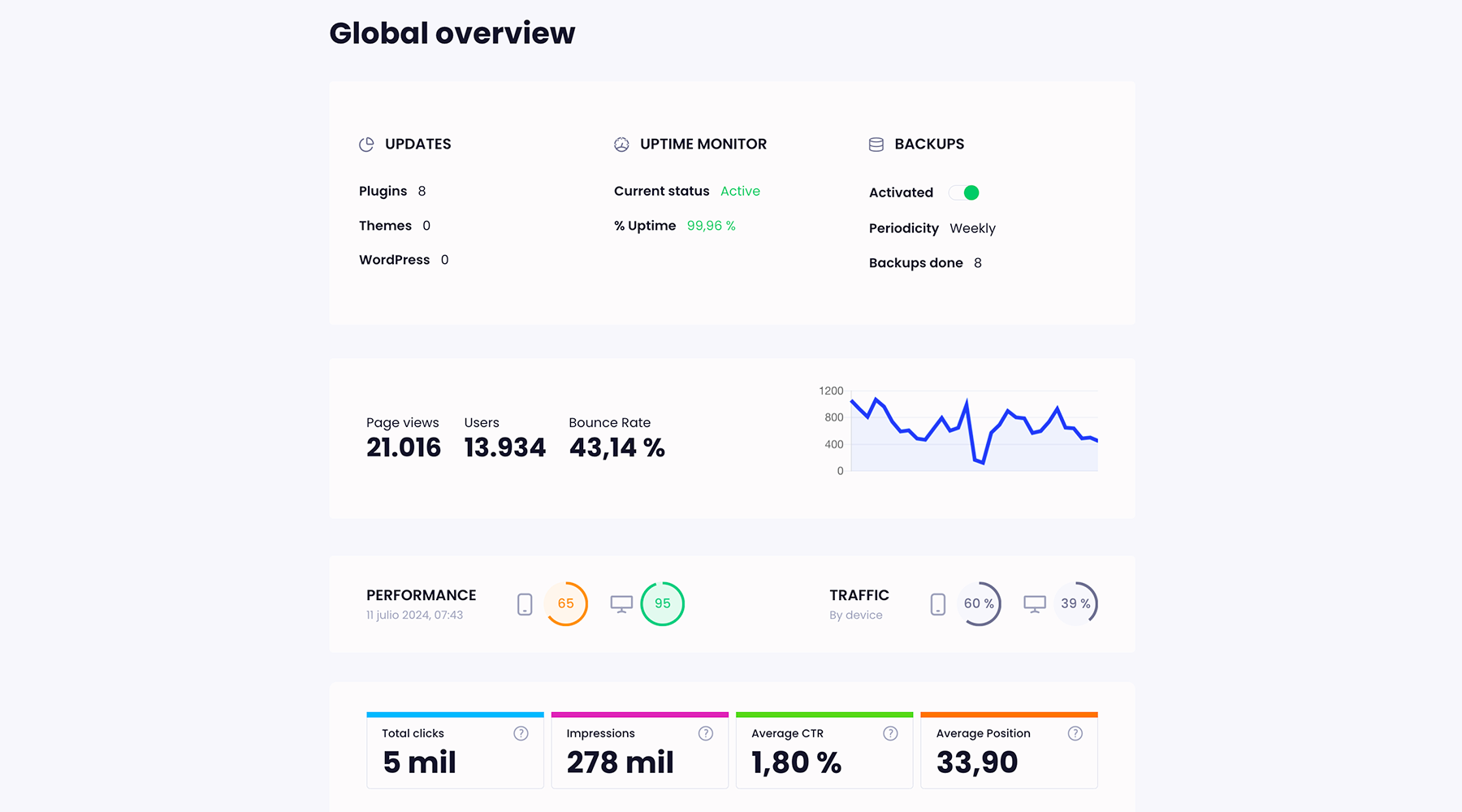
Client report overview page
Changelog
v2.4.0
Release date: 2025-10-29
- Patchstack Security integration
v2.3.0
Release date: 2025-10-02
- Safe Updates
- FIXED: Activate plugin/theme after installation
- FIXED: Avoid empty cache driver
v2.2.2
Release date: 2025-09-05
- FIXED: Database update after installing Elementor or WooCommerce from a ZIP file
- FIXED: Compatibility with Cost of Goods for WooCommerce
- FIXED: Added ‘.opcache’ folder to default backup exclusion list
v2.2.1
Release date: 2025-08-11
- FIXED: Elementor automatic database update error
- FIXED: Error in backup manifest initialization
- FIXED: Compatibility with TranslatePress
v2.2.0
Release date: 2025-07-25
- Improved backup exclusion logic
- Improved memory management for large backups
- Improved composer dependency management
- Improved calculation of the file compression ratio for backups.
- FIXED: Clear cache for Varnish
v2.1.2
Release date: 2025-07-07
- Improved backup cancellation process
v2.1.1
Release date: 2025-06-27
- Allow connection of websites under HTTP Basic Authentication
- Option to disable custom loopback requests
- Improved loopback requests
v2.1.0
Release date: 2025-06-24
- Clear cache after any manager action
- Improved loopback requests
- FIXED: Cleaning up orphaned jobs in database
v2.0.2
Release date: 2025-06-03
- FIXED: Compatibility with Shield Security for WordPress
- FIXED: Compatibility with WP 2FA Premium plugin
v2.0.1
Release date: 2025-05-29
- FIXED: Compatibility with WP 2FA plugin
- FIXED: Error in backup manifest generation
v2.0.0
Release date: 2025-05-12
- Database optimization
- Activate maintenance mode screen on the website
v1.15.6
Release date: 2025-05-08
- FIXED: Use same user for all requests
- FIXED: Try to avoid database error if PDO doesn’t exist
- FIXED: Improved detection if async signals are supported
- FIXED: Improved database reconnect when it’s closed
v1.15.5
Release date: 2025-05-03
- FIXED: Debug errors only
v1.15.4
Release date: 2025-05-03
- FIXED: Improved compatibility with MySQL/MariaDB connections
- FIXED: Check if autoload file exists
- FIXED: Restore closed connection in AJAX requests
- FIXED: Maintenance mode disabled when worker was stopped
- FIXED: Attempt to upgrade plugins using cron only
v1.15.3
Release date: 2025-04-17
- FIXED: Set port in database connection
v1.15.2
Release date: 2025-04-16
- New tab to reset the plugin settings
- FIXED: Error getting WordPress user list for 1-click login
- FIXED: Don’t use persistent connection to database to avoid issues with some hosts
- FIXED: Minor bugs
v1.15.1
Release date: 2025-04-14
- FIXED: Database connection error when WordPress can’t provide the collation or charset
- FIXED: Method to validate database connection
- FIXED: Method to check if core upgrade was successful
- FIXED: Conflict with different plugins
- FIXED: Minor bugs
v1.15.0
Release date: 2025-04-09
- Allow to connect multisite installations
- WordPress 1-click login user management
- Elementor and WooCommerce automatic database update
- New tab to download logs and clear own caches
v1.14.2
Release date: 2025-04-04
- FIXED: Conflict when the object cache is configured but isn’t really configured.
v1.14.1
Release date: 2025-04-03
- New queuing system to improve async jobs management
- New cache system to avoid conflicts with object cache
- Improved PHP 8.4 compatibility
- Improved backup creation on slow servers
- FIXED: Conflict with different plugins
- FIXED: Backup tables exclusion error
- FIXED: Backup files exclusion error
- FIXED: Generation of health tests
v1.12.3
Release date: 2025-03-05
- FIXED: Conflict with different plugins
v1.12.2
Release date: 2025-03-05
- FIXED: Conflict with different plugins
v1.12.1
Release date: 2025-03-04
- FIXED: Cleaning up orphaned backup files
- FIXED: Conflict with WooCommerce
v1.12.0
Release date: 2025-03-02
- Compatibility to manage premium plugins has been improved.
- The manifest backup read has been optimized.
- FIXED: Error in backup system exclusion files
- FIXED: Error in the backup manifest file
- FIXED: Error in maintenance mode detection
v1.11.2
Release date: 2025-02-18
- Use nonce as fallback to validate requests
v1.11.1
Release date: 2025-02-18
- Validate nonce to maintain backward compatibility with older versions
v1.11.0
Release date: 2025-02-18
- New JWT validation for loopback requests
- FIXED: Compatibility with some plugins
- FIXED: Errors in the WordPress manager (updater)
v1.10.4
Release date: 2025-02-03
- FIXED: Error including non-existent function in health report
- FIXED: Error in our cache
- FIXED: Error when excluding folders from backups
- FIXED: Compatibility with new hosts
- FIXED: How to set white label name in health report
- FIXED: How to calculate files to include in backups
v1.10.2
Release date: 2025-01-21
- FIXED: Reopen zip files in incremental backups
- FIXED: Minor bug in connection check
v1.10.1
Release date: 2025-01-15
- Incremental backups bug fix
v1.10.0
Release date: 2025-01-15
- Backup system improvements
- Incremental backups option
- White label bug fix
v1.5.0
Release date: 2024-12-30
- New version of WordPress manager and backup system
v1.3.0
Release date: 2024-11-30
- WooCommerce integration
v1.2.0
Release date: 2024-09-26
- Manage your plugins and themes: install, activate, deactivate and delete plugins or themes from Modular in bulk.
v1.0.11
Release date: 2024-06-03
- FIXED: Minor bug fixes
v1.0.4
Release date: 2024-04-03
- FIXED: Use socket connection for database
v1.0.2
Release date: 2024-03-11
- FIXED: Loading translations into the health report
- FIXED: Some translations
v1.0.1
Release date: 2024-03-04
- Health and safety status of the site was improved
v1.0.0
Release date: 2024-02-23
- Plugin white label. Personalize the Modular Connector plugin info.
v0.60.0
Release date: 2024-01-06
- Health and safety status of the site
v0.50.4
Release date: 2023-11-15
- New backup system
v0.30.10
Release date: 2023-08-14
- FIXED: Use cron job as fallback
- FIXED: Replace POST with GET method in Ajax request
v0.30.8
Release date: 2023-07-26
- FIXED: Removed non-ascii characters in name, description and author of site items
v0.30.7
Release date: 2023-07-24
- The plugin/themes/core synchronization and update process is now performed asynchronously.
- A new error handler system has been introduced.
- The update and synchronize process has been optimized.
- A new event system has been created.
v0.20.3
Release date: 2023-04-21
- Fixed: The blog URL was set as the redirect URI in the OAuth token confirmation.
- Fixed: Check if “shell” is available
- Fixed: Some database backups failed when the port was sent explicitly.
v0.20.1
Release date: 2023-04-03
- English and Spanish translations are now loaded.
- Fixed: Check if file is readable before adding to backup
v0.20.0
Release date: 2023-03-29
- Now allows backups to be created and uploaded asynchronously
v0.10.2
Release date: 2023-03-08
- Fixed: Error when exporting database when ‘mysqldump’ is not available.
v0.10.1
Release date: 2023-02-23
- Improved backup error processing.
- Dot files are not ignored now
v0.10.0
Release date: 2023-02-17
- WordPress Registration
- Connect WordPress sites
- 1 click login to WordPress without username/password
- Connect Google Analytics
- Recurring and snapshot full backups
Access the complete changelog at modulards.com.