

My Account Page Lite for Divi
Easily style the WooCommerce My Account Page using Divi Builder. Add icons, rename tabs, and create a branded customer experience.
Plugin info
Maintenance & Compatibility
Maintenance score
Maintained • Last updated 119 days ago
Is My Account Page Lite for Divi abandoned?
Likely maintained (last update 119 days ago).
Compatibility
Similar & Alternatives
Explore plugins with similar tags, and compare key metrics like downloads, ratings, updates, support, and WP/PHP compatibility.
Description
Customize Your WooCommerce My Account Page with Divi – The Easy Way!
Divi My Account Page Lite is a lightweight yet powerful plugin that gives you more control over the default WooCommerce “My Account” page – all within the Divi Builder.
No more plain layouts or limited customization options. With this plugin, you can easily personalize the customer account experience and make it look and feel like the rest of your Divi-powered website.
Perfect for store owners, designers, developers and any Divi users who want to create a cohesive and professional WooCommerce experience — without writing a single line of code.
✅ Features in the Free (Lite) Version:
-
Rename WooCommerce Endpoints
Customize the labels of default account tabs like “Orders,” “Downloads,” or “Dashboard.” -
Reorder Account Menu Items
Drag and drop menu items to change the tab order to fit your user journey. -
Add Icons to Menu Items
Improve usability with clean icons next to each menu item. -
Set a Custom Landing Tab
Choose any WooCommerce endpoint as the default tab when users open their account page. -
Use the Divi My Account Page Classic Module
A dedicated Divi module to style WooCommerce endpoint pages visually using Divi’s design tools.
🚀 Unlock More Power with the Pro Version:
Upgrade to Divi My Account Page Pro to get full control over the WooCommerce account experience:
-
Create and Add Unlimited Custom Endpoints
Add new tabs with custom content, shortcodes, or Divi layouts. -
Show or Hide Endpoints by User Role
Display custom or default tabs only for specific user roles (e.g., customers, subscribers, admins). -
Hide Default or Custom Endpoints
Clean up the account menu by removing tabs you don’t need — without editing code. -
Disable Default WooCommerce Content
Replace WooCommerce’s default content with fully custom Divi-designed layouts. -
Insert Divi Library Items Before or After Endpoint Content
Add banners, upsells, help boxes, or anything else from your Divi Library — directly inside the account page. -
New Divi Module: Enhanced Endpoint Display
Style endpoint content even further or display multiple endpoints on a single page (e.g., show Dashboard + Orders together).
Whether you’re building an online store, membership site, or client portal, Divi My Account Page Lite helps you deliver a more elegant, personalized experience — and with the Pro version, you unlock complete design freedom.
👉 Start with Lite. Upgrade to Pro when you’re ready to go further.
🔗 View Demo: Click here to see the plugin in action
Documentation
All of our documentation can be found in our Knowledgebase.
Additional helpful links:
If you have any questions about this plugin, you can post a thread in the WordPress.org forum. Please search existing threads before starting a new one.
Source Code
https://github.com/sewerel/my-account-page-lite-for-divi.git
Installation
- Upload the plugin folder to
/wp-content/plugins/or install via the WordPress Plugin Installer. - Activate the plugin through the ‘Plugins’ screen.
- Go to Divi MyAccount Page in the WordPress Admin to configure the order, icons, names, and default endpoint.
Frequently Asked Questions
Yes, Divi is required to fully customize endpoint pages using the Divi Builder.
No. Endpoint creation is a Pro-only feature. This Lite version lets you rename, reorder, and style existing endpoints.
That feature is included in the Pro version.
Review feed
Screenshots
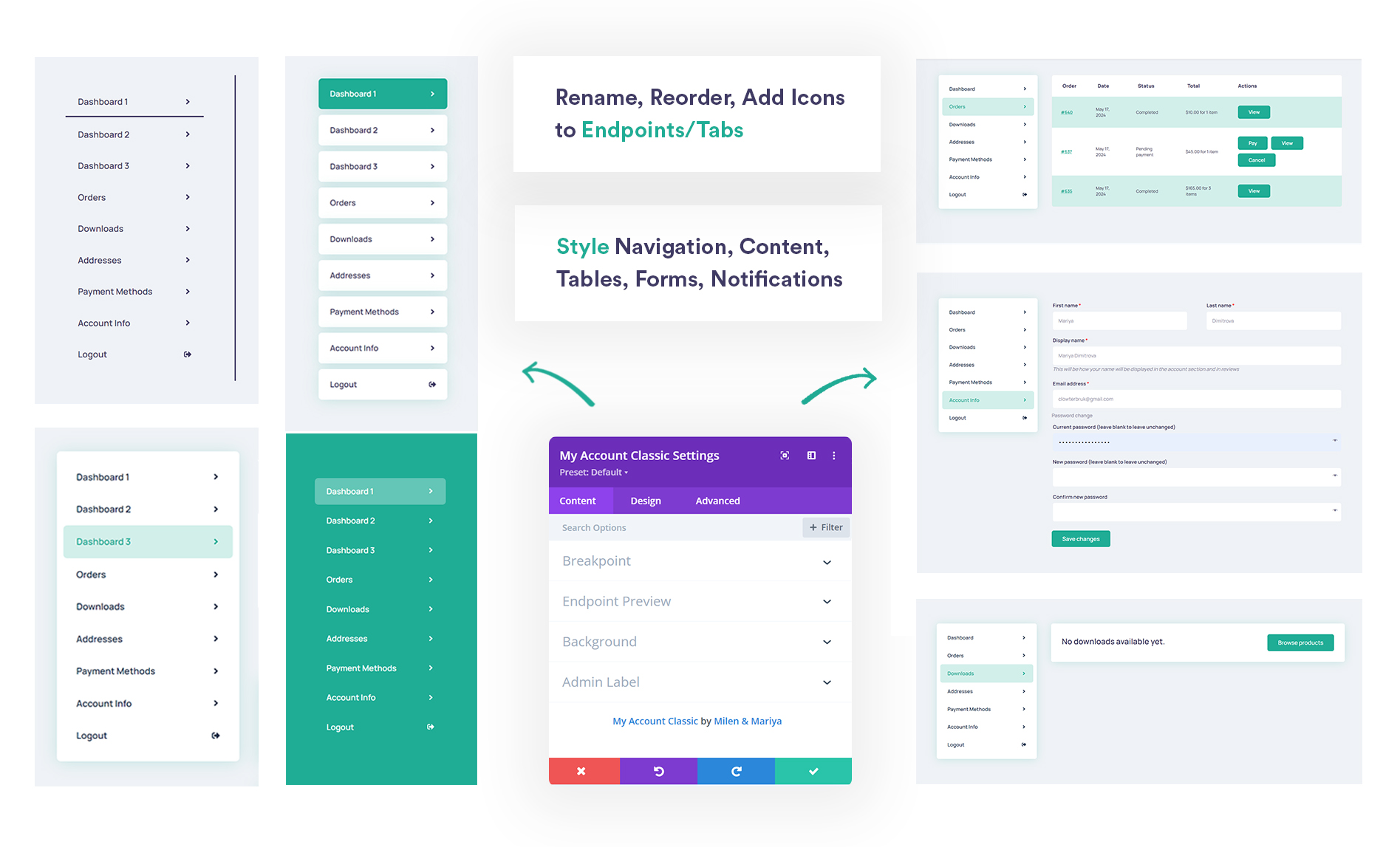
Styling My Account with Divi Builder’s "My Account Classic" module.
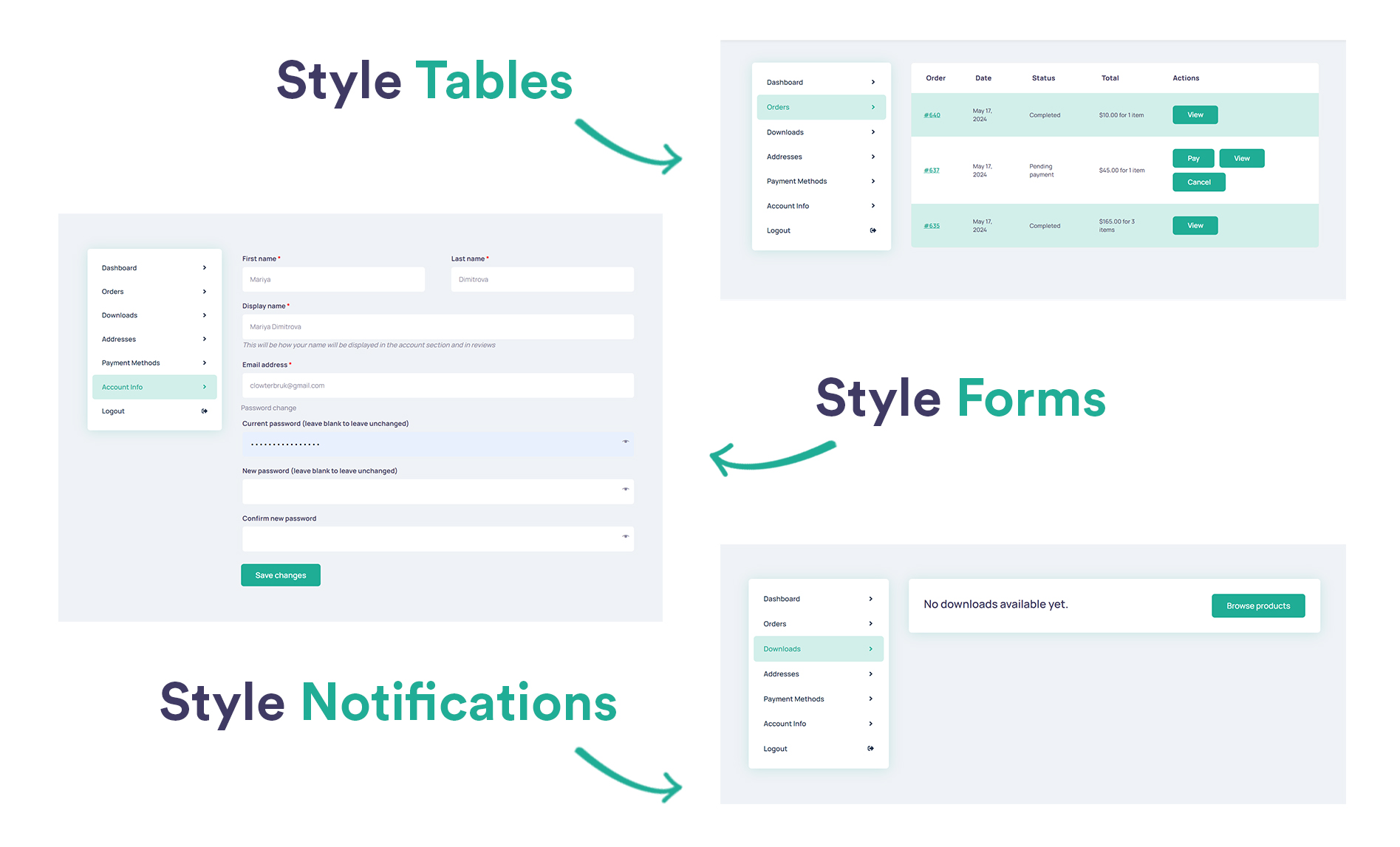
"My Account Classic" module design capabilities.
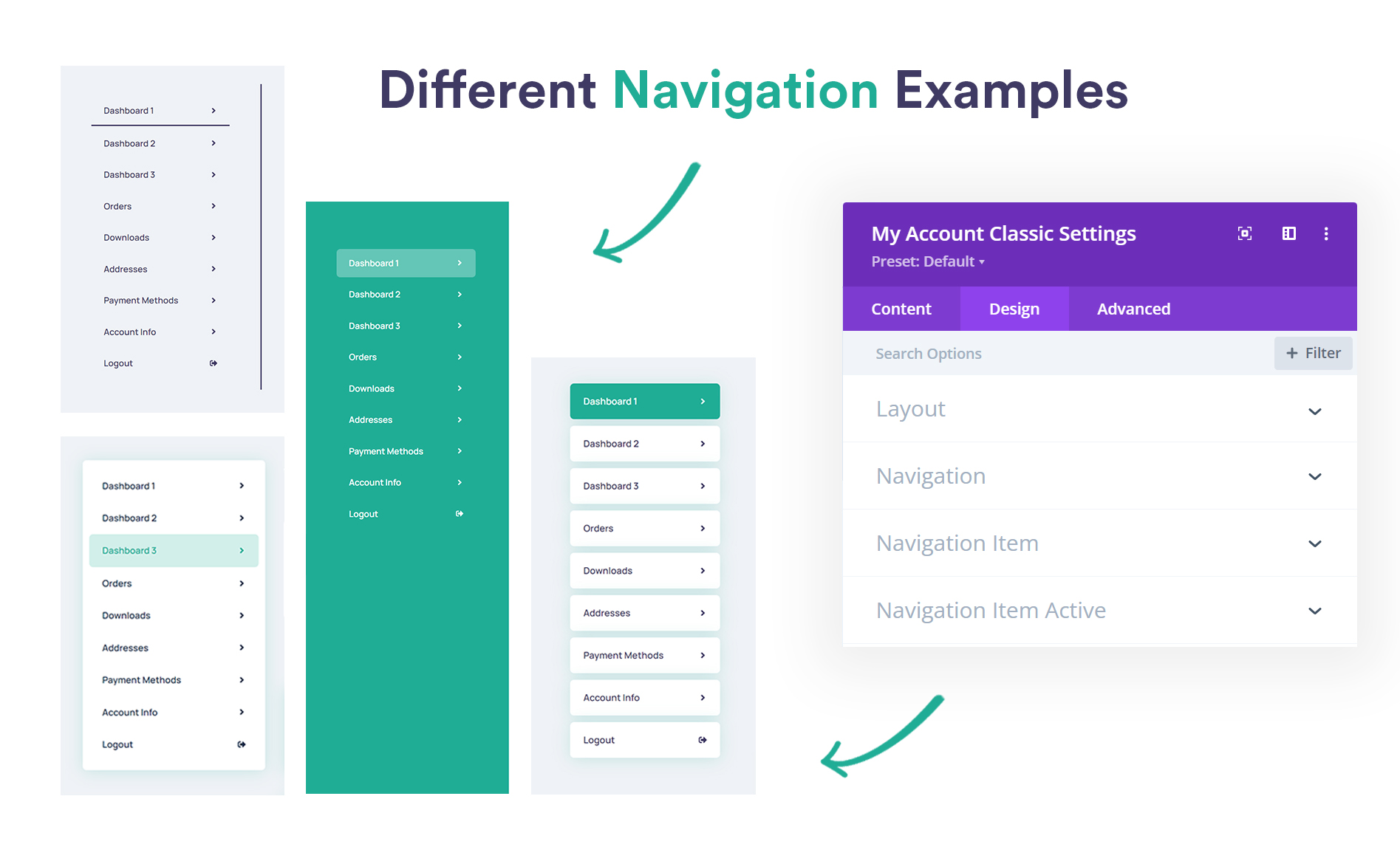
My Account Page navigation style examples.
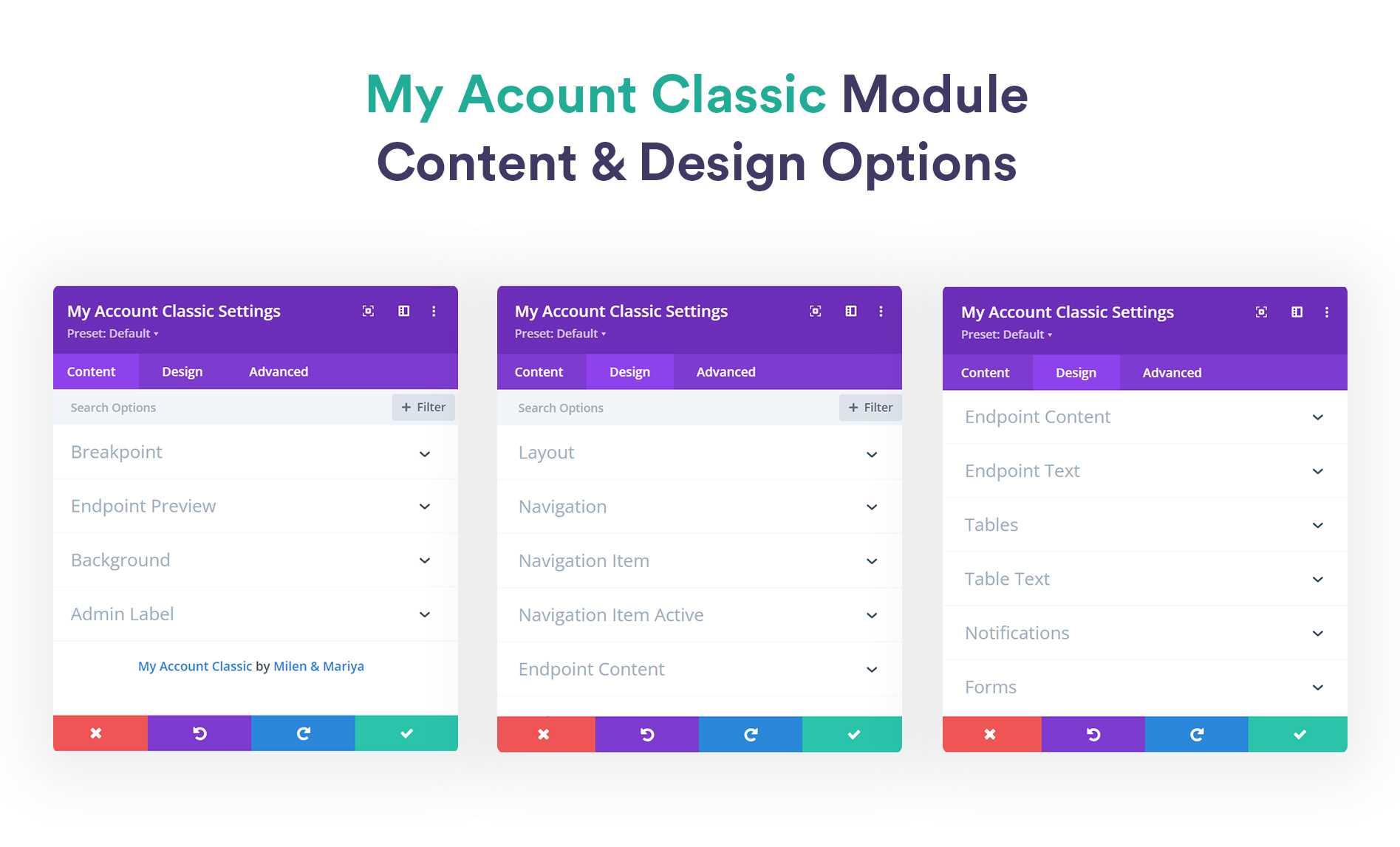
"My Account Classic" module design options.
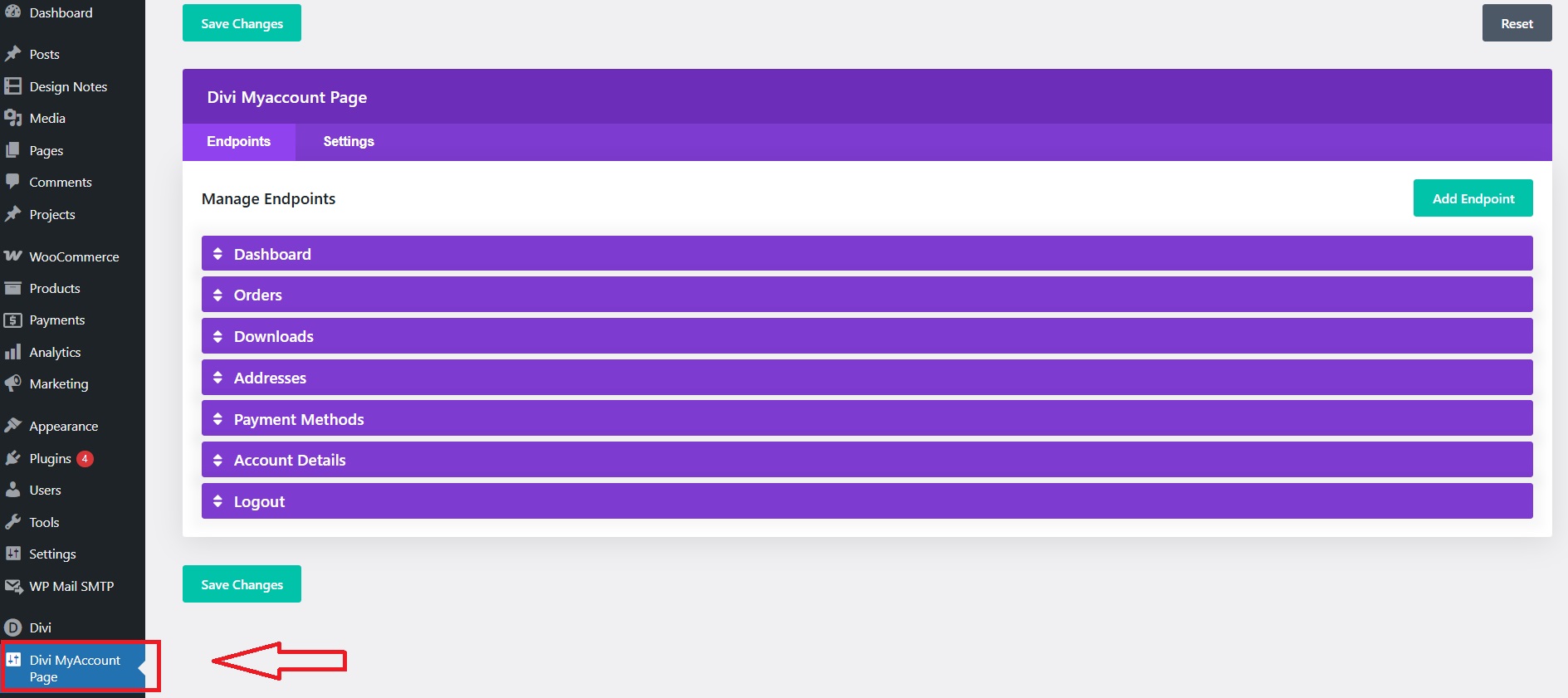
Divi MyAccount Page settings screen.
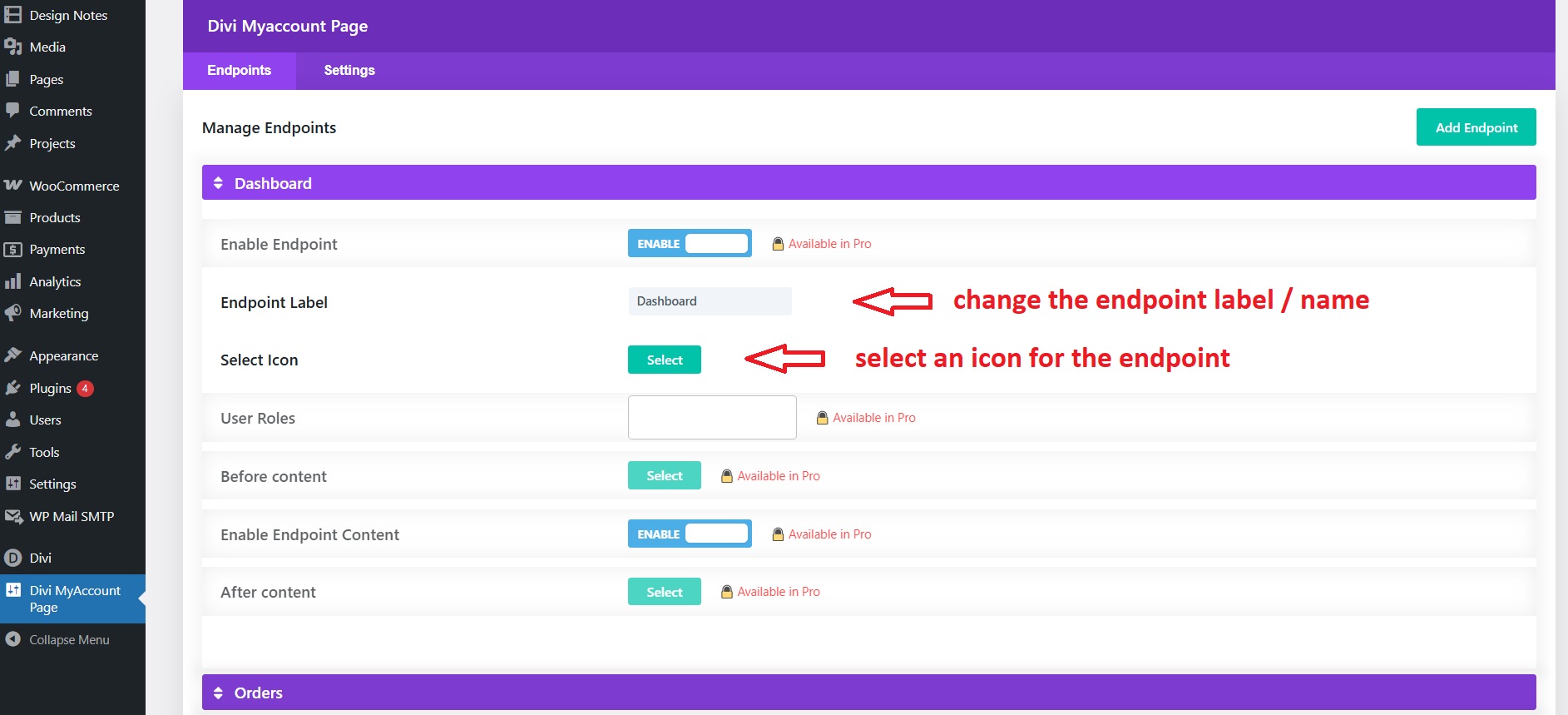
Change endpont label (name) and adding icon.
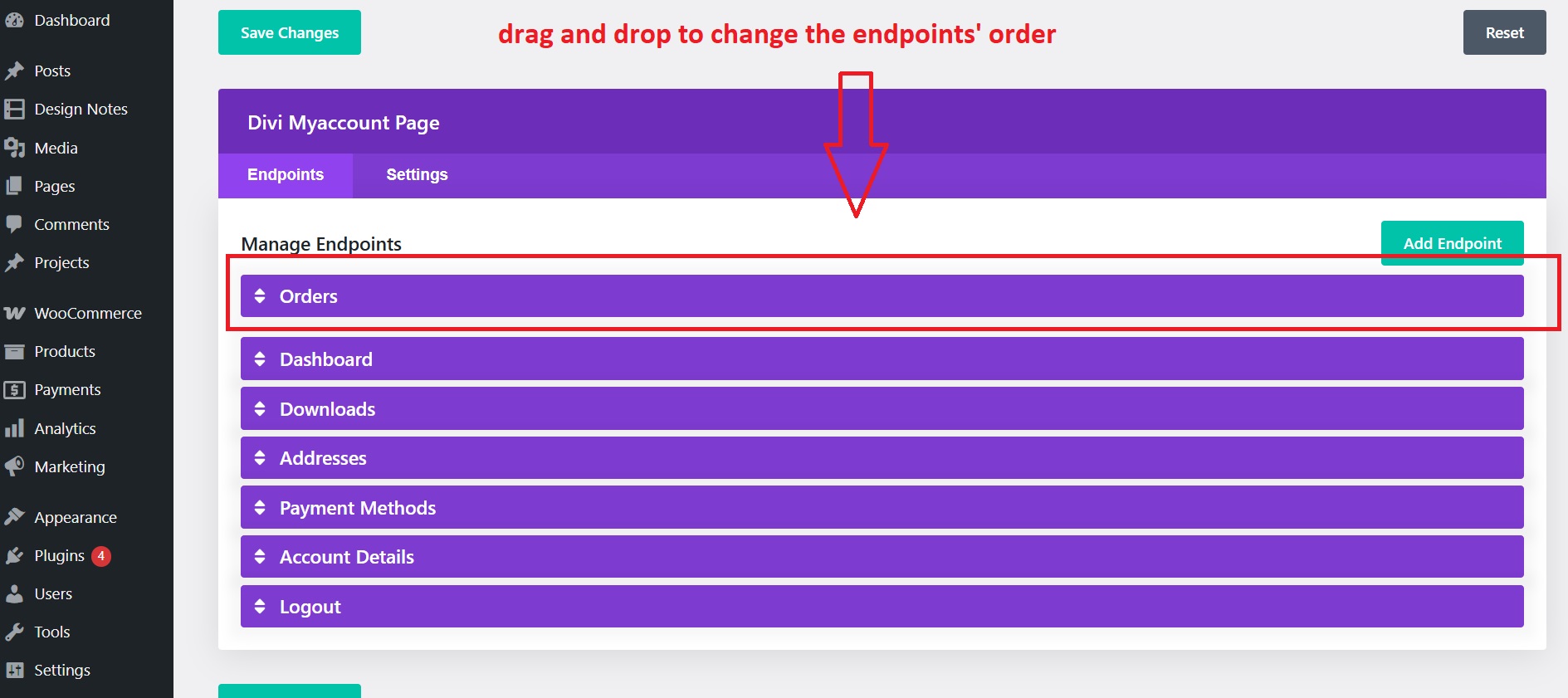
Reorder endpoint Orders set to the top of the menu.
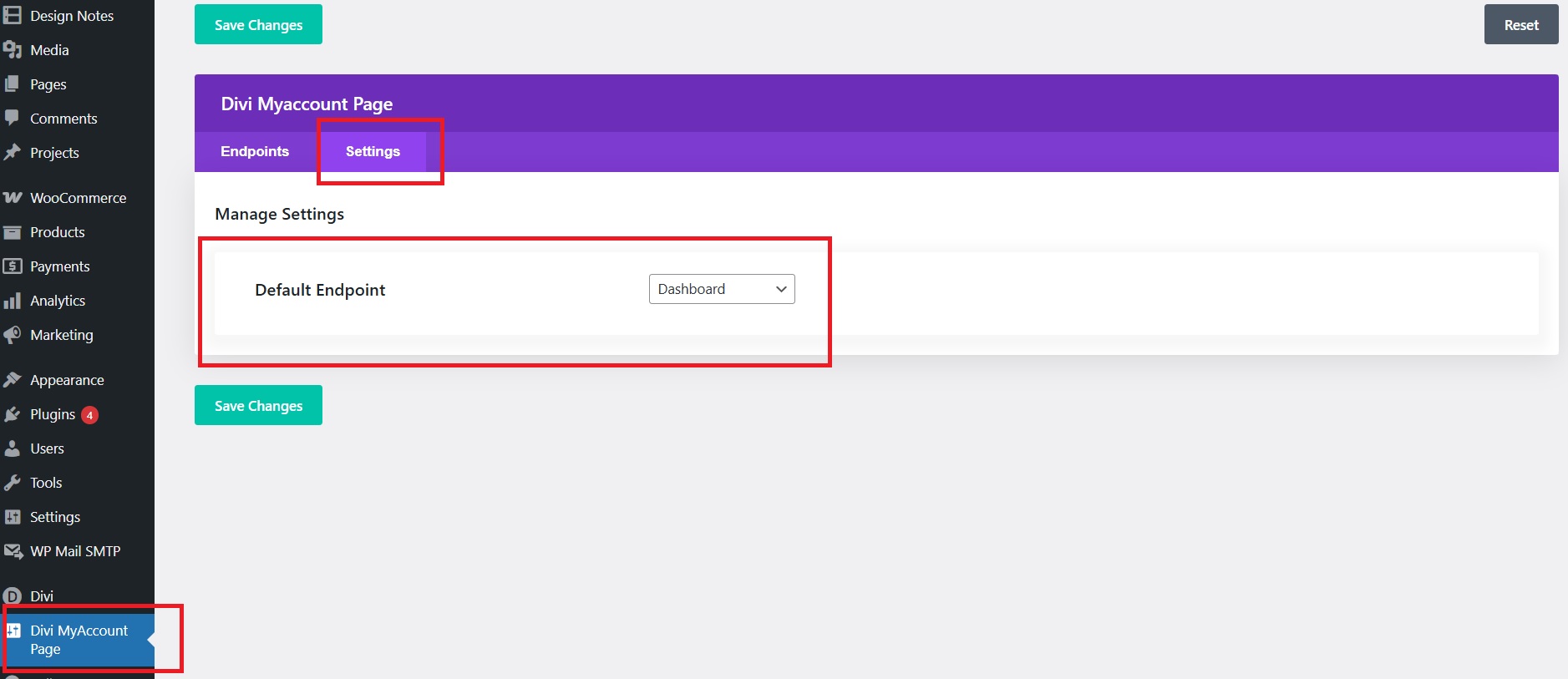
Selecting default endpoint displaying on My Account Page.
Changelog
1.0.0 – 2025-10-25
- 🚀 Initial release clean release for wordpress.org