

OneClick WP Hello
Make your audience contact you directly and easily on WhatsApp with a single click.
Plugin info
Maintenance & Compatibility
Maintenance score
Possibly abandoned • Last updated 2301 days ago • 1 reviews
Is OneClick WP Hello abandoned?
Possibly abandoned (last update 2301 days ago).
Compatibility
Similar & Alternatives
Explore plugins with similar tags, and compare key metrics like downloads, ratings, updates, support, and WP/PHP compatibility.
Description
Make your audience well-engaged with OneClick WP Hello
Formerly “OneClick WhatsApp Hello”, OneClick WP Hello will make it easier for your readers to contact you directly through WhatsApp with a single click using a custom shortcode or a floating button. Get connected with your audience is easier than ever!
Want to see it live? Try it yourself!.
The Features You’ll Love:
- Shortcode Generator: You can generate your own shortcode and display the button anywhere on your site, easily!
- Option to Show Button Only on Mobile: Or enable on all types of devices.
- Custom Message: Set pre-filled custom message to greet you on WhatsApp.
- Custom Text on Button: Customize the text on WhatsApp button and make it yours.
- Display Floating Button: Option to display a floating WhatsApp button.
- Customize Floating Button Position: Whether left or right, it’s yours to decide.
- Custom Message for Floating Button: Set pre-filled custom message specially made for floating button.
- Floating Button Display Option: Show or hide floating button on mobile.
- GDPR-Ready: Enable GDPR notice and make the button unclickable until the Privacey Policy page is read and agreed.
- More to come!
For more info, please refer to this page.
Installation
- Make sure your site has WooCommerce installed and activated.
- Install and activate this plugin via dashboard or file manager.
- Begin configurating this plugin through OneClick WP Hello admin menu.
- Complete the configuration and you’re all set!
Frequently Asked Questions
Is it free to use?
Definitely free to use for unlimited sites! 😉
How to install and use OneClick WP Hello?
- Login to your WordPress admin dashboard.
- Install and activate this plugin via dashboard or file manager.
- Begin configurating this plugin through WhatsApp Hello admin menu.
- Complete the configuration and you’re all set!
Can I show WhatsApp button only on mobile devices?
Of course! You are just one click away to show the button only on mobile devices.
Does this plugin compatible with latest WordPress version?
This plugin will regularly be updated to make sure its compatibility.
Where can I ask another question?
You’ll get answers to many of your questions on my contact form. Just ask!
Review feed
Screenshots

Setting panel of Button & Shortcode section
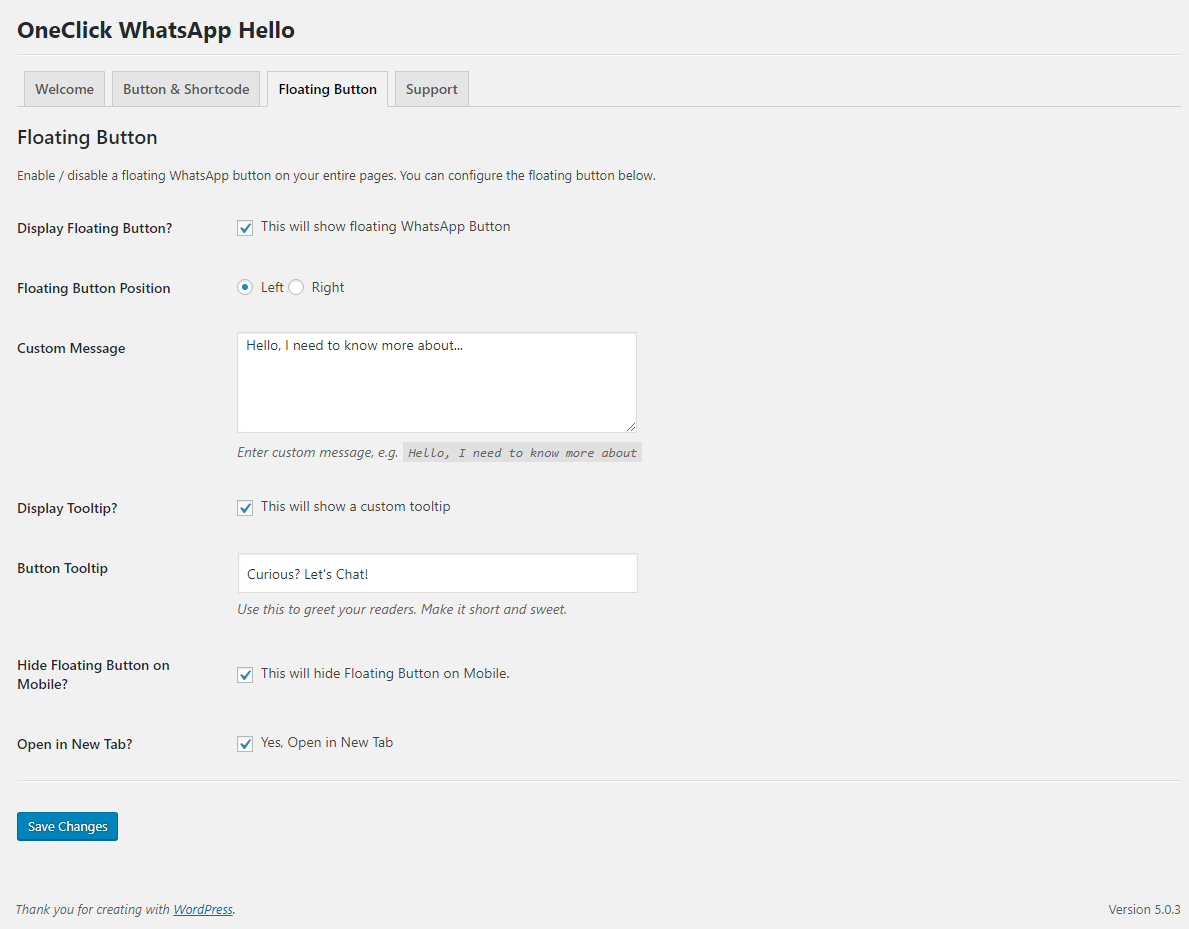
Setting panel of Floating Button section
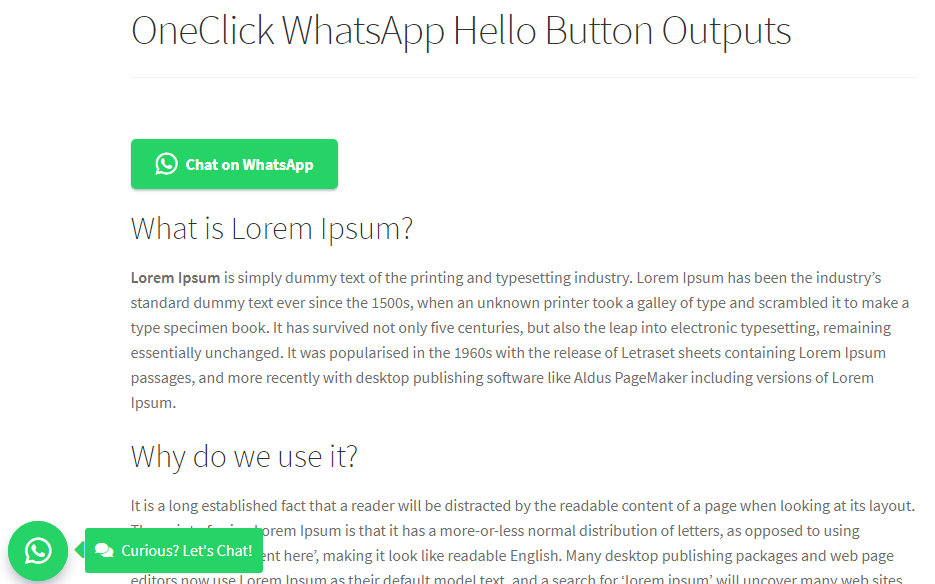
Outputs on the front-end; shortcode and floating button

Output on the front-end: shortcode without GDPR checkbox - unchecked

Output on the front-end: shortcode without GDPR checkbox - checked
Changelog
0.1.0 – December 14, 2019
- Complying to Copyright and Trademark Guidelines
- Rebranded “OneClick WhatsApp Hello” to “OneClick WP Hello”
- Code cleaned up
0.0.3 – February 21, 2019
- [Fix] Fixed issue when button is still clickable though the GDPR notice is unchecked
- Compatibility with the latest WordPress version
0.0.2 – February 10, 2019
- [Improvement] Strings corrected
0.0.1 – February 8, 2019
- Initial Release