

Opti-Behavior
Track user behavior with heatmaps and real-time insights. Optimize conversions and improve UX with data-driven decisions.
Plugin info
Maintenance & Compatibility
Maintenance score
Maintained • Last updated 123 days ago
Is Opti-Behavior abandoned?
Likely maintained (last update 123 days ago).
Compatibility
Similar & Alternatives
Explore plugins with similar tags, and compare key metrics like downloads, ratings, updates, support, and WP/PHP compatibility.
Description
Opti-Behavior is the ultimate WordPress analytics plugin that reveals exactly how visitors interact with your website. Understand user behavior through powerful visual heatmaps, detailed click tracking, and comprehensive analytics – all stored securely on your own server.
Unlike external analytics services, Opti-Behavior keeps all your data local, ensuring complete privacy compliance and lightning-fast performance. Perfect for marketers, designers, and business owners who want to optimize their websites based on real user behavior data.
Why Choose Opti-Behavior?
✓ 100% Privacy-Friendly – All data stays on your WordPress server (GDPR compliant)
✓ No External Dependencies – No API calls to third-party services for analytics
✓ Beautiful Visualizations – Easy-to-understand heatmaps and dashboards
✓ Mobile & Desktop Separation – Analyze each platform independently
✓ High Performance – Optimized for sites with millions of pageviews
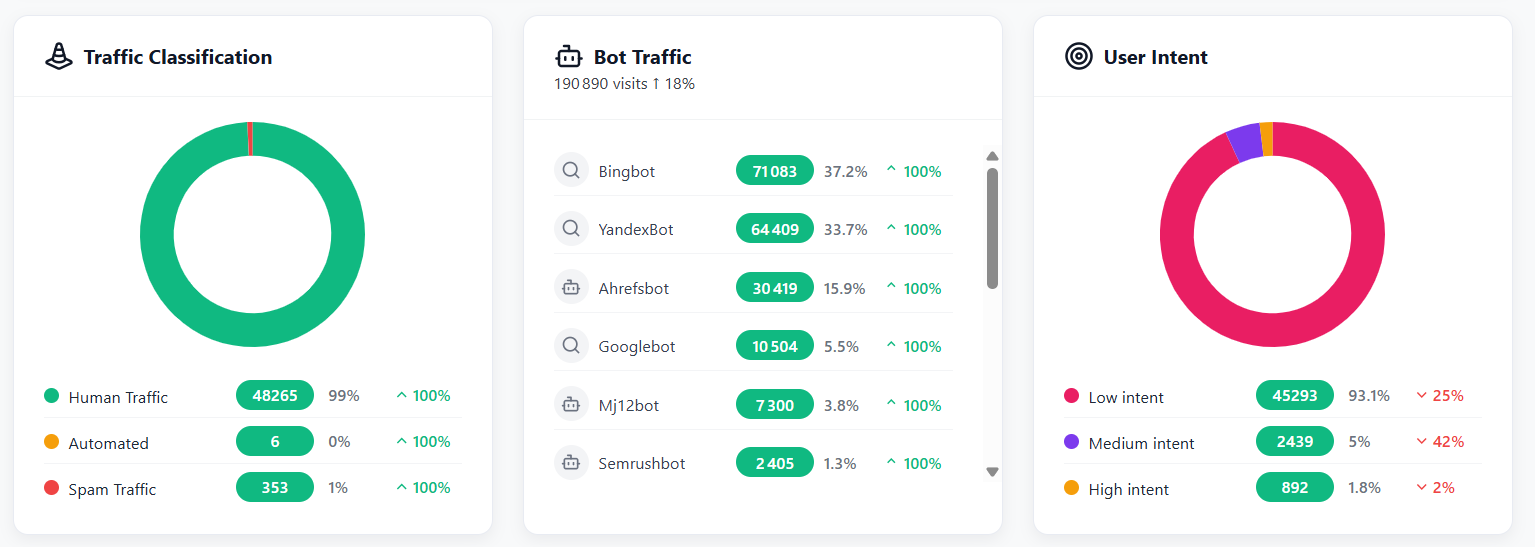
✓ Bot Filtering – Automatic detection and exclusion of bot traffic
Core Features (Free Version)
- Click Heatmaps – Visualize where users click on your pages with color-coded heatmaps
- Mobile & Desktop Views – Separate tracking and visualization for different devices
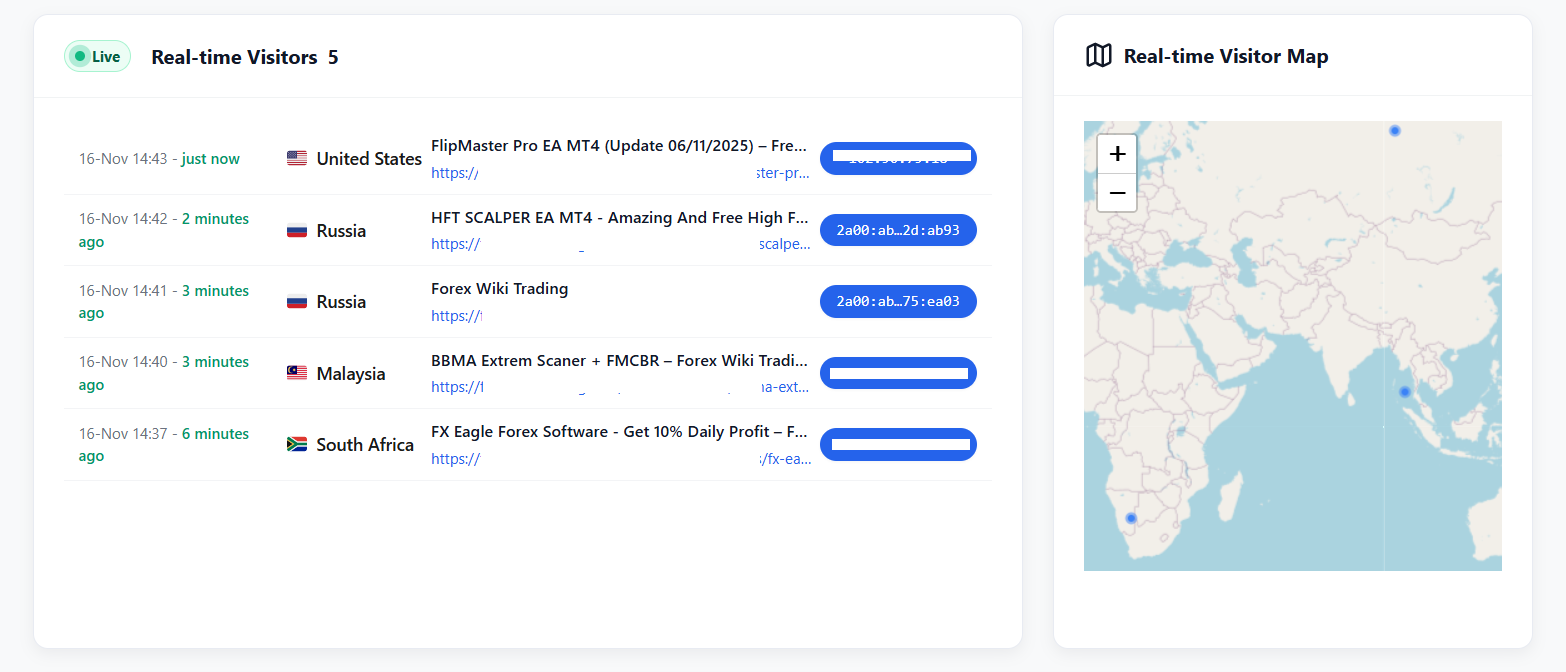
- Real-time Dashboard – Monitor active visitors and their behavior live
- Page Analytics – Track pageviews, average time on page, and engagement metrics
- Session Tracking – Follow user journeys across your website
- Bot Detection – Server-side detection of search engines and bot traffic
- Performance Optimized – File-based storage option for high-traffic sites
- Privacy Controls – IP anonymization, data retention settings, and GDPR compliance tools
- Beautiful UI – Modern, intuitive interface with dark mode support
- Export Data – Download your analytics in CSV format
Pro Features (Upgrade)
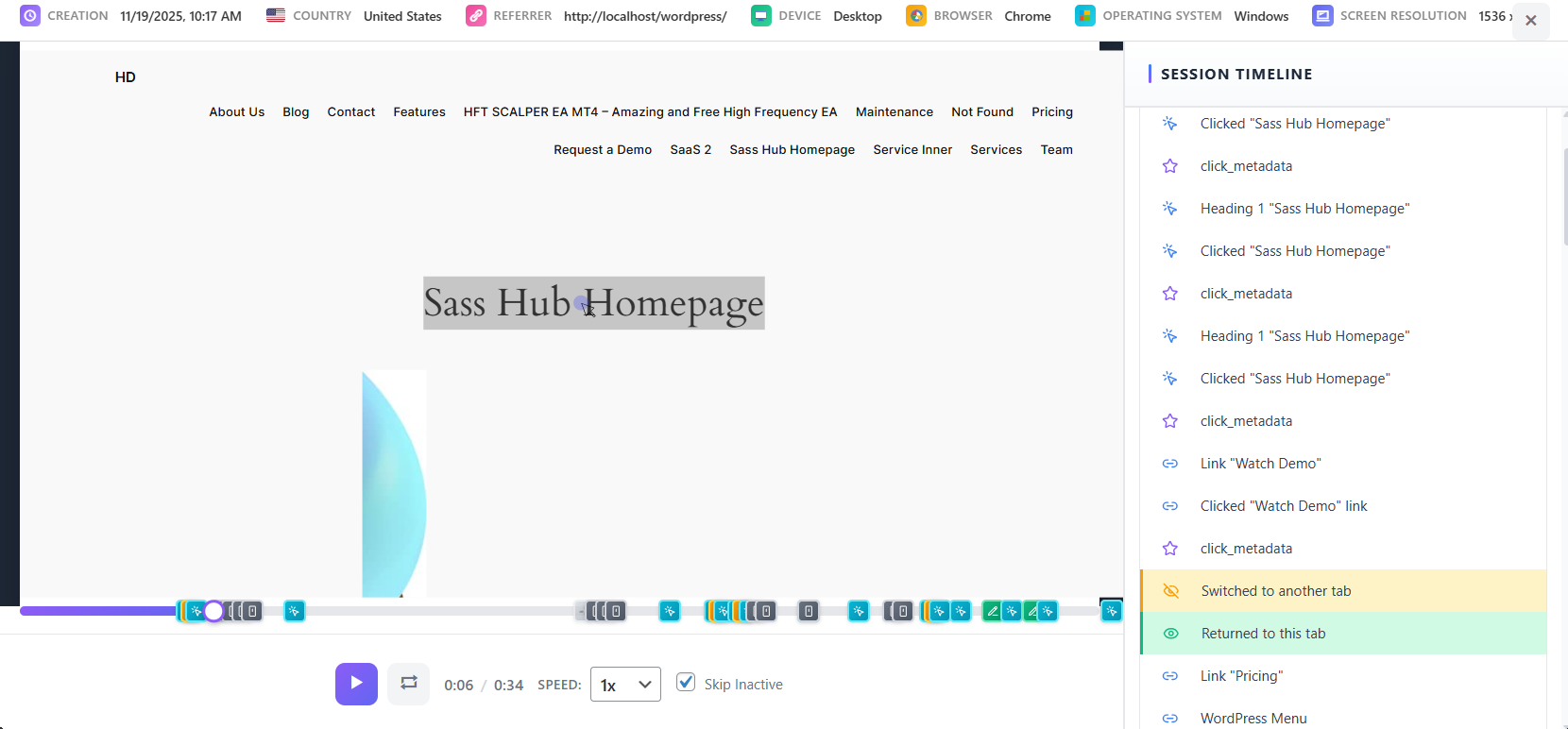
- Session Recordings – Watch real user sessions to see exactly how visitors use your site
- Advanced Heatmaps – Attention heatmaps, scroll maps, and breakaway analysis
- Unlimited Pages – Track as many pages as you need (free limited to 5 pages)
- Extended Retention – Keep data for up to 2 years (free limited to 7 days)
- Priority Support – Get help when you need it
Learn more about Opti-Behavior Pro
Perfect For
- E-commerce Stores – Optimize checkout flows and product pages to increase sales
- Content Publishers – Understand which content keeps readers engaged
- Web Agencies – Provide clients with detailed user behavior reports
- SaaS Companies – Improve onboarding and reduce churn with behavior insights
- Marketing Teams – Test landing pages and measure campaign effectiveness
- UX Designers – Validate design decisions with real user data
- Small Businesses – Make informed decisions without expensive analytics tools
How It Works
- Install & Activate – Simple one-click installation, no configuration needed
- Automatic Tracking – Starts collecting data immediately after activation
- View Insights – Access beautiful dashboards from your WordPress admin
- Optimize – Use data-driven insights to improve your website
- Export & Share – Download reports or share insights with your team
Privacy & Data Protection
Privacy is built into Opti-Behavior from the ground up:
- GDPR Compliant – Full compliance with EU privacy regulations
- Local Data Storage – All analytics data stays in your WordPress database
- IP Anonymization – Option to anonymize visitor IP addresses
- Data Retention Control – Set automatic cleanup periods for old data
- No Third-Party Tracking – Analytics JavaScript is served from your domain
- Consent Management – Easy integration with consent management plugins
- Data Export – Users can request their data in portable format
- Complete Deletion – Option to delete all data on plugin uninstall
- No Cookies Required – Works without setting cookies (session-based tracking)
- Transparent – Open-source code you can audit yourself
Technical Features
Built with performance and security in mind:
- WordPress Coding Standards – Fully compliant with WP best practices
- Secure by Design – All database queries use prepared statements
- Optimized Performance – Handles millions of events without slowing down
- Flexible Storage – Choose between database or file-based storage
- Smart Indexing – Automatic database optimization for fast queries
- Bot Detection – Server-side filtering of crawlers and bots
- Multisite Ready – Works perfectly on WordPress multisite networks
- REST API Ready – Modern architecture with hooks and filters
- Developer Friendly – Extensive documentation and clean codebase
- Minimal Footprint – Lightweight JavaScript (~15KB minified)
- Async Loading – Non-blocking script loading for better page speed
- Batch Processing – Efficient handling of high-traffic scenarios
External Services
This plugin may connect to external services in limited circumstances:
IP Geolocation (ip-api.com)
Purpose: Provides geographic location data (country, city, timezone) for visitor analytics and map visualization.
When Used: Only when a visitor’s location cannot be determined from CloudFlare headers. If CloudFlare is active, no external calls are made.
Data Sent: Only the visitor’s IP address. No personally identifiable information is transmitted.
Caching: Results are cached for 1 hour to minimize API requests.
Privacy:
* Service: https://ip-api.com/
* Terms & Privacy: https://ip-api.com/docs/legal
* Note: ip-api.com may log IP addresses. Review their privacy policy for details.
OpenStreetMap Tiles
Purpose: Displays the interactive visitor location map in your WordPress admin dashboard.
When Used: Only when YOU (the admin) view the real-time visitor map. Not used on the frontend.
Data Sent: Your browser makes direct requests to OpenStreetMap tile servers (standard HTTP headers only).
Privacy:
* Service: https://www.openstreetmap.org/
* Tile Policy: https://operations.osmfoundation.org/policies/tiles/
* Privacy Policy: https://wiki.osmfoundation.org/wiki/Privacy_Policy
Important Note: All analytics data is stored locally on your WordPress server. The services above are only used for optional geographic features and map visualization.
Privacy Policy
Opti-Behavior collects user interaction data to provide analytics insights. This data includes:
- Page URLs and titles
- Click coordinates and target elements
- Mouse movement patterns
- Scroll depth
- Session timestamps
- Referrer URLs
- Browser and device information
- IP addresses (can be anonymized)
- Approximate location based on browser timezone (client-side only, no external services)
Data Storage: All analytics data is stored locally in your WordPress database.
External Services: This plugin may make API calls to ip-api.com for IP geolocation when CloudFlare headers are not available. Only the visitor’s IP address is sent to this service. See the “External Services” section above for complete details on what data is shared and under what circumstances.
User Rights: You have full control over data retention and deletion. Users can request data deletion at any time.
When using this plugin, ensure your site’s privacy policy discloses:
* What data is being collected
* How long it is retained
* Who has access to it
* How users can request deletion
* That data is stored locally and not shared with third parties
Third-Party Libraries
This plugin bundles the following open-source libraries:
Chart.js
- Version: 4.4.0
- License: MIT License
- Homepage: https://www.chartjs.org/
- Used for: Rendering analytics charts and graphs
Leaflet
- Version: 1.9.4
- License: BSD 2-Clause License
- Homepage: https://leafletjs.com/
- Used for: Real-time visitor map visualization
heatmap.js
- Version: 2.0.5
- License: MIT License
- Homepage: https://www.patrick-wied.at/static/heatmapjs/
- Used for: Generating visual heatmaps of user interactions
Lucide
- Version: 0.554.0
- License: ISC License
- Homepage: https://lucide.dev/
- Used for: Icon library for the admin interface
All bundled libraries use GPL-compatible licenses (MIT, BSD 2-Clause, and ISC) and are included locally within the plugin. See THIRD-PARTY-LICENSES.md in the plugin directory for full license texts.
Credits
Developed by OptiUser
Installation
Automatic Installation
- Log in to your WordPress admin panel
- Navigate to Plugins > Add New
- Search for “Opti-Behavior”
- Click “Install Now” and then “Activate”
Manual Installation
- Download the plugin zip file
- Log in to your WordPress admin panel
- Navigate to Plugins > Add New > Upload Plugin
- Choose the downloaded zip file and click “Install Now”
- After installation, click “Activate Plugin”
After Activation
- Navigate to Opti-Behavior in your WordPress admin menu
- The plugin starts tracking automatically – no configuration required!
- Visit the Dashboard to see real-time visitor activity
- Go to Heatmaps to view click patterns on your pages
- Adjust Settings to customize tracking behavior and privacy options
That’s it! Opti-Behavior works out of the box with smart defaults.
Frequently Asked Questions
Not at all! Opti-Behavior is built for performance. The tracking script is only ~15KB minified and loads asynchronously, so it won’t block your page rendering. We’ve tested it on sites with millions of pageviews without any performance issues.
Yes! Opti-Behavior is designed with privacy in mind. It includes IP anonymization, data retention controls, and consent management features. All data is stored locally on your server, not sent to third parties. However, you should still configure the settings appropriately for your use case and update your privacy policy to disclose data collection practices.
Yes! The plugin includes export functionality for all collected data in CSV format.
Yes! Opti-Behavior is compatible with popular caching plugins like WP Super Cache, W3 Total Cache, and WP Rocket.
Yes! Opti-Behavior is multisite compatible and can be activated network-wide or on individual sites.
Yes, this plugin makes limited use of external services for geolocation functionality. See the “External Services” section below for full details. All JavaScript libraries (Chart.js, Leaflet, heatmap.js) are bundled locally within the plugin. All analytics data is stored locally in your WordPress database.
The plugin collects:
* Page views and URLs
* Click positions and elements
* Mouse movements and scroll depth
* Session duration and timestamps
* Referrer information
* Device and browser information (user agent)
* Anonymized IP addresses (optional)
* Approximate location based on browser timezone (no external API calls)
No personally identifiable information (PII) is collected by default. All data is stored locally in your WordPress database.
Yes! In the plugin settings, you can enable “Delete all data on uninstall”. When enabled, all database tables and options will be removed when you uninstall the plugin.
For support questions, please use the WordPress.org support forums. For premium support, consider upgrading to Opti-Behavior Pro.
Unlike Google Analytics, Opti-Behavior stores all data on YOUR server (not Google’s), provides visual heatmaps to see exactly where users click, doesn’t require cookie consent in most cases, and gives you session-level insights. Plus, it’s specifically designed for WordPress and integrates seamlessly with your admin dashboard.
Absolutely! Opti-Behavior works great with WooCommerce. Use heatmaps to optimize product pages, track cart abandonment patterns, and analyze checkout flow behavior to increase conversions.
The free version includes click heatmaps, real-time analytics, and tracks up to 5 pages with 7-day data retention. Pro unlocks session recordings, advanced heatmaps (attention, scroll, breakaway), unlimited pages, 2-year retention, and priority support. Compare plans
Yes! Opti-Behavior works with all major page builders including Elementor, Divi, Beaver Builder, WPBakery, and Gutenberg.
For high-traffic websites, storing all analytics data in the database can cause performance issues. The File Storage System allows you to store event data in organized JSON files instead, reducing database load. You can enable this in Settings > Storage Options. File storage uses batch processing and compression to optimize performance.
Yes! Opti-Behavior includes automatic server-side bot detection that identifies and filters out traffic from search engine crawlers, monitoring bots, and other non-human visitors. This ensures your analytics data reflects real user behavior. The bot tracker recognizes all major search engines (Google, Bing, Yahoo, etc.) and common bots.
Yes! The plugin automatically tracks and displays separate heatmaps for mobile and desktop devices. This allows you to understand how user behavior differs between device types and optimize your site accordingly for each platform.
Review feed
Screenshots
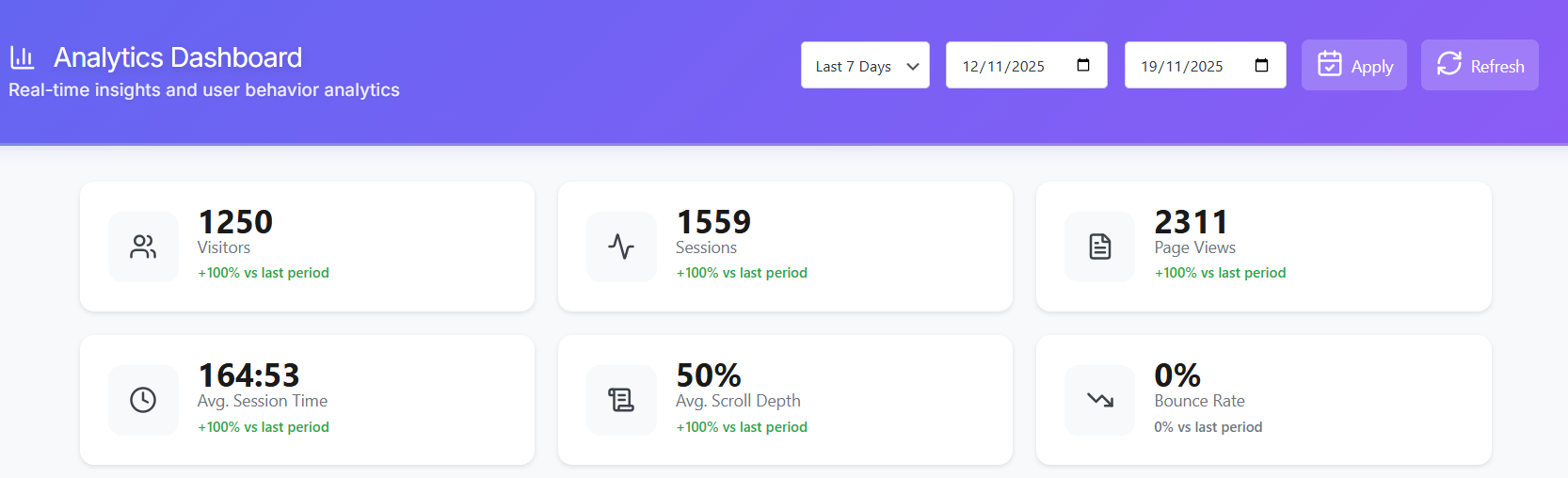
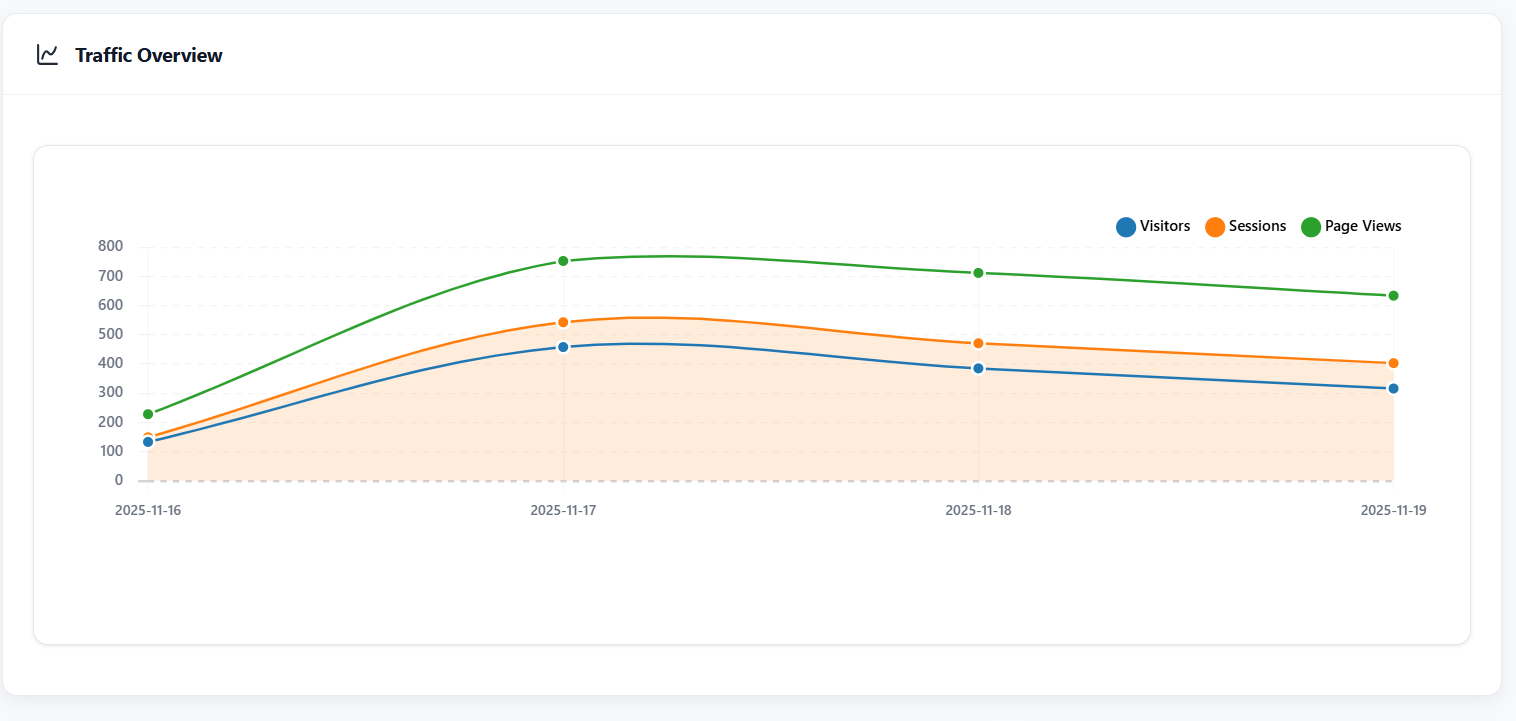
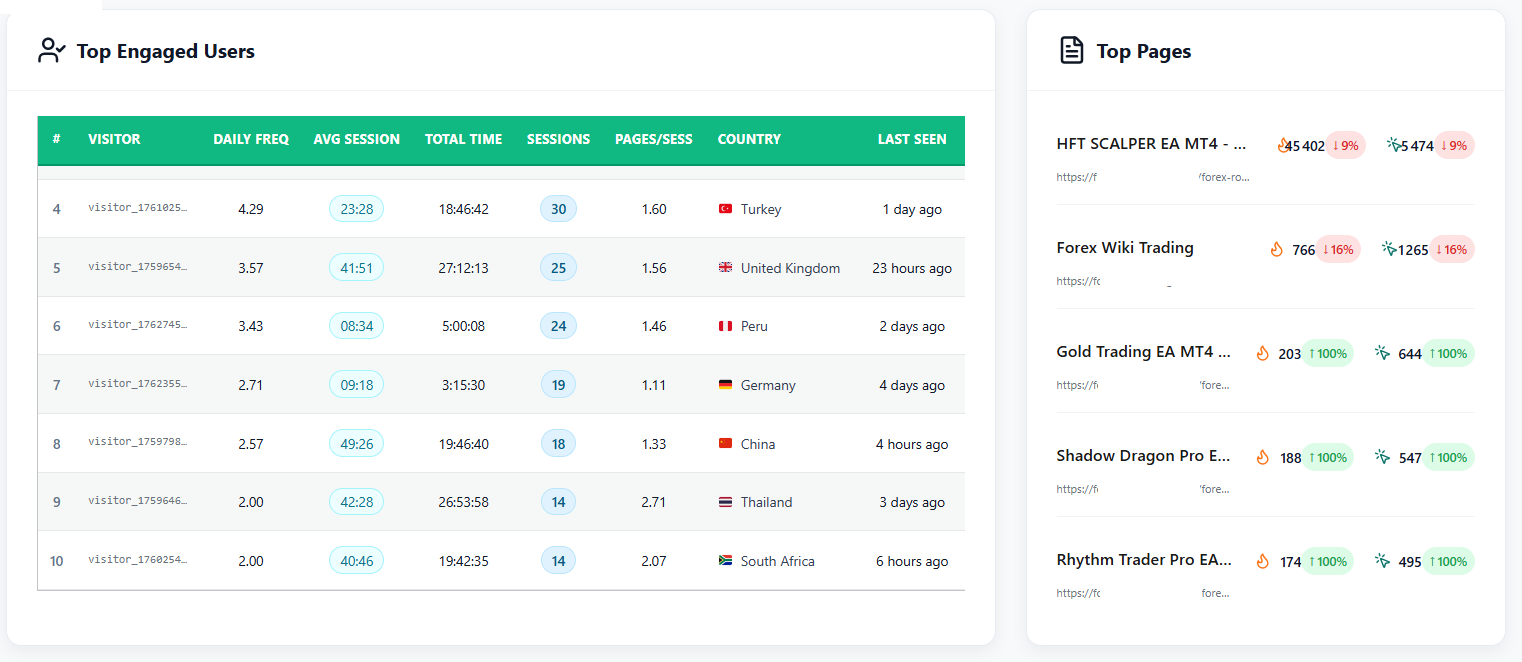
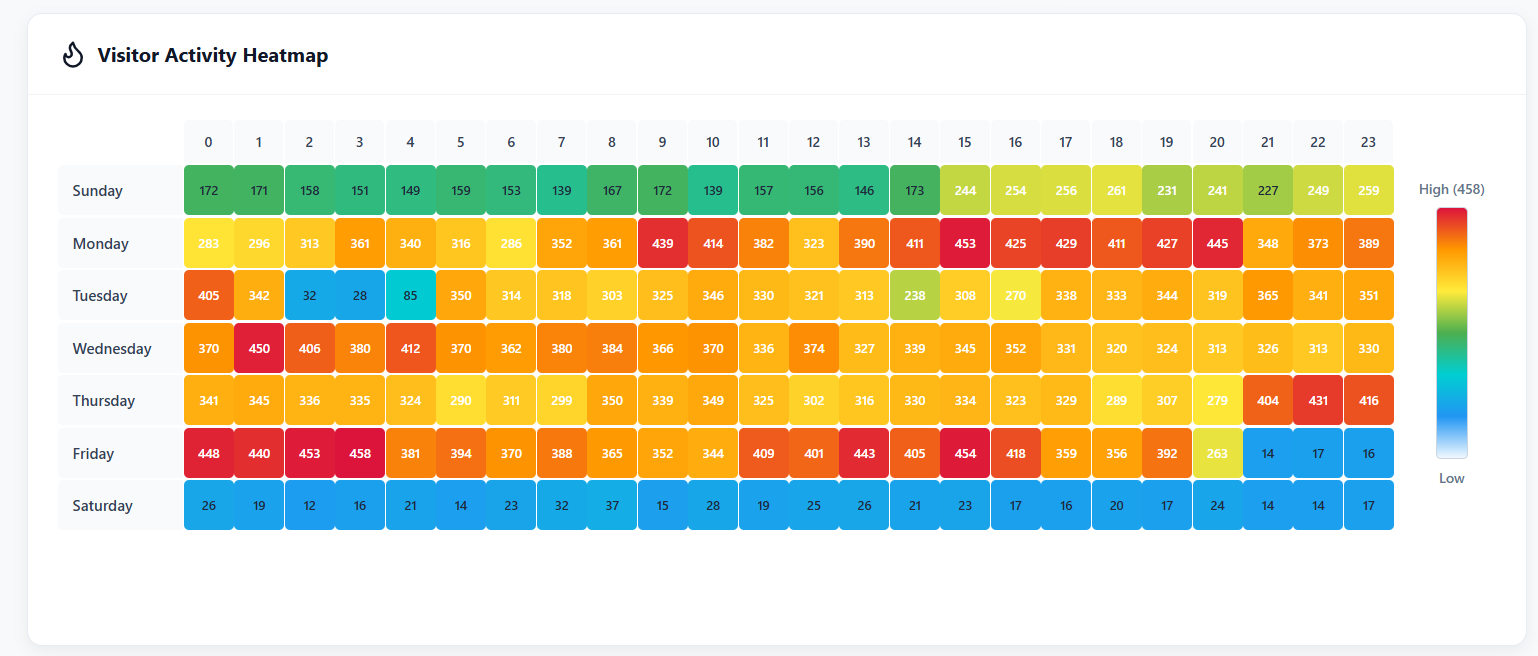
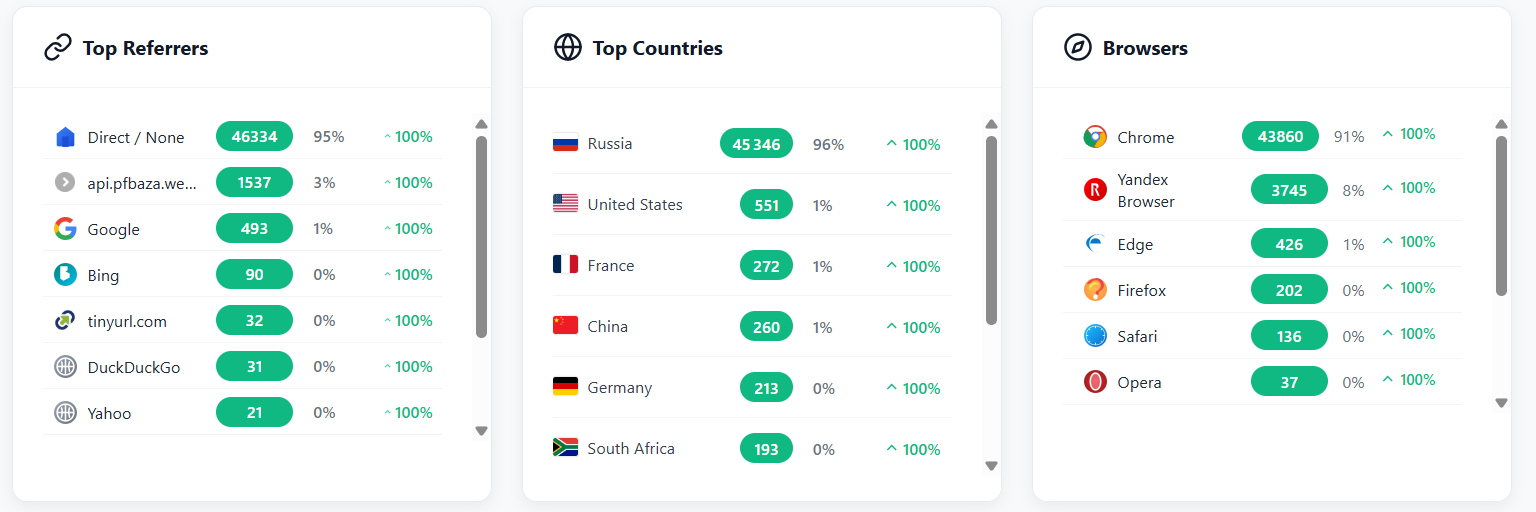
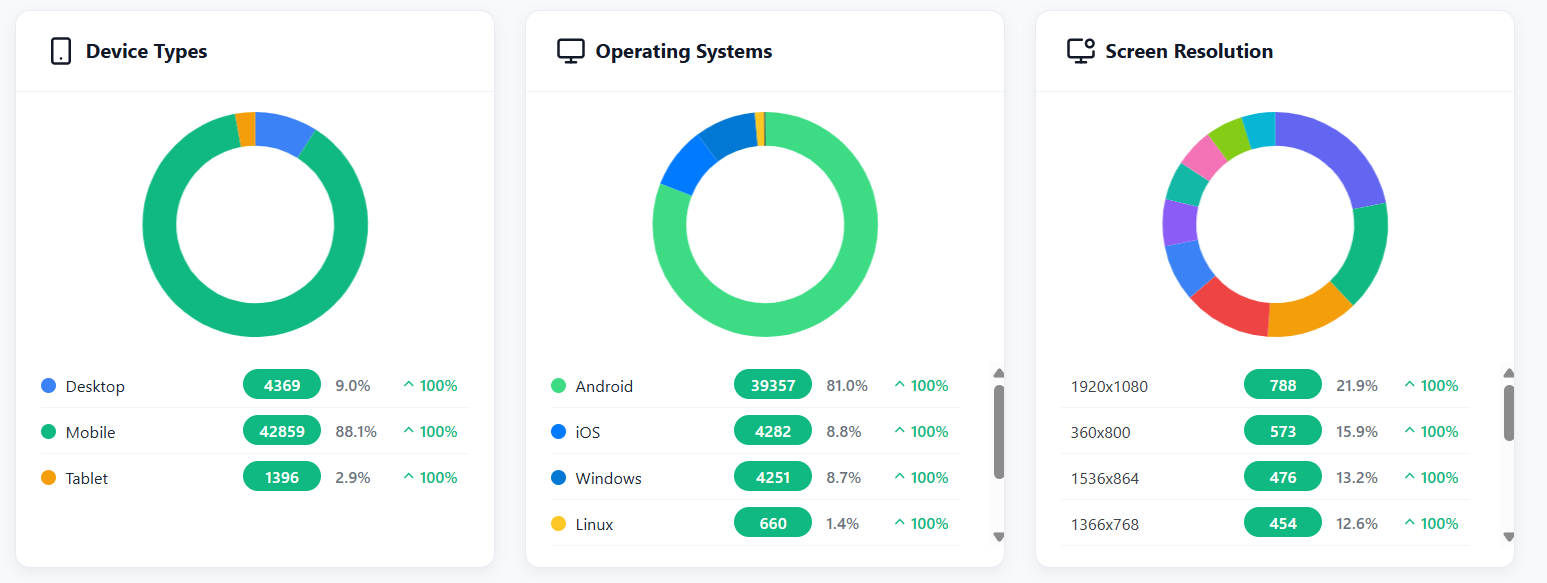
Dashboard overview with real-time analytics and key metrics
Visual heatmap showing click patterns on a page
Session recordings list with filtering options
Detailed analytics for individual pages
Settings panel with privacy and data retention options
User journey visualization showing visitor paths




Changelog
1.0.6 – 2025-11-30
- Feature: New vs Returning Visitors analytics dashboard widget
- Feature: Visited Directories analytics with depth tracking and page views
- Feature: Visitor Authentication analytics showing logged-in vs guest users
- Fix: WordPress DB coding standards – SQL wildcards now use placeholders
- Enhancement: Improved prepared SQL statements compliance
- Code Quality: Full WordPress.DB.PreparedSQLPlaceholders compliance
1.0.5 – 2025-11-23
- Fix: Removed all debug error_log() calls from production code
- Fix: Replaced date() with gmdate() for timezone-safe date handling
- Fix: Added translator comments for i18n compliance
- Fix: Updated API URL from localhost to production endpoint
- Fix: Corrected stable tag version mismatch
- Enhancement: Improved readme with better descriptions and FAQ
- Enhancement: Added Plugin URI and updated Author URI
- Enhancement: Optimized WordPress.org directory submission compliance
- Compatibility: Full WordPress 6.8 compatibility verified
- Enhancement: Added COALESCE for better handling of NULL titles in Top Pages
- Enhancement: Improved country detection with browser language fallback when IP geolocation fails
- Enhancement: Top Pages widget now displays page views instead of clicks for better accuracy
1.0.4 – 2025-11-20
- Enhancement: Added file-based storage system for high-traffic sites
- Enhancement: Implemented automatic bot detection and filtering
- Enhancement: Added performance optimizer with automatic database indexing
- Enhancement: Separate mobile and desktop heatmap tracking and visualization
- Enhancement: Batch processing for improved performance
- Enhancement: Enhanced debug logging system with WordPress-compliant manager
- Enhancement: Added Lucide icon library (v0.554.0, ISC License) for modern UI
- Security: Replaced direct filesystem operations with WP_Filesystem API
- Security: Replaced unlink() with wp_delete_file() for file deletion
- Code Quality: WordPress coding standards compliance improvements
- Code Quality: Improved data sanitization and validation
- Compatibility: Tested up to WordPress 6.8
1.0.3
- Security: Fix Unsafe SQL calls
- Security: Fix files and directories locations use
- Security: Moved inline CSS to external stylesheet
- Security: Moved inline JS to external stylesheet
- Follows WordPress coding standards
- Plugin Check validation passed
1.0.2
Review and fix all the issues listed in the review email.
1.0.1
- Security: Enhanced sanitization for $_SERVER variables
- Security: Improved json_decode() data sanitization
- Security: Moved inline CSS to external stylesheet for WordPress compliance
- Code Quality: Added proper sanitization for all user inputs
- Code Quality: Enhanced data validation in AJAX handlers
- Compatibility: Verified all security checks are in place
1.0.0
- Initial release
- Visual heatmap tracking
- Session recording functionality
- Real-time analytics dashboard
- Page performance metrics
- User journey tracking
- GDPR compliance features
- Data export functionality
- Multisite support
- Debug mode for troubleshooting