

Page Transition Free for WP
Free version of the WP Page Transition plugin. It will allow you to easily create beautiful and smooth transitions between your website's pages !
Plugin info
Maintenance & Compatibility
Maintenance score
Possibly abandoned • Last updated 1587 days ago • 3 reviews
Is Page Transition Free for WP abandoned?
Possibly abandoned (last update 1587 days ago).
Compatibility
Similar & Alternatives
Explore plugins with similar tags, and compare key metrics like downloads, ratings, updates, support, and WP/PHP compatibility.
Description
An easy solution to improve your UI/UX design and your SEO.
This free version offer you several features :
- Feature #1 – Select easily a transition and loader
- Feature #2 – Define which links must be able to trigger a transition
- Feature #3 – Chopse to hidden scroll bar during transitions
However this version display a message during transition with a link with our premium plugin. So if this message bother you or if want to improve your transition animations, you can look our WP Page Transition up.
Installation
Minimum Requirements
- PHP 7.0 or greater is recommended
- MySQL 5.6 or greater is recommended
Automatic installation
Automatic installation is the easiest option — WordPress will handles the file transfer, and you won’t need to leave your web browser. To do an automatic install of Page Transition Free for WP, log in to your WordPress dashboard, navigate to the Plugins menu, and click “Add New.”
In the search field type Page Transition Free for WP,” then click “Search Plugins.” Once you’ve found us, you can view details about it such as the point release, rating, and description. Most importantly of course, you can install it by! Click “Install Now,” and WordPress will take it from there.
Manual installation
Manual installation method requires downloading the Page Transition Free for WP plugin and uploading it to your web server via your favorite FTP application. The WordPress codex contains instructions on how to do this here.
Updating
Automatic updates should work smoothly, but we still recommend you back up your site.
If you encounter issues with the shop/category pages after an update, flush the permalinks by going to WordPress > Settings > Permalinks and hitting “Save.” That should return things to normal.
Visit the WP Page Transition documentation for a details.
Frequently Asked Questions
For help setting up and configuring Page Transition Free for WP, please refer to documentation of our premium version.
This issue can be caused by several things, different actions can resolve the situation :
- Your theme must include the “wp_body_open” hook located just after the tag.
- Verify that you have saved your settings.
- Clear the cache of browser.
- Clear your browsing data.
- Disable your caching plugins.
The plugin adds new features directly in your website. By adding HTML, CSS & JS content on website, you can create animation during the page changement. Please check out our documentation page for more info on all the features.
Our plugin can be used on an unlimited amount of websites.
Review feed
Screenshots
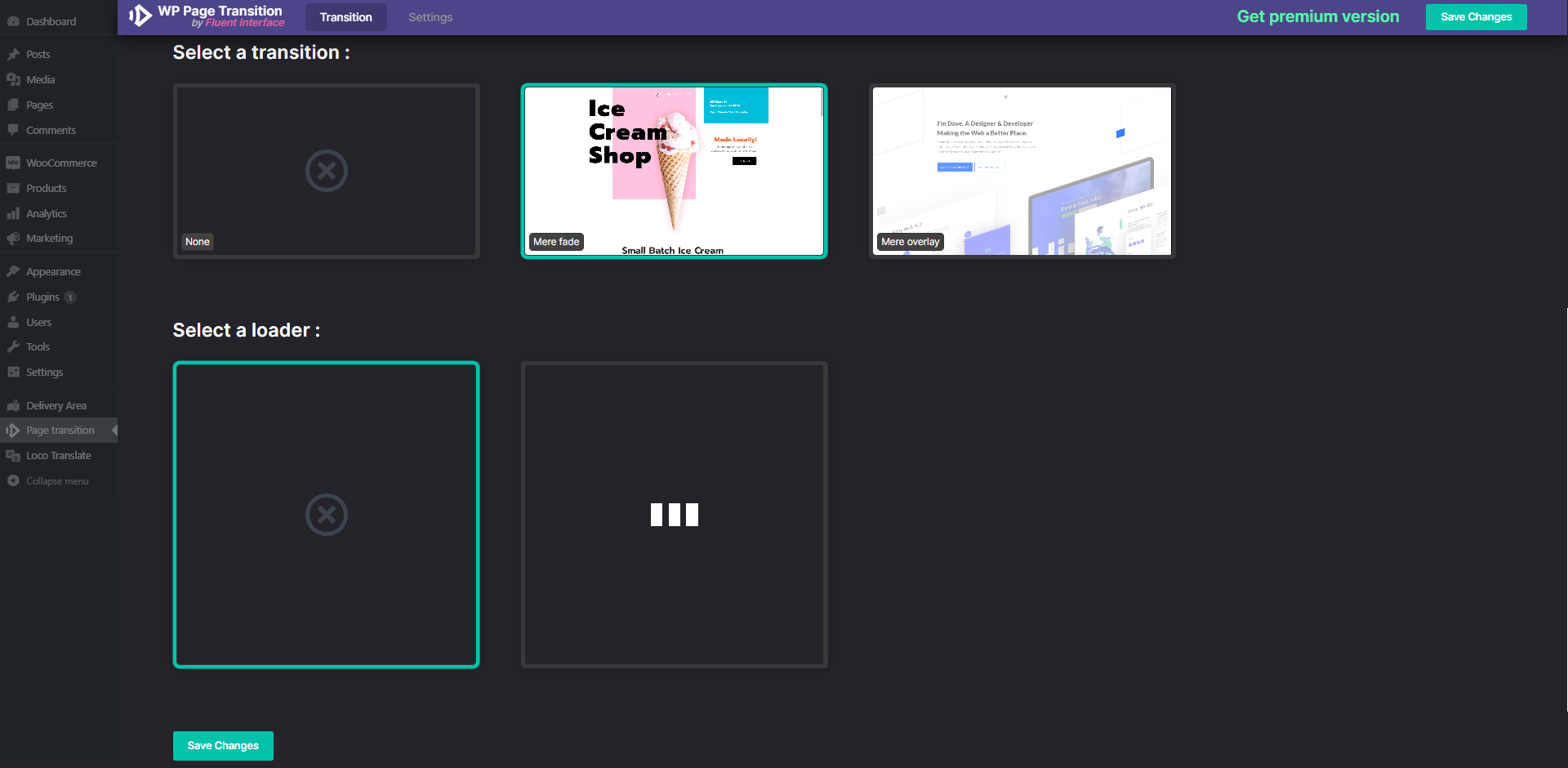
Main page of the Page Transition Free WP plugin. Here you can choose your transition and your loader.

Setting page of the plugin. Manage links able to trigger animations.

Comparative table of the pro and free version of the WP Page Transition plugin.
Changelog
1.0.0
- First version of the plugin !
1.0.1
- Complete the readme.txt file
- Fix a few small issues