

Pattern CSS – The CSS Editor For Blocks
Add a CSS editor to your blocks and patterns! Loads only where necessary. Supports adding global CSS too.
Plugin info
Maintenance & Compatibility
Maintenance score
Stale • Last updated 187 days ago • 8 reviews
Is Pattern CSS – The CSS Editor For Blocks abandoned?
Likely maintained (last update 187 days ago).
Compatibility
Similar & Alternatives
Explore plugins with similar tags, and compare key metrics like downloads, ratings, updates, support, and WP/PHP compatibility.
Description
The missing inline block CSS editor for the Gutenberg editor. Very powerful with synced patterns as well. And it pairs well with global styles.
This plugin is perfect for users looking to add CSS for blocks without needing to create a child theme, or use a bloated plugin. Client safe too. CSS won’t leak outside of the block, and only valid block CSS is persisted.
Star it on GitHub
Follow me on Twitter @kevinbatdorf
How to
- Every block will have a new “Pattern CSS” settings panel
- Open it and add any CSS. It will be scoped to the block
- To target the block directly, you must use the
[block]selector - To target any element inside the block, use the normal CSS selector
- Use
!importantto override your theme styles (use sparingly)
Global Editor
- Access global styles under the options menu (three dots) in the top right corner of the editor
- Additionaly, you can open from the Pattern CSS block editor controls
Features
- Powered by WebAssembly for fast and secure CSS parsing
- Smart loading. Only loads the CSS when the block is present
- Styles persist when changing themes
- Scopes styles to the block so that parent/sibling blocks are not affected
- It’s fast
- CSS is minified and optimized
- It’s safe. Invalid, non-spec CSS is never persisted
- Supports reusable (synced or not-synced) patterns
- See changes on the page as you make them
- Combines adjacent rules (to decrease size)
- Minifies colors and math functions to simplify according to spec
- Supports CSS nesting
Basic Example
/* Target the block directly */
[block] {
  background: antiquewhite;
  padding: 2rem;
}
/* Target any inner elements */
a {
  text-decoration-color: burlywood;
  text-decoration-thickness: 2px;
  text-decoration-style: solid !important;
}
a:hover {
  text-decoration-color: darkgoldenrod;
}

/* Output: */
.pcss-a1b7b016{background:#faebd7;padding:2rem}.pcss-a1b7b016 a{text-decoration-color:#deb887;text-decoration-thickness:2px;text-decoration-style:solid!important}.pcss-a1b7b016 a:hover{text-decoration-color:#b8860b}
Supports Media Queries
@media (prefers-color-scheme: dark) {
  [block] {
    border-color: blue;
  }
}

/* Output: */
@media (prefers-color-scheme:dark){.pcss-cddaa023{border-color:#00f}}
Combines Rules
[block] {
  color: red;
}
.bar {
  color: red;
}

/* Output: */
.pcss-3aa0f0fc,.pcss-3aa0f0fc .bar{color:red}
Fixes redundant properties
[block] {
  padding-top: 5px;
  padding-left: 50px;
  padding-bottom: 15px;
  padding-right: 5px;
}

/* Output: */
.pcss-3aa0f0fc{padding:5px 5px 15px 50px}
Supports CSS nesting
[block] {
  padding: 1rem;
  a {
    color: red;
  }
  background: white;
  /* Including media queries */
  @media (prefers-color-scheme: dark) {
    background: black;
    color:white;
  }
}

/* Output: */
.pcss-f526bb2d{background:#fff;padding:1rem;& a{color:red}@media (prefers-color-scheme:dark){&{color:#fff;background:#000}}}
Check browser support for CSS nesting
Installation
- Activate the plugin through the ‘Plugins’ screen in WordPress
Frequently Asked Questions
Your server needs to be able to identify the mime type being used. See here: https://wordpress.org/support/topic/webassembly-instantiatestreaming-failed-because-your-server-does-not-serve-wasm/
You can add a custom selector via a PHP constant. It requires setting a type (type, attribute, etc) and the name.
Here’s an example for “foo { color: red }”, where foo will be replaced with .pcss-h3Hso39bsK (or something similar):
Add this to functions.php:
define('PATTERN_CSS_SELECTOR_OVERRIDE', ['name' => 'foo', 'type' => 'type']);
Review feed
really, really great CSS control
Screenshots
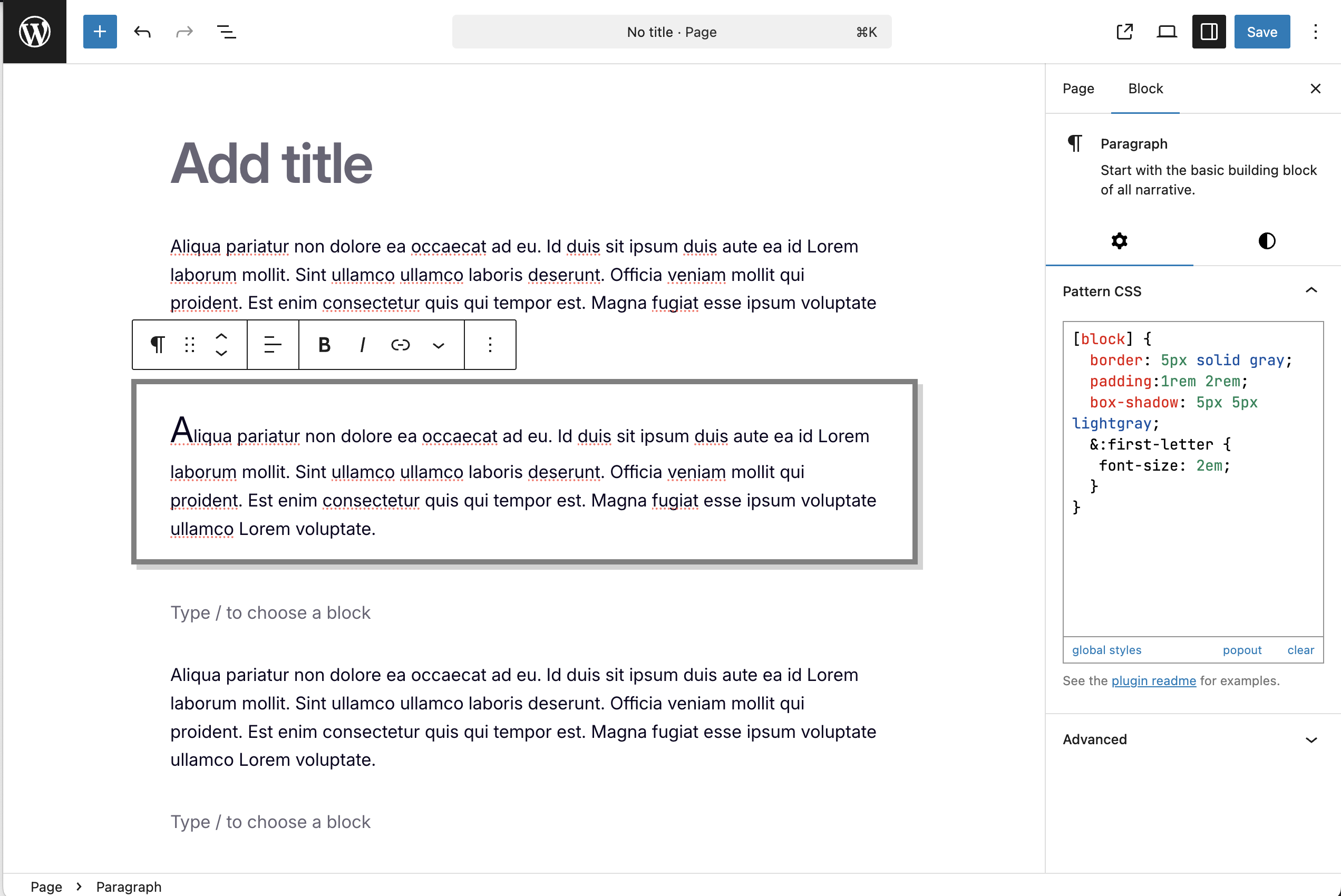
Add styles not available in the editor (supoprts nesting)
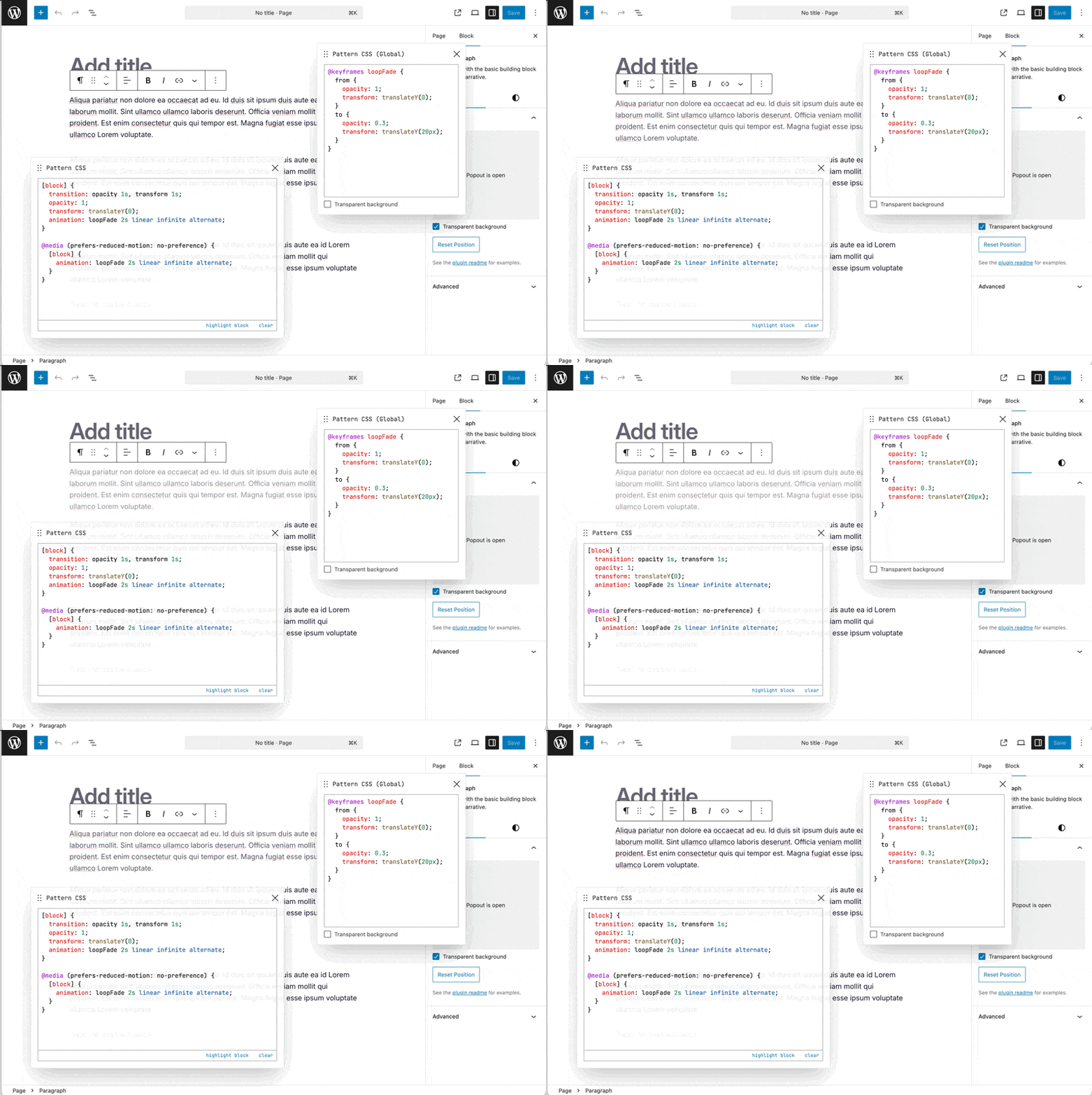
Add animation using the global editor

Will warn you if your CSS is invalid
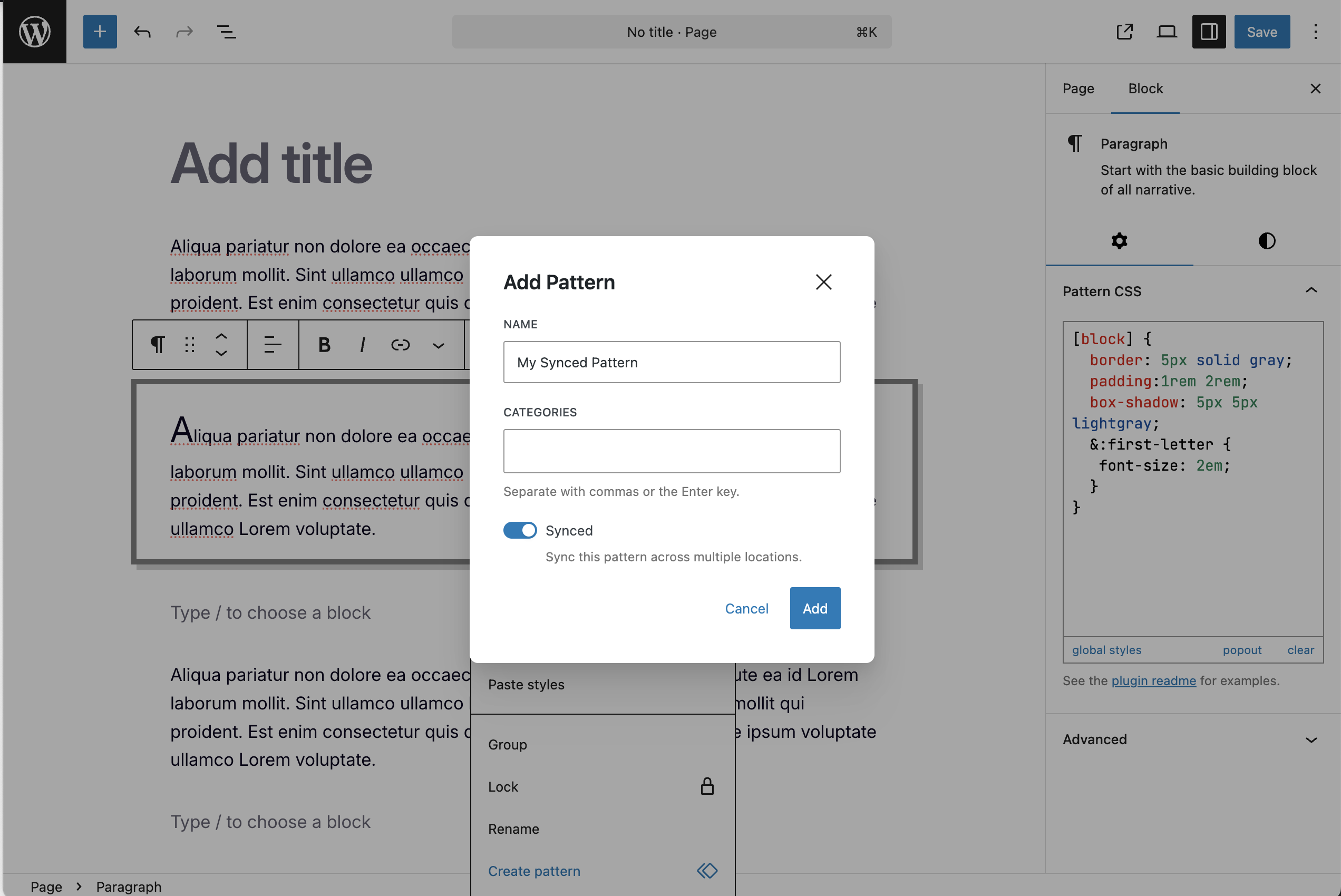
Works with reusable and synced patterns
Changelog
1.5.3 – 2025-09-27
- Fixes an issue where filtered attributes sent wp/v2/block-renderer causes a block validation error
1.5.2 – 2025-05-21
- Fixes an overflow bug in the editor
1.5.1 – 2025-05-18
- Retagging for release
1.5.0 – 2025-05-18
- Adds support for global styles via a new editor
1.4.0 – 2025-05-12
- Adds a draggable, resizable popout mode
- Updates CSS engine to include recent CSS features
- Allows “supports” support scoped to the block
1.3.0 – 2025-01-27
- Switches to useStyleOverride for injecting styles
1.2.6 – 2024-09-20
- Removes an unecessary html escape that mangled some css.
1.2.5 – 2024-07-28
- Fixed a small bug where a block may not have attributes when we access them.
1.2.4 – 2024-07-21
- Renamed the panel to Pattern CSS to differenciate it from the core panel on FSE
1.2.3 – 2024-05-09
- Removed globals like @import, @font-face, and @keyframes (and others)
1.2.2 – 2024-04-19
- Fixed an issue where CSS media queries using <= were stripped out
- Removed loading the viewer for users without the edit_css cap
- Removed the tag stripping output – now only privlidged users can use
- Updated tests to run on modern WP (by disabling the iframe)
1.2.1 – 2024-02-22
- Removed the example code and added a useful default
- Render blocks now work – now adds the id to the main class list
1.2.0 – 2024-02-20
- Feature: Adds support for CSS nesting
- Removes the code example on focus and adds it back on blur (if empty)
- Lets users define an additional block selector
- Adds a notice that the site logo isn’t currently supported
1.1.0 – 2024-02-18
- Prevent adding classes to blocks unless CSS is added
- Force the settings area to the bottom (mainly for custom blocks)
1.0.1 – 2023-11-04
- Fixed a bug where the it would crash on the pattern manager page
1.0.0 – 2023-07-15
- Feature: Now supports reusable blocks/patterns
- Update: Removed the “per page” functionality to limit the scope of this plugin to blocks and reusable patterns only
- Performance: Added global loading strategy to prevent per block n+1 loading issues
- Improvement: Added the option to update the CSS selector used for scoping (useful for duplicating blocks)
- Improvement: Added some examples when no CSS is present
- Improvement: Removed the public className attribute requirement from the Additional Settings area
- Improvement: Instead of saving as meta on a post, it now pulls from the attribute directly during page load (via the pre_render_block filter).
- Fix: Now it will only show on post types with the public setting set to true