

Paystack Add-On for Gravity Forms
The Paystack Addon for Gravity Forms allows you to quickly and easily implement credit card payments with WordPress. With the Paystack Add-On you can …
Plugin info
Maintenance & Compatibility
Maintenance score
Stale • Last updated 209 days ago • 2 reviews
Is Paystack Add-On for Gravity Forms abandoned?
Likely maintained (last update 209 days ago).
Compatibility
Similar & Alternatives
Explore plugins with similar tags, and compare key metrics like downloads, ratings, updates, support, and WP/PHP compatibility.
Description
The Paystack Addon for Gravity Forms allows you to quickly and easily implement credit card payments with WordPress. With the Paystack Add-On you can capture one time credit card payments or setup recurring payment subscriptions.
Installation
Minimum Requirements
- Gravity Forms v2.4+
- WordPress v5.1+
- SSL Certificate Installed and – Configured
- Download and install the add-on
- A Paystack account
Automatic installation
Automatic installation is the easiest option as WordPress handles the file transfers itself and you don’t need to leave your web browser. To do an automatic install of Paystack Payment Add-On for Gravity Forms, log in to your WordPress dashboard, navigate to the Plugins menu and click Add New.
In the search field type “Paystack Payment Add-On for Gravity Forms” and click Search Plugins. Once you’ve found our payment plugin you can view details about it such as the point release, rating and description. Most importantly of course, you can install it by simply clicking “Install Now”.
Manual installation
The manual installation method involves downloading our payment plugin and uploading it to your webserver via your favourite FTP application. The WordPress codex contains instructions on how to do this here.
Updating
Automatic updates should work like a charm; as always though, ensure you backup your site just in case.
Frequently Asked Questions
You can find help and information on Paystack on our Help Desk
If you get stuck, you can ask for help in the Paystack Payment Add-On for Gravity Forms. You can also directly email [email protected] for assistance.
Yes you can! Join in on our GitHub repository 🙂
Review feed
Screenshots
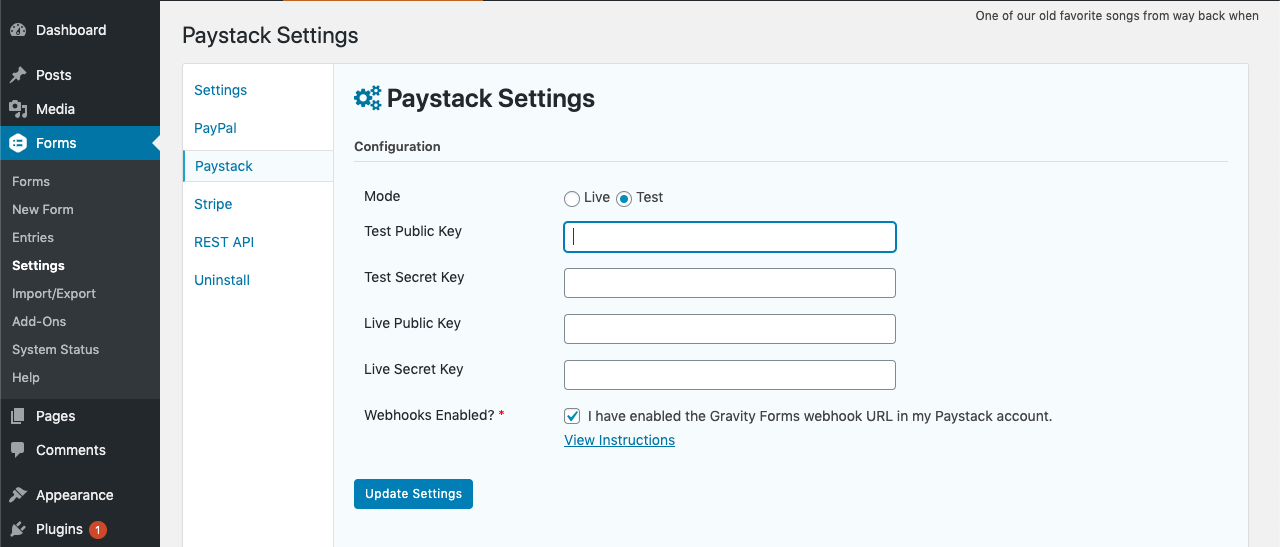
Setup screen
Changelog
2.0.7 – July 21, 2025
- Compatibility with WordPress v6.8.1 and PHP 8.2.23
2.0.6 – AUGUST 8, 2024
- Compatibility with WordPress v6.6 and PHP 8.2
2.0.3 – SEPTMBER 26, 2023
- Added XOF and EGP to the currency list
2.0.2 – SEPTMBER 26, 2023
- Compatibility with WordPress v6.2 and PHP 8
2.0.1 – APRIL 14, 2022
- Test plugin up to WordPress 6.2
- Fix PHP warnings about missing currency code
2.0.0 – NOVEMBER 1, 2021
- Compatibility with WordPress v5.9 and PHP 8
1.0.2 – NOVEMBER 1, 2021
- Added support for KES currency
1.0.1 – JANUARY 22, 2021
- Added support for ZAR currency
1.0.0 – JANUARY 21, 2021
- Initial Release