

Photo Sphere Viewer – Render Stunning 360° Panorama Shots
📸 Photo Sphere Viewer is a lightweight yet powerful WordPress plugin for displaying immersive 360° panoramic photos and videos.
Plugin info
Maintenance & Compatibility
Maintenance score
Maintained • Last updated 120 days ago • 2 reviews
Is Photo Sphere Viewer – Render Stunning 360° Panorama Shots abandoned?
Likely maintained (last update 120 days ago).
Compatibility
Languages
Similar & Alternatives
Explore plugins with similar tags, and compare key metrics like downloads, ratings, updates, support, and WP/PHP compatibility.
Description
📸 Photo Sphere Viewer is a lightweight yet powerful WordPress plugin for displaying immersive 360° panoramic photos and videos. It supports multiple formats including JPEG, PNG, and MP4, allowing you to embed high-quality virtual tours across your entire website.
Designed for both Elementor and Gutenberg, the plugin enables creators, photographers, agencies, and developers to showcase interactive panoramic experiences without writing a single line of code.
✨ Key Features
-
Elementor Widget + Gutenberg Block Support
Seamlessly add 360° panoramas using your favorite editor. -
Interactive & Responsive
Smooth performance on desktops, tablets, and mobile devices. -
Customizable Controls
Adjust zoom, field of view, autorotation, movement speed, and more. -
Flexible Display Options
Add panoramas to posts, pages, Elementor templates, widget areas, or WooCommerce product pages. -
Optimized & Lightweight
Minimal scripts and clean implementation for fast loading. -
Beginner-Friendly
No coding required — configure your entire viewer visually.
How It Works
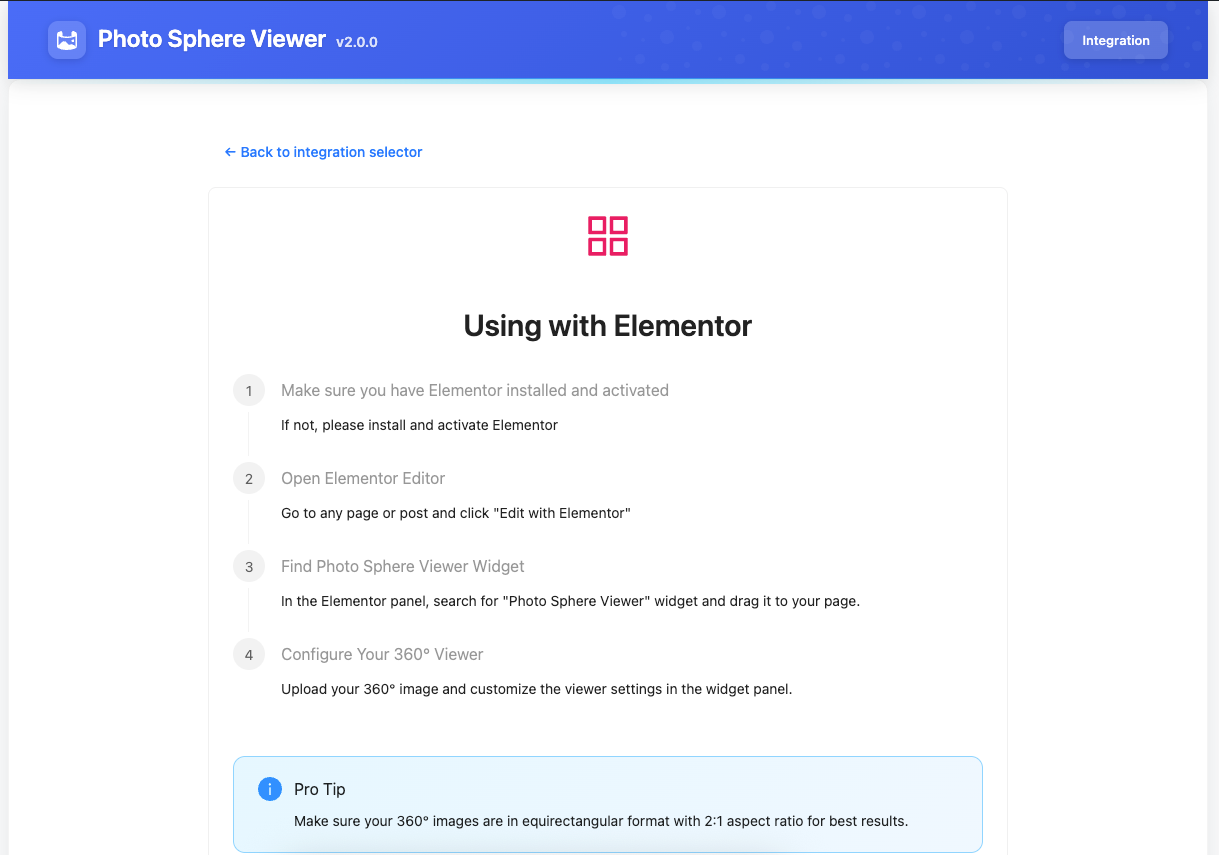
📌 Using Elementor
- Open the Elementor editor.
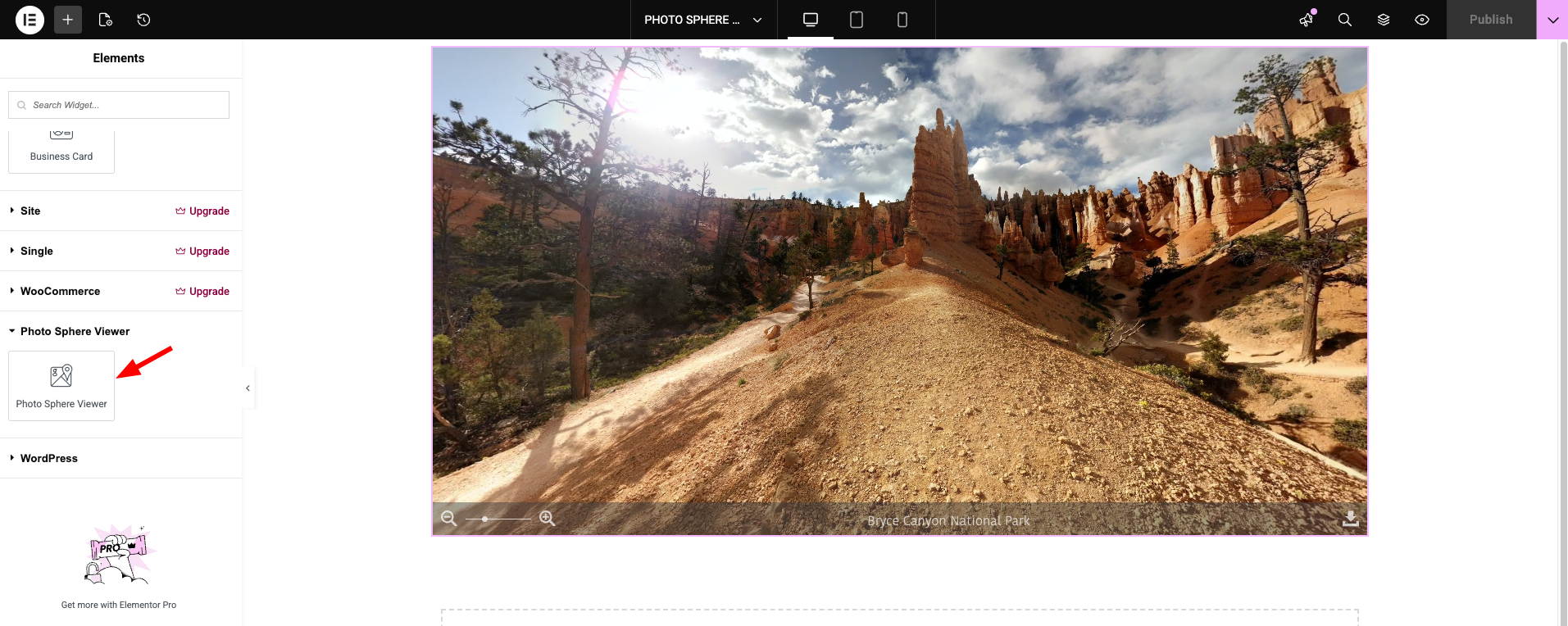
- Drag & drop the Photo Sphere Viewer widget.
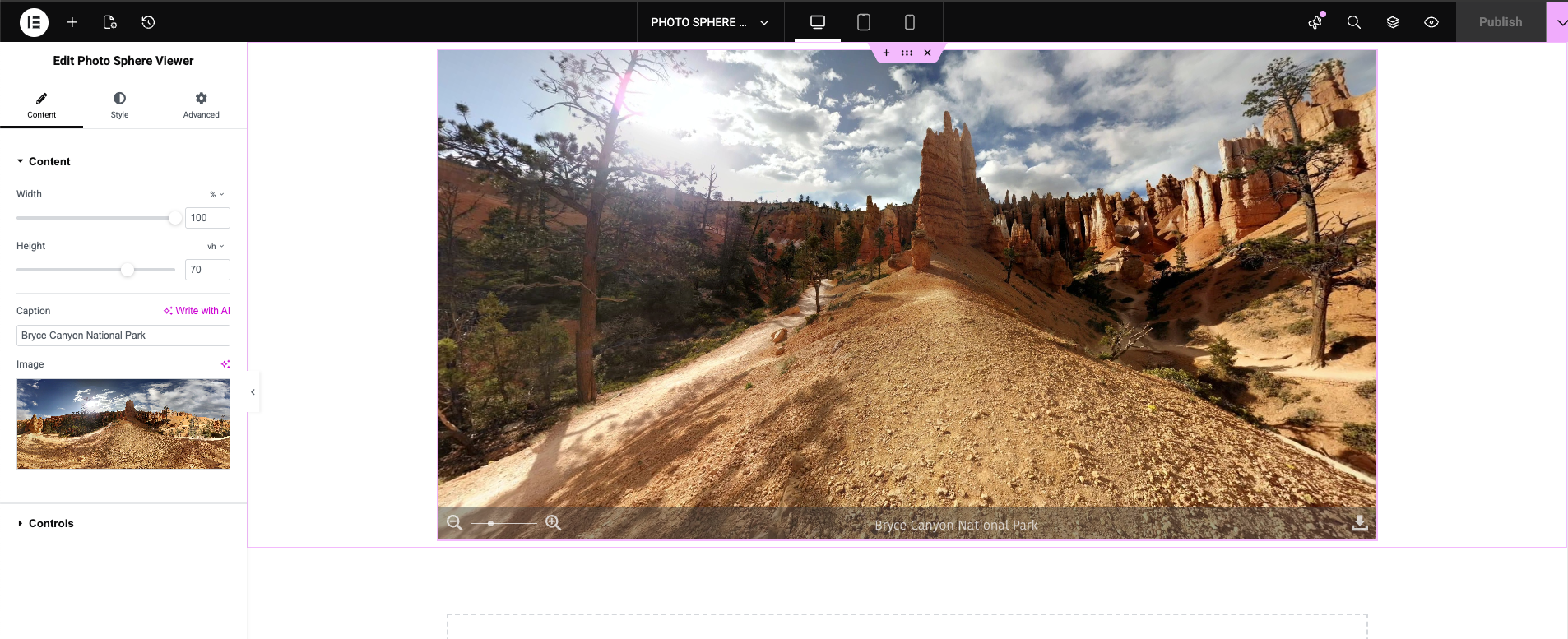
- Upload your panorama and customize display settings, controls, and styling.
📌 Using Gutenberg
Insert the Photo Sphere Viewer Block, upload an image/video, and configure your options from the sidebar panel.
Installation
- Download the plugin.
- From the WordPress Admin Panel, click on Plugins => Add New.
- Click on Upload, so you can directly upload your plugin zip file.
- Use the browse button to select the plugin zip file that was downloaded, and then click on Install Now.
- Once installed, click “Activate”.
Frequently Asked Questions
Photo Sphere Viewer supports JPEG, PNG, MP4, and other common panoramic formats.
No. It works with both Elementor and Gutenberg, or anywhere shortcodes are supported.
Yes. The viewer is fully responsive and optimized for touch interactions.
Yes. You can enable/disable navigation controls, zoom, field of view, autorotation, toolbar items, and more.
Review feed
Screenshots

Panorama embedded using the Elementor widget
Elementor settings panel for customizing the viewer
Gutenberg block example
Responsive mobile preview
Changelog
2.0.1 — 03 December 2025
- Fixed upgrade notice issue
- Added Pro version pricing link
- Improved compatibility with latest WordPress & Elementor versions
2.0.0 — 29 November 2025
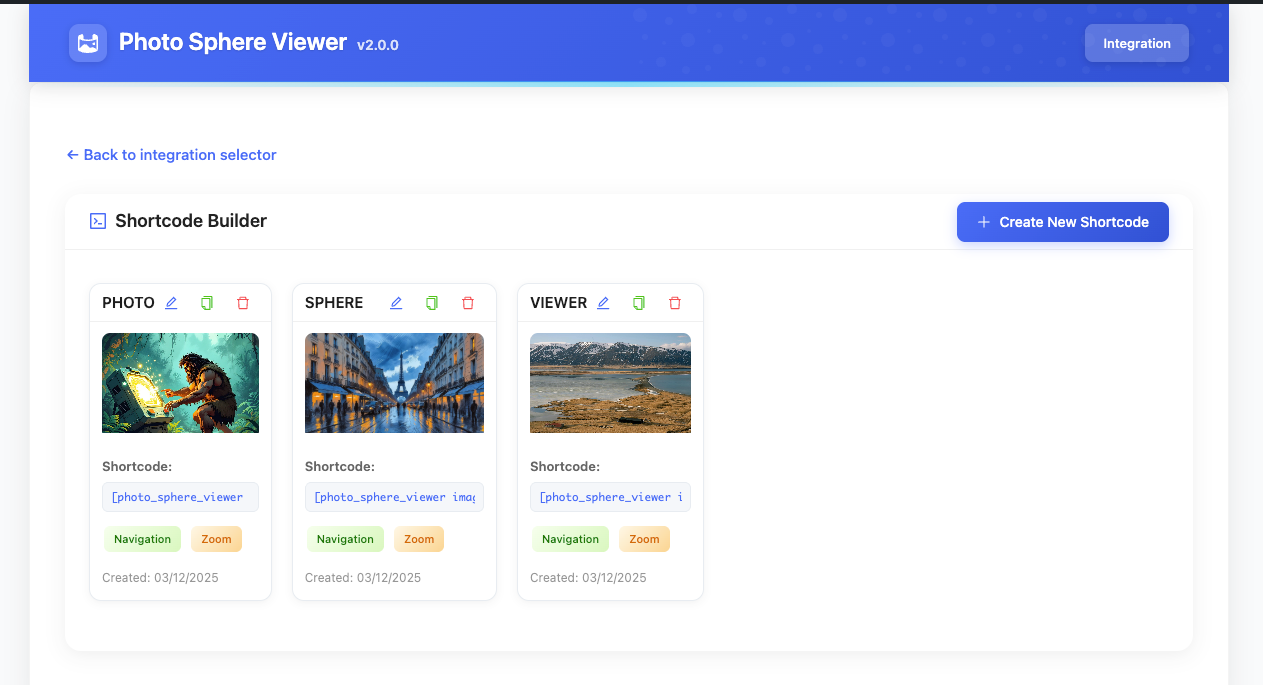
- Introduced shortcode builder
- Refactored codebase for improved performance
- Launched Pro version
1.3.3 — 01 October 2025
- Compatibility updates
- Documentation improvements
1.3.2 — 01 May 2025
- Compatibility updates
1.3.1 — 21 December 2024
- System improvements
- Compatibility updates
1.3.0 — 09 October 2024
- Compatibility updates
1.2.0 — 09 October 2023
- Compatibility updates
1.1.0 — 15 March 2023
- Elementor compatibility update
1.0.1 — 15 May 2022
- Shortcode feature added
1.0.0 — 06 February 2022
- Initial release