

PIBE – Parallax Image Block and Effects
A ready to use Gutenberg block that lets you create animated images with parallax, hover effects and scroll animations – no code needed.
Plugin info
Maintenance & Compatibility
Maintenance score
Stale • Last updated 296 days ago
Is PIBE – Parallax Image Block and Effects abandoned?
Likely maintained (last update 296 days ago).
Compatibility
Similar & Alternatives
Explore plugins with similar tags, and compare key metrics like downloads, ratings, updates, support, and WP/PHP compatibility.
Description
PIBE (Parallax Image Block and Effects) is a flexible and user-friendly Gutenberg block that allows you to add modern, animated images to your pages with ease. Whether you want to add depth with parallax, capture your visitors’ attention with hover transitions, or highlight content with stylish overlays, PIBE makes it simple.
🌟 Key Features
- 🎢 Parallax effect with adjustable speed and direction
- 🔍 Zoom and focus point controls for perfect alignment
- 📱 Responsive design for all devices
- 🎨 Customizable overlays with color and transparency settings
- 🧲 Scroll animations (fade, slide, zoom, and more)
- 🖱️ Hover effects (blur, grayscale, contrast, brightness, etc.)
- 🔧 Overlay content – add titles, subtitles, or even full blocks
- ⚡ Built with performance in mind (requestAnimationFrame-based)
Installation
- Install it directly from the WordPress plugin directory or upload the plugin files to
/wp-content/plugins/pibe - Activate the plugin through the “Plugins” screen in WordPress.
- Go to the editor and add the Parallax Image block.
Frequently Asked Questions
Yes, it’s designed to work with any modern, block-compatible theme.
Absolutely – you can add as many as you’d like, each with its own settings.
Yes, PIBE works seamlessly in both the post/page editor and Full Site Editing.
Review feed
Screenshots
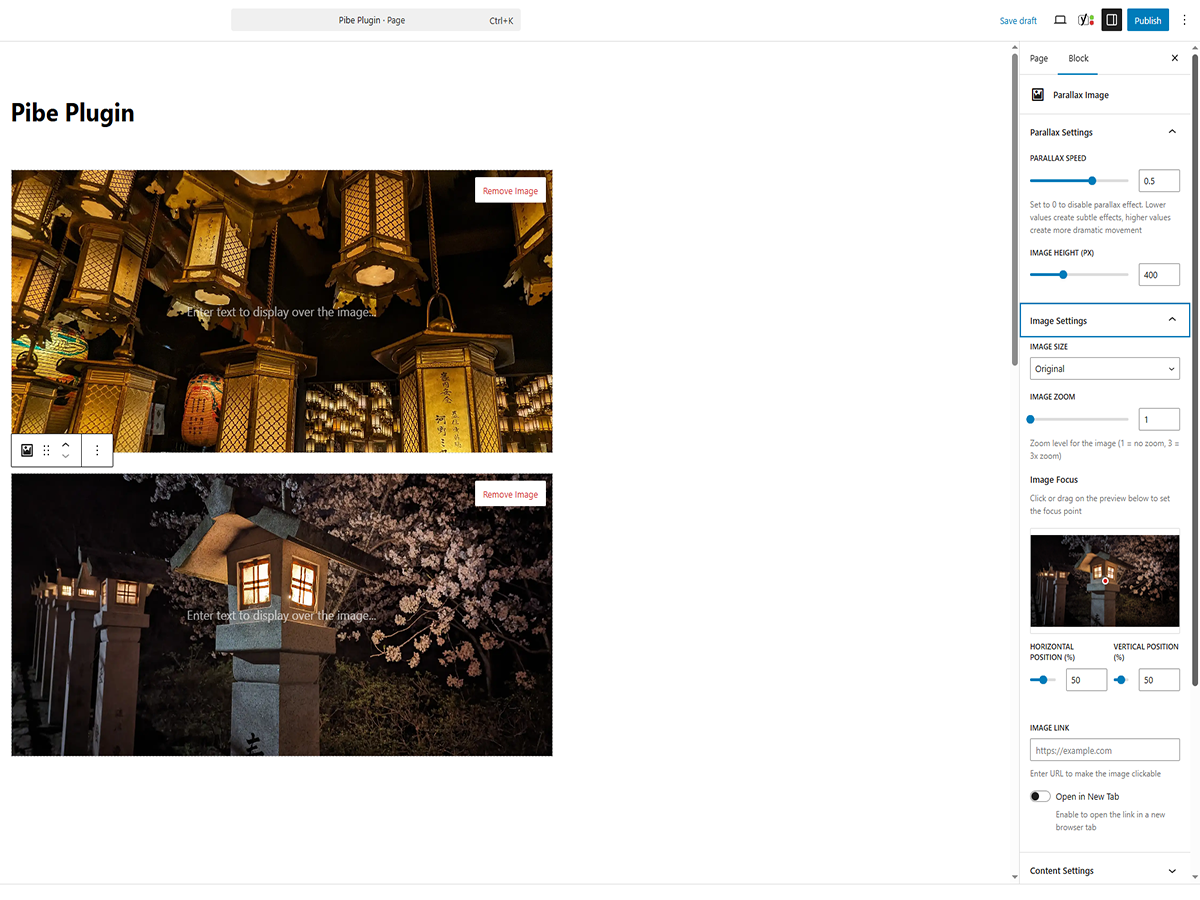
Animated block preview in the editor

Example of a parallax image with overlay text

Settings panel with animation controls

Responsive behavior on tablet and mobile
Changelog
1.0.1
- Added the value
0for Parallax speed - Added a slider for Animation strength
- The image is now linkable
1.0.0
- Initial release