

Pic-Time Connect
Seamlessly connect your Pic-Time galleries with WordPress SEO optimization through automated image sitemaps and enhanced search engine visibility.
Plugin info
Maintenance & Compatibility
Maintenance score
Stale • Last updated 199 days ago • 1 reviews
Is Pic-Time Connect abandoned?
Likely maintained (last update 199 days ago).
Compatibility
Similar & Alternatives
Explore plugins with similar tags, and compare key metrics like downloads, ratings, updates, support, and WP/PHP compatibility.
Description
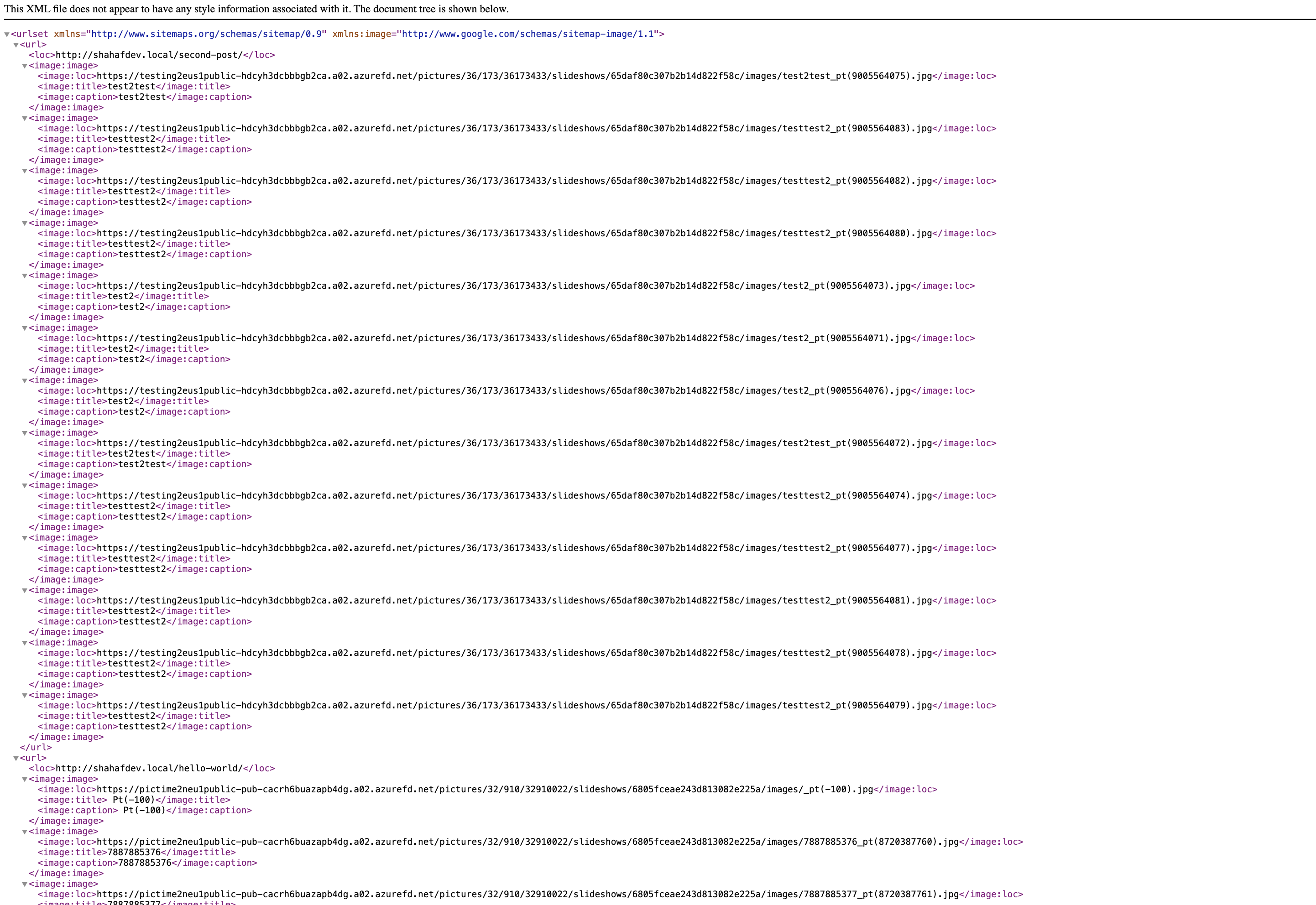
Pic-Time Connect automatically generates comprehensive image sitemaps for all your Pic-Time photo galleries, helping search engines discover and index your images for better SEO performance.
Key Features
- 🎯 Smart SEO Analysis – Automatically detects and processes Pic-Time galleries
- 📱 WordPress Integration – Seamlessly integrates with WordPress 5.5+ sitemap system
- ⚡ Performance Optimized – Focused data processing for faster sitemap generation
- 🔧 Selective Mode – Choose which galleries to include in sitemaps
- 🌐 Multiple Formats – Supports both standalone and WordPress-integrated sitemaps
- 🛡️ SEO Plugin Compatible – Works alongside popular SEO plugins
How It Works
The plugin scans your posts and pages for Pic-Time gallery embed codes, extracts image data from the Pic-Time API, and generates XML sitemaps that search engines can easily crawl and index. This helps improve your images’ visibility in search results.
Sitemap Integration
- WordPress Sitemap Integration: Images appear in your main WordPress sitemap index (
/wp-sitemap.xml) - Standalone Sitemaps: Alternative endpoints for maximum compatibility
- Robots.txt Integration: Automatically adds sitemap URLs to your robots.txt file
Selective Gallery Mode
Control which galleries are included in your sitemaps using the data-pt-sitemap="true" attribute on gallery embed codes. Perfect for:
- Privacy control for personal galleries
- Improved performance with fewer galleries
- Strategic SEO management
Developer Features
- Comprehensive debug logging
- Action hooks and filters for customization
- SEO plugin compatibility detection
- Maintenance tools for troubleshooting
External Services
This plugin connects to external services provided by Pic-Time to function properly:
Pic-Time Update Service
- Service: Pic-Time Plugin Update Server
- URL: https://pictime1system.blob.core.windows.net/pictures/pt_wordpress_plugins/version.json
- Purpose: To check for plugin updates and display notifications to administrators
- Data Sent: Plugin version number and site URL (for compatibility checking)
- When: Once daily via WordPress cron, or when manually checked by administrators
- Privacy Policy: https://www.pic-time.com/privacy-policy
- Terms of Service: https://www.pic-time.com/terms-of-service
Pic-Time Gallery API
- Service: Pic-Time Image Data API
- Purpose: To fetch image metadata from your Pic-Time galleries for sitemap generation
- Data Sent: Gallery IDs extracted from your embed codes
- When: When generating sitemaps or when pages containing Pic-Time galleries are processed
- Privacy Policy: https://www.pic-time.com/privacy-policy
- Terms of Service: https://www.pic-time.com/terms-of-service
This plugin only functions with existing Pic-Time gallery accounts and embed codes. No data is sent without your explicit configuration of Pic-Time galleries on your website.
Support
For support with this plugin, please visit the Pic-Time support forum.
For Pic-Time account and gallery-related questions, please contact Pic-Time support.
Privacy Policy
This plugin does not collect, store, or transmit any personal data. It only processes publicly available image URLs from your Pic-Time galleries to generate search engine sitemaps.
Third-Party Services
This plugin communicates with Pic-Time’s servers to retrieve image metadata for sitemap generation. Please review Pic-Time’s Privacy Policy for information about their data handling practices.
Development
This plugin follows WordPress coding standards and best practices:
- Full internationalization support with proper text domains
- Secure coding practices with proper input validation and output escaping
- WordPress filesystem API usage for file operations
- Proper database query optimization with caching
- SEO plugin compatibility detection and handling
- Comprehensive error handling and logging
Technical Requirements
- WordPress 5.0 or higher (5.5+ recommended for full sitemap integration)
- PHP 7.4 or higher
- Active Pic-Time galleries on your website
- Public site visibility for robots.txt integration
Credits
Developed by Shahaf Wieder with Claude AI assistance.
Special thanks to the Pic-Time team for API support and integration guidance.
Installation
- Upload the plugin files to the
/wp-content/plugins/pic-time-connectdirectory, or install the plugin through the WordPress plugins screen directly. - Activate the plugin through the ‘Plugins’ screen in WordPress.
- Go to Tools Pic-Time Connect to configure settings.
- Your sitemaps will be automatically generated and integrated with WordPress sitemaps (if available).
Frequently Asked Questions
Pic-Time is a professional photo gallery service that allows photographers and businesses to showcase their images with advanced features like client galleries, proofing, and e-commerce integration.
Yes, this plugin is specifically designed to work with Pic-Time gallery embed codes. It extracts image data from Pic-Time’s API to generate SEO-optimized sitemaps.
No, this plugin is specifically designed for Pic-Time galleries. It focuses on optimizing SEO for Pic-Time’s unique gallery structure and API.
- Go to Tools Pic-Time Connect
- Check the “Selective Gallery Mode” option in Plugin Settings
- Contact Pic-Time support to add the
data-pt-sitemap="true"attribute to your gallery embed codes - Only galleries with this attribute will be included in sitemaps
Your sitemaps are available at:
* WordPress Integration: /wp-sitemap.xml
* Standalone XML: /ptbsb_image_sitemap.xml
* Alternative Format: /?direct_image_sitemap=1
Yes, the plugin is designed to work alongside popular SEO plugins like Yoast SEO, RankMath, SEOPress, and others. The plugin includes compatibility detection and will warn you of potential conflicts.
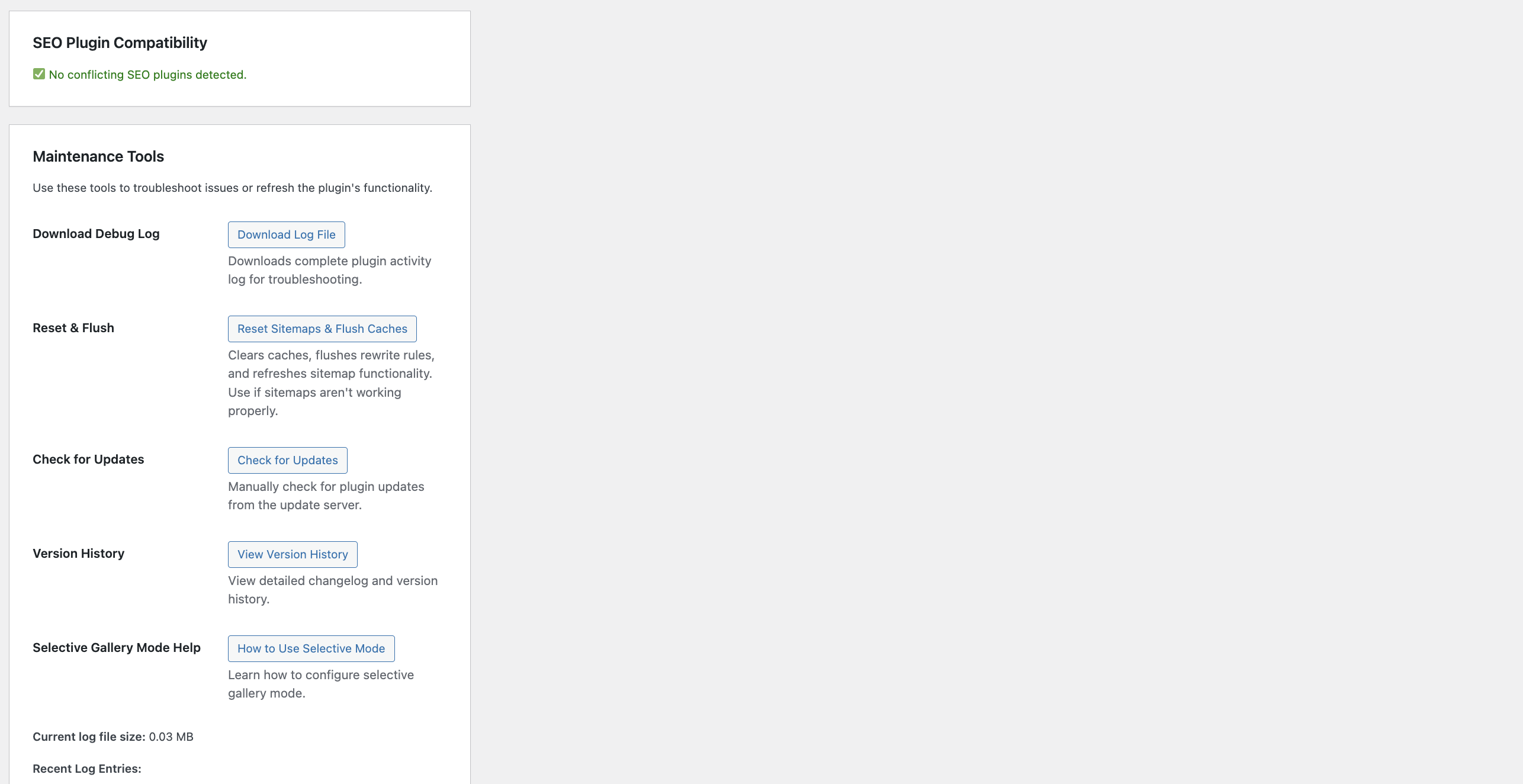
- Go to Tools Pic-Time Connect
- Enable debug logging in the Debug Options section
- Use the “Reset & Flush” tool to clear caches
- Download the debug log for detailed information
- Check the System Information section for compatibility issues
Review feed
Screenshots
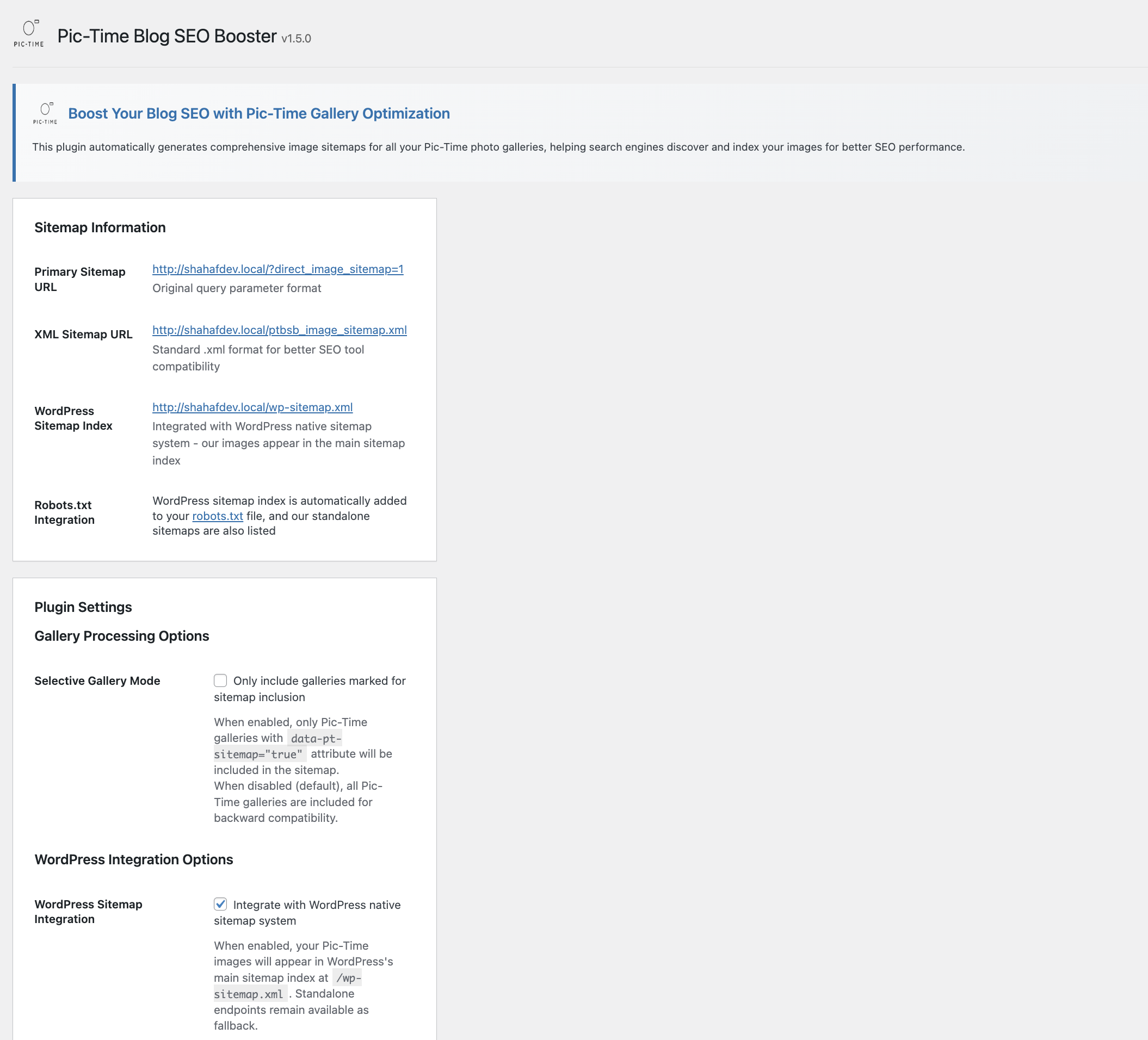
Main admin interface showing sitemap URLs and system information
Plugin settings with selective gallery mode and WordPress integration options

SEO plugin compatibility detection and warnings
Maintenance tools for troubleshooting and updates
Changelog
1.5.2
- Improved SEO plugin conflict resolution
- Replcaed links and text.
1.5.1
- Fixed modal functionality issues in admin interface
- Removed debug console logging
- Fixed WordPress.org compliance issues (inline styles/scripts)
- Improved variable escaping for security
- Enhanced modal CSS specificity to prevent theme conflicts
1.5.0
- Production Release: First stable production version
- Focused Data Sources: Now uses only Pic-Time API and legacy JSON data for improved performance
- WordPress Integration Default: WordPress sitemap integration enabled by default
- Update Checker: Added automatic and manual update checking system
- Streamlined Interface: Cleaned up admin interface with modal popups for help content
- Enhanced Performance: Faster processing with focused data sources
- Full Internationalization: Complete translation support added
- Rebranded: Changed from “Pic-Time Blog SEO Booster” to “Pic-Time Connect”
- WordPress Standards Compliance: Fixed all WordPress coding standards violations
- Security Enhancements: Improved input validation, output escaping, and nonce verification
Previous Versions
- Beta versions included WordPress sitemap integration, selective gallery mode, and comprehensive SEO optimizations
- This is the first stable public release