

Plinkly – Smart CTA Buttons
Plinkly helps you create intelligent, AI-optimized CTA buttons, track user engagement, and unlock actionable insights with real-time analytics and A/B …
Plugin info
Maintenance & Compatibility
Maintenance score
Stale • Last updated 276 days ago • 5 reviews
Is Plinkly – Smart CTA Buttons abandoned?
Likely maintained (last update 276 days ago).
Compatibility
Similar & Alternatives
Explore plugins with similar tags, and compare key metrics like downloads, ratings, updates, support, and WP/PHP compatibility.
Description
Smart. Customizable. Conversion‑focused.
Plinkly is the ultimate solution for crafting call-to-action buttons that don’t just look good — they perform. Powered by AI and precision analytics, Plinkly gives marketers and creators the tools they need to increase clicks, boost conversions, and optimize placement across any WordPress site.
🎯 Core Free Features:
* Build unlimited, fully‑customizable CTA buttons.
* Total control over text, style, color, logo, and placement.
* Gutenberg block and Elementor widget included.
* Click-tracking built in — no setup needed.
* Works out of the box, even without Plinkly Cloud.
🌐 Plinkly Cloud Features (Free + Pro Tiers):
* Smart styling with auto-detected logos and colors.
* AI-generated CTA text suggestions based on page context.
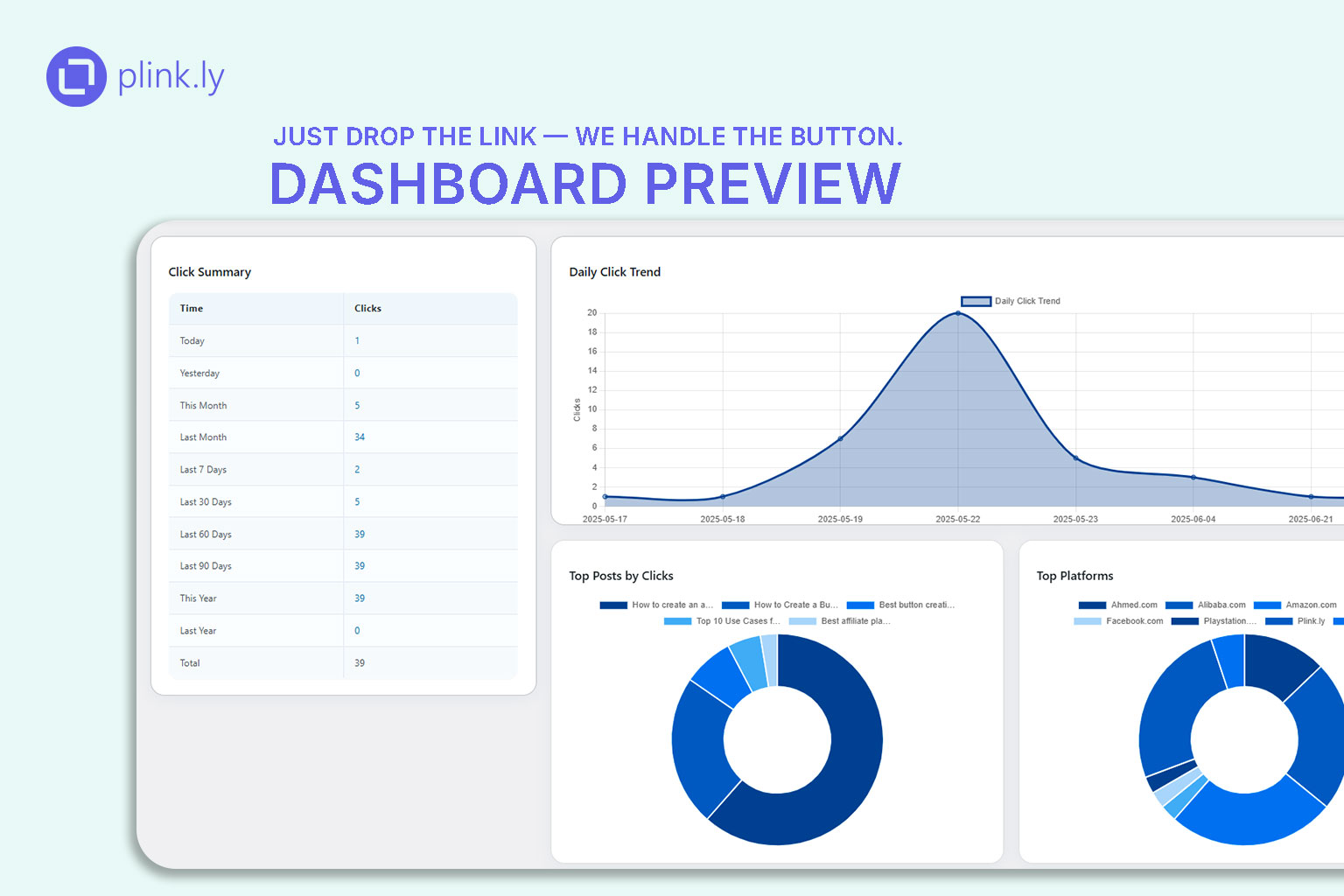
* Real-time analytics dashboard with performance metrics.
* CSV export for reports and data analysis.
* Daily quota and usage stats.
🚀 Premium Features (Plinkly Pro License):
* A/B Testing — Compare multiple CTA variants and identify top performers.
* Advanced Analytics — Click logs, filters, date-range comparisons.
* AI Advice — Actionable recommendations to improve conversion.
* Auto styling updates and optimization suggestions.
* Priority support and advanced Cloud integrations.
🧩 Available Add-Ons (Pro Only):
Plinkly – EasyLink Put
Turn keywords into buttons — automatically. Assign links to specific words from the Gutenberg editor, and let Plinkly handle the rest. Every click is tracked, giving you clear insight into what content drives results.
Plinkly – CTA Placement Tracker
See exactly where your CTAs convert best. This add-on analyzes click activity by “zones” across your page layout and provides detailed reports to help you optimize for maximum engagement.
Plinkly – Link Sentinel
Keep your CTAs error-free. Link Sentinel automatically scans all Plinkly buttons for broken links or failed redirects, notifies you via email, and logs results to a central report — so you never lose conversions to dead URLs.
Activate add-ons from the main plugin settings screen.
To enable premium features, visit https://plink.ly to purchase a license key and unlock full access to Plinkly Cloud.
Source
Full source code, including unminified JS/CSS and build instructions:
https://github.com/plinklyWP/plinkly-smart-cta-buttons
Video Demo
License
This plugin is licensed under GPLv2 or later. See license.txt for details.
Installation
- Upload the
plinklyfolder to/wp-content/plugins/. - Activate “Plinkly – Smart CTA Buttons” from your WordPress plugins screen.
- Visit Plinkly Settings to configure styles or connect to Plinkly Cloud.
- Add buttons via the Gutenberg block or Elementor widget.
Frequently Asked Questions
Yes. All local features (manual customization, basic analytics) work without connecting to the cloud.
Connect your site to Plinkly Cloud by purchasing an API key from https://plink.ly.
Yes. It includes native blocks for Gutenberg and widgets for Elementor.
Yes. Click data is stored securely in your WordPress database. Extended analytics are cloud-based and privacy-compliant.
Your data remains intact. Simply reactivate to continue where you left off.
Review feed
⭐⭐⭐⭐⭐ Easy to Use and Effective!
Screenshots
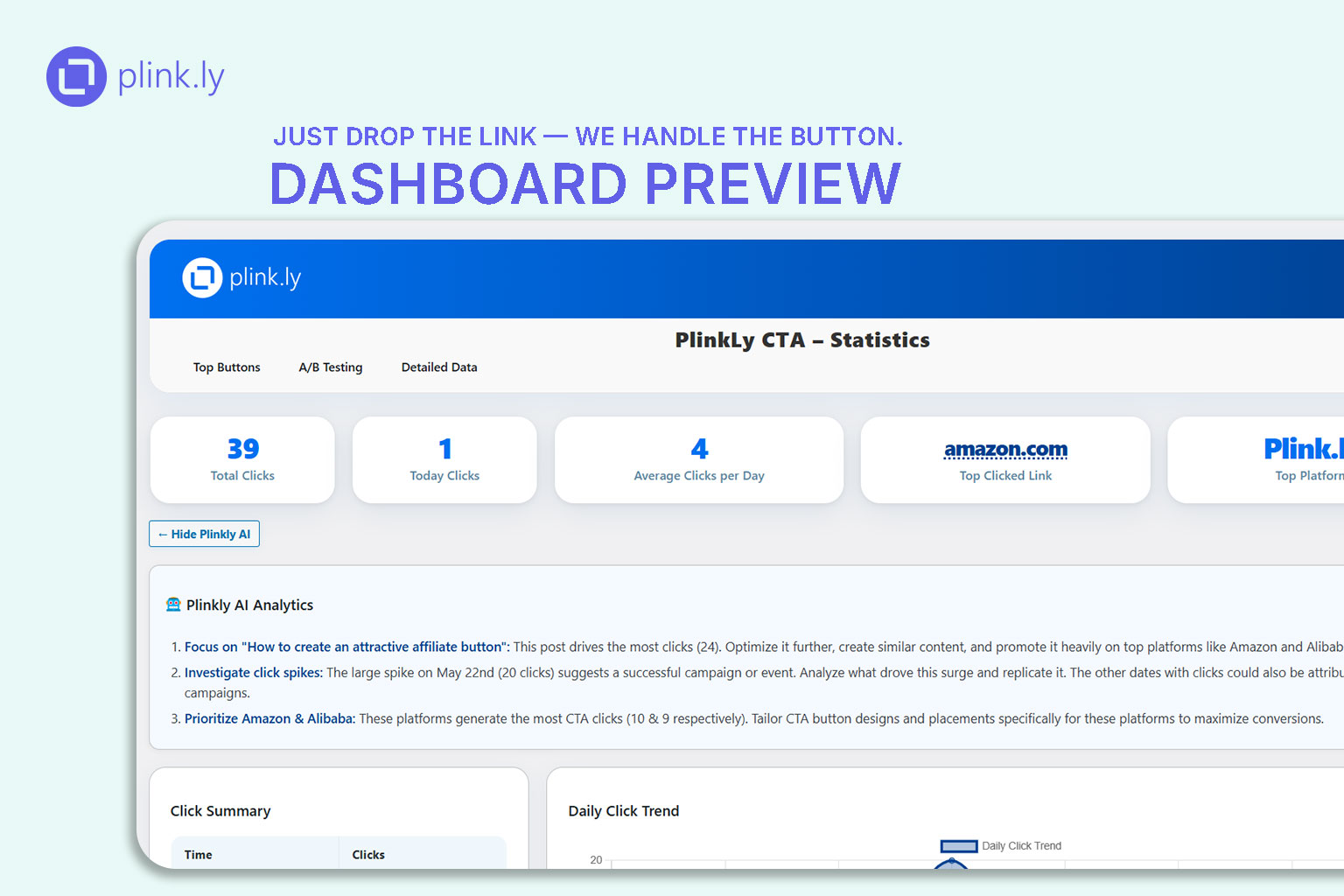
Smart Analytics Dashboard (clicks over time, top CTAs).
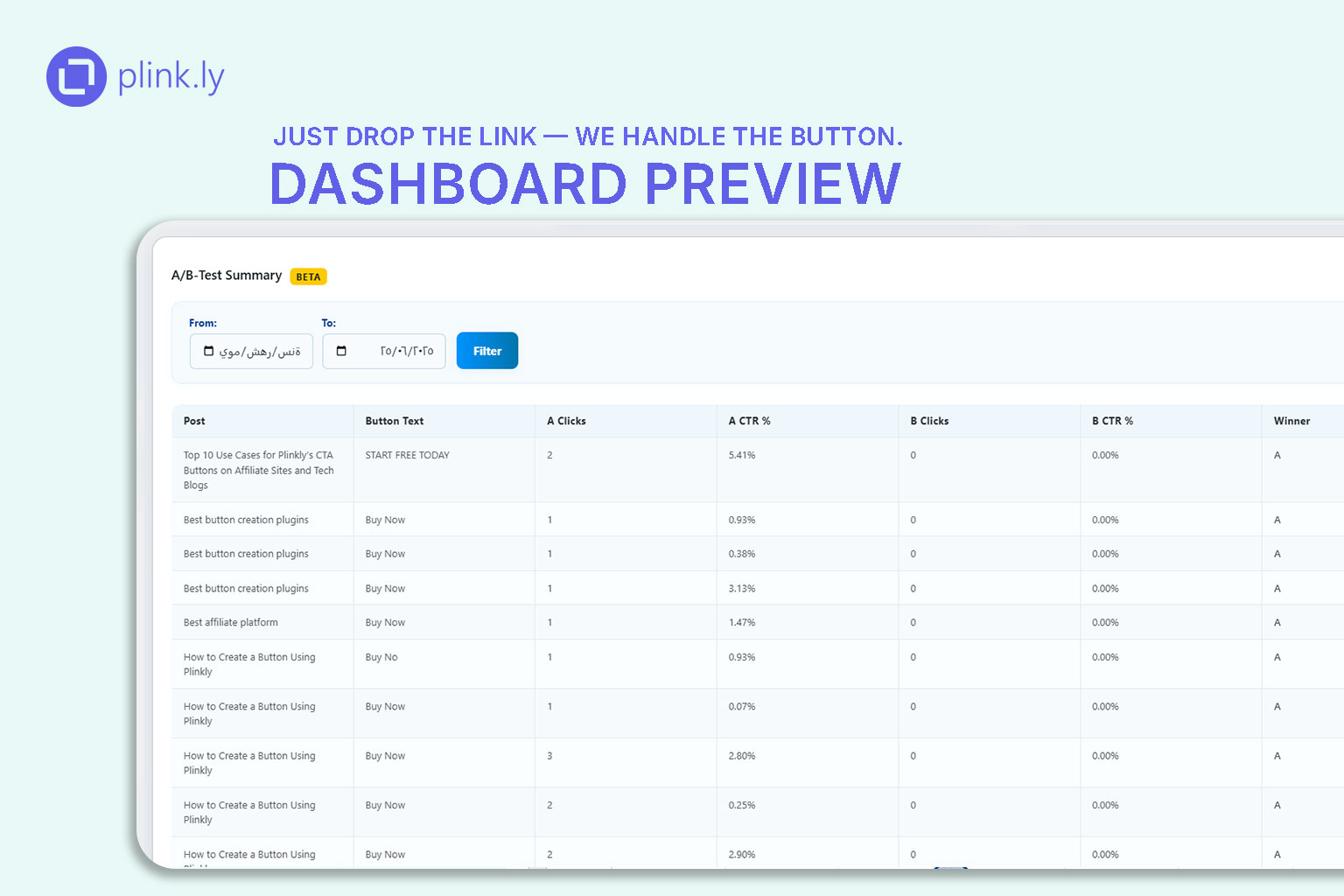
A/B Testing Results view.
Button style customization panel.
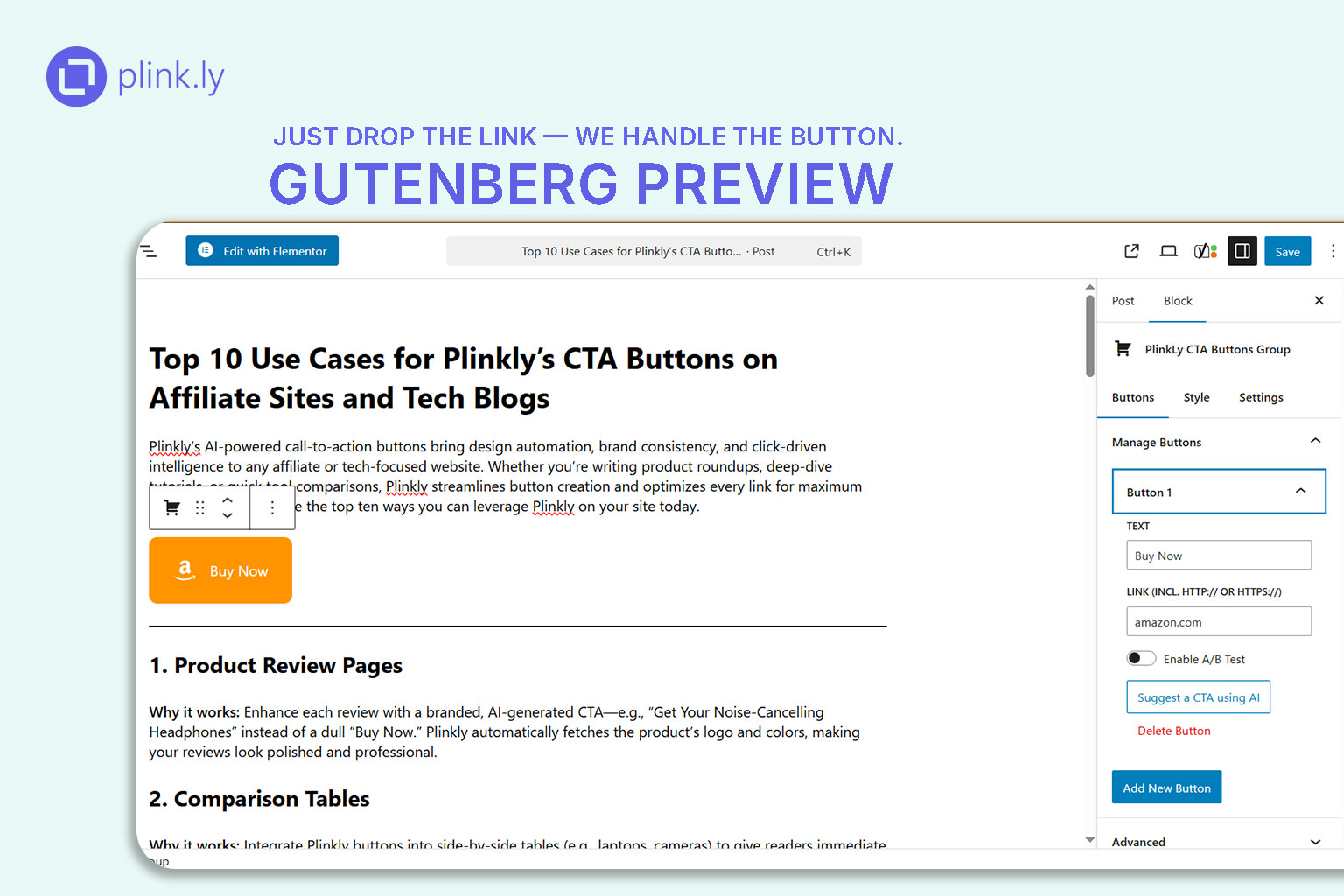
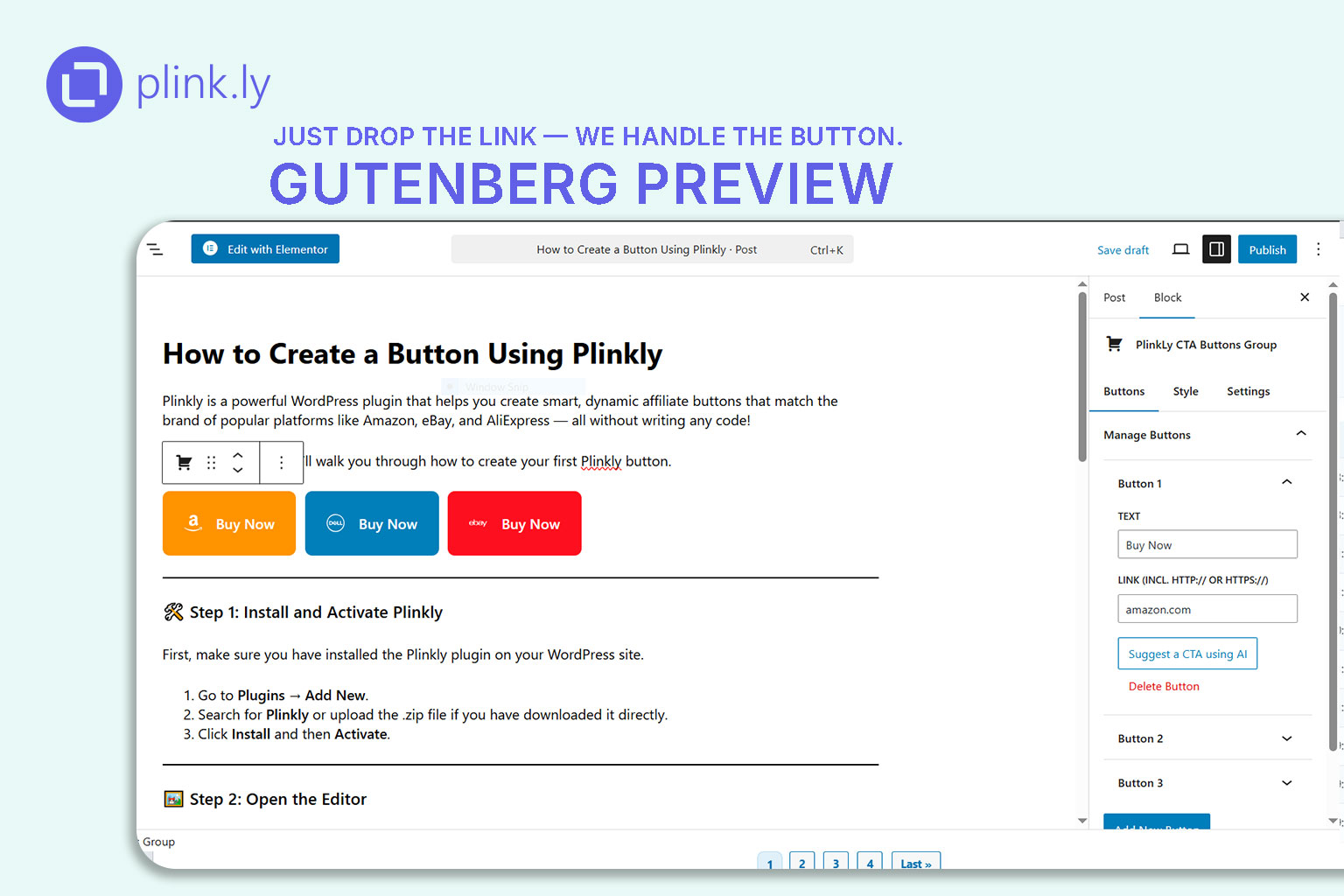
Gutenberg block in use.
Changelog
1.4.0
- Improved: Analytics dashboard layout and performance.
- Added: Support for new add-ons (EasyLink, Placement Tracker, Link Sentinel).
1.3.1
- Improved: Analytics dashboard, UI polish, and performance optimizations.
1.3.0
- New: Plinkly AI Advice — AI-powered insights and recommendations in the analytics dashboard.
- New: A/B Testing — Split test your CTA buttons, compare variants, and see which performs best.
- Improved: Analytics dashboard, UI polish, and performance optimizations.
1.2.0
- New: Customize font size, logo size, and button padding. Enhanced analytics dashboard and improved performance.
1.1.1
- Improved: Button design options.
1.1.0
- Improved: Button design options (border, radius, font control).
- Fixed: Style conflicts with some WordPress themes.
1.0.0
- Initial public release.
- Core features: Custom CTA creation, basic analytics, optional Cloud integration.
- Freemium model separated between local and cloud‑based premium features.