

Plugins Deactivator
Disables all WordPress plugins with one click. Remembers which plugins were active so they can also be re-activated with one click.
Plugin info
Maintenance & Compatibility
Maintenance score
Possibly abandoned • Last updated 1632 days ago • 1 reviews
Is Plugins Deactivator abandoned?
Possibly abandoned (last update 1632 days ago).
Compatibility
Similar & Alternatives
Explore plugins with similar tags, and compare key metrics like downloads, ratings, updates, support, and WP/PHP compatibility.
Description
This plugin adds a button to the top of wp-admin/plugins.php. When clicked, every plugin (except for this one) will be deactivated. However, all active plugins are remembered.
After the plugins are deactivated, a button will appear to reactivate them. This will reactivate only the plugins that were active before – plugins that were inactive will not be enabled.
This is helpful for users who need to troubleshoot plugin conflicts by deactivating plugins in bulk. Without this plugin, you’d have to reactivate plugins based on memory. If there are a lot of plugins running on the site, with numerous plugins that are disabled, this can be difficult to do without first creating a list of what was active and inactive.
With the Plugins Deactivator plugin, you can easily disable all plugins at once. With one more click, you can restore your plugins to where they were before.
Installation
This section describes how to install the plugin and get it working.
Automatically
- Search for Plugins Deactivator in the Add New Plugin section of the WordPress admin
- Install & Activate
Manually
- Download the zip file and upload
plugins-deactivatorto the/wp-content/plugins/directory - Activate the plugin through the ‘Plugins’ menu in WordPress
Frequently Asked Questions
If you have any questions, feel free to post a thread on the support forum.
Review feed
Screenshots
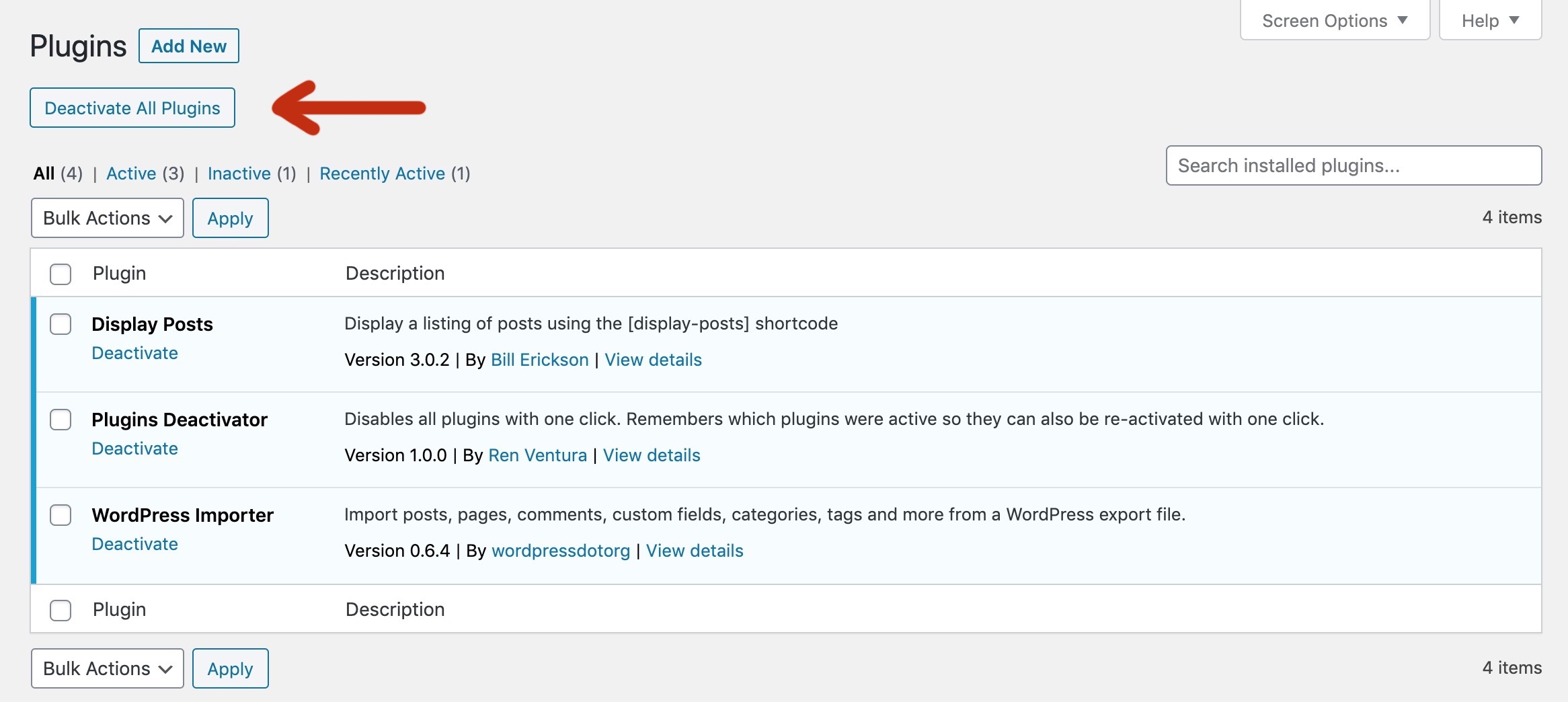
The "Deactivate All Plugins" button added to the plugins list page in the wp-admin.
Changelog
1.0.1
- Improve check for excluding this plugin from Plugins_Deactivator->deactivate_plugins().
- Bump WordPress Test up to version
1.0.0
- Initial release