

Portfolio Filter Gallery – Filterable Portfolio, Photo Gallery, Image Gallery, Video Gallery
The portfolio gallery plugin for WordPress. Create stunning filterable portfolio, photo, image and video gallery with masonry layout and lightbox.
Plugin info
Maintenance & Compatibility
Maintenance score
Maintained • Last updated 119 days ago • Support resolved 0% • 337 reviews
Is Portfolio Filter Gallery – Filterable Portfolio, Photo Gallery, Image Gallery, Video Gallery abandoned?
Likely maintained (last update 119 days ago).
Compatibility
Languages
Similar & Alternatives
Explore plugins with similar tags, and compare key metrics like downloads, ratings, updates, support, and WP/PHP compatibility.
Description
🏆 The Portfolio Filter Gallery Plugin for WordPress – Create beautiful, responsive portfolio galleries with powerful filtering in minutes!
★★★★★
Portfolio Filter Gallery is the easiest way to showcase your work, projects, photos, and videos on your WordPress website. With a unique separate category page for managing filters with intuitive drag-and-drop interface, and stunning masonry layouts, you can create professional portfolio galleries without any coding knowledge.
See Live Demo | Documentation | Support
🔗 Quick Links
- 🚀 Upgrade To Premium
- 👁️ Free Live Demo
- ⭐ Premium Live Demo
- 🎬 Video Gallery Demo
- 📐 Masonry Layout Demo
- 📖 Documentation
- 💬 Support Forum
🎯 Why Choose Portfolio Filter Gallery?
✅ Easiest Setup – Create your first portfolio in under 5 minutes
✅ Separate Category Page – First WordPress portfolio plugin with dedicated filter management
✅ Fully Responsive – Perfect display on desktop, tablet, and mobile devices
✅ Masonry & Grid Layouts – Beautiful gallery layouts that adapt to your content
✅ Video Support – Showcase YouTube and Vimeo videos alongside images
✅ Lightbox Gallery – Stunning Bootstrap lightbox with navigation
✅ SEO Friendly – Optimized for search engines with clean code
✅ Fast & Lightweight – Optimized for performance, no bloat
✅ GDPR Compliant – No external requests, 100% privacy friendly
✅ Regular Updates – Actively maintained and compatible with latest WordPress
✅ Translation Ready – Works with WPML and other translation plugins
📱 Perfect For
- 📸 Photographers & Artists
- 💻 Web Designers & Developers
- 🏢 Agencies & Freelancers
- 🏠 Architects & Interior Designers
- 👗 Fashion & Beauty Portfolios
- 🎨 Creative Professionals
- 💼 Business Websites
- ✍️ Personal Blogs & Portfolios
⚡ FREE FEATURES
🎨 Filterable Portfolio Gallery
* Create filters with separate category page
* Easy filter management – add, edit, delete filters
* Smooth CSS3 filter animations
📷 Beautiful Gallery Layouts
* Masonry layout for dynamic image sizes
* Grid layout for uniform appearance
* 2, 3, 4 column responsive layouts
* With or without spacing options
🖼️ Bootstrap Lightbox
* Responsive popup lightbox
* Image navigation arrows
* Display titles in lightbox
* Mobile-friendly touch support
🎬 Video Gallery Support
* YouTube video integration
* Vimeo video support
* Video icons
* Lightbox video playback
🎯 Customization Options
* Show/hide image titles
* Image numbering option
* Grayscale hover effect
* Multi-color filter buttons
* Custom border settings
PRO FEATURES
Unlock the full potential of Portfolio Filter Gallery with our Premium version!
🎨 30+ Stunning Hover Effects
* Overlay animations (fade, slide, zoom)
* Image zoom effects
* Slide-in icons on hover
* Title & caption reveals
* See Hover Effects Demo
💡 5 Premium Lightbox Styles
* LD Lightbox (responsive sizing)
* Swipebox (touch gestures)
* PopTrox (video support)
* Viewer Lightbox
* BlueImp Gallery
📊 Advanced Gallery Features
* Ajax Load More – Load images on scroll or button click
* URL Filtering – Add filter in URL so the page will load with selected filter
* Change Default Filter Select a filter for show already selected filter on gallery load
* Sorting Controls – Ascending/Descending sorting
* Shuffle Button – Randomize gallery order
* Search Box – Let users search within galleries
* Watermark Support – Protect your images
* Custom CSS – Full styling control
🎛️ Complete Customization
* Unlimited filter colors
* Custom thumbnail sizes
* Border customization
* Title & description styling
* Background color options
* Dropdown filter style
📱 Responsive Column Control
* Separate column settings for:
* Large desktops (6 columns)
* Desktops (4 columns)
* Tablets (3 columns)
* Mobile phones (2 columns)
🛠️ How It Works – 4 Simple Steps
Creating a stunning portfolio is incredibly simple:
1. Create Filters – Go to Portfolio Gallery > Filters to create and manage your portfolio categories
2. Add Images – Go to Portfolio Gallery > Add New, upload images and assign filters
3. Configure Settings – Choose your layout, lightbox style, and customize colors
4. Publish – Copy the shortcode [Portfolio_Gallery id="123"] and paste it anywhere!
That’s it! Your beautiful portfolio gallery is ready in minutes.
The default layout is the beautiful masonry layout (Pinterest-style). For a uniform grid, simply use same-sized images. You can show your portfolio with or without borders, with or without spacing – complete flexibility!
📐 Masonry Layout (Pinterest Style)
Our masonry layout creates a beautiful Pinterest-style gallery that:
* Automatically adjusts to different image sizes
* Creates a dynamic, visually appealing layout
* Includes smooth CSS3 animations
* Supports sorting and filtering without breaking the layout
* Adapts perfectly to any screen size
🔗 Link Your Portfolio
Connect your portfolio items to external pages or projects:
* Add custom URLs to individual images
* Open links in same tab or new tab
* Perfect for showcasing client work with links to live projects
Works With Your Favorite Tools
Portfolio Filter Gallery is compatible with:
* Gutenberg Block Editor – Works seamlessly with WordPress blocks
* Elementor – Use shortcode widget in Elementor
* WPBakery Page Builder – Full compatibility
* Divi Builder – Works with Divi text modules
* Beaver Builder – Compatible with HTML module
* Any Theme – Works with all WordPress themes
💬 Fast & Friendly Support
We pride ourselves on excellent customer support:
* ⚡ Response within hours or same day
* 🔧 Issue resolution within 24 hours
* 📧 Dedicated support team
* 📚 Comprehensive documentation
🎯 Complete Feature Comparison
| Feature | Free | Premium |
|———|——|———|
| Separate Filter Category Page | ✅ | ✅ |
| Unlimited Filters & Images | ✅ | ✅ |
| Masonry & Grid Layouts | ✅ | ✅ |
| YouTube & Vimeo Support | ✅ | ✅ |
| Bootstrap Lightbox | ✅ | ✅ |
| Responsive Design | ✅ | ✅ |
| Drag & Drop Ordering | ✅ | ✅ |
| Custom Links on Images | ✅ | ✅ |
| Grayscale Hover Effect | ✅ | ✅ |
| 30+ Hover Effects | ❌ | ✅ |
| 5 Lightbox Styles | ❌ | ✅ |
| Ajax Load More | ❌ | ✅ |
| Sorting Controls | ❌ | ✅ |
| Search Box | ❌ | ✅ |
| Watermark Support | ❌ | ✅ |
| Dropdown Filters | ❌ | ✅ |
| Custom CSS | ❌ | ✅ |
| Priority Support | ❌ | ✅ |
Get Premium Version
📋 Shortcode Usage
Simply copy the shortcode from your gallery and paste it into any page, post, or widget:
[Portfolio_Gallery id=”123″]
Replace “123” with your actual gallery ID.
🌐 Browser Compatibility
Portfolio Filter Gallery works on all modern browsers:
* Google Chrome
* Mozilla Firefox
* Apple Safari
* Microsoft Edge
* Opera
* iOS Safari & Android browsers
🔒 Security & Privacy
- 100% GDPR Compliant
- No external requests
- No data collection
- Secure code following WordPress standards
- Regular security updates
📧 Contact & Support
Installation
Automatic Installation (Recommended)
1. Go to WordPress Dashboard Plugins Add New
2. Search for “Portfolio Filter Gallery”
3. Click “Install Now” and then “Activate”
Manual Installation
1. Download the plugin from WordPress.org
2. Upload the portfolio-filter-gallery folder to /wp-content/plugins/
3. Activate the plugin through the ‘Plugins’ menu in WordPress
Quick Start Guide
1. Go to Portfolio Gallery Filters to create your filter categories
2. Go to Portfolio Gallery Add New to create your gallery
3. Upload images and assign filters to each image
4. Configure your gallery settings (layout, lightbox, colors)
5. Copy the shortcode and paste it into any page or post
6. That’s it! Your portfolio gallery is ready!
Frequently Asked Questions
Yes! Portfolio Filter Gallery is completely free to use with all essential features including filterable galleries, masonry layout, video support, and Bootstrap lightbox. We also offer a Premium version with advanced features like 30+ hover effects, 5 lightbox styles, Ajax load more, and more.
Creating a portfolio gallery is simple:
1. Go to Portfolio Gallery > Filters to create filter categories
2. Go to Portfolio Gallery > Add New to create a gallery
3. Upload images and assign filters to each image
4. Configure your gallery settings (layout, lightbox, colors)
5. Copy the shortcode and paste it into any page or post
Watch Video Tutorial
Portfolio Filter Gallery has a unique separate category page for filters. Go to Portfolio Gallery > Filters in your WordPress dashboard to create, edit, and manage your filter categories. This makes filter management much easier than other portfolio plugins!
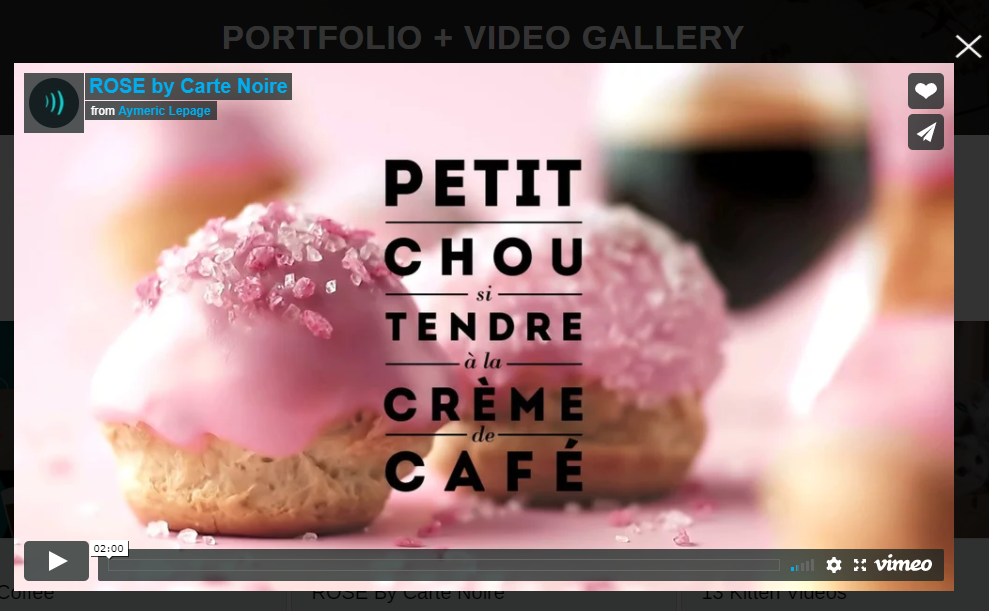
Yes! Portfolio Filter Gallery supports both YouTube and Vimeo videos. When adding content, select “Video” as the type and enter your video URL. Videos will play in the lightbox popup. See Video Gallery Demo
Absolutely! Portfolio Filter Gallery is fully responsive and works perfectly on all devices – desktops, tablets, and mobile phones. The masonry layout automatically adapts to any screen size with smooth CSS3 animations.
There is no limit! You can add unlimited images and videos to your portfolio galleries. For large galleries, we recommend using the Premium version with Ajax Load More pagination for better performance.
Yes, you can add multiple portfolio galleries on the same page using different shortcodes. Each gallery operates independently with its own filters and settings.
Yes, you can easily drag and drop images to arrange them in your preferred order within the gallery editor.
Yes, you can add custom URLs to individual images. Choose to open links in the same tab or a new tab. This is perfect for linking to project pages, client websites, or external portfolios.
Yes! Portfolio Filter Gallery works with the WordPress block editor (Gutenberg) and all major page builders including Elementor, WPBakery, Divi, and Beaver Builder. Simply paste the shortcode into any text block or widget.
The free version includes a beautiful Bootstrap lightbox with navigation arrows and touch support. The Premium version offers 5 different lightbox styles including Swipebox, PopTrox, LD Lightbox, and more.
Yes! Portfolio Filter Gallery is 100% GDPR compliant. It does not collect any user data or make external requests. All assets are loaded locally from your WordPress installation.
Yes, Portfolio Filter Gallery is fully translation ready and works with WPML and other translation plugins. You can translate all text strings to any language.
For any questions or issues, please visit our Support Forum. For premium support, visit our website.
Review feed
Good Plugin
Great Plugin and Support
Screenshots
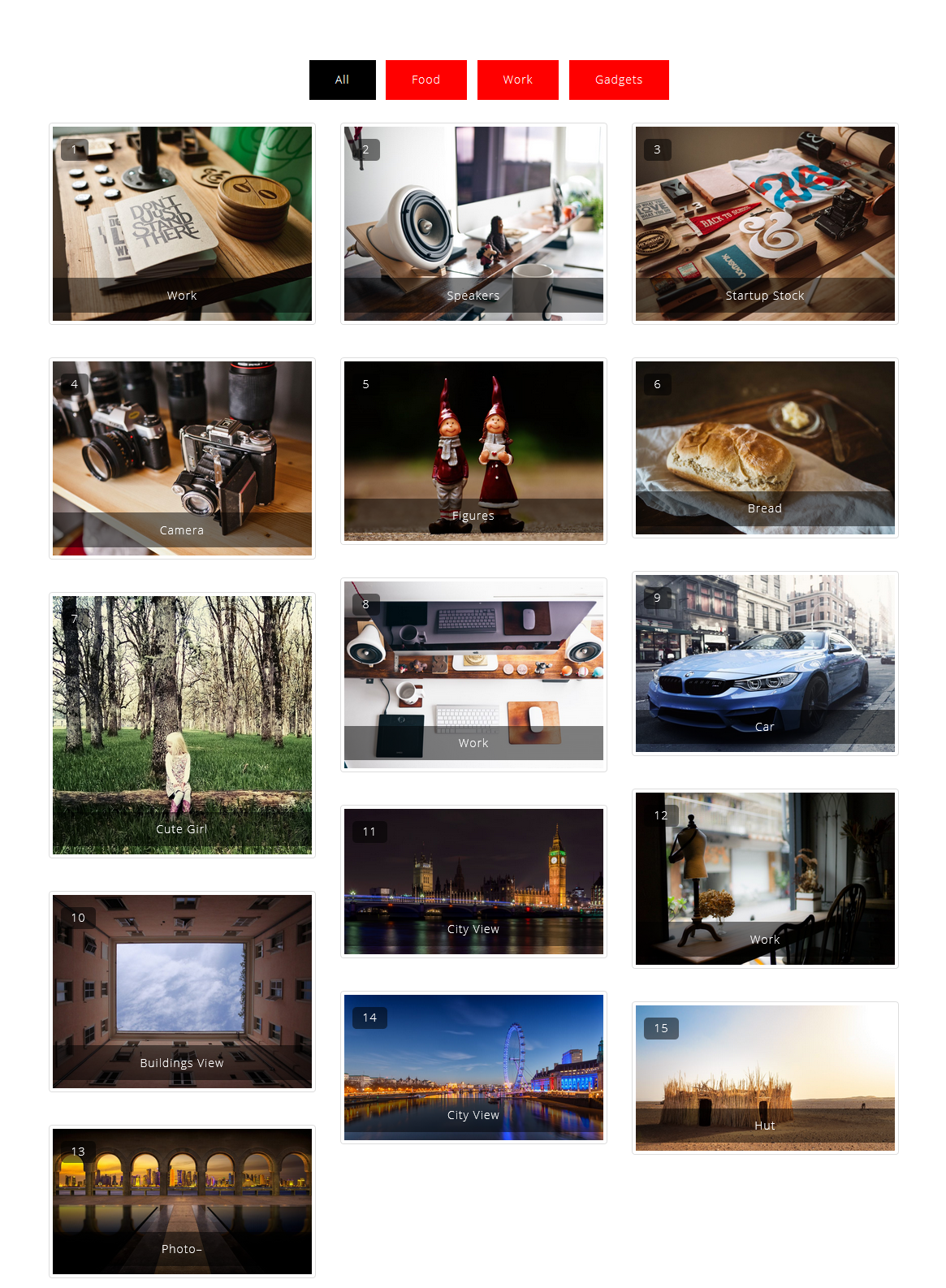
Portfolio Filter Gallery 3 Column With Number And Title
Portfolio Filter Gallery Without Spacing
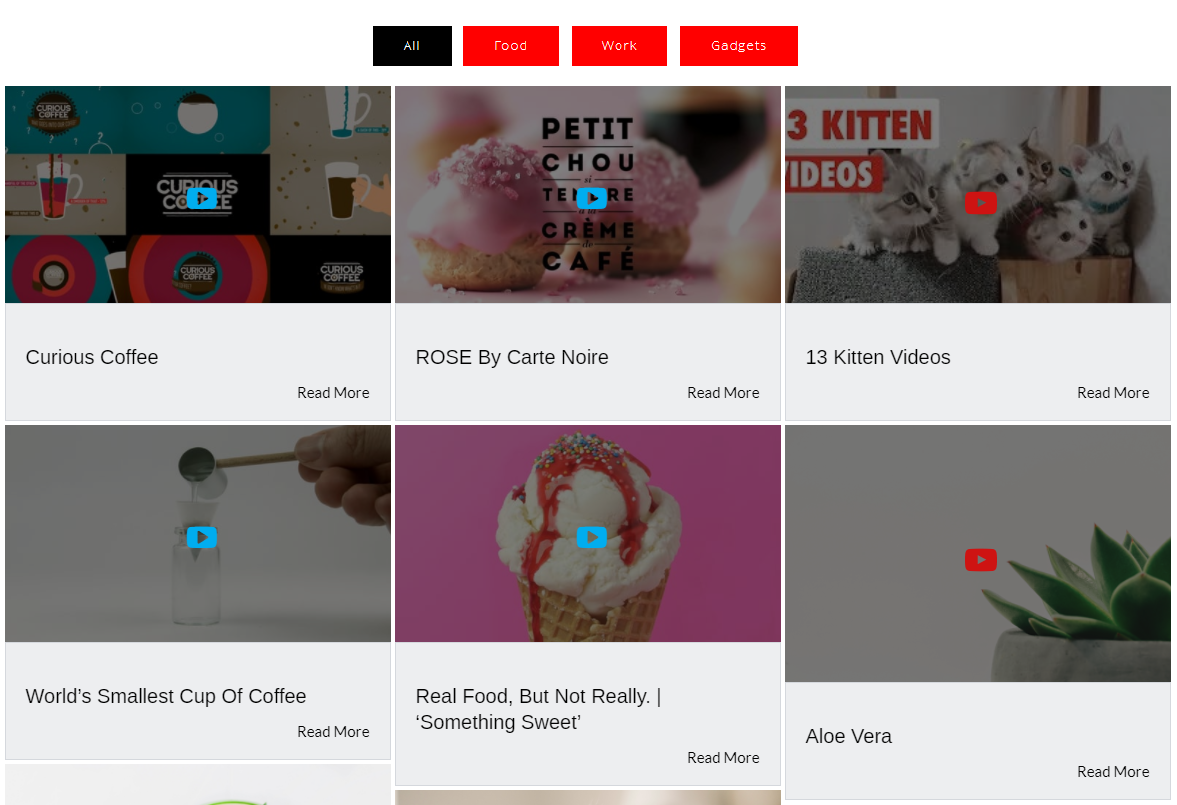
Portfolio Filter Gallery With 2 Column Layout
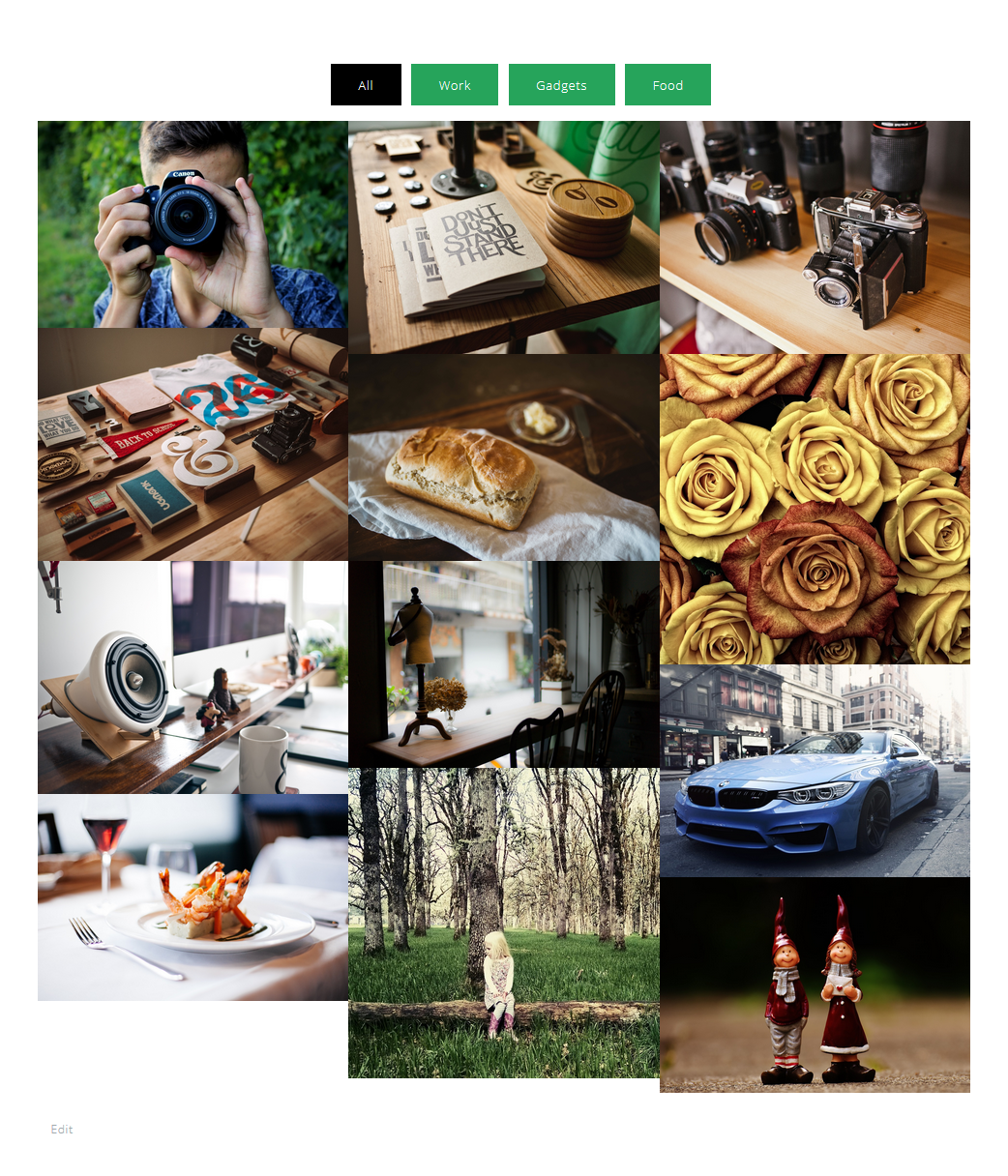
Portfolio Filter Gallery With Gray Scale(Gray Effect On Hover) On Thumbnails
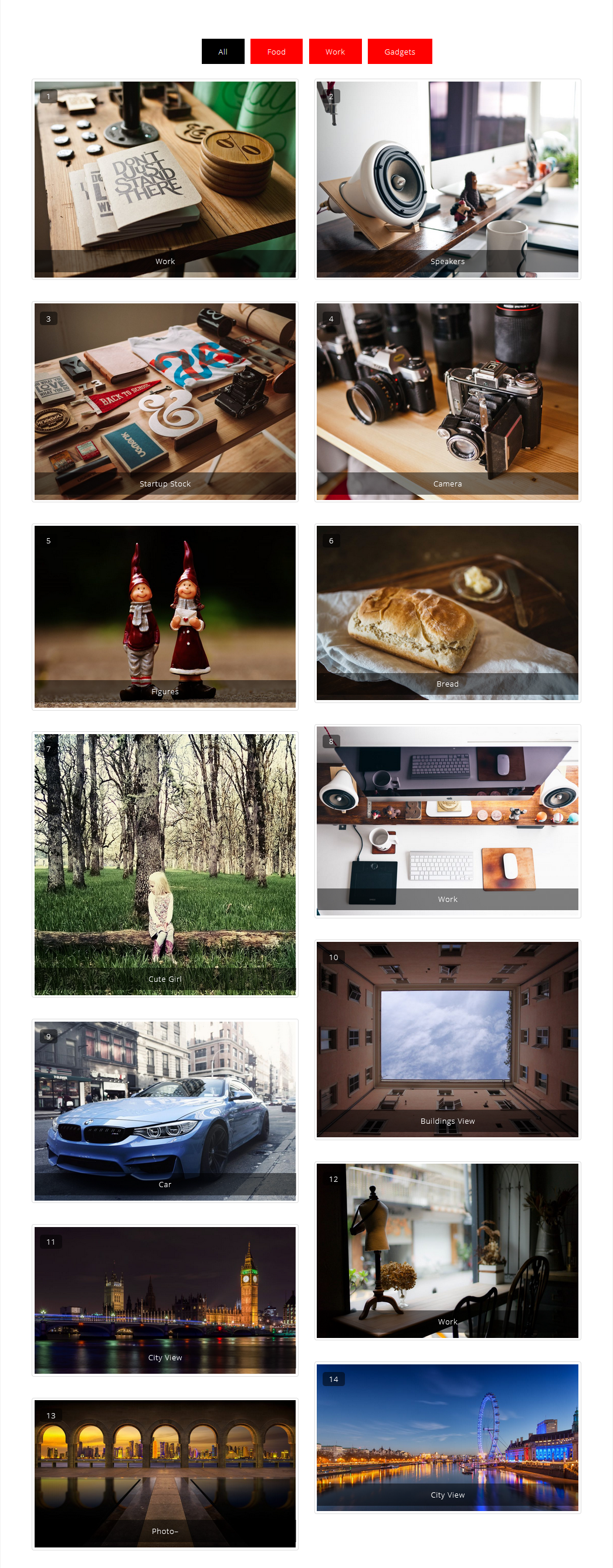
Portfolio Filter Gallery With Masonry
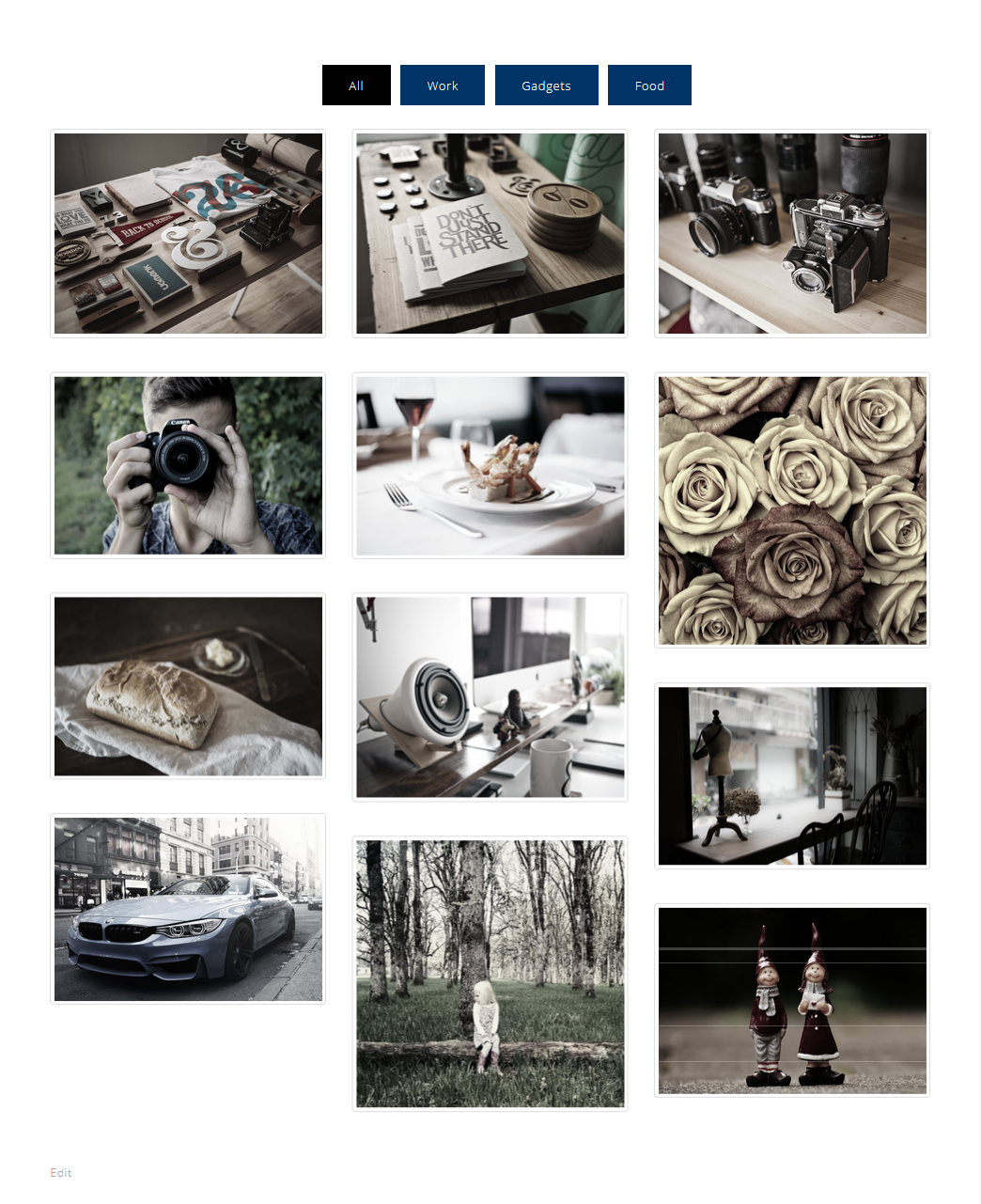
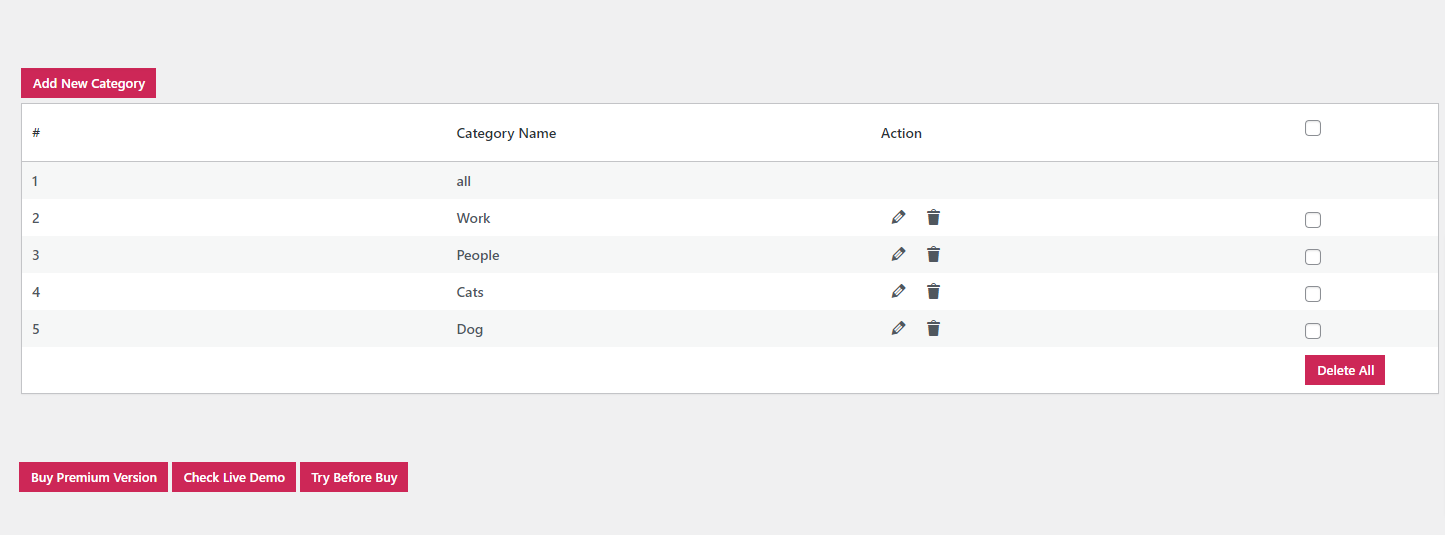
Add Filters In Portfolio Gallery
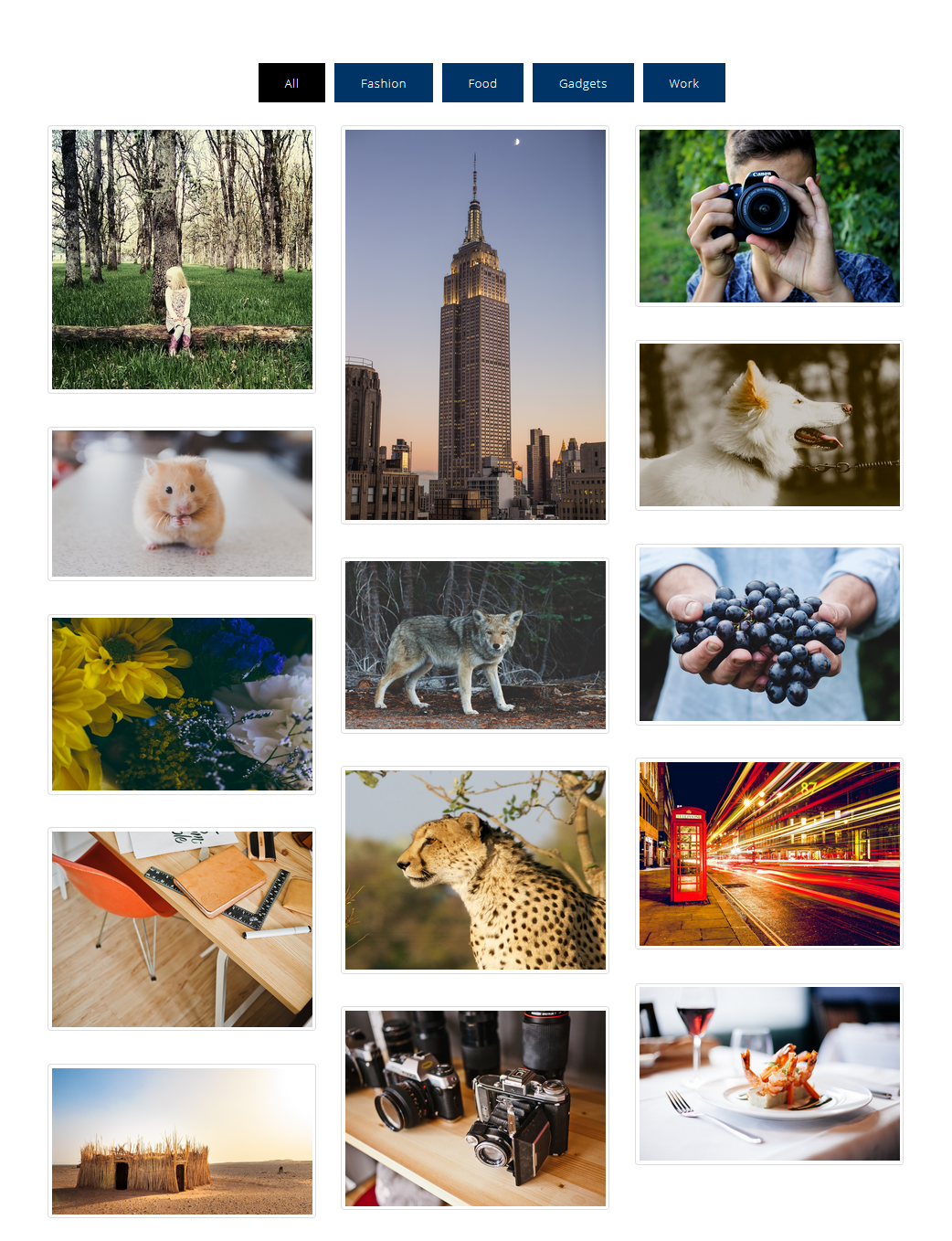
Filter Thumbnails By Portfolio Filters
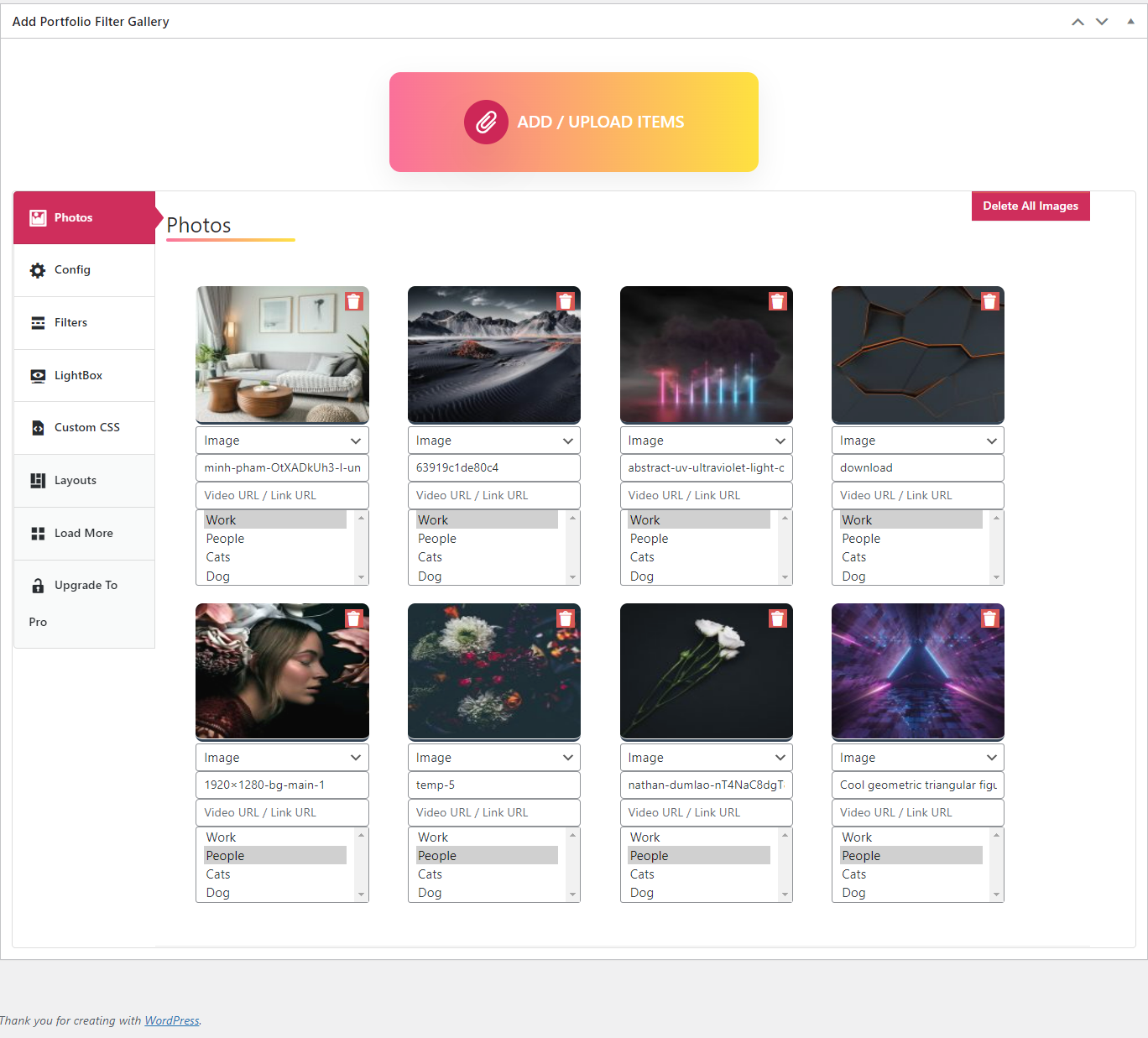
A. Adding Thumbnails B. Shortcode
Portfolio Filter Gallery Settings
Changelog
1.7.5
- Text domain error fixed.
- Tested with WordPress version 6.9
1.7.4
- Text domain error fixed.
- Tested with WordPress version 6.8.3
1.7.2
- Regular plugin check and update.
- Tested with WordPress version 6.8
1.7.1
- Linking Fixed.
- Tested with WordPress version 6.7.2
1.7.0
- Image stacking fixed.
- Tested with WordPress version 6.7
1.6.9
- Filter selecet box error fix.
- Tested with WordPress version 6.7
1.6.8
- Alphabatic image sorting issue fixed.
- Tested with WordPress version 6.6.2
1.6.7
- Image border issue fixed.
- Tested with WordPress version 6.6.1
1.6.6
- Lightbox error fixed.
1.6.5
- Lightbox senetization fixed.
1.6.4
- Filter alignment fixed.
- Tested with WordPress version 6.5.5
1.6.3
- Botstrap CSS fixed.
1.6.2
- Tested with WordPress version 6.5.4
1.6.1
- Bootstrap Extra menu css remove.