

Preferred Languages
Choose languages for displaying WordPress in, in order of preference.
Plugin info
Maintenance & Compatibility
Maintenance score
Maintained • Last updated 125 days ago • Support resolved 100% • 17 reviews
Is Preferred Languages abandoned?
Likely maintained (last update 125 days ago).
Compatibility
Languages
Similar & Alternatives
Explore plugins with similar tags, and compare key metrics like downloads, ratings, updates, support, and WP/PHP compatibility.
Description
Thanks to language packs it’s easier than ever before to change the main language of your site.
However, in some cases a single locale is not enough. When WordPress can’t find a translation for the active locale, it falls back to the original English strings.
That’s a poor user experience for many non-English speakers.
This feature project aims to change that by letting users choose multiple languages for displaying WordPress in.
That way you can set some sort of “fallback chain” where WordPress tries to load translations in your preferred order.
Please help us test this plugin and let us know if something is not working as you think it should.
Keyboard Shortcuts
Arrow Up: Move selected locale one position up.Arrow Down: Move selected locale one position down.Home: Select first locale in the list.End: Select last locale in the list.Backspace/Delete: remove the selected locale from the list.Alt+A: Add the current locale from the dropdown to the list.
Note: the Preferred Languages UI needs to be focused in order for the keyboard shortcuts to work.
Merging Translations
Previously, only the first available translation for a given locale and domain will be loaded.
However, when translations are incomplete, some strings might still be displayed in English.
That’s a poor user experience as well.
To prevent this, Preferred Languages now automatically merges all incomplete translations in the list.
the preferred_languages_merge_translations filter can be used to opt out of this behavior.
It provides three parameters:
$merge– Whether translations should be merged. Defaults totrue.$domain– The text domain$current_locale– The current locale.
Get Involved
Active development is taking place on GitHub.
If you want to get involved, check out open issues and join the #core-i18n channel on Slack. If you don’t have a Slack account yet, you can sign up at make.wordpress.org/chat/.
Installation
Frequently Asked Questions
Review feed
Imprescindible - Debería estar ya en WordPress
In core, please
Very necessary in core
Make this a core feature
Should be in the core!
Screenshots
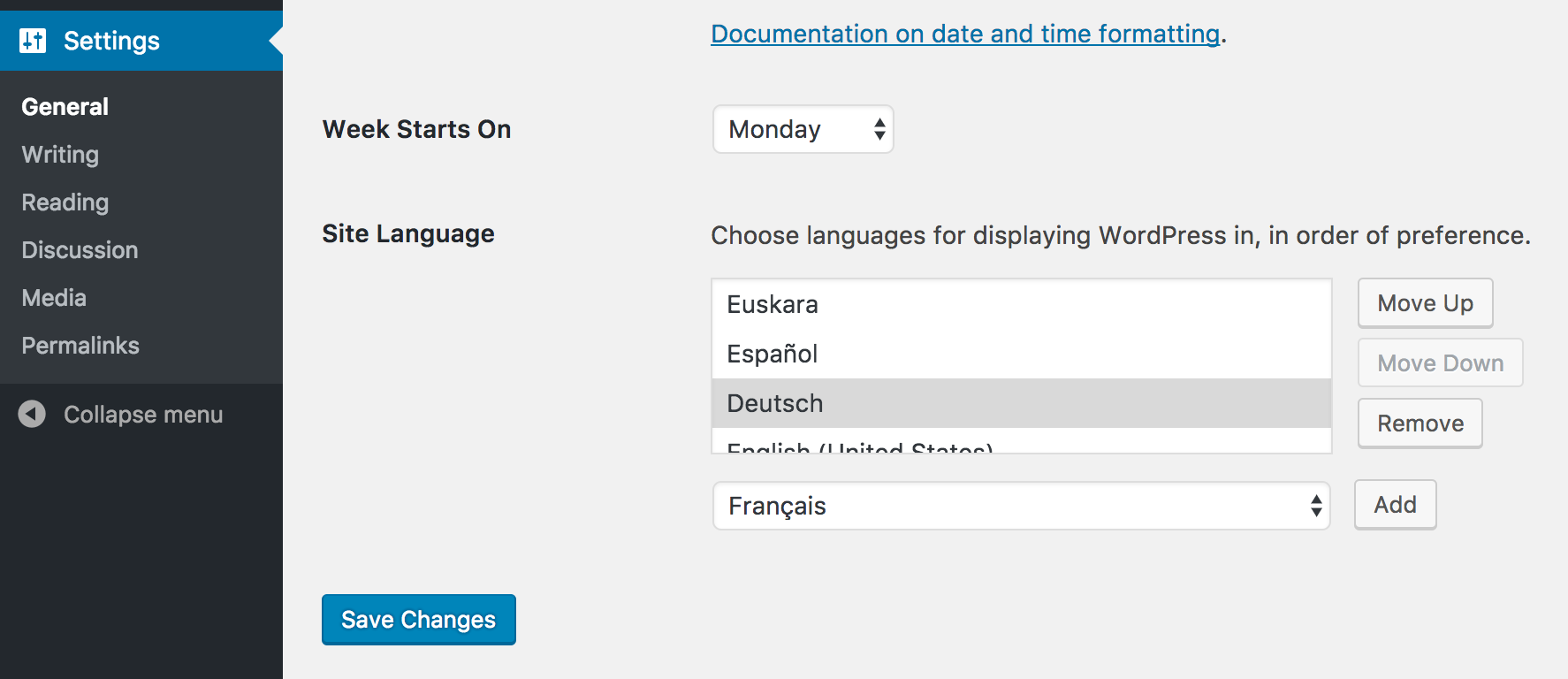
The new language section in 'Settings' -> 'General'

The new language section in your user profile.
Changelog
For the plugin’s changelog, please head over to the GitHub repository.