

Price Guard – Hide Price & Add to Cart for WooCommerce
Hide product prices and "Add to Cart" buttons in your WooCommerce store, replacing them with custom buttons for quote requests or inquiries.
Plugin info
Maintenance & Compatibility
Maintenance score
Possibly abandoned • Last updated 549 days ago
Is Price Guard – Hide Price & Add to Cart for WooCommerce abandoned?
Possibly abandoned (last update 549 days ago).
Compatibility
Similar & Alternatives
Explore plugins with similar tags, and compare key metrics like downloads, ratings, updates, support, and WP/PHP compatibility.
Description
Price Guard for WooCommerce allows store owners to hide product prices and “Add to Cart” buttons, replacing them with custom buttons. This is ideal for stores that require inquiries or quote requests before purchase.
Features:
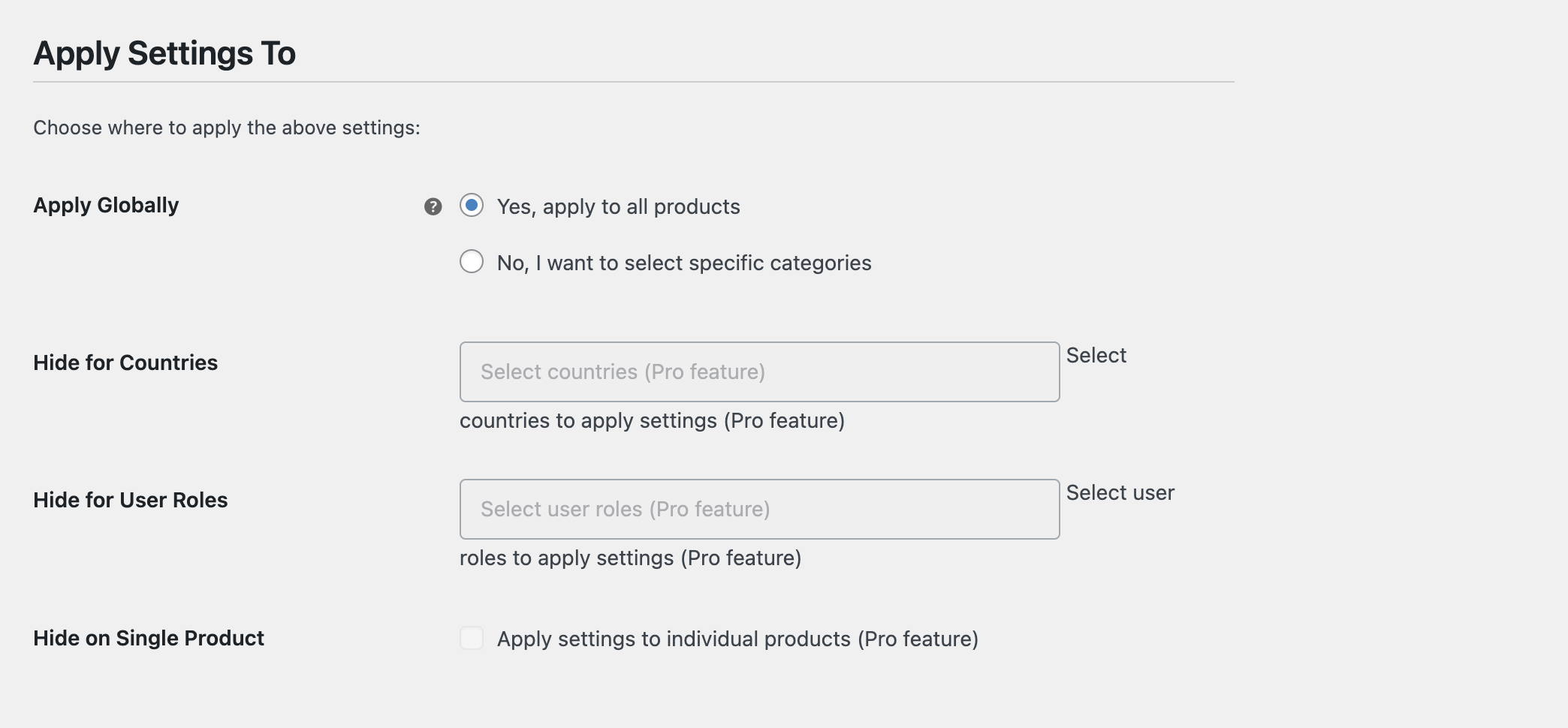
- Hide product prices globally or for specific categories
- Hide “Add to Cart” buttons
- Replace hidden elements with custom buttons
- Customize button text and link
- Easy to use settings page in WooCommerce
Installation
- Upload the plugin files to the
/wp-content/plugins/price-guard-woocommercedirectory, or install the plugin through the WordPress plugins screen directly. - Activate the plugin through the ‘Plugins’ screen in WordPress
- Use the WooCommerce->Settings->Price Guard screen to configure the plugin
Frequently Asked Questions
In the free version, you can hide prices globally or for specific categories. Hiding for individual products is a pro feature.
Yes, you can customize the text and link for the button in the plugin settings.
Review feed
Screenshots
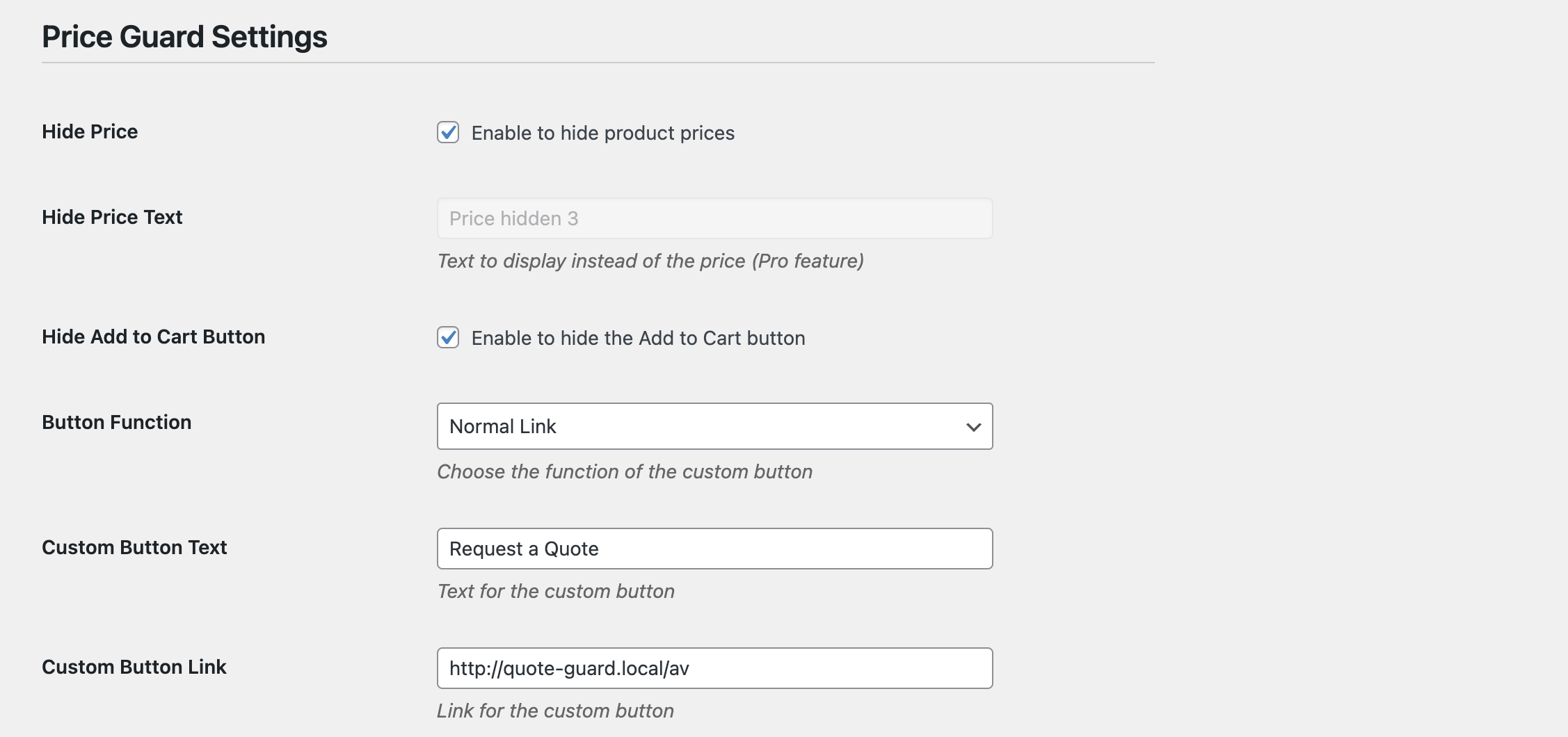
Plugin settings page
Example of hidden price and custom button on product page
Changelog
1.0.0
- Initial release