
QuantityPro for WooCommerce
Add customizable plus and minus buttons to WooCommerce product quantity selectors for enhanced user experience.
Plugin info
Maintenance & Compatibility
Maintenance score
Maintained • Last updated 127 days ago
Is QuantityPro for WooCommerce abandoned?
Likely maintained (last update 127 days ago).
Compatibility
Similar & Alternatives
Explore plugins with similar tags, and compare key metrics like downloads, ratings, updates, support, and WP/PHP compatibility.
Description
QuantityPro for WooCommerce is a lightweight WooCommerce plugin that enhances the product quantity selection experience by adding intuitive plus (+) and minus (-) buttons to quantity input fields on product pages and shopping carts.
This plugin works seamlessly with WooCommerce and provides a better user interface for customers to adjust product quantities without manually typing numbers. The buttons respect minimum and maximum quantity constraints set for each product.
Key Features
- ✓ Adds plus and minus buttons to product quantity selectors
- ✓ Fully responsive design optimized for mobile devices
- ✓ Clean, modern aesthetic that integrates with any storefront design
- ✓ Zero configuration – just install and activate
- ✓ Lightweight and performance-optimized
- ✓ No modifications to WooCommerce templates
- ✓ Respects product minimum and maximum quantity settings
- ✓ Compatible with WooCommerce HPOS (High Performance Order Storage)
- ✓ Works on both product pages and shopping cart
- ✓ Compatible with WordPress 5.8+ and PHP 7.4+
How It Works
Once activated, the plugin automatically:
1. Adds a minus (-) button before the quantity input field
2. Adds a plus (+) button after the quantity input field
3. Allows customers to increment/decrement quantity with simple clicks
4. Respects product-level quantity limits (min/max)
No additional setup or configuration required!
Additional Notes
Requirements
- WordPress 4.6 or higher
- PHP 7.2 or higher
- WooCommerce 3.0 or higher
Support
For support, feature requests, or bug reports, please visit the plugin’s support forum or contact the author.
License
This plugin is licensed under the GPLv3 license. See the LICENSE file for details.
Credits
Developed by Bonny Elangbam
Support
For questions, feature requests, or bug reports, please visit:
https://wordpress.org/support/plugin/quantitypro-for-woocommerce/
Installation
Automatic Installation
- Go to Plugins > Add New in your WordPress dashboard
- Search for “QuantityPro for WooCommerce”
- Click Install Now and then Activate
- Visit any WooCommerce product page to see the quantity buttons
Manual Installation
- Download the plugin and unzip it
- Upload the
quantitypro-for-woocommercefolder to/wp-content/plugins/directory - Go to Plugins screen in WordPress and find the plugin
- Click Activate Plugin
- Visit any WooCommerce product page or cart to see the quantity buttons
Frequently Asked Questions
No! Once activated, the plugin works automatically. No configuration needed.
Yes, this plugin is designed to work with any WordPress theme that uses WooCommerce.
No, the plugin uses WordPress hooks and filters. It does not modify any core WooCommerce files or templates.
Yes, customers can still click on the quantity input field and type a number directly.
The plugin is tested and compatible with WooCommerce 3.0 and above, up to WooCommerce 8.0.
Yes, the plugin includes responsive CSS that optimizes button sizes and spacing for mobile devices.
Yes, the plugin fully respects minimum and maximum quantity settings configured for each product in WooCommerce.
No, the plugin is lightweight and optimized for performance. It adds minimal CSS and uses jQuery (which WordPress includes by default).
Review feed
Screenshots

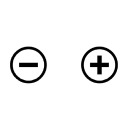
Plus and minus buttons on the product page quantity selector
Changelog
1.0.0
- Initial release
- Add plus and minus buttons to WooCommerce quantity selectors
- Mobile responsive design
- Full HPOS compatibility
- WordPress 6.4 tested