
Quantity Buttons for WooCommerce
Add plus and minus quantity buttons to the WooCommerce Legacy Cart (does not support blocks).
Plugin info
Maintenance & Compatibility
Maintenance score
Possibly abandoned • Last updated 771 days ago • 2 reviews
Is Quantity Buttons for WooCommerce abandoned?
Possibly abandoned (last update 771 days ago).
Compatibility
Similar & Alternatives
Explore plugins with similar tags, and compare key metrics like downloads, ratings, updates, support, and WP/PHP compatibility.
Description
Add plus and minus quantity buttons to the WooCommerce Legacy Cart (does not support blocks).
Special Features
- Responsive design for mobile
- Generic aesthetic that integrates with your storefront design
- Zero setup and configuration, just install and activate the plugin
- No impact to WooCommerce templates
- Easily controlled with CSS class: .woocommerce button.qty
Installation
- Upload the plugin files to the
/wp-content/plugins/woo-quantity-buttonsdirectory, or install the plugin through the WordPress plugins screen directly. - Activate the plugin through the \’Plugins\’ screen in WordPress
- Visit any WooCommerce product page or cart to see the quantity buttons
Frequently Asked Questions
Visit any WooCommerce public-facing product page, or the WooCommerce cart. The quantity buttons will appear adjacent to the quantity number field.
Reach out to us anytime for additional support.
Customize the buttons using CSS class .woocommerce button.qty
For example, if your theme supports it navigate to Appearance > Customize > Additional CSS and paste in .woocommerce button.qty{ background:lightgray; color:#555; padding:.3em; }
Alternately, add the CSS to your theme’s stylesheet under Appearance > Theme Editor: .woocommerce button.qty{ background:lightgray; color:#555; padding:.3em; }
Review feed
Screenshots
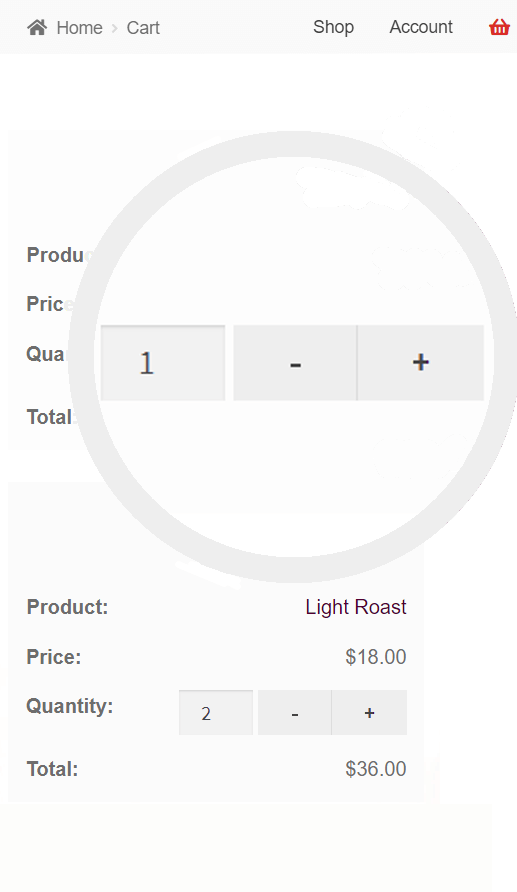
Mobile Example

Desktop Example
Changelog
1.1.8
- Compatibility with WC 8.6 and WP 6.4.
1.1.5
- Hide buttons when quantity disabled.
1.1.4
- Compatibility with WC 8.0 and WP 6.3.
1.1.3
- Compatibility with WC 7.9 and WC HPOS.
1.1.0
- WC Custom orders table compatibility checks.
1.0.20
- Accommodation for custom admin URL
1.0.19
- Compatibility with WC One Page Checkout
1.0.15
- Updates to plugin name
1.0.10
- Updated FAQs and features to include CSS classes
1.0.7
- Improved button CSS
1.0.6
- WooCommerce version compatibility testing and indicator
1.0.5
- Improved plugin description and tags
1.0.4
- Add top margin for add-to-cart button
1.0.2
- Improvements to JS update_cart behavior and class application
1.0.1
- Helper function fixes
1.0.0
- Basic functionality created