
Quick META Keywords
Automatically adds a META keywords tags with keywords within the html HEAD tags. The categories are used as keywords.
Plugin info
Maintenance & Compatibility
Maintenance score
Possibly abandoned • Last updated 2186 days ago
Is Quick META Keywords abandoned?
Possibly abandoned (last update 2186 days ago).
Compatibility
Similar & Alternatives
Explore plugins with similar tags, and compare key metrics like downloads, ratings, updates, support, and WP/PHP compatibility.
Description
Automatically adds a META keywords tags with keywords within the html HEAD tags. The categories are used as keywords.
Note: Works on single posts only as they are assigned categories.
Installation
- Unzip the download-package
- Upload folder including all files to the “/wp-content/plugins/” directory
- Activate the plugin through the ‘Plugins’ menu in WordPress
- View source code of your article and check the META keywords tags.
Frequently Asked Questions
Q: Why does it work for single post pages only?
Since only single posts are assigned categories, therefore, this plugin uses categories for keywords. So it only works with single posts.
Q: Where can I send feedback about this plugin?
Plugin URI: https://www.quickonlinetips.com/archives/quick-meta-keywords-wordpress-plugin/
Review feed
Screenshots

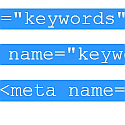
Add the meta keywords tag and fills up categories as keywords.
Changelog
1.1
- Cleaned code
1.0
- Initial release.