

Payment Gateway for CCBill One Time and Recurring – Woo and WooSubscription
Accept both one-time and recurring WooCommerce payments via CCBill with FlexForms and WooCommerce Subscriptions support.
Plugin info
Maintenance & Compatibility
Maintenance score
Stale • Last updated 349 days ago • 4 reviews
Is Payment Gateway for CCBill One Time and Recurring – Woo and WooSubscription abandoned?
Likely maintained (last update 349 days ago).
Compatibility
Similar & Alternatives
Explore plugins with similar tags, and compare key metrics like downloads, ratings, updates, support, and WP/PHP compatibility.
Description
Accept CCBill One-Time & Recurring Payments in WooCommerce.
This plugin integrates CCBill with your WooCommerce store, allowing you to accept both one-time and recurring payments via CCBill FlexForms. It also supports WooCommerce Subscriptions for automatic recurring billing.
Features:
– Accept one-time and recurring CCBill payments
– Fully compatible with WooCommerce Subscriptions
– Supports CCBill FlexForms for a seamless checkout experience
– Prevents multiple subscriptions in the same cart
– Supports multiple currencies (USD, EUR, GBP, CAD, AUD, JPY)
– Subscription management via CCBill DataLink API
– Built-in instructions for setup and testing
Note: Recurring payments require the WooCommerce Subscriptions plugin.
External Services
This plugin integrates with CCBill for payment processing.
Services Used:
– https://api.ccbill.com — for FlexForm payment redirection
– https://datalink.ccbill.com — for subscription cancellations and status updates
Data Sent:
– Subscription ID, Sub Account #, Form ID (for processing the payment)
Service Policies:
– Terms of Use
– Privacy Policy
Support
Need help setting up?
– Email: [email protected]
– WhatsApp: +91 9913783777
– Skype: [email protected]
– Website: https://nephilainc.com/
Donate
If this plugin helps your business, consider buying me a coffee.
Installation
- Upload the plugin to
/wp-content/plugins/or install via the Plugins screen in WordPress. - Activate the plugin.
- Go to WooCommerce > Settings > Payments > CCBill and configure:
– Account #, Sub Account IDs, API keys
– FlexForm IDs for recurring and non-recurring payments - Install WooCommerce Subscriptions if recurring payments are needed.
Frequently Asked Questions
No, one-time payments work without it. Recurring payments do require it.
Yes. FlexForms are fully supported.
No. The plugin restricts the cart to one subscription per order.
USD, EUR, GBP, AUD, CAD, JPY, and more.
Review feed
Screenshots

Payment method settings in WooCommerce
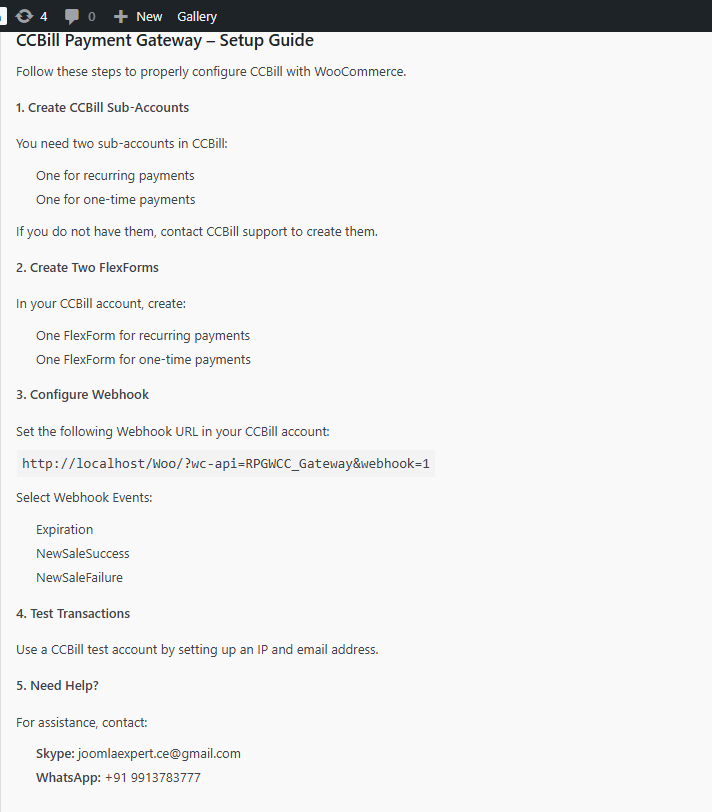
FlexForm checkout redirection
Changelog
1.0
- Initial release
- Supports one-time and recurring payments
- CCBill FlexForm integration
- WooCommerce Subscriptions compatibility