

Plugin info
Maintenance & Compatibility
Maintenance score
Possibly abandoned • Last updated 712 days ago • 2 reviews
Is REST API blocks abandoned?
Possibly abandoned (last update 712 days ago).
Compatibility
Similar & Alternatives
Explore plugins with similar tags, and compare key metrics like downloads, ratings, updates, support, and WP/PHP compatibility.
Description
A simple plugin to add block data in json format into the rest api. Once installed, there will be two new fields added to the rest api, has_blocks and blocks.
For example output.
"has_blocks": true,
"block_data": [
{
"blockName": "core/image",
"attrs": {
"url": "https://www.spacedmonkey.com/wp-content/uploads/2018/12/test-image.jpg",
"alt": "Terminal de aeropuerto",
"caption": "fsfsdfdsfdssfd",
"href": "https://www.spacedmonkey.com/test-image",
"rel": "noreferrer noopener",
"linkClass": "jonny-123",
"linkTarget": "_blank",
"id": 147355,
"width": 582,
"height": 327,
"linkDestination": "attachment"
},
"innerBlocks": [
],
"innerHTML": "\n
"innerContent": [
"\n
],
"rendered": "\n
}
],
Technical Notes
- Requires PHP 5.6+.
- Requires WordPress 5.5+.
- Issues and Pull requests welcome on the GitHub repository: https://github.com/spacedmonkey/wp-rest-blocks
Installation
Using The WordPress Dashboard
- Navigate to the ‘Add New’ in the plugins dashboard
- Search for ‘wp-rest-blocks’
- Click ‘Install Now’
- Activate the plugin on the Plugin dashboard
Uploading in WordPress Dashboard
- Navigate to the ‘Add New’ in the plugins dashboard
- Navigate to the ‘Upload’ area
- Select
wp-rest-blocks.zipfrom your computer - Click ‘Install Now’
- Activate the plugin in the Plugin dashboard
Using FTP
- Download
wp-rest-blocks.zip - Extract the
wp-rest-blocksdirectory to your computer - Upload the
wp-rest-blocksdirectory to the/wp-content/plugins/directory - Activate the plugin in the Plugin dashboard
Frequently Asked Questions
Review feed
Screenshots
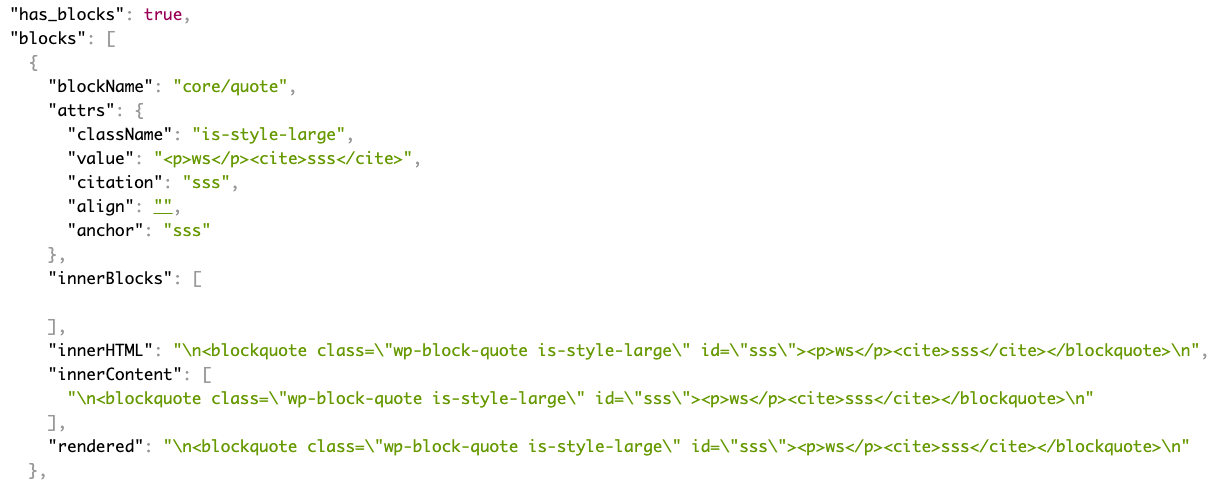
Add fields to the rest api.
Changelog
1.0.2
- Fix issue with WordPress 6.5
- Update coding standards to WP coding standards 3.1.0
- Mark tested up to WP 6.5
1.0.1
- Update coding standards to WP coding standards 3.0.1
- Mark tested up to WP 6.4
1.0.0
Breaking change!
The field in the REST API is changed from blocks to block_data.
0.5.0
- Add support for new post types added in WordPress 5.9.
0.4.0
- Added support for block based widget, added in WordPress 5.8. Block data is added to the /wp/v2/widgets endpoint.
0.3.2
- Update translations
0.3.1
- Hot fix.
0.3.0
- Improve support for block that have attributes that use query source type.
- Improve error handling for those that install this plugin without using composer.
0.2.1
- Update dependency.
0.2.0
- Breaking change. Field names have changed and required WordPress 5.5+
0.1.0
- First version.