

Reusable Gutenberg Blocks Widget
Easily display WordPress Gutenberg Editor saved reusable blocks anywhere via widget.
Plugin info
Maintenance & Compatibility
Maintenance score
Possibly abandoned • Last updated 2918 days ago • 6 reviews
Is Reusable Gutenberg Blocks Widget abandoned?
Possibly abandoned (last update 2918 days ago).
Compatibility
Similar & Alternatives
Explore plugins with similar tags, and compare key metrics like downloads, ratings, updates, support, and WP/PHP compatibility.
Description
Easily display WordPress Gutenberg Editor saved reusable blocks anywhere via widget.
Easy Setup
After plugin activation, Reusable Block widget will be available under Appearance > Widgets, just drag and drop to any desired widget area.
Extensible
If you want to upgrade your widgets usage. You can use Modal Pop-up & Sliding Widget Options to display your widgets as modal pop-ups, slide-ins and/or sliding widgets. Powered with triggers like exit-intent, on load and on scroll you can increase your user engagement easily.
Installation
- Upload the full directory into your wp-content/plugins directory
- Activate the plugin at the plugin administration page
- Go to Appearance > Widgets then drag and drop “Reusable Block” to any widget area
Frequently Asked Questions
Installation Instructions
- Upload the full directory into your wp-content/plugins directory
- Activate the plugin at the plugin administration page
- Go to Appearance > Widgets then drag and drop “Reusable Block” to any widget area
Review feed
Screenshots
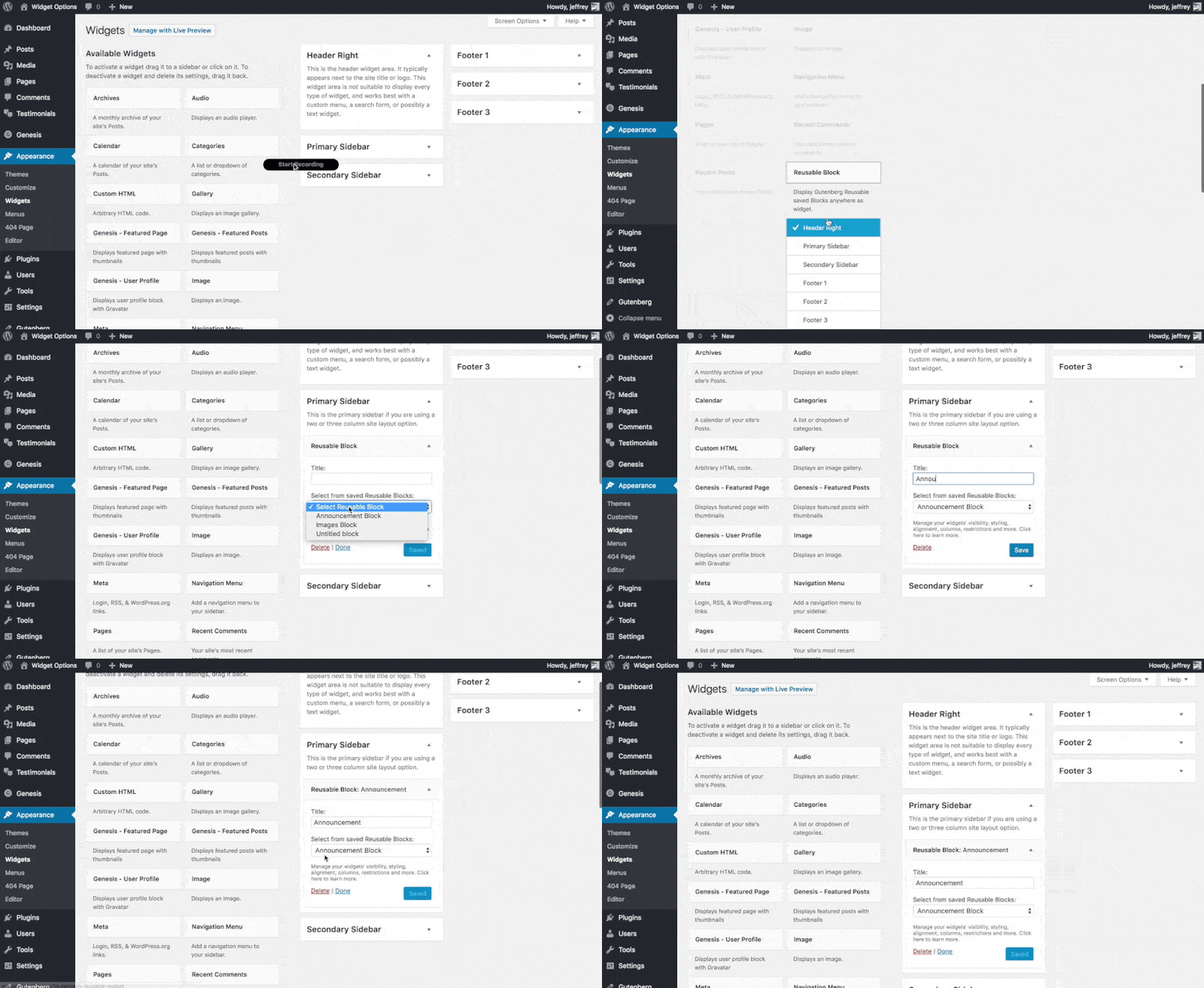
Using Reusable Block Widget