

Animator – Scroll Triggered Animations
A highly customisable, yet user friendly interface for applying CSS animations to your website frontend.
Plugin info
Maintenance & Compatibility
Maintenance score
Stale • Last updated 273 days ago • 15 reviews
Is Animator – Scroll Triggered Animations abandoned?
Likely maintained (last update 273 days ago).
Compatibility
Developers
Languages
Similar & Alternatives
Explore plugins with similar tags, and compare key metrics like downloads, ratings, updates, support, and WP/PHP compatibility.
Description
Scroll Triggered Animations is a highly customisable, yet user-friendly interface for implementing CSS animations correctly and efficiently throughout your WordPress website.
Whether you’re a highly-skilled web guru, a content editor or you’ve got minimal knowledge of web coding, STA makes the animation procedure easy. It works on any theme, bespoke or not. Activate now and animate your website within minutes.
Want to try STA?
Demo on a risk free environment here
Key points
- Easy to use
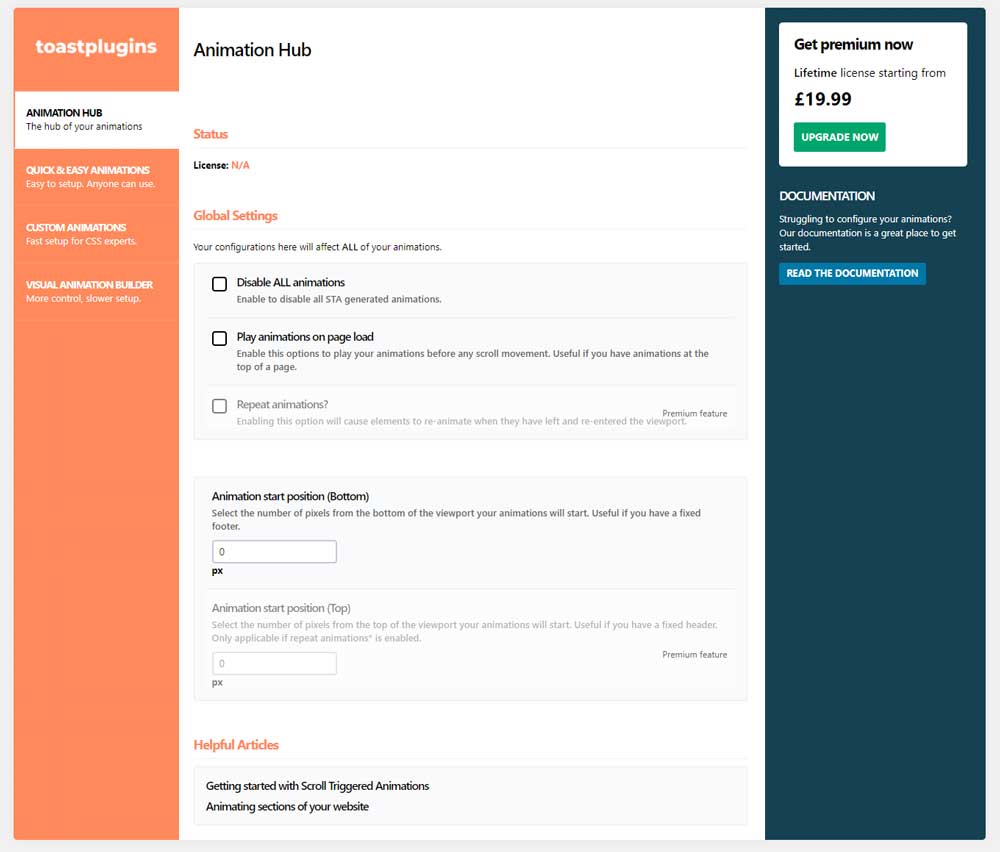
- Globally control your animations
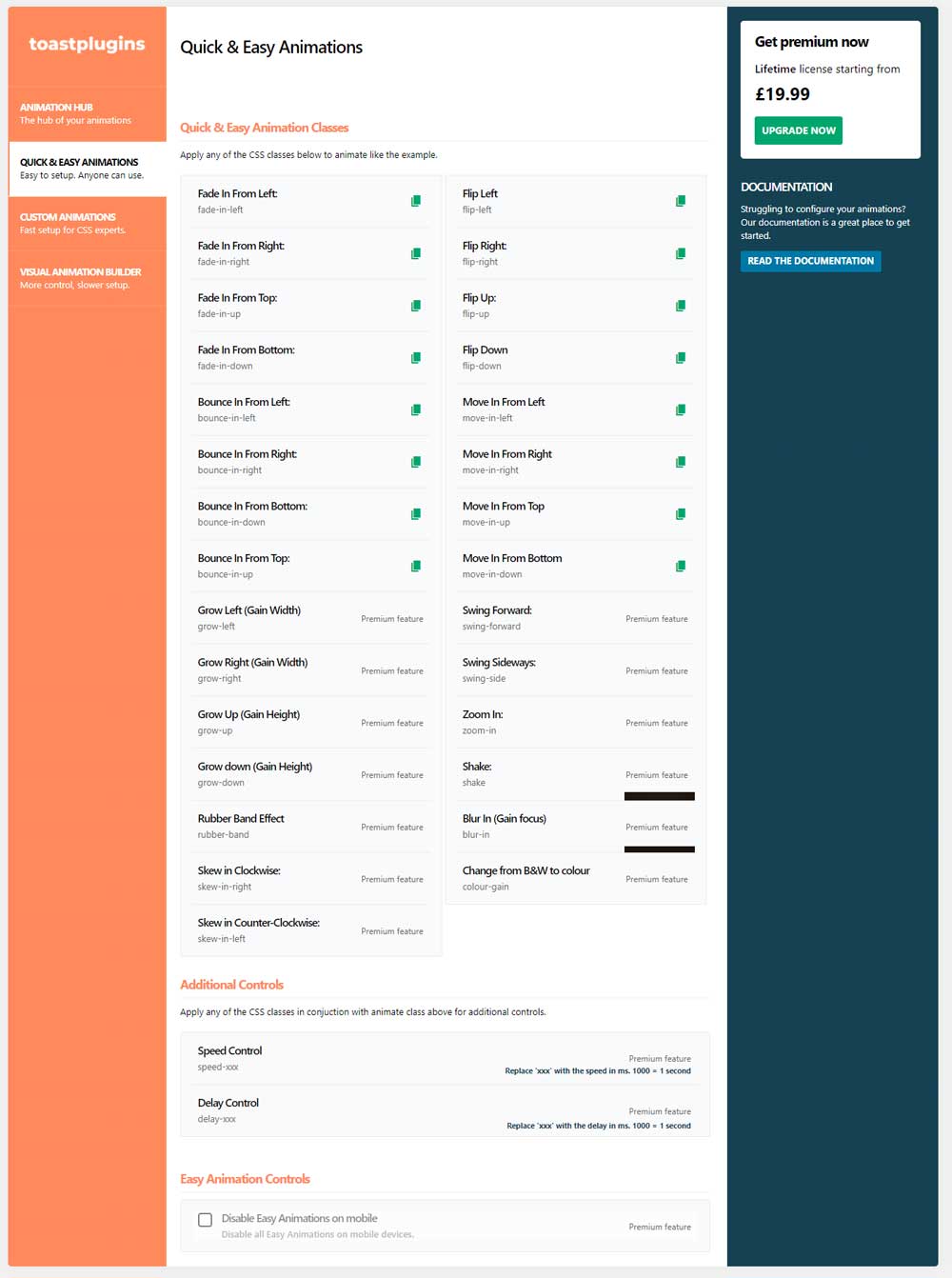
- Over 25 Preset Easy animations available out of the box.
- Create your own CSS animations via the Custom Animation Builder
- No framework used
Scroll Triggered Animations is built to allow any WordPress user (developer or not), to implement professional looking animations without any knowledge of javascript. You can choose to use our preset animations from our default animations library, or create your very own CSS3 animation and integrate it with this plugin.
Find out more about this plugin here
Installation
PHP 5.6 or greater is recommended before installation
- Navigate to the plugins menu.
- Search for ‘Scroll Triggered Animations’
- Click ‘Install Now’ followed by ‘Activate’
- You’ll now be able to configure your animations under Settings > Scroll Triggered Animations
Frequently Asked Questions
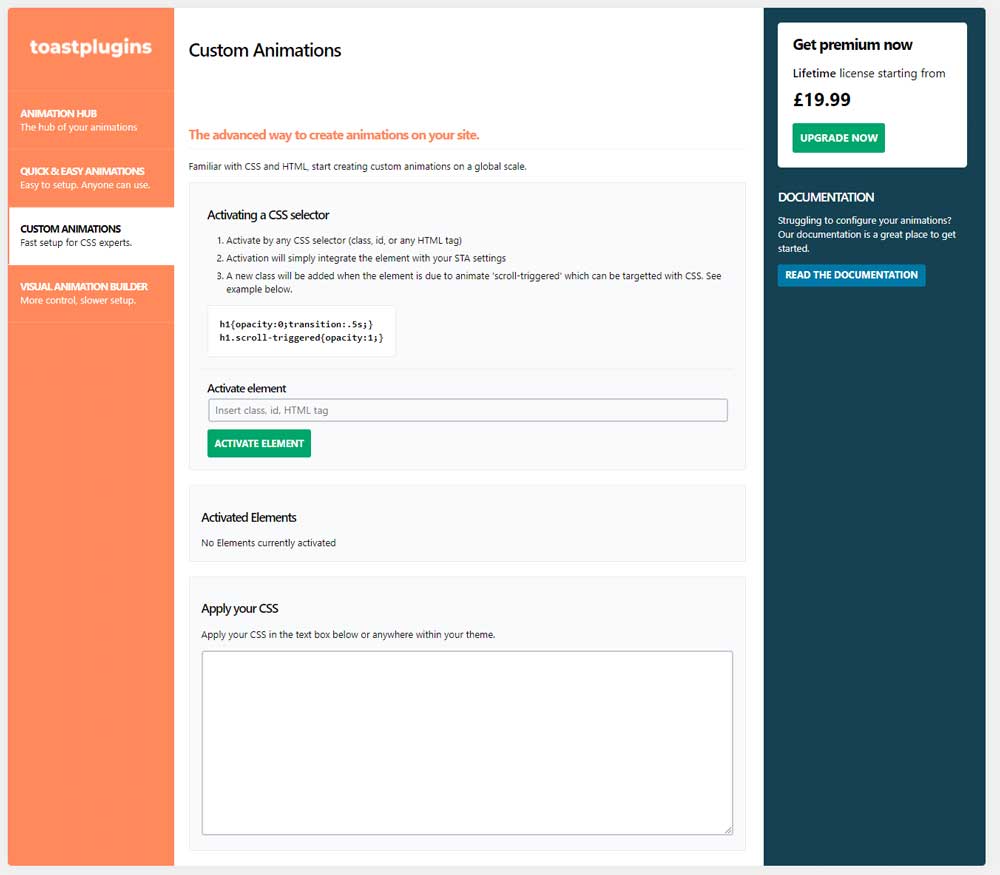
The advanced animations tab is for those of you who want that customisability factor. You can animate items on a global scope using your own CSS.
Your first step, is to activate the element you want to animate. You can activate any element by class, id or tag.
The plugin seeks out these items on the frontend of your site and adds the class ‘scroll-triggered’ as it enters your screens dimensions. This gives you the ability to target the element before and after it has entered your screen’s dimensions.
You’re CSS could look something like this:
.button { opacity:0; transform:translateY(10px); transition:all .5s; }
.button.scroll-triggered { opacity:1; transform:translateY(0); }
Just remember to use the transition property to define how long you would like the animation to last.
Find out more here
This could be a number of reasons. The most common issue for this is javascript being broken on your site. Check for a fatal error in the console and if you can’t resolve the issue do not hesitate to contact us via the support forum.
Review feed
Screenshots
Changelog
3.0.6
*Fixed jQuery Issue
3.0.0
*Complete Rework of the plugin backend to provide a clearer interface.
*Backend Options now update via AJAX allowing you to quickly edit options without reloading the page.
*Renamed “Default Animations” to “Easy Animations”
*Renamed “Advanced Animations” to “Custom Animations”
*Add compatibility for Scroll Triggered Animations Pro Extension v3
*Visual Animation Builder Revealed. This feature will be available in 2021 with the Pro Extension.
*Rebranded the plugin.
*Added the option to disable ALL animations
*Small tweaks to wording.
*Added a “Helful articles” section to the backend.
2.5.0
*Added a simple tutorial to run through the plugin configuration.
*Fixed bug where popup wouldn’t close.
*Small tweaks to styling and wording.
2.4.2
*Sale now on
*Multiple Bug fixes
2.4.0
*New Premium animations added
*Multiple Bug fixes
2.2.3
*First updates for 2020
*Christmas styling removed
*Multiple bug fixes
2.2.2
*Latest Bug fixes
2.1.1
*Number of bug fixes and compatibility changes.
2.1.0
*Number of bug fixes
*Christmas styling
2.0.1
- Number of bug fixes
- Added more premium features
2.0.0
- Added ability to control speed on default animations
- Added ability to control delays on default animations
- Disable default animations
- Premium features now available
- Added more animations to the default animation list.