

Plugin info
Maintenance & Compatibility
Maintenance score
Possibly abandoned • Last updated 5432 days ago
Is SDAC Translate abandoned?
Possibly abandoned (last update 5432 days ago).
Compatibility
Similar & Alternatives
Explore plugins with similar tags, and compare key metrics like downloads, ratings, updates, support, and WP/PHP compatibility.
Description
The SDAC Translate plugin uses Google Translate to translate your site’s content in multiple languages using a simple sidebar widget that is fully customizable.
Notes
- I wanted to keep this plugin as lightweight as possible so the widget output is cached and the images are all in one image.
- If you have non-standard plugin directory – see line 24 on how to add that into the plugin to make the images appear correctly.
Installation
- Unzip into your plugins directory (usually
/wp-content/plugins/). - Activate the plugin through the ‘Plugins’ menu in WordPress
- Visit the SDAC Translate Options (in Settings Menu)
- Place the widget into the sidebar.
How to use:
1. Use the admin to select what languages you would like available to your readers.
2. Add the widget (Appearance > Widgets) to your sidebar of choice:
3. Add the following code to your theme template if you want to place it without using widgets <?php if ( function_exists('sdac_translate') ) sdac_translate(); ?>
Enjoy!
Frequently Asked Questions
Where can I get support for this plugin?
You can submit any issues/feedback: http://sandboxdev.com/forums/forum/sdac-translate
Review feed
Screenshots
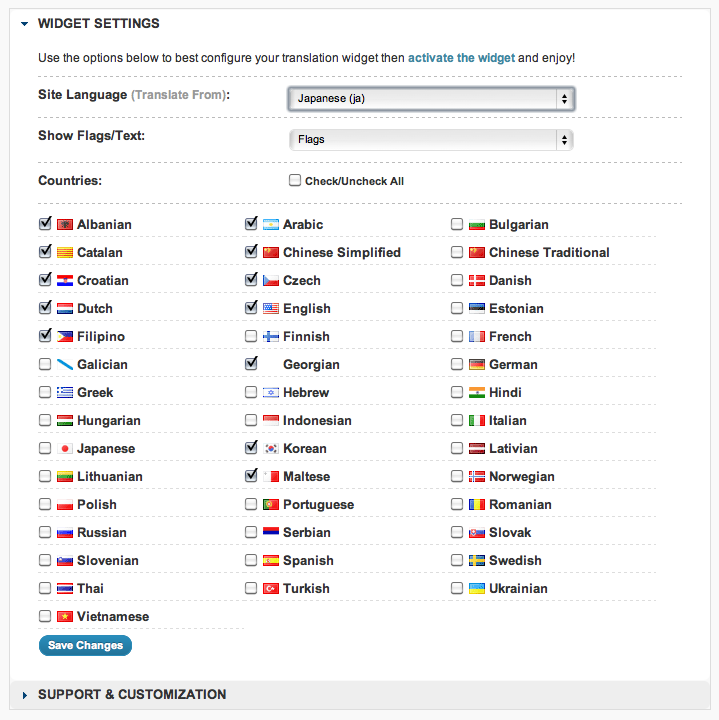
Admin options
Changelog
1.2.6
- Fixed display issue introduced with 1.2.5
1.2.5
- Added the ability to easily use this outside of widgets (see how to use) (as requested)
1.2.4
- Added Georgian as a new language option (as requested)
1.2.3
- Added site language option
1.2.2
- Moved from wp_cache to using to using transients
- Fixed undefined index ($styles)
1.2.1
- Added a clear div to take care of any float issues.
1.2
- Added English as a new language option (as requested)
- Removed some un-used images (admin)
1.1
- Code clean up, new admin style
1.03
- Condensed CSS
1.02
- Fixed index issue
1.01
- Changed admin JS code
- Added in additional validation
1.0
- Initial release