

Move Login
Change your login URL for something like https://example.com/login and stop login brute-force attempts.
Plugin info
Maintenance & Compatibility
Maintenance score
Maintained • Last updated 139 days ago • 43 reviews
Is Move Login abandoned?
Likely maintained (last update 139 days ago).
Compatibility
Languages
Similar & Alternatives
Explore plugins with similar tags, and compare key metrics like downloads, ratings, updates, support, and WP/PHP compatibility.
Description
This plugin forbids access to https://example.com/wp-login.php and creates new urls, like https://example.com/login or https://example.com/logout.
This is a great way to limit bots trying to brute-force your login (trying to guess your login and password). Of course, the new URLs are easier to remember too.
Also remember: the use of this plugin does NOT exempt you to use a strong password. Moreover, never use “admin” as login, this is the first attempt for bots.
By the way, if you are looking for a complete security solution, take a look at SecuPress: Move Login is included inside.
Multisite
Yes! The plugin must be activated from your network.
Note 1: this plugin deals only with wp-login.php, not with wp-signup.php nor with wp-activate.php (yet). That means https://example.com/register will still redirect to https://example.com/wp-signup.php. I think this will be the next step though, but no ETA.
Note 2: if users/sites registrations are open, you shouldn’t use this plugin yet. There are some places where the log in address is hard coded and not filterable. A bug ticket is open.
Requirements
- You will need a FTP access: if the
.htaccess/web.configfile is not writable (you will need to add the given rules manually), or if something is wrong and you can’t log in anymore (see the FAQ in that case). - Should work on IIS7+ servers but not tested (I guess you should probably save a copy of your
web.configfile before the plugin activation). - For Nginx servers, the rewrite rules are not written automatically of course, but they are provided as information in the plugin settings page.
Installation
- Extract the plugin folder from the downloaded ZIP file.
- Upload the
sf-move-loginfolder to your/wp-content/plugins/directory. - If you have another plugin that makes redirections to https://example.com/wp-login.php (a short-links plugin for example), disable it or remove the redirection, otherwise they will conflict and you’ll be locked out. See the FAQ in case you’re not able to reach the login page (make sure to have a FTP access to your site).
- Activate the plugin from the “Plugins” page.
- If the plugin can’t write your
.htaccessfile orweb.configfile, you’ll need to edit it yourself with a FTP access, the rules are provided in the plugin settings page.
Frequently Asked Questions
Yes this is the goal of the plugin
You need a FTP access to your site. When logged in with your FTP software, open the file wp-config.php located at the root of your installation. Simply add this in the file: define( 'SFML_ALLOW_LOGIN_ACCESS', true ); and save the file. This will bypass the plugin and you’ll be able to access https://example.com/wp-login.php. Another plugin may conflict, you’ll need to find which one before removing this new line of code.
Yes. Each blog has its own login page (but the customized slugs are the same for each blog though). The plugin must be activated from the network.
Eventually, try the WordPress support forum (best).
Review feed
The best of the 3 ones I tested
Screenshots
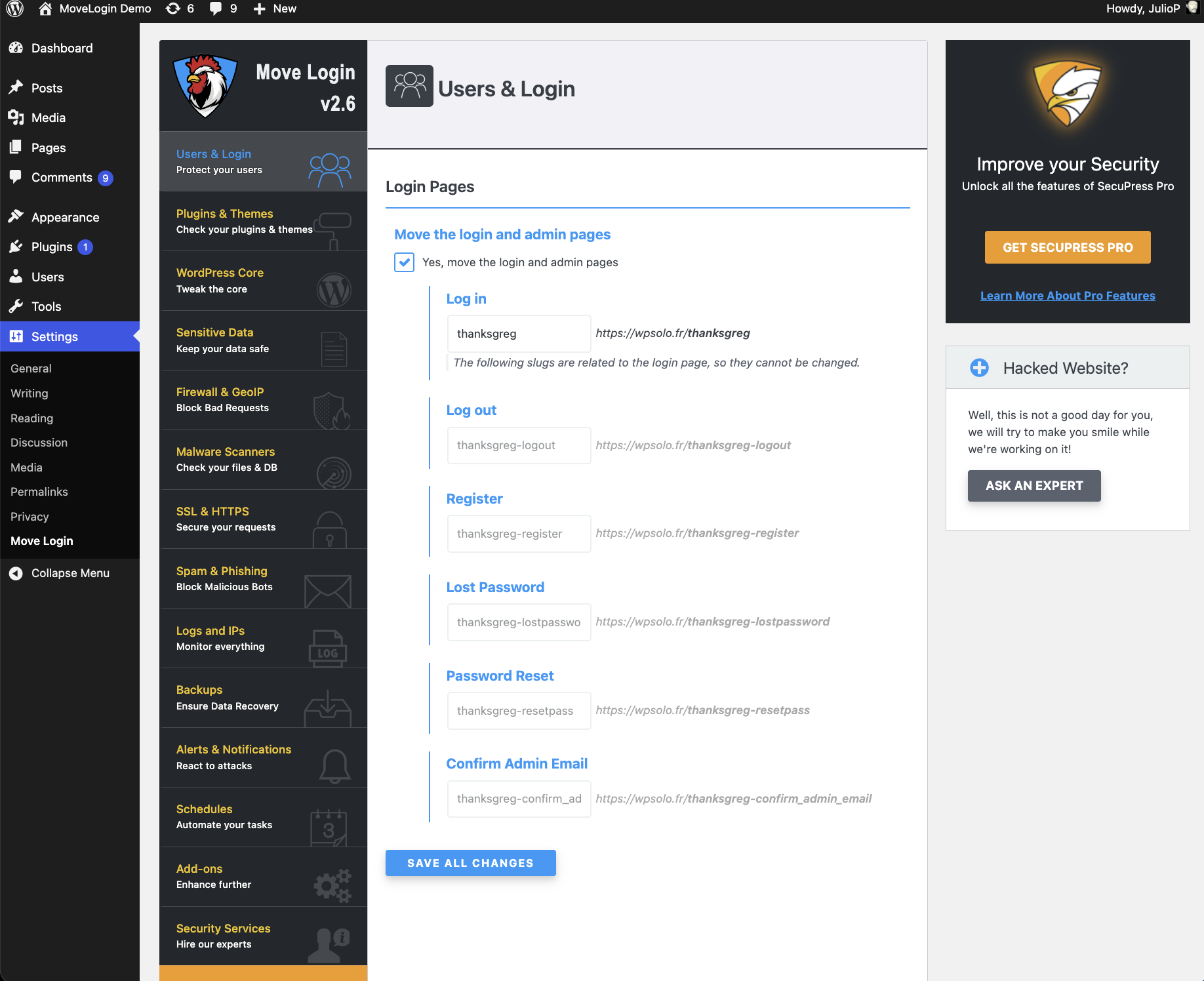
The settings page.
Changelog
2.5.3
- 2017/06/05
- New: preview your URLs while typing.
- New: you can leave a field empty to set its default value.
- Improved URL duplicates detection.
- Fixed the “Lost Password” redirection (and others).
- Dev stuff: fixed the filters in
sfml_is_apache(),sfml_is_iis7(), andsfml_is_nginx(). - Nerd stuff: improved the whole plugin code quality by updating the Coding Standard rules and applying new ones. Changed a few things in the class
SFML_Options.