

ShareWhere
Using ShareWhere plugin you can share your location in post/page using google map.
Maintenance 22/1003808d since update
Active installs
10
Downloads
2,044
Reviews
3
Age
10.6y
Plugin info
Total downloads: 2,044
Active installs: 10
Total reviews: 3
Average rating: 5
Support threads opened: 0
Support threads resolved: 0 (0%)
Available in: 1 language(s)
Contributors: 4
Last updated: 10/29/2015 (3808 days ago)
Added to WordPress: 8/19/2015 (10 years old)
Minimum WordPress version: 4.0
Tested up to WordPress version: 4.3.34
Minimum PHP version: f
Maintenance & Compatibility
Maintenance score
Possibly abandoned • Last updated 3808 days ago • 3 reviews
22/100
Is ShareWhere abandoned?
Possibly abandoned (last update 3808 days ago).
Compatibility
Requires WordPress: 4.0
Tested up to: 4.3.34
Requires PHP: f
Languages
Similar & Alternatives
Explore plugins with similar tags, and compare key metrics like downloads, ratings, updates, support, and WP/PHP compatibility.
Easy Google Maps
Rating 4.6/5 (252 reviews) • Active installs 20,000
Meks Easy Maps
Rating 0.0/5 (0 reviews) • Active installs 1,000
Themify Store Locator
Rating 5.0/5 (1 reviews) • Active installs 500
Our Geolocation
Rating 5.0/5 (1 reviews) • Active installs 10
Magic Google Maps
Rating 3.8/5 (4 reviews) • Active installs 100
Geolocation Sidebar
Rating 0.0/5 (0 reviews) • Active installs 10
Description
Do you want to share any location? ShareWhere plugin shares the location you want.
You just have to select location in google map and insert that location into post/page.
Roadmap
- Share location in BuddyPress Comments
- Share location in bbPress Forums
- include map instead of location name
Installation
From your WordPress dashboard
- Visit ‘Plugins > Add New’
- Search for ‘ShareWhere’
- Activate ShareWhere from your Plugins page.
From WordPress.org
- Download ShareWhere.
- Upload the ‘sharewhere’ directory to your ‘/wp-content/plugins/’ directory, using your favorite method (ftp, sftp, scp, etc…)
- Activate ShareWhere from your Plugins page.
Frequently Asked Questions
Can I use my existing WordPress theme?
Yes! ShareWhere works out-of-the-box with nearly every WordPress theme.
Review feed
Ankit K Gupta
Nice Plugin.
Nice Plugin ! I like it, Great work Guys :)
Screenshots

Add Location

Google Map

Search Places

Location Type

After insert into post/page

Location on frontend
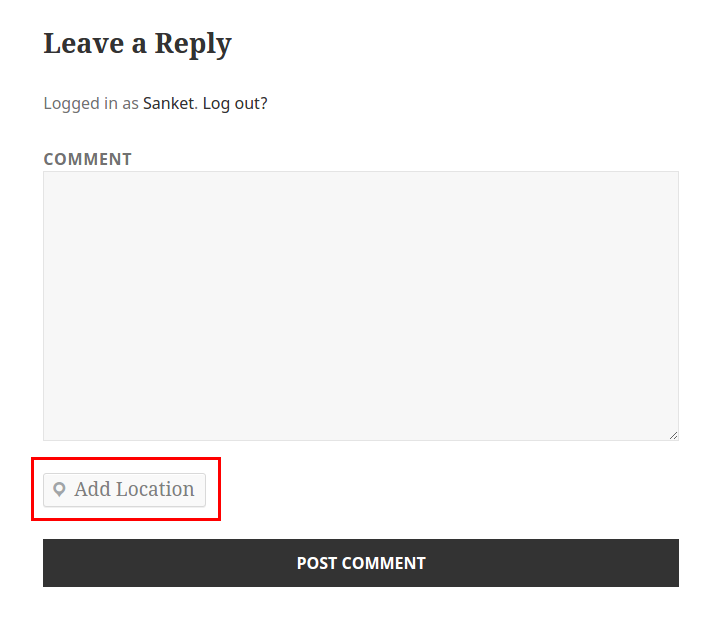
Add Location in WordPress Comment

Add Location in BuddyPress Activity
Changelog
1.2 – Oct 30, 2015
- Add Location in BuddyPress Activity
1.1 – Aug 31, 2015
- Add Location in WordPress Comment
1.0.1 – Aug 20, 2015
- Removed unwanted code
1.0 – Aug 20, 2015
- Inital Release
- Share location using google map in post/page
- Added Readme