

Themify Store Locator
A free plugin to add store locations and stores map in your WordPress site.
Plugin info
Maintenance & Compatibility
Maintenance score
Stale • Last updated 231 days ago • 1 reviews
Is Themify Store Locator abandoned?
Likely maintained (last update 231 days ago).
Compatibility
Similar & Alternatives
Explore plugins with similar tags, and compare key metrics like downloads, ratings, updates, support, and WP/PHP compatibility.
Description
The Themify Store Locator plugin allows you to display an unlimited number of locations on a map, list, or grid view. Each store location can insert its own custom description, address, contact phone numbers, and business hours. All this information pops up on the map when users click on a map marker.
Key Features:
- Unlimited Locations – Add unlimited locations with custom description, address, contact phone number, and business hours
- Store List Layouts – Display all locations in fullwidth, 4-column, 3-column, or 2-column layout
- Store Map – Display all locations on a Google map with a map tooltip that displays the location info
- Shortcode Generator – helps to generate location shortcodes without typing it manually
Installation
- Upload the whole plugin directory to the
/wp-content/plugins/directory - Activate the plugin through the ‘Plugins’ menu in WordPress
For more information on how to use the Store Locator plugin, please visit our documentation page – https://themify.me/docs/store-locator-documentation
Frequently Asked Questions
Review feed
Screenshots
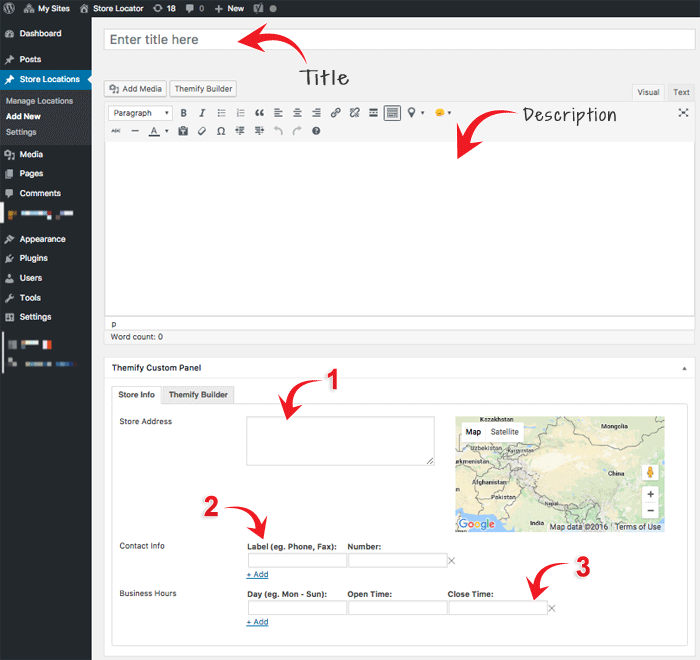
Admin interface to add new locations
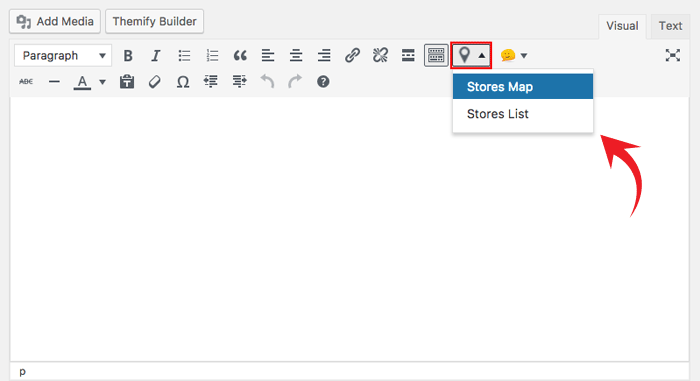
Shortcode generator in the text editor
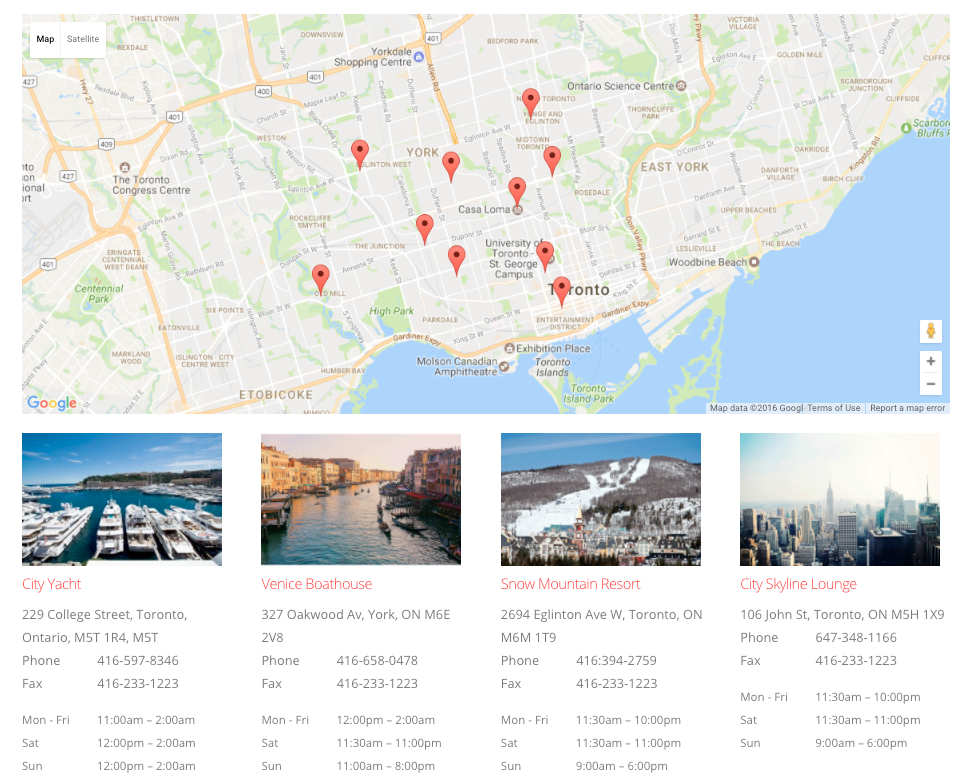
Demo of the List and Map views of the plugin
Changelog
The changelog is located at: https://themify.org/changelogs/themify-store-locator.txt