

WMS with Pulpo WMS
PulpoWMS plugin helps you to sync your woocommerce with Pulpo WMS app to manage products, stock and shipping orders.
Plugin info
Maintenance & Compatibility
Maintenance score
Possibly abandoned • Last updated 813 days ago • 1 reviews
Is WMS with Pulpo WMS abandoned?
Possibly abandoned (last update 813 days ago).
Compatibility
Similar & Alternatives
Explore plugins with similar tags, and compare key metrics like downloads, ratings, updates, support, and WP/PHP compatibility.
Description
PulpoWMS plugin helps you to sync your woocommerce with Pulpo WMS platform.
This plugin syncs all information about products, stock management and shipping orders, from your woocommerce with Pulpo WMS app without manual user intervention.
NOTE: This version is outdated. We are working on a new release. Please for further info go contact with us via Support or email.
You can buy a subscription in our shop: https://shop.twentic.com
Configuration
Configuration is easy, you only need a credential key to access PulpoWMS platform.
Installation
Frequently Asked Questions
To use this plugin, you need to have a valid credential key to access PulpoWMS platform
To make the plugin work, once it is configured, you need clic on “Conf. webhooks” and “Add products”, in this order, to sync with pulpo for first time.
No, the use of the plugin doesn’t interfere with navigation or checkout process.
Please share them in our support forum
The plugin shares with Pulpo the details about orders to manage shipment and stock. These details are not shared with third party companies or services through the plugin
Review feed
Screenshots
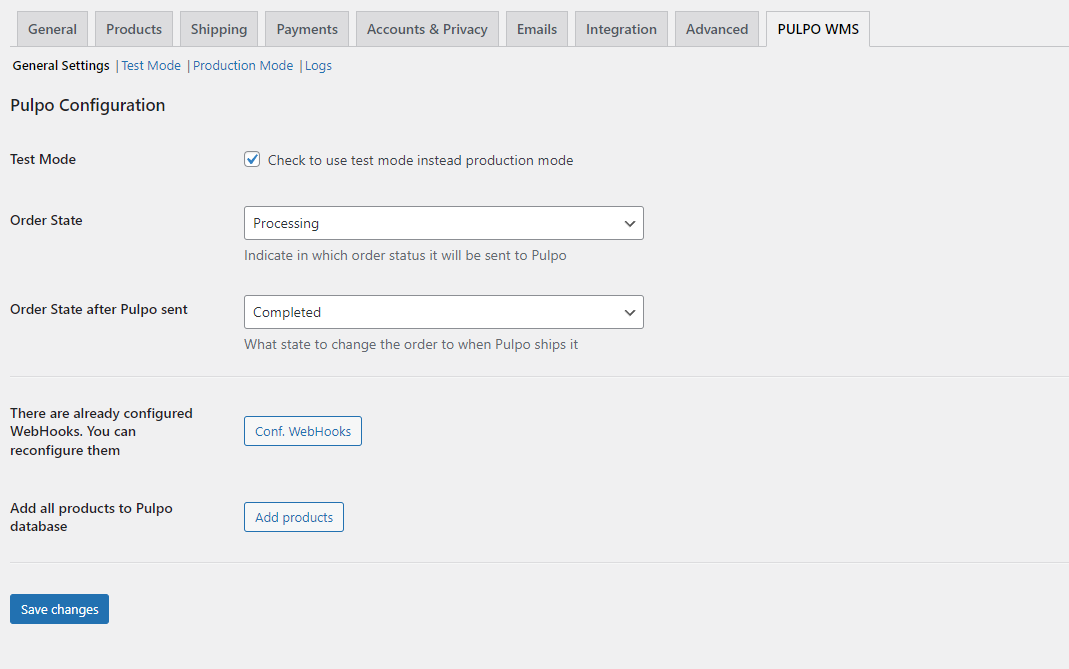
General settings

Test environment settings

Production environment settings

Log page
Changelog
1.0.22
- First usable version
1.0.23
- Fix name client on anonymous purchase