

Simple 301 Redirects By BetterLinks – Easy Redirect Manager for WP, 404 Error Log & More
Simple 301 Redirects provides an easy method of redirecting requests to another page on your site or elsewhere on the web.
Plugin info
Maintenance & Compatibility
Maintenance score
Possibly abandoned • Last updated 478 days ago • 162 reviews
Is Simple 301 Redirects By BetterLinks – Easy Redirect Manager for WP, 404 Error Log & More abandoned?
Possibly abandoned (last update 478 days ago).
Compatibility
Similar & Alternatives
Explore plugins with similar tags, and compare key metrics like downloads, ratings, updates, support, and WP/PHP compatibility.
Description
Improve Your Website User Experience With Simple 301 Redirects Solution for WordPress
Launching a marketing campaign with a new URL? Got “404 not found” errors? Or relaunching your website with a new URL? Let’s redirect your old URLs to new ones automatically by creating 301 redirects to existing pages.
Simple 301 Redirects provides an easy method of redirecting requests to another page on your site or elsewhere on the web. It’s especially handy when you migrate a site to WordPress and can’t preserve your URL structure.
By setting up 301 redirects from your old pages to your new pages, any incoming links will be seamlessly passed along, and their page rank (or what-have-you) will be passed along with them.
⭐ FEATURES OF SIMPLE 301 REDIRECTS:
◾With this plugin, you can check and redirect your old URLs to the new ones with a few easy steps
◾ Designed for any website with very easy and user friendly interface which you can set up in few seconds
◾Works great eCommerce, blog, magazine, small business and any other websites
🔰 MANAGE YOUR LINKS WITH SIMPLE 301 REDIRECTS:
◾Import Redirect Rules: You can import redirect links in bulk from your device and upload them using this plugin to manage links
◾ Export Redirect Rules: You can also export your 301 Redirect Links in .csv format to use in future
◾ Wildcards: It will redirect all files within a directory to the same filename in the redirected directory. To use wildcards, put an asterisk (*) after the folder name that you want to redirect. Example:
- Request: /old-folder/*
- Destination: /new-folder/*
◾Advanced Analytics: Easily track and analyze click-through rates of your link redirects with BetterLinks (advanced link management solution by WPDeveloper)
◾ Friendly Support: Get super friendly community support as we have an extraordinary support team ready to help you. Ask your questions in the support forum & someone from our team will help you
🏆 Featured by Renowned WordPress Publications
Simple 301 Redirects has been loved by lots of users, website owners, bloggers and marketers:
“The plugin’s name could not be better. It really is simple to do 301 redirects. For example, if you modify the URL of one of your pages, then you can take the old URL and redirect it to the new one. Not only can this keep some SEO value, but it’s good for user experience as well.”
“I like this plugin because: You can quickly create 301 redirects without leaving your WordPress dashboard. It makes it much easier to manage your existing 301 redirects. It’s just plain easier for beginners than digging around the .htaccess file.”
THIS PLUGIN IS MAINTAINED BY THE TEAM WPDeveloper.
Need More Advanced Solution for Link Management?
Try BetterLinks – the advanced link management plugin that simplifies your marketing campaigns by offering a range of powerful features. You can easily shorten links, conduct split tests with dynamic redirects, and check for broken links.
The solution also allows you to monitor campaigns using a UTM builder, manage user roles, and analyze click-through rates. Additionally, you can create links without needing admin access and track analytics effortlessly, ensuring your marketing efforts are successful without any hassle.
🎁 [FREEBIE] Handful Plugins To Improve Your WordPress Site
If you like Simple 301 Redirects, then consider checking out our other WordPress Plugins & take your website to next level:
🔝Essential Addons For Elementor– Most popular Elementor addons with 1 million active users in the WordPress repository.
👉 Essential Blocks For Gutenberg – The ultimate blocks library to enhance your Gutenberg web-building experience.
🔔NotificationX– Best Social Proof & FOMO Marketing Solution to increase conversion rates.
📝BetterDocs– Best Documentation & Knowledge Base Plugin for WordPress, which also reduces your manual support request.
♾️EmbedPress – EmbedPress lets you embed videos, images, posts, audio, maps and all other types of content into your WordPress site with one-click to showcase it beautifully for the visitors.
☁️Templately – Free templates library for Elementor & Gutenberg along with the cloud collaboration for WordPress.
⏰ SchedulePress: Advanced editorial calendar & complete solution for WordPress Post Scheduling, social sharing, missed scheduled alerts and more.
🛑 Disable Comments – Instantly allow or disallow comments from any post type in WordPress and gain complete control over your full website.
⚡ Flexia: Most lightweight, customizable & multi purpose theme for WordPress.
👨💻 DOCUMENTATION AND SUPPORT
- For documentation and tutorials go to our Documentation
- For video tutorials go to our YouTube Playlist
- If you have any more questions, visit our support on the Plugin’s Forum
- For more information about features, FAQs and documentation, check out our website.
💙 LOVED SIMPLE 301 REDIRECTS?
-
Join our Facebook Group
-
Learn from our tutorial on the YouTube Channel
-
If you love Simple 301 Redirects, rate us on WordPress
Visit WPDeveloper to learn more about how to do better in WordPress with Help Tutorial, Tips & Tricks.
Installation
- Upload Simple 301 Redirects to the
/wp-content/plugins/directory - Activate the plugin through the ‘Plugins’ menu in WordPress
- Add redirects on the Settings > 301 Redirects page.
Frequently Asked Questions
Review feed
Worst update ever
Ruined (after the WPDeveloper acquisition ~ 4 months ago)
Don't use this Plugin if you value your site
Redirects stopped working
No longer maintained
Screenshots
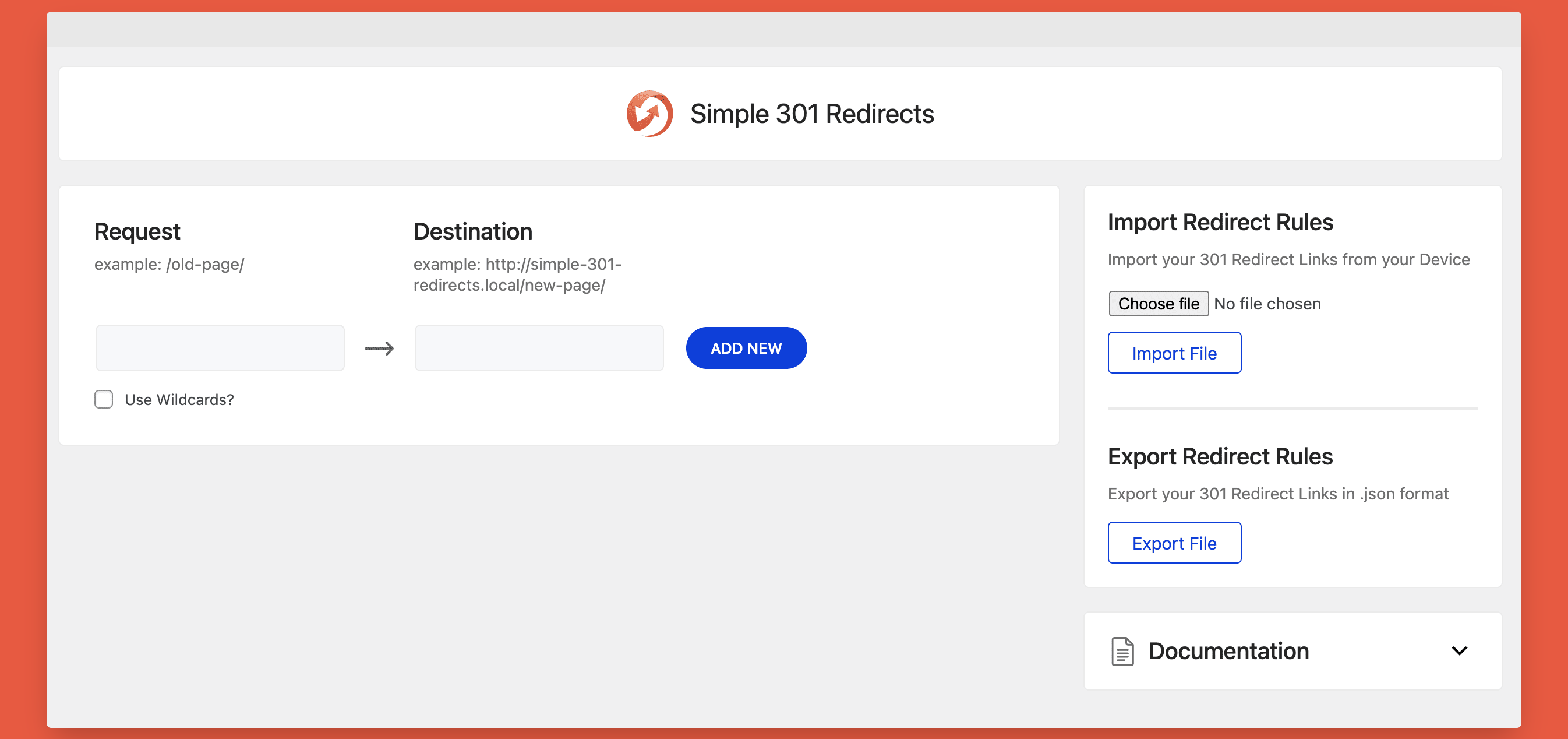
Simple 301 Redirects - Dashboard
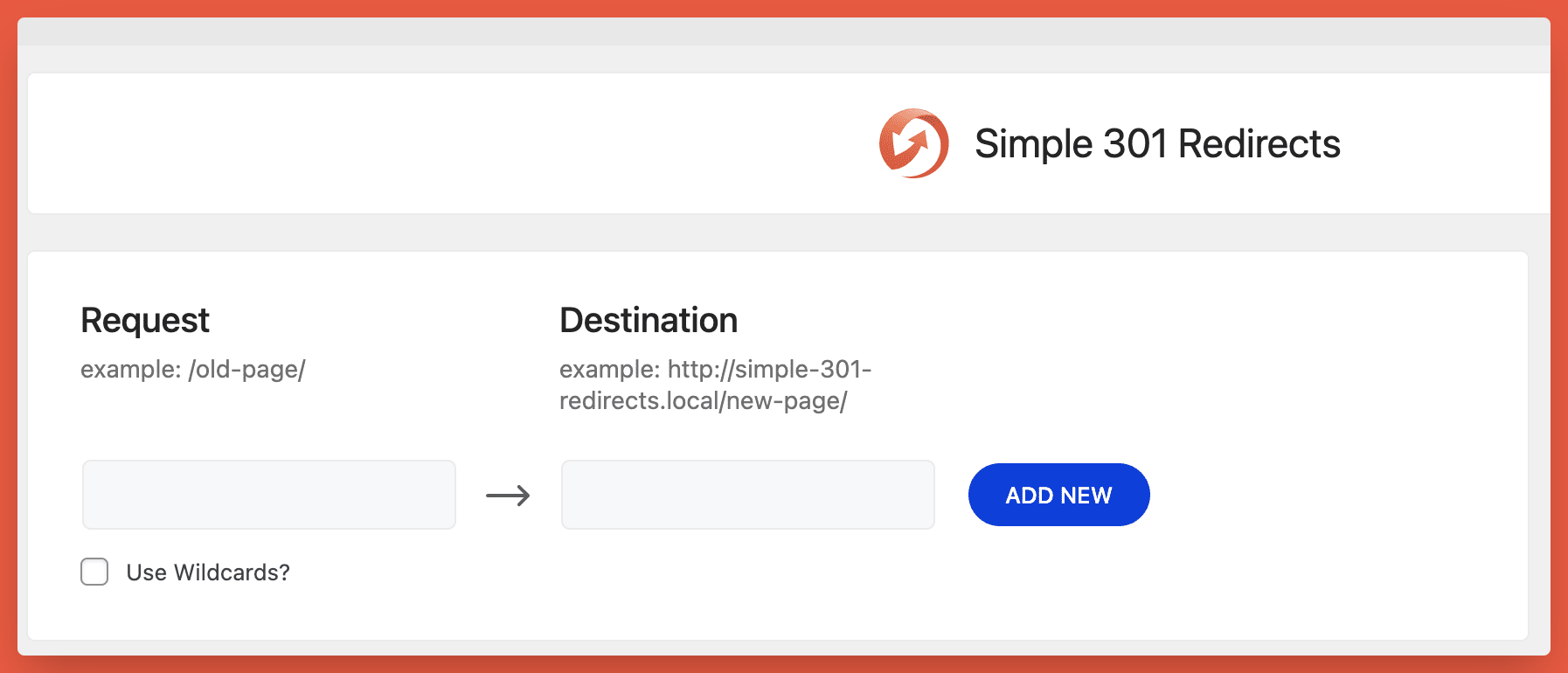
Simple 301 Redirects - Setup
Changelog
2.0.11 – 13/11/2024
- Tested up to WordPress version 6.7
- Few minor bug fix and improvements
2.0.10 – 16/07/2024
- Added: WordPress 6.6 Compatibility
- Few minor bug fix and improvements
2.0.9 – 27/09/2023
- Fixed: Import Related Issue.
- Few minor bug fix and improvements
2.0.8 – 30/08/2023
- Fixed: Vulnerability Issue.
- Few minor bug fix and improvements
2.0.7 – 13/09/2022
- Fixed: WP-CLI issue.
- Few minor bug fix and improvements
2.0.6 – 19/10/2021
- Added: CSV Import/Export option
- Few minor bug fix and improvements
2.0.5 – 08/07/2021
- Fixed: Http mixed content issue
- Added: AJAX Support in place of REST API
- Few minor bug fix and improvements
2.0.4 – 05/05/2021
- Improved: User role capabilities check in Ajax requests for security enhancements
- Few minor bug fix and improvements
2.0.3 – 18/04/2021
- Fixed: Redirects fail with trailing slash in the Request URL
- Improved: Import/Export feature for security enhancements
- Few minor bug fix and improvements
2.0.2 – 15/04/2021
- Fixed: Link Redirection not working when Shortend URL is shared on Facebook
- Fixed: Destination URL not fully visible on smaller devices
- Improved: Coding structure to enhance security
- Few minor bug fix and improvements
2.0.1 – 07/04/2021
- Few minor bug fix and improvements
2.0.0 – 01/04/2021
- Revamped: New UI/UX
- Added: Support for WordPress 5.7
- Added: Options to Export/Import Links
- Few minor bug fix and improvements
1.07
- Security Update – Better handling of posted data.
1.06
- Security Updates – Special thanks to Ryan Hellyer!
1.05
- Wildcard support
- Delete functiontionality
- On-page documentation
1.04
- Removed deprecated function calls
- Updated code to better match WordPress coding standards
- Updated handling of https protocol to prevent errors in certain server configurations
- Better support for destinations that start with a leading slash instead of the full domain
1.03
- Sorry for the double update. I forgot to check for PHP4 compatibility. Many people are still using PHP4, apparently, so this update is to fix compatibility with these legacy systems.
1.02
- Added support for special characters in non-english URLs.
- Fixed a case sensitivity bug.
1.01
- Updated redirect method to send headers directly rather than using wp_redirect() because it was sending 302 codes on some servers
1.0
- Initial Release