

Simple Custom Post Order
Order posts(posts, any custom post types) using a Drag and Drop Sortable JavaScript. Configuration is unnecessary.
Plugin info
Maintenance & Compatibility
Maintenance score
Maintained • Last updated 121 days ago • 565 reviews
Is Simple Custom Post Order abandoned?
Likely maintained (last update 121 days ago).
Compatibility
Developers
Languages
Similar & Alternatives
Explore plugins with similar tags, and compare key metrics like downloads, ratings, updates, support, and WP/PHP compatibility.
Description
Order posts (posts or any custom post types) using a Drag and Drop Sortable JavaScript. Configuration is unnecessary. You can do directly on default WordPress administration.
Excluding custom query which uses order or orderby parameters, in get_posts or query_posts and so on.
This plugins is now supported and maintained by Colorlib.
Installation
- Upload
plugin-name.phpto the/wp-content/plugins/directory - Activate the plugin through the ‘Plugins’ menu in WordPress
Frequently Asked Questions
An answer to that question.
Review feed
хороший плагин
Tested also this, looks good but nothing by smartphone
Best of its kind
Excellent
Does What It Promises, Easy To Use Sorting Mechanism
Screenshots
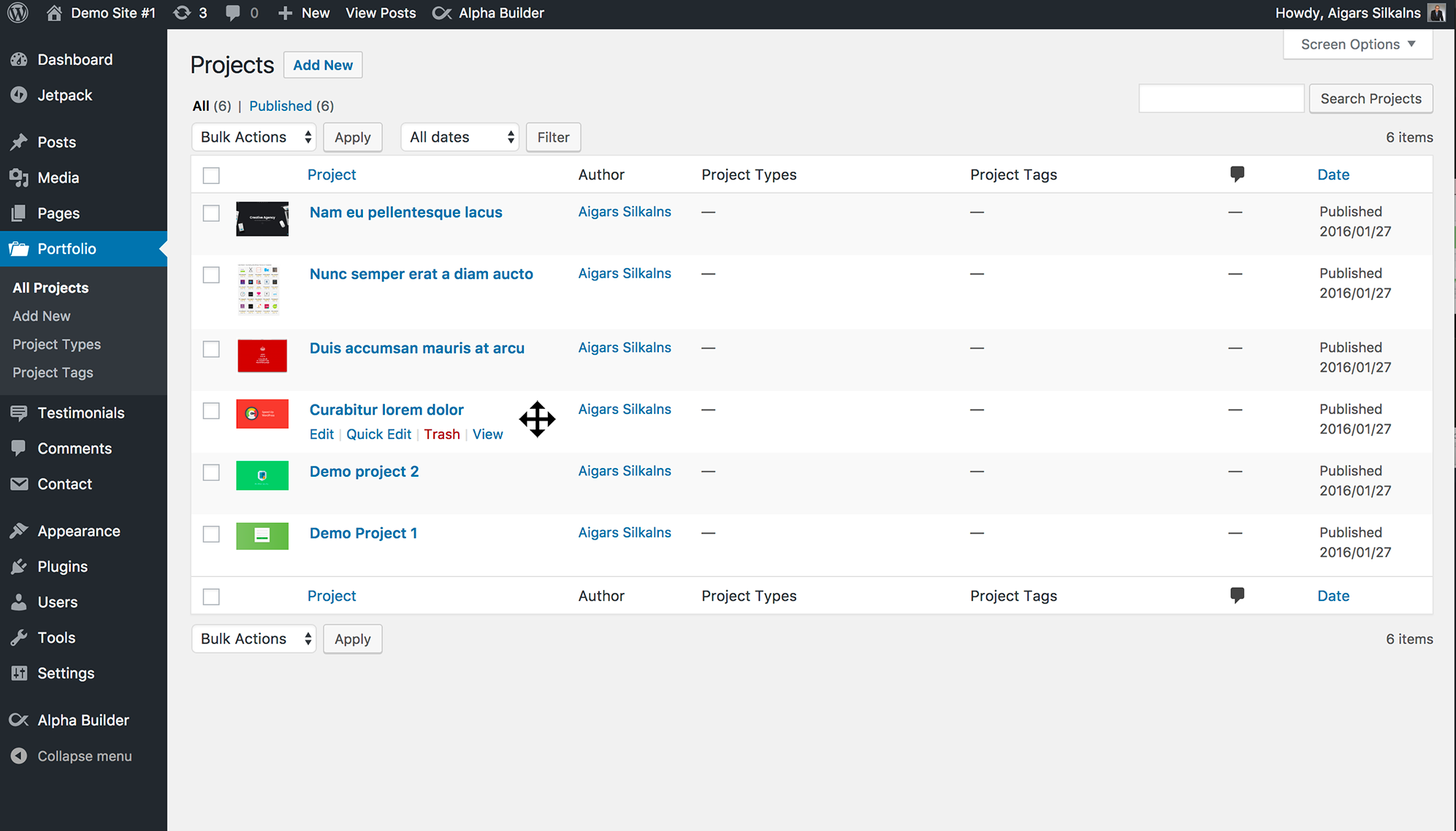
Order Custom Posts
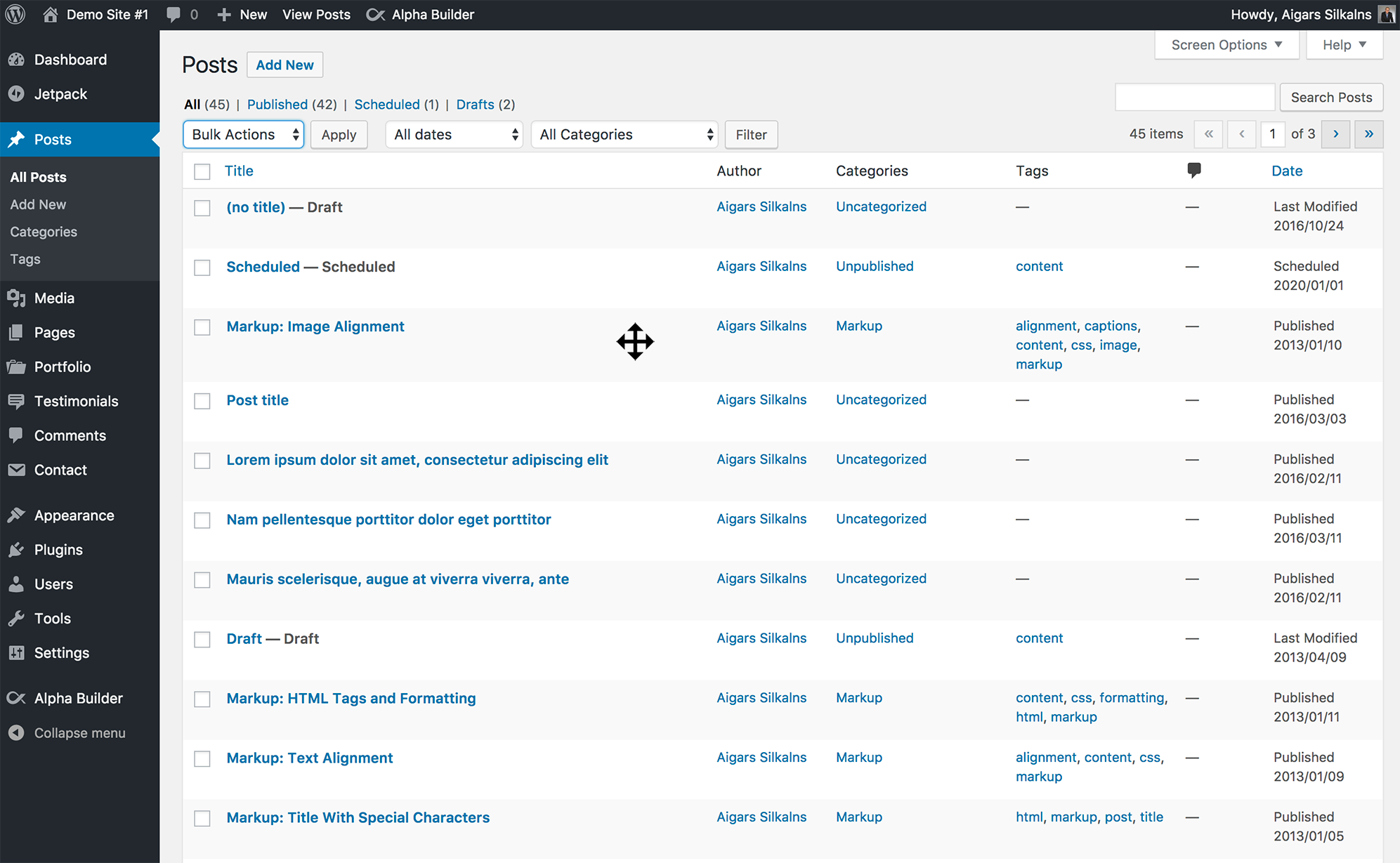
Order Posts
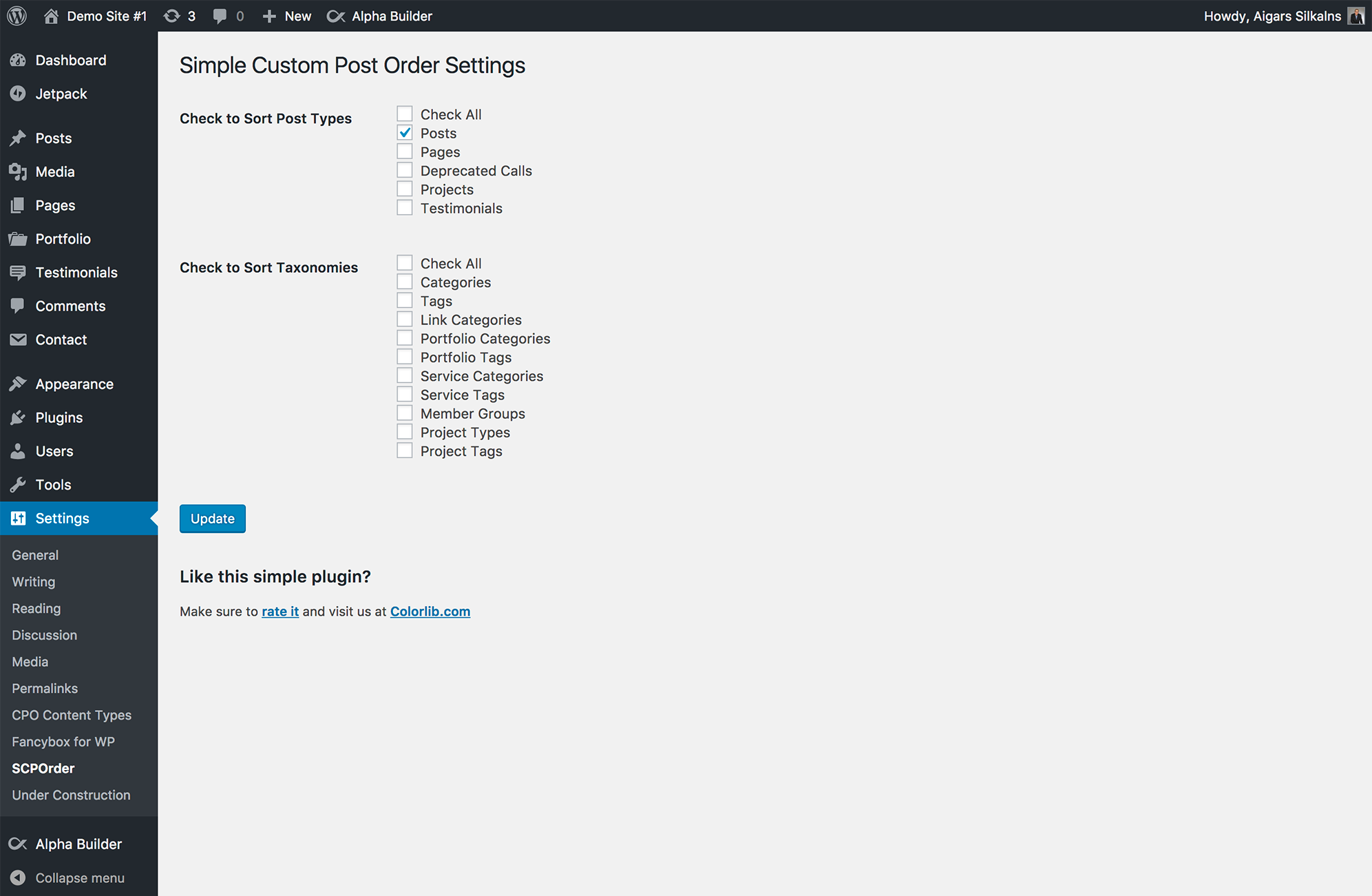
Settings
Changelog
Version 2.5.11 – 23.06.2025
- Deactivated custom sort order on search results pages.
Version 2.5.10 – 04.12.2024
- Fix Notice: _load_textdomain_just_in_time.
Version 2.5.9 – 29.11.2024
- Allow editors to change posts order.
Version 2.5.8 – 10.10.2024
- Security update
Version 2.5.7 – 20.09.2023
- Security update fixing multiple issues
- Code cleanup for better performance
Version 2.5.6 – 27.05.2021
Changed : Revert to 2.5.4
Version 2.5.5 – 11.05.2021
Changed : Code Cleaning
Changed : Allow custom orderby in Block Preview ( https://github.com/ColorlibHQ/simple-custom-post-order/issues/98 )
Version 2.5.4 – 05.03.2021
Changed: Improved Performance ( https://github.com/ColorlibHQ/simple-custom-post-order/issues/105 )
Version 2.5.3
- Modified deprecated jQuery functions.
Version 2.5.2
- Modified deprecated JQuery function to improve compatibility with WordPress 5.5
- Fixed an issue where posts would be in reverse order after resetting the order
Version 2.5.1
- Improve fix for post list table width when sorting is enabled ( thanks to gedeminas )
- Fix for admin ajax overriding queries ( thanks to igritsay )
Version 2.5.0
- Fixed post list table width when sorting is enabled
- Review dismiss fix
Version 2.4.9
- Fixed “Post order not saving”
Version 2.4.8
- Add ability to reset order to post types
Version 2.4.7
- Fix undefined index when ordering terms
- Added filter for post types args shown in settings page
- Added extra option for advanced view of post types
Version 2.4.6
- Removed dashboard news widget
Version 2.4.5
- Added 2 action hooks that trigger at
update_menu_order_tagsandupdate_menu_order( https://github - Fix issue with sorting (https://github.com/ColorlibHQ/simple-custom-post-order/issues/49)
- Fix edit page layout when no item found
Version 2.4.4
- Fix for slow javscript in admin( https://github.com/ColorlibHQ/simple-custom-post-order/issues/46 )
- Fix database error( https://github.com/ColorlibHQ/simple-custom-post-order/issues/36 )
Version 2.4.3
- Minor UI update added toggles
Version 2.4.2
- Fixed potential bug with other plugins
- Fixed table breaking on re-ordering when Yoast SEO installed
Version 2.4.1
- Fixed translations
Version 2.4.0
- Optimized our db queries ( https://wordpress.org/support/topic/update-optimization/ )
Version 2.3.9
- Added button to dismiss the admin notice
Version 2.3.8
- Fixed white screen ( https://wordpress.org/support/topic/white-screen-after-upgrade-to-2-3-6/ )
Version 2.3.7
- Fixed white screen ( https://wordpress.org/support/topic/white-screen-after-upgrade-to-2-3-6/ )
Version 2.3.6
- Fixed https://github.com/ColorlibHQ/simple-custom-post-order/issues/3
Version 2.3.5
- Fixed https://github.com/ColorlibHQ/simple-custom-post-order/issues/12
Version 2.3.4
- Removed deprecated function “screen_icon”
Version 2.3.2 (17-03-2017)
- Minor documentation and readme tweaks
Version 2.3 (24-03-2014)
- Fixed major bug on taxonomy and post order
Version 2.2 (02-07-2014)
- Fixed bug: Custom Query which uses ‘order’ or ‘orderby’ parameters is preferred
- It does not depend on the designation manner of arguments( Parameters ). ( $args = ‘orderby=&order=’ or $args = array( ‘orderby’ => ”, ‘order’ => ” ) )
- Previous Versions Issues were Improved.
- Removed Taxonomy Sort( Will add in next Version 🙂 )
Version 2.1 (31-12-2013)
- Prevent Breaking autocomplete
Version 2.0 (22-11-2013)
- Fixed Undefined Notice Error in wp version 3.7.1
- Taxonomy Activate Checkbox removed.
Version 1.5 (25-07-2013)
- Fix : fix errors
- Added Taxonomy Sort
- Added Taxonomy Sort option In setting Page
Version 1.0 (20-07-2013)
- Initial release.