

Simple Export to Markdown
Adds a Gutenberg editor panel to export any post or page content to Markdown format (.md file or clipboard).
Plugin info
Maintenance & Compatibility
Maintenance score
Actively maintained • Last updated 76 days ago
Is Simple Export to Markdown abandoned?
Likely maintained (last update 76 days ago).
Compatibility
Similar & Alternatives
Explore plugins with similar tags, and compare key metrics like downloads, ratings, updates, support, and WP/PHP compatibility.
Description
Simple Export to Markdown adds a small, useful panel inside the WordPress block editor.
With a single click, you can export the current post or page to Markdown — either download a .md file or copy it directly to the clipboard.
The plugin uses the Turndown library to accurately convert Gutenberg blocks into Markdown syntax, preserving headings, paragraphs, images, lists, quotes, and other standard content.
Features
- Export any Gutenberg post or page directly to Markdown.
- Two modes: Download .md or Copy to Clipboard.
- Auto-generated YAML front matter (
title,slug,date,categories,tags). - Works natively inside the block editor — no admin pages or complex settings.
- Lightweight (under 14 KB of JS), no tracking, no external API calls.
Requirements
- WordPress 6.0 or newer.
- PHP 7.4 or newer.
- Active Gutenberg (block) editor.
License
This plugin is open-source software licensed under the GPLv2 (or later).
© 2025 Pavel Sherer
Installation
- Upload the plugin folder to your
/wp-content/plugins/directory, or install the plugin directly via the WordPress Plugins screen. - Activate the plugin through the “Plugins” menu in WordPress.
- Open any post or page in the Gutenberg editor — you’ll see a new sidebar panel named Export to Markdown.
- Click Download .md to save a Markdown file, or Copy Markdown to copy the generated text into your clipboard.
Frequently Asked Questions
In the Gutenberg editor sidebar (click the Settings icon if the sidebar is hidden), under a panel titled “Export to Markdown”.
No. The plugin only works in the modern block (Gutenberg) editor.
Yes. Custom blocks will be serialized as HTML before Markdown conversion. Standard HTML will appear correctly in your Markdown output.
No. All conversion and download happen locally in your browser for security and privacy.
Review feed
Screenshots
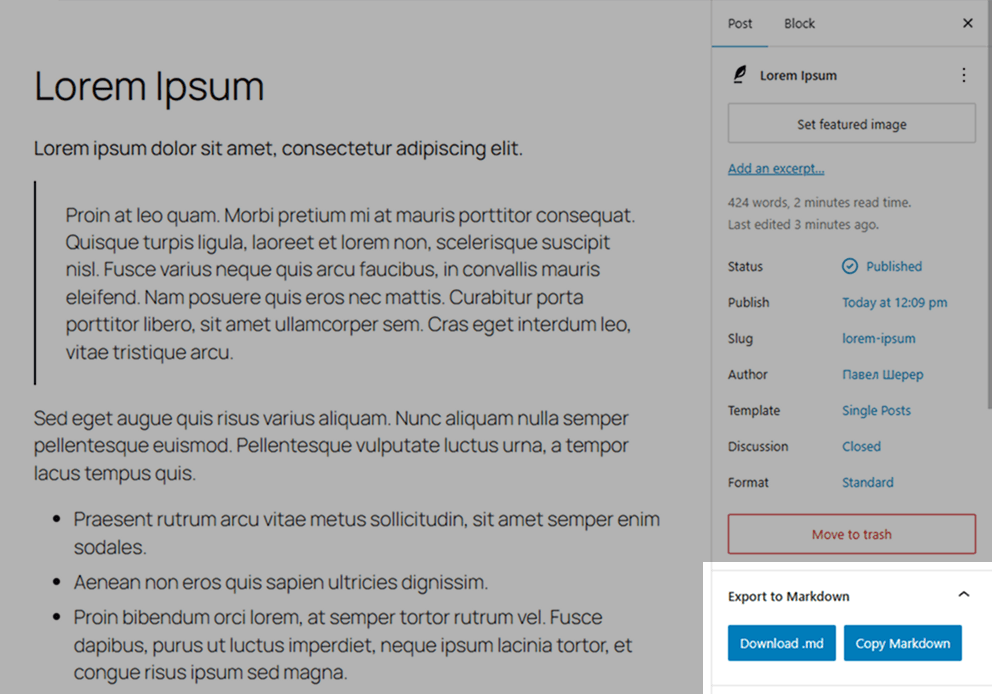
Gutenberg editor with the Export to Markdown panel in the right sidebar.
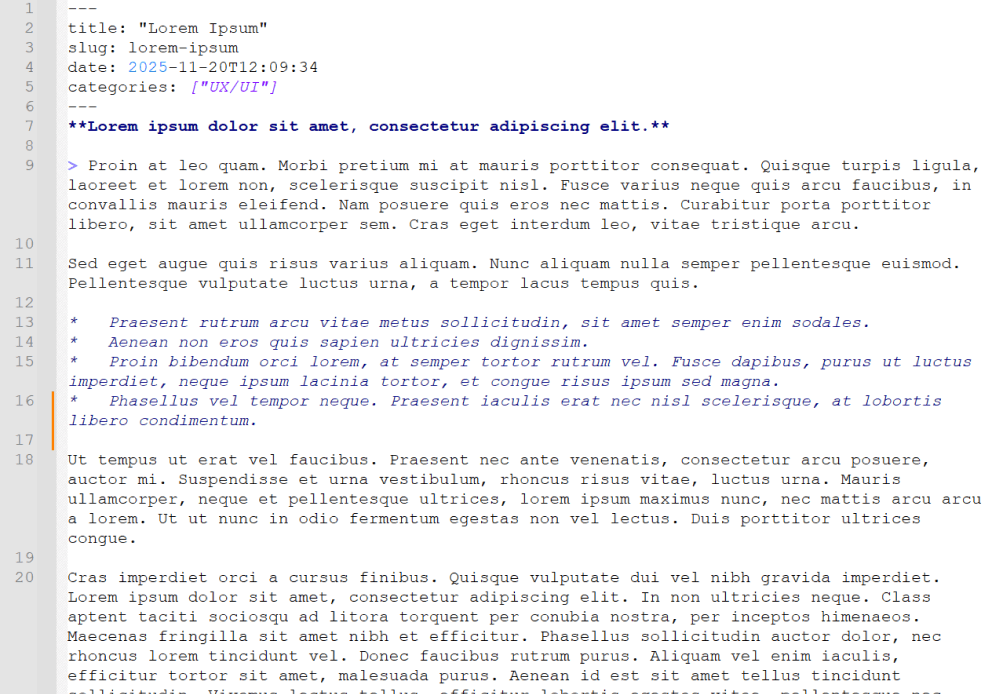
Example Markdown file with generated YAML front matter.