

Simple Floating Menu
Simple Floating Menu add a simple floating button with various layouts and settings.
Plugin info
Maintenance & Compatibility
Maintenance score
Maintained • Last updated 173 days ago • 37 reviews
Is Simple Floating Menu abandoned?
Likely maintained (last update 173 days ago).
Compatibility
Similar & Alternatives
Explore plugins with similar tags, and compare key metrics like downloads, ratings, updates, support, and WP/PHP compatibility.
Description
Simple Floating Menu is a free WordPress plugin that allows you to add a floating sticky menu with icons and tool tips with various designs.
The plugin has 5 sets of icons pack with total of more than 5000+ icon to choose from to display the floating menu and interestingly you can add unlimited menu icon buttons. You can show the menu in 8 different positions with 9 different button shapes.
Want to test the dashboard settings without installing on your website? Test Dashboard Settings Here
Main features
- Custom Icons – 5 icon pack with 10,000+ icons to choose
- Unlimited Menu Items
- Option to show is same tab or new tab
- 8 different position to display
- 9 different button shapes to choose
- Customize button with height/width, icon size, color of buttons and toot tip text fonts
- 600+ Google fonts to choose from for the toot tip text
- Add internal, external or one page scrolling links
- Export/Import Settings to transfer settings from one to another website
Premium Upgrade
For premium upgrade, please click below link
Super Floating and Fly Menu | Premium Demos
Installation
The easy way to install the plugin is via WordPress.org plugin directory.
- Go to WordPress Dashboard > Plugins > Add New
- Search for “Simple Floating Menu” and install the plugin.
- Activate Plugin from “Plugins” menu in WordPress.
Frequently Asked Questions
You can report security bugs through the Patchstack Vulnerability Disclosure Program. The Patchstack team help validate, triage and handle any security vulnerabilities. Report a security vulnerability.
Review feed
Screenshots
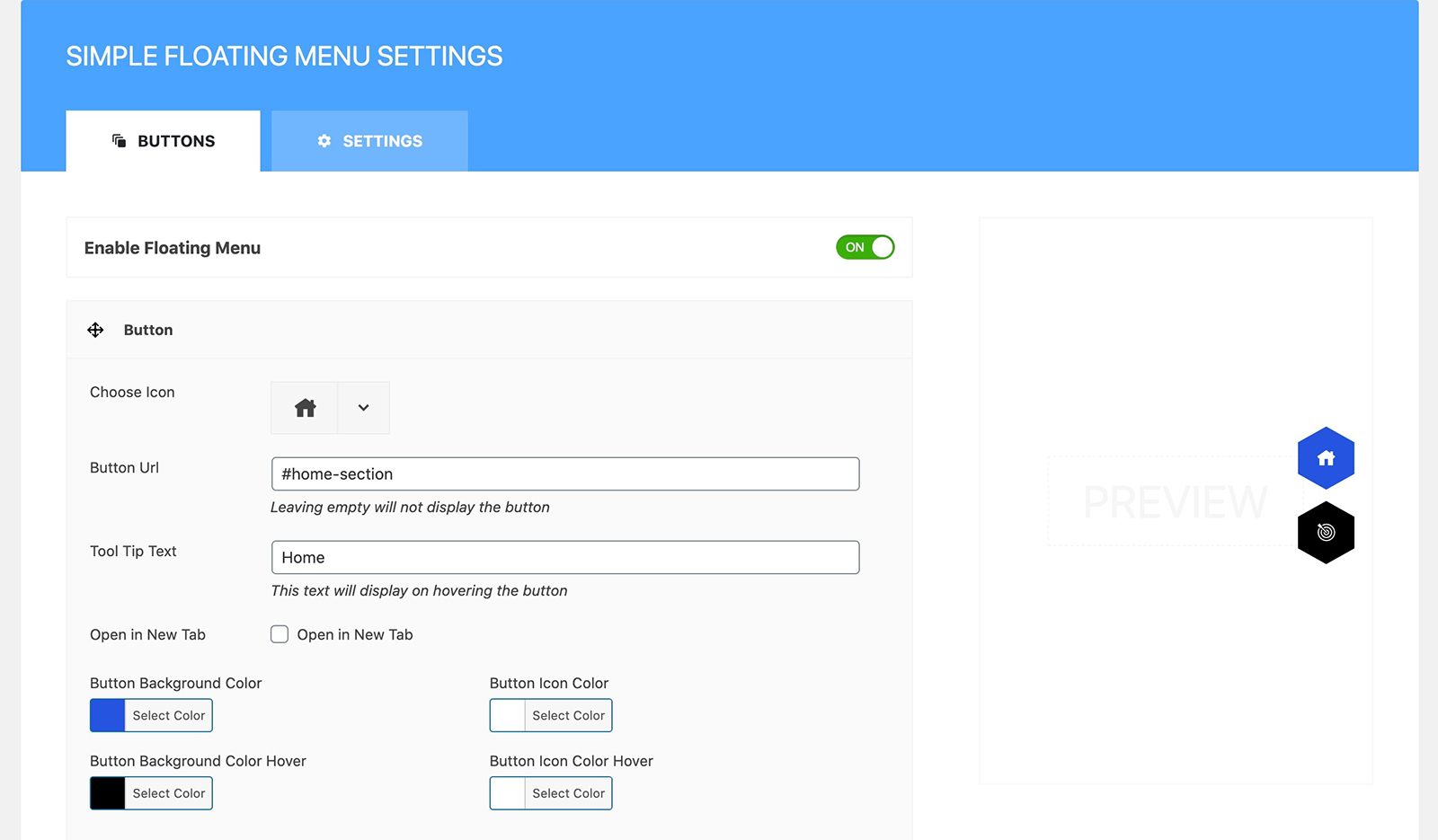
Admin Panel of Simple Floating Menu
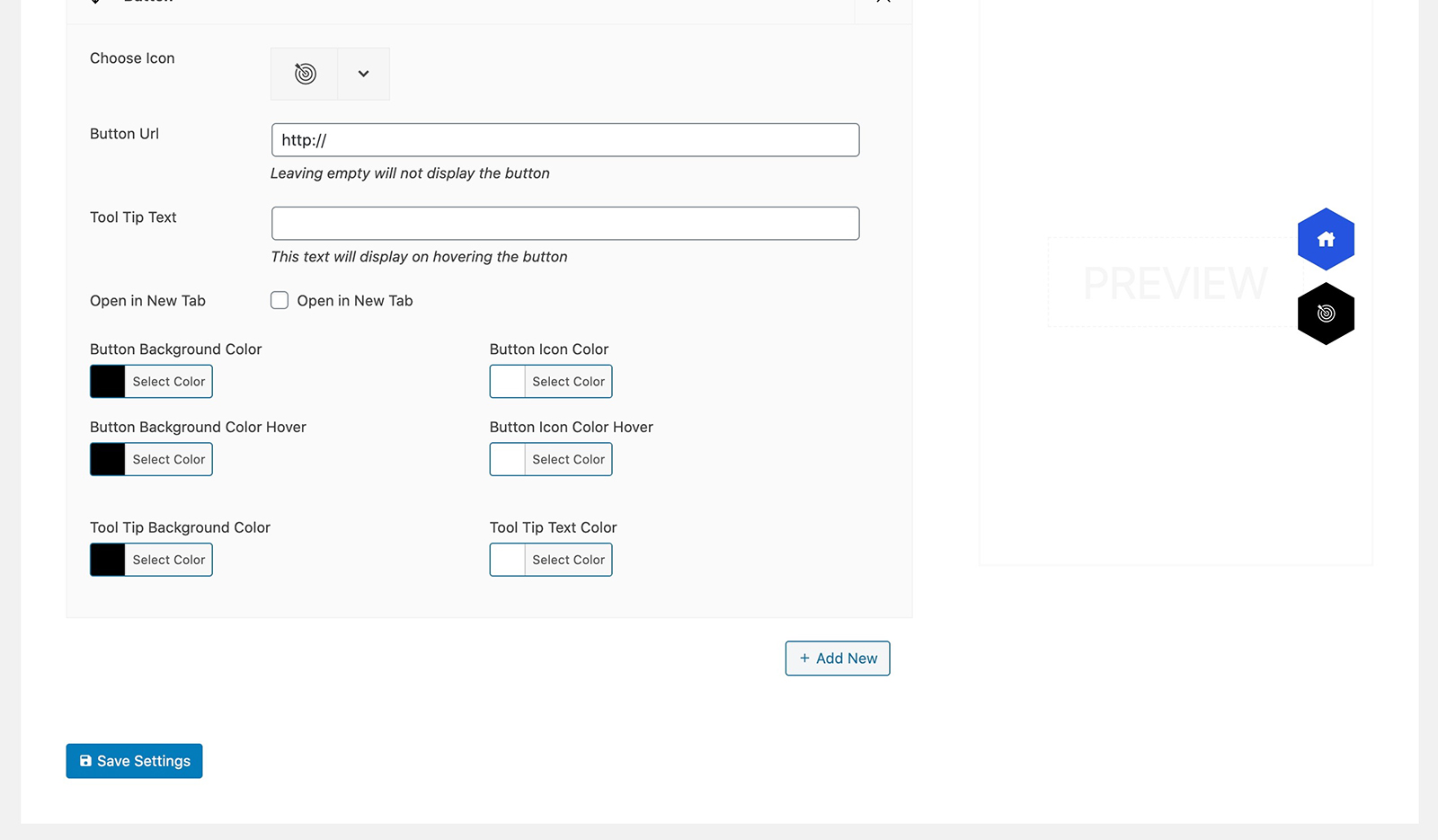
Admin Panel of Simple Floating Menu
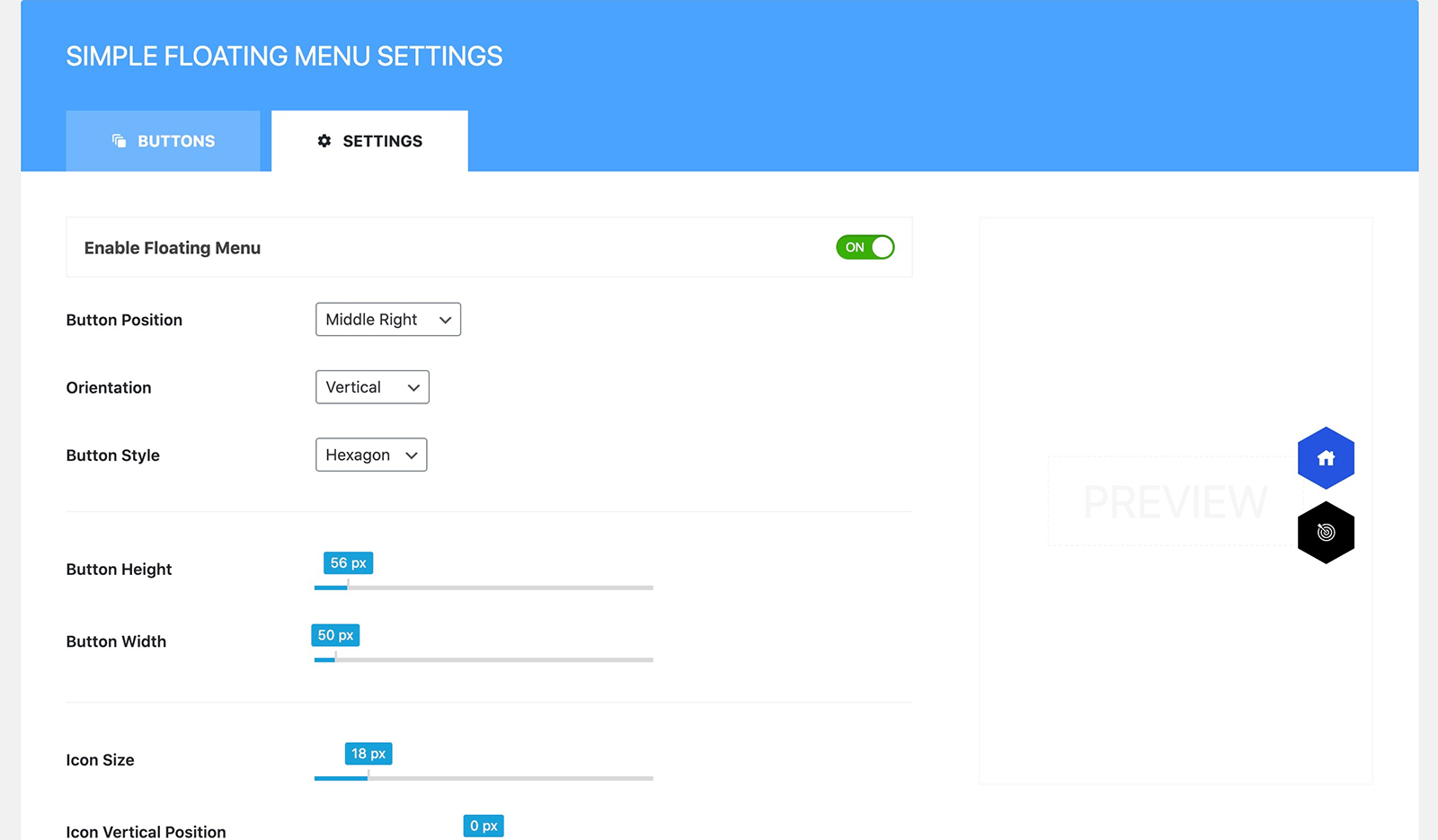
Admin Panel of Simple Floating Menu
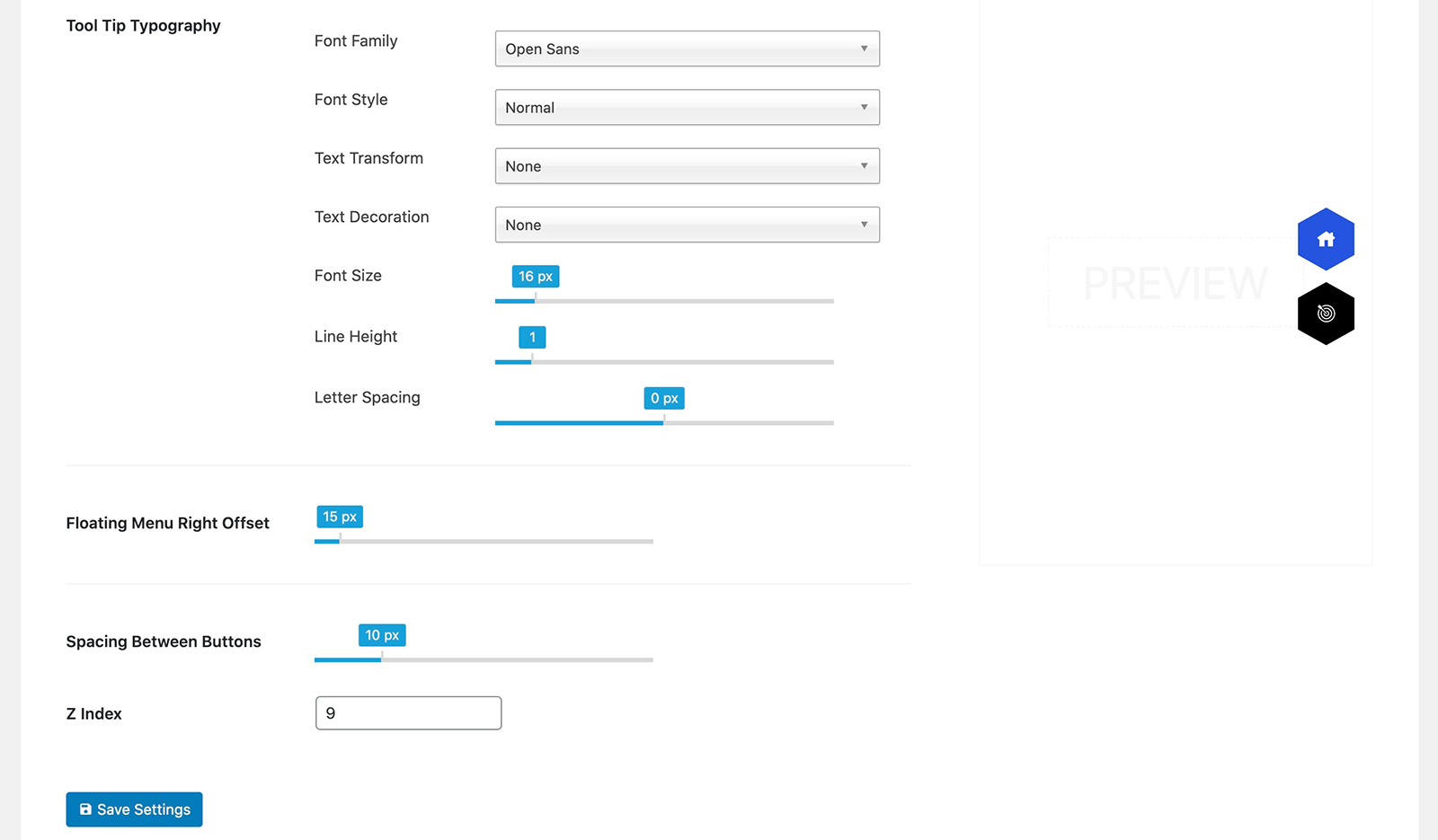
Changelog
= 1.3.1 – 10 Oct, 2025
* Security Bug fixes
* Translation fixes
= 1.3.0 – 3 Mar, 2025
* Translation fixes
= 1.2.9 – 12 Nov, 2024
* File formating
= 1.2.8 – 20 Jul, 2024
* Compatibility test with latest WordPress 6.6
= 1.2.7 – 02 Jan, 2024
* Compatibility test with latest WordPress
= 1.2.6 – 02 Sep, 2023
* Fontawesome icon updated with twitter new icon
= 1.2.5 – 31 Aug, 2023
* Compatibility test with WordPress v6.3
= 1.2.4 – 8 May, 2023
* Design fixes for RTL
= 1.2.3 – 8 May, 2023
* Minor Design fixes for RTL
= 1.2.2 – 1 May, 2023
* Floating Menu displaying in widget fixed
= 1.2.1 – 10 Apr, 2023
* Minor Fixes
* Compatibility test with WordPress v6.2.2
= 1.2.0 – 03 Mar, 2023
* Prefix issue on essential font icon fixed
= 1.1.9 – 03 Mar, 2023
* Prefix removed from font icons wp_enqueue_style
= 1.1.8 – 28 Feb, 2023
* Font Icons updated
= 1.1.7 – 10 Jan, 2023
* Icon Picker bug fixed
= 1.1.6 – 12 Dec, 2022
* Google fonts for typography updated
* Minor design fixes
= 1.1.5 – 16 Sep, 2022
* Icon not displaying in dashboard menu fixed
* Setting panel first tab not active issue fixed
* Selective display of dynamic styles in setting page only in admin dashboard
= 1.1.4 – 31 Aug, 2022
* Design issue in admin notice fixed
= 1.1.3 – 13 Aug, 2022
* Added shadow option for buttons
* Option to load the Google fonts locally to comply with GDPR
* Notice to review the plugin – Added
= 1.1.2 – 31 May, 2022
* Added hooks for developers
= 1.1.1 – 23 May, 2022
* Minor Javascript bug – fixed
= 1.1.0 – 22 May, 2022
* Option to Import/Export Settings – Added
= 1.0.9 – 28 Jan, 2022
* Slow loading of font icon list when switching font pack – fixed
* Compatibility issue with latest WordPress v5.9 fixed
= 1.0.8 – 12 Dec, 2021
* All font icons updated to latest version
* Files and codes minimized for better performance
= 1.0.7 – 24 Oct, 2021
* Stable tag updated.
= 1.0.6 – 06 Oct, 2021
* Simple Floating Menu displaying in the new gutenberg widget page fixed.
= 1.0.5 – 13 Apr, 2021
* Minor Design fixes in admin panel
1.0.4
- Minor Changes and Pro Version Upgrade Banner
1.0.3
12 Oct, 2020
* Design issue in the ToolTip pointer arrow of the Edit Button for various position/orientation fixed
1.0.2
- Added setting button in front end with disable option in the admin
1.0.1
- Added Option to enable/disable floating menu
- Admin panel design refinement
1.0
- Release