

Simple Maintenance
Display a simple maintenance mode page while your site is undergoing scheduled maintenance
Plugin info
Maintenance & Compatibility
Maintenance score
Possibly abandoned • Last updated 505 days ago • 11 reviews
Is Simple Maintenance abandoned?
Possibly abandoned (last update 505 days ago).
Compatibility
Developers
Similar & Alternatives
Explore plugins with similar tags, and compare key metrics like downloads, ratings, updates, support, and WP/PHP compatibility.
Description
Simple Maintenance plugin can be easily installed to show a maintenance mode page. It allows you to maintain your site on the back end by displaying a temporary maintenance page on the front end.
The plugin does not require any additional configuration or setup. All you need to do is activate it and maintenance mode will be automatically enabled. It is very lightweight yet powerful. It uses the HTML5 layout which makes the maintenance mode page viewable from a mobile device.
Features
- Clean HTML and CSS layout
- Responsive maintenance mode page
- No customizations required
- Easier to manage as the maintenance mode can be turned on by activating the plugin
- Notify the search engine crawler that the site is down for a limited period of time
For more information please check the WordPress Maintenance Mode Plugin documentation page
Installation
- Go to the Add New plugins screen in your WordPress Dashboard
- Click the upload tab
- Browse for the plugin file (simple-maintenance.zip) on your computer
- Click “Install Now” and then hit the activate button
Frequently Asked Questions
Yes.
Review feed
Great plugin
Screenshots
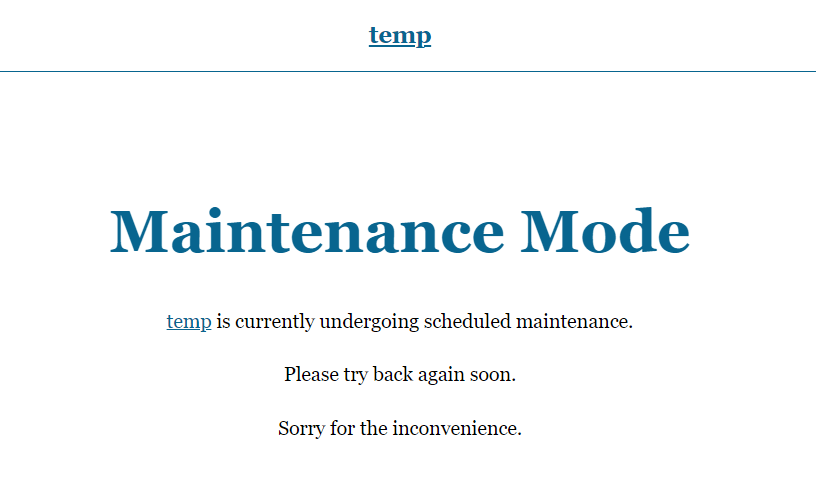
Maintenance Mode Page
Changelog
1.0.4
- WordPress 6.3 compatibility update.
1.0.3
- Added translation option
- Simple Maintenance is now compatible with WordPress 4.4
1.0.2
- Simple Maintenance is now compatible with WordPress 4.3
1.0.1
- First commit