
Maintenance 22/1001602d since update
Active installs
20
Downloads
1,419
Reviews
3
Age
7.5y
Plugin info
Total downloads: 1,419
Active installs: 20
Total reviews: 3
Average rating: 5
Support threads opened: 0
Support threads resolved: 0 (0%)
Available in: 1 language(s)
Contributors: 2
Last updated: 11/13/2021 (1602 days ago)
Added to WordPress: 9/20/2018 (7 years old)
Minimum WordPress version: 3.0.1
Tested up to WordPress version: 5.8.10
Minimum PHP version: 5.4
Maintenance & Compatibility
Maintenance score
Possibly abandoned • Last updated 1602 days ago • 3 reviews
22/100
Is Site Sticky Notes abandoned?
Possibly abandoned (last update 1602 days ago).
Compatibility
Requires WordPress: 3.0.1
Tested up to: 5.8.10
Requires PHP: 5.4
Similar & Alternatives
Explore plugins with similar tags, and compare key metrics like downloads, ratings, updates, support, and WP/PHP compatibility.
Dashboard Sticky Notes
Rating 5.0/5 (12 reviews) • Active installs 2,000
Sticky Notes for WP Dashboard
Rating 5.0/5 (6 reviews) • Active installs 800
Custom Sticky Notes
Rating 3.0/5 (2 reviews) • Active installs 10
ASN(Admin Sticky Notes)
Rating 5.0/5 (1 reviews) • Active installs 0
Ultimate Sticky Notes
Rating 0.0/5 (0 reviews) • Active installs 0
Quick Web Notes
Rating 0.0/5 (0 reviews) • Active installs 0
Description
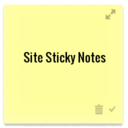
Communicate and collaborate by leaving sticky notes on any page of your site. Drag and drop them anywhere you’d like, type a note, and change its color/priority.
This plugin is a fork of StickyNotate https://wordpress.org/plugins/stickynotate/
Here’s how it works:
- While signed in, go to any page on your site
- Click the Add Note button in the admin bar at the top of the screen
- Click and grab the top of the note to move it anywhere on the page
- Type your note text
- Click the save button in the lower right of your note to keep your changes
Installation
- Upload
site-sticky-notesfolder to the/wp-content/plugins/directory - Activate the plugin through the ‘Plugins’ menu in WordPress
- Find Site Sticky Notes in your WordPress admin under Site Notes
Frequently Asked Questions
Auto-save notes when changed, file uploads, more management and collaboration options, admin sorting by priority and assignment, and more! We’re always open to suggestions so let us know what you think.
Review feed
No reviews available
Screenshots


Changelog
No changelog available