

AI Auto translate for Polylang : Skylang
Auto-translate Polylang posts and pages using AI. Bulk one-click translation.
Plugin info
Maintenance & Compatibility
Maintenance score
Stale • Last updated 228 days ago
Is AI Auto translate for Polylang : Skylang abandoned?
Likely maintained (last update 228 days ago).
Compatibility
Similar & Alternatives
Explore plugins with similar tags, and compare key metrics like downloads, ratings, updates, support, and WP/PHP compatibility.
Description
SkyLang is an essential tool for any website using the Polylang plugin. It eliminates the tedious process of manually creating translations for your content. With a single click, you can generate accurate translations for all your languages, directly from the posts screen.
Key Features
- One-Click Auto-Translation: Translate any post or page into all your Polylang languages with a single click.
- Bulk Translation: Select multiple posts and translate them all at once.
- Elementor Compatible: SkyLang performs a deep copy of your posts, preserving all Elementor layouts, custom fields, categories, tags, and featured images.
- SEO Meta Translation: Automatically translate meta descriptions and titles from popular SEO plugins like Yoast SEO, Rank Math, and All in One SEO.
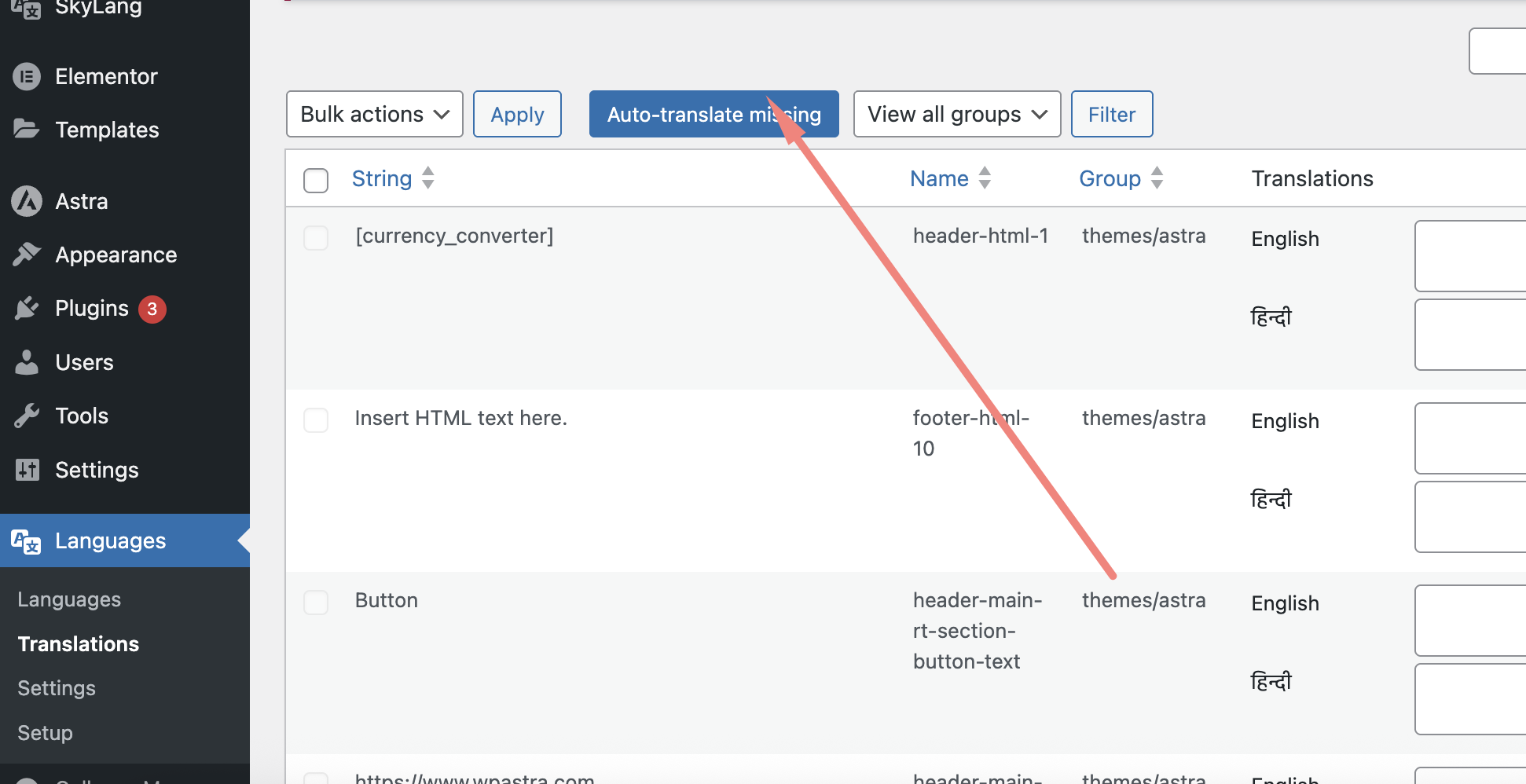
- String Translation: Automatically translate strings from your theme and plugins.
- Asynchronous and Stable: Translations are processed one by one in the background, preventing server overloads and timeouts.
- Clear Feedback: Get real-time progress updates and clear success or error messages.
How to Use
-
Setup API Key:
- Go to the Skylang settings page.
- Enter your Gemini AI API key.
- Choose a model.
-
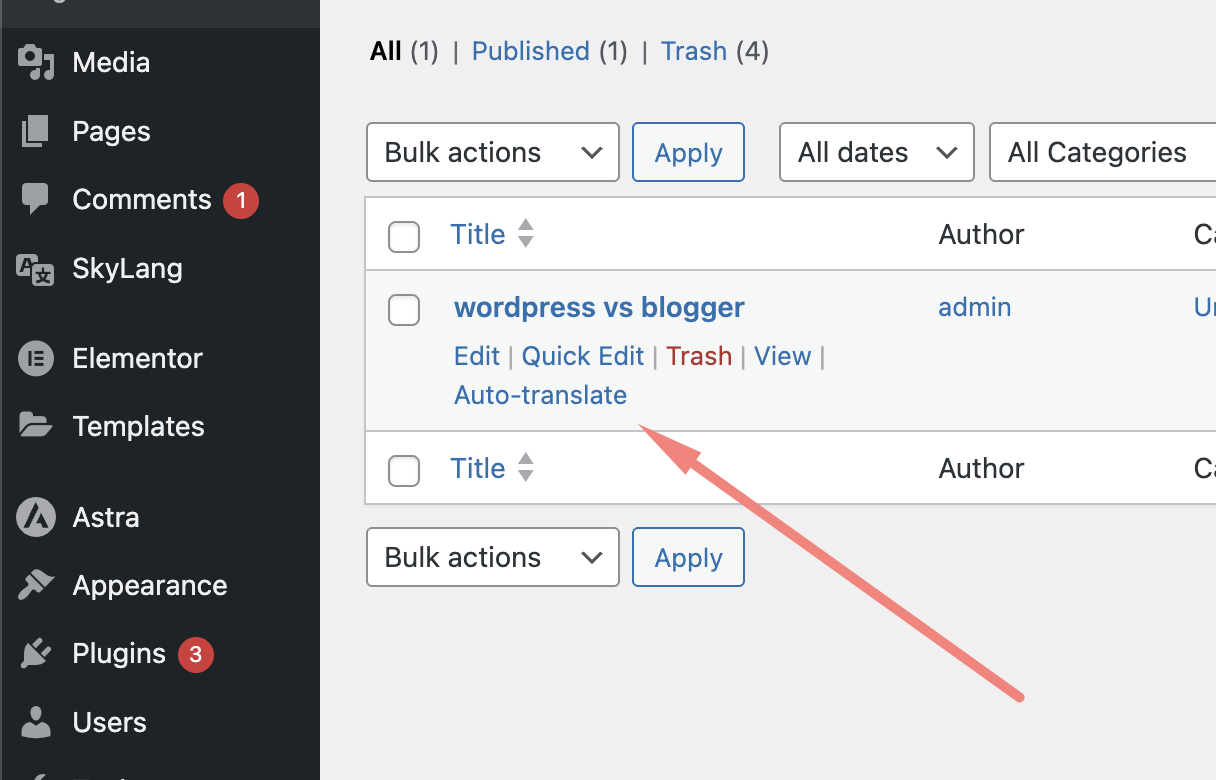
Single Post Translation:
- Go to Posts > All Posts.
- Hover over the post you want to translate and click the Auto-translate link.
-
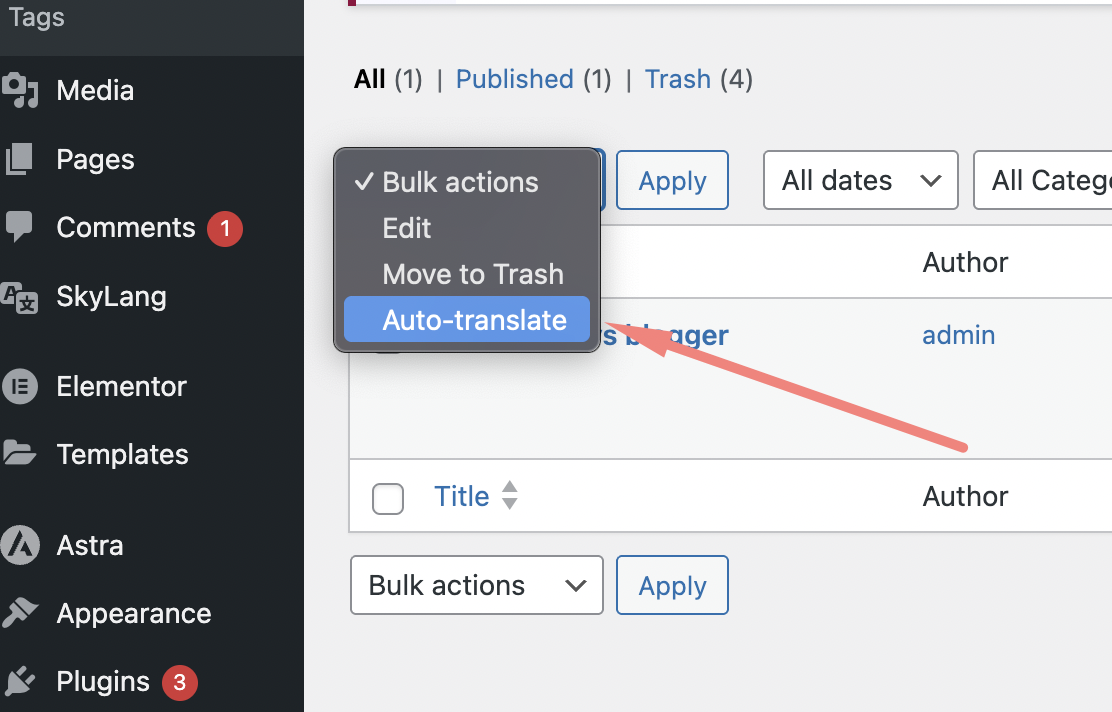
Bulk Translation:
- Go to Posts > All Posts.
- Select the posts you want to translate.
- From the Bulk Actions dropdown, choose Auto-translate and click Apply.
Privacy
This plugin uses a third-party API to translate content.
What data we send to third parties
When you use the auto-translation feature, this plugin sends the following data to the API:
* The content of your posts, pages, and custom post types
* The source and target languages for translation
This data is transmitted to the third-party for the sole purpose of translating your content through their service. The data is not stored permanently by the third-party beyond what is required to provide the translation service.
How the third-party uses your data
Please review the third-party’s privacy policy for complete details on how your data is handled.
Installation
- Upload the
skylang-auto-translatorfolder to the/wp-content/plugins/directory. - Activate the plugin through the ‘Plugins’ menu in WordPress.
- Go to Settings > SkyLang: Auto translator for Polylang and enter your API key.
Frequently Asked Questions
You can get your API key from https://aistudio.google.com/ – Google provides free usage limits for their AI services.
Yes, Google AI Studio provides free usage limits. You can start translating your content without any upfront costs, though there may be usage limits depending on your volume.
Yes, SkyLang is designed to work with any page builder that stores its data in custom fields. It has been tested with Elementor, but it should work with other popular page builders as well.
Review feed
Screenshots
Changelog
1.8.2
- Initial release.