

Translate Multilingual sites – TranslatePress
Translate your entire site directly from the front-end and go multilingual. Full support for WooCommerce, page builders + Google Translate integration
Plugin info
Maintenance & Compatibility
Maintenance score
Maintained • Last updated 128 days ago • Support resolved 86% • 1,575 reviews
Is Translate Multilingual sites – TranslatePress abandoned?
Likely maintained (last update 128 days ago).
Compatibility
Languages
Similar & Alternatives
Explore plugins with similar tags, and compare key metrics like downloads, ratings, updates, support, and WP/PHP compatibility.
Description
Experience a better way to translate your WordPress site and go multilingual, directly from the front-end using a visual translation interface.
TranslatePress is a WordPress translation plugin that anyone can use.
The interface allows you to easily translate the entire page at once, including output from shortcodes, forms and page builders. It also works out of the box with WooCommerce.
Built the WordPress way, TranslatePress – Multilingual is a GPL and self hosted translation plugin, meaning you’ll own all your translations, forever. It’s the fastest way to create a bilingual or multilingual site.
Multilingual & Translation Features
- Translate all your website content directly from the front-end, in a friendly user interface (translations are displayed in real-time).
- Fully compatible with all themes and plugins
- Live preview of your translated pages, as you edit them.
- Automatic translation support through TranslatePress AI Free, with a 2.000 AI words limit.
- Integrates with Google Translate, allowing you to set up unlimited automatic translations using your own Google API key.
- Fully customizable language switcher that you can display as a menu item, a floating dropdown, or place anywhere else using the Language Switcher block, or the [language-switcher] shortcode.
- Image translation support, for translating images, sliders and other media.
- Support for both manual and automatic translation
- Ability to translate dynamic strings (gettext) added by WordPress, plugins and themes.
- Translate larger html blocks by merging strings into translation blocks.
- Editorial control allowing you to publish your language only when all your translations are done
- Conditional display content shortcode based on language [trp_language language=”en_US”] English content only [/trp_language]
- Possibility to edit gettext strings from themes and plugins from English to English, without adding another language. Basically a string-replace functionality.
- Translate only certain paths and exclude content from being translated
- Translation Block feature in which you can translate multiple html elements together
- Native Gutenberg support, so you can easily translate Gutenberg blocks
- Out of the box WooCommerce compatibility
- Use our FREE Website Translation tool/widget to browse any website into your own language.
Note: this plugin uses the Google Translation API to translate the strings on your site. This feature can be enabled or disabled according to your preferences.
Users with administrator rights have access to the following settings:
- select default language of the website and one translation language, for bilingual sites
- choose whether language switcher should display languages in their native names or English name
- force custom links to open in current language
- enable or disable url subdirectory for the default language
- enable automatic translation via Google Translate
Powerful Translation Add-ons
TranslatePress – Multilingual has a range of premium Add-ons that allow you to extend the power of this WordPress translation plugin:
Pro Add-ons (available in the premium versions only)
- Full TranslatePress AI access – automatically translate your entire website without extra platforms to sign up for, API keys, and additional translation costs. Each premium version includes a set number of AI translated words you can use to instantly translate your site, saving you both time and money.
- Extra Languages – allows you to add an unlimited number of translation languages, with the possibility to publish languages later after you complete the translation
- SEO Pack – lets you translate meta information (like page title, description, url slug, image alt tag, Twitter and Facebook Social Graph tags & more) for boosting your multilingual SEO and increase traffic. Works with all popular SEO plugins.
- Translator Accounts – create or allow existing users to translate the site without admin rights
- Browse as User Role – view and translate content that is visible only to a particular user role
- Navigation Based on Language – configure and display different menu items for different languages
- Automatic User Language Detection – redirect first time visitors to their preferred language based on their browser settings or IP address
- DeepL Automatic Translation – The DeepL Automatic Translation add-on lets you automatically translate your website through the DeepL API
Keyboard Shortcuts
- CTRL ( ⌘ ) + S – Save translation for the currently editing strings
- CTRL ( ⌘ ) + ALT + Z – Discard all changes for the currently editing strings
- CTRL ( ⌘ ) + ALT + (Right Arrow) – Navigate to next string
- CTRL ( ⌘ ) + ALT + (Left Arrow) – Navigate to previous string
Website
Documentation
Visit TranslatePress WordPress Translation plugin documentation page
Add-ons
Demo Site
You can test out TranslatePress – Multilingual plugin by visiting our demo site
Installation
- Upload the translatepress folder to the ‘/wp-content/plugins/’ directory
- Activate the plugin through the ‘Plugins’ menu in WordPress
- Go to Settings -> TranslatePress and choose a translation language.
- Open the front-end translation editor from the admin bar to translate your site.
Frequently Asked Questions
All the translation are stored locally in your server’s database.
TranslatePress – Multilingual plugin works out of the box with WooCommerce, custom post types, complex themes and site builders, so you’ll be able to translate any type of content.
TranslatePress is easier to use and more intuitive altogether. No more switching between the editor, string translation interfaces or badly translated plugins. You can now translate the full page content directly from the front-end. This makes TranslatePress a great alternative to plugins like Polylang and WPML. For more details check out this WordPress Translation Plugin Comparison: TranslatePress vs WPML vs Polylang vs Gtranslate.
After installing the plugin, select your secondary language and click “Translate Site” to start translating your entire site exactly as it looks in the front-end.
TranslatePress will have little impact on your site speed. For more details see Top WordPress Translation Plugins Compared Based on Page Load Time
Yes, TranslatePress works out of the box with WooCommerce. You can use to build a multilingual WooCommerce store.
For more information please check out our documentation.
Review feed
Great plugin
Very Helpful!
TranslatePress does the job
We love many languages - easy possible with TranslatePress
The Best WordPress Translation Plugin
Screenshots

TranslatePress front-end visual translation editor in action
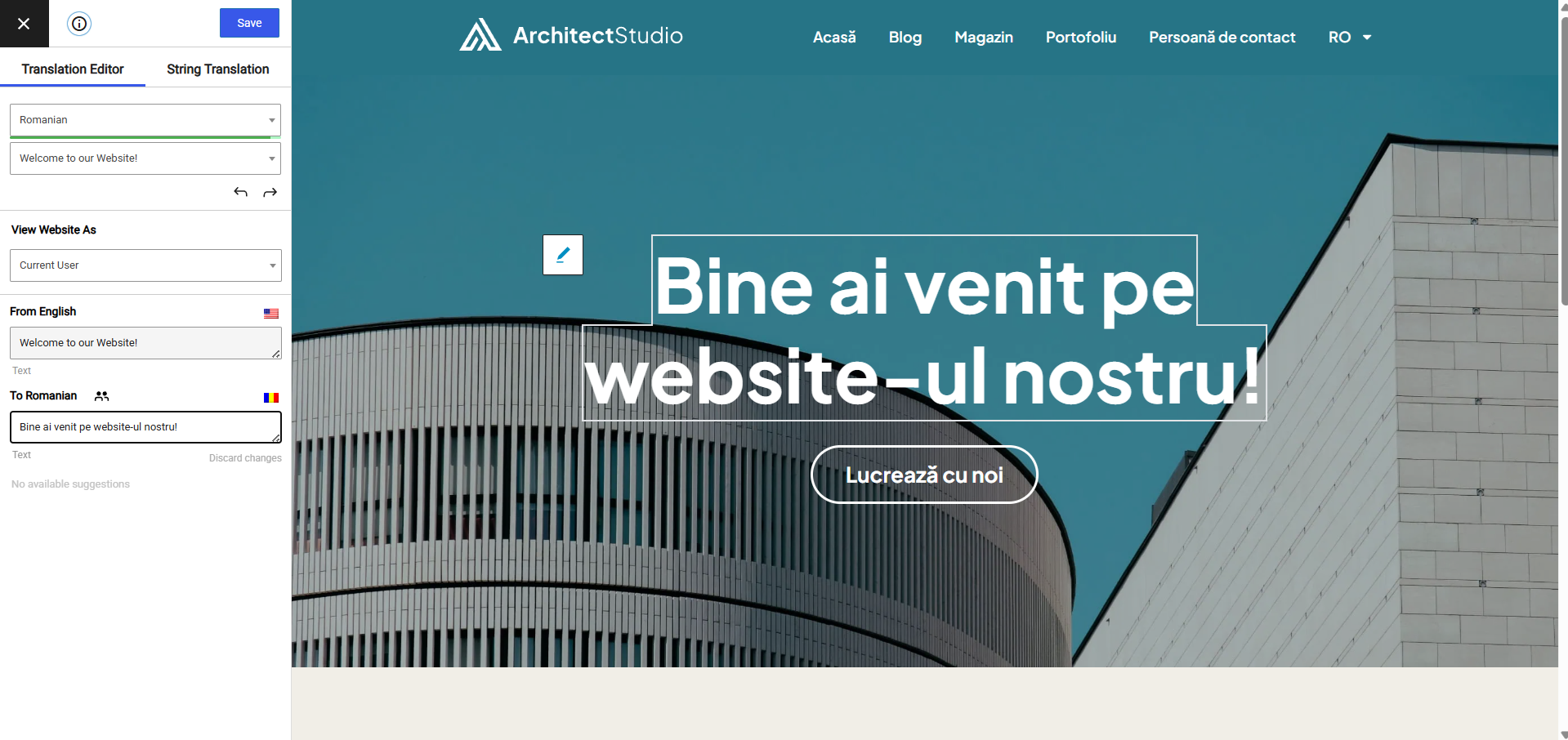
Front-end translation editor used to translate the entire page content
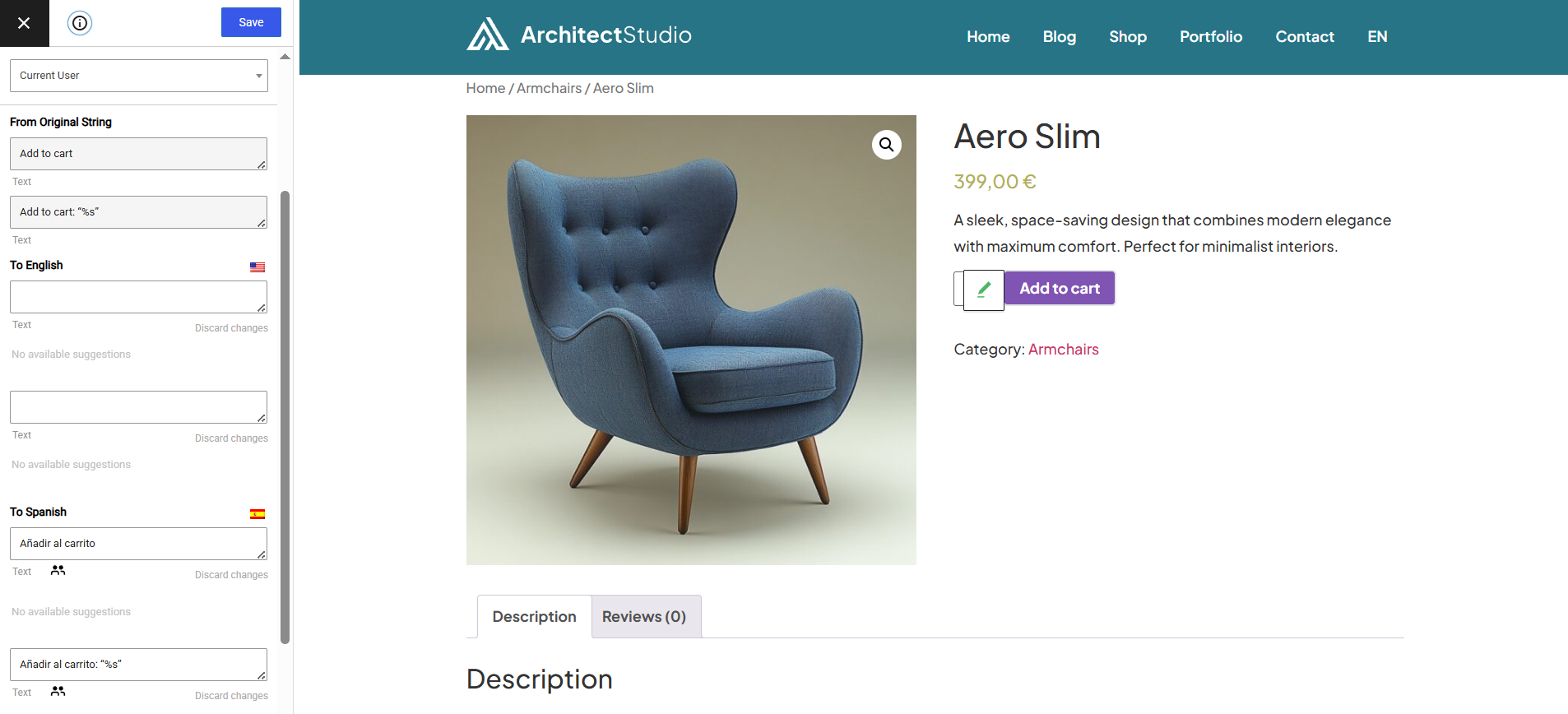
How to translate a dynamic string (gettext)
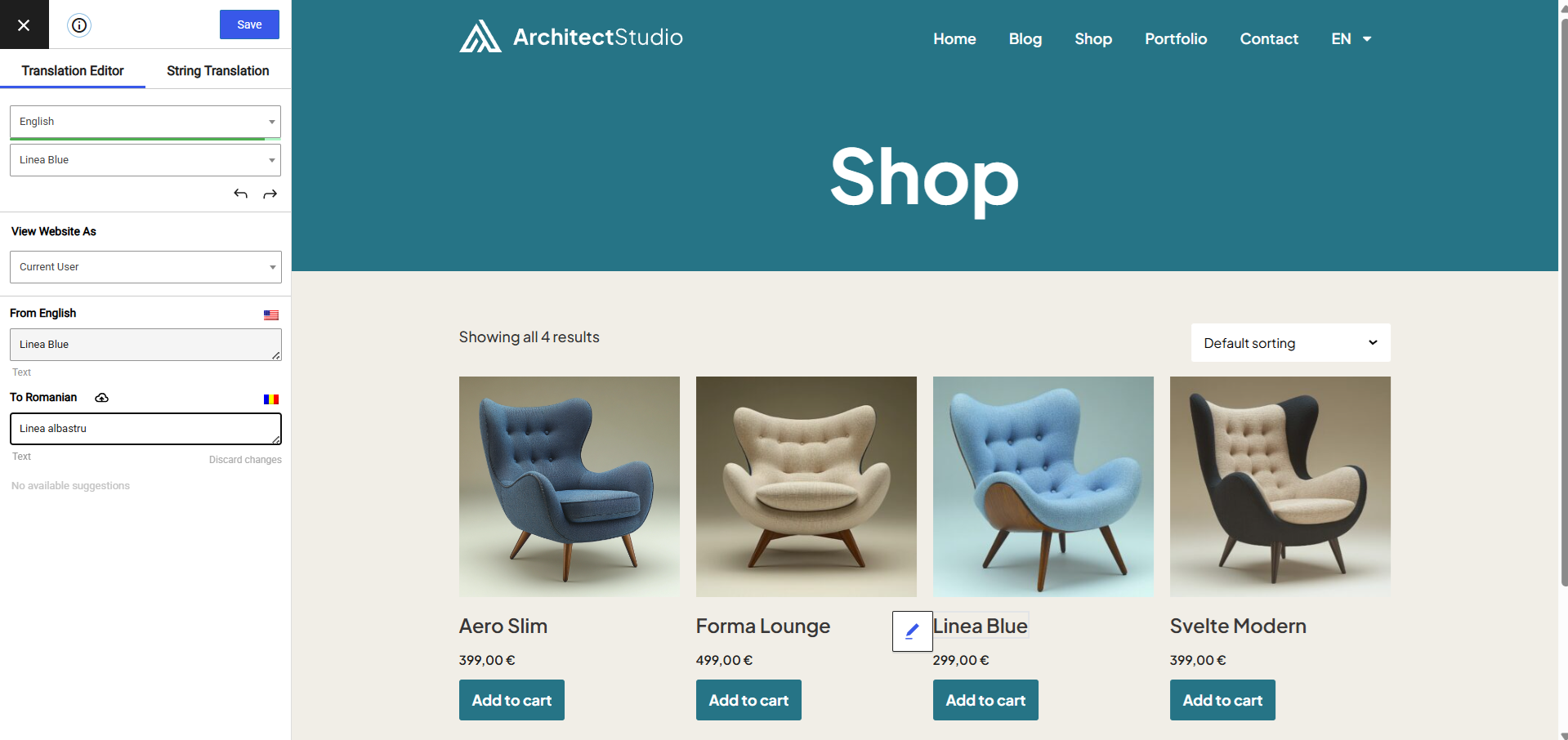
Translating WooCommerce Products for your multilingual store
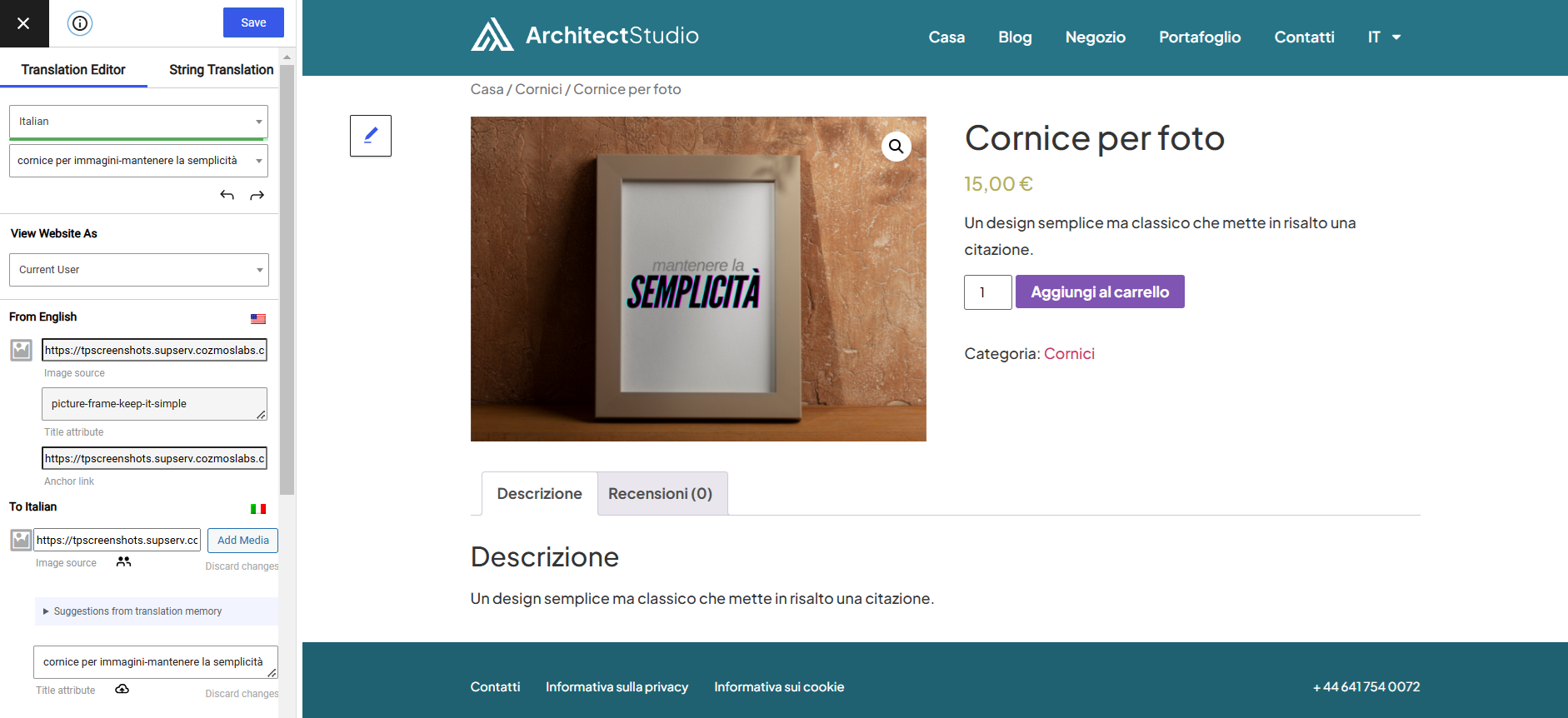
Translate Images and Image Sliders
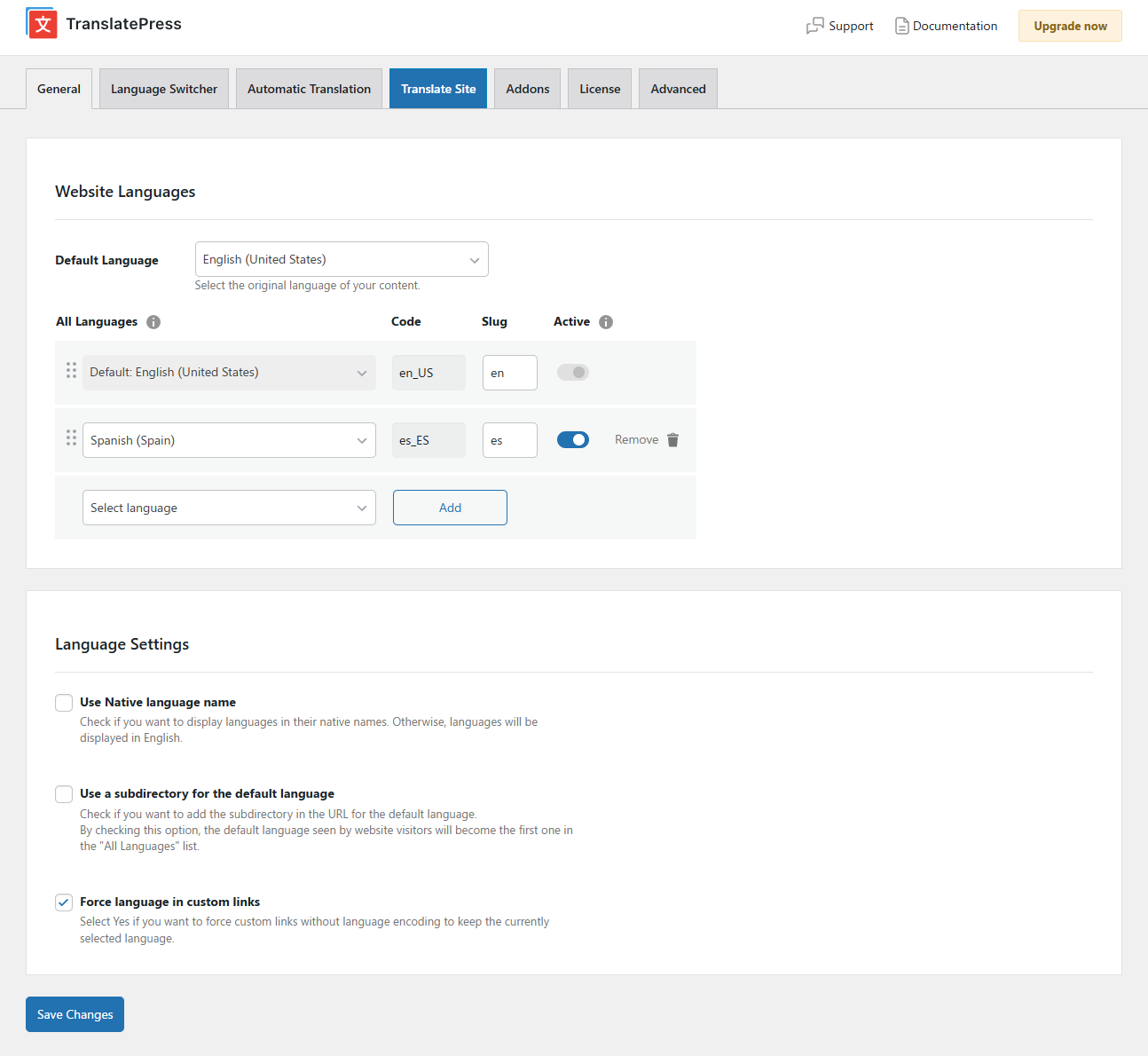
Settings Page
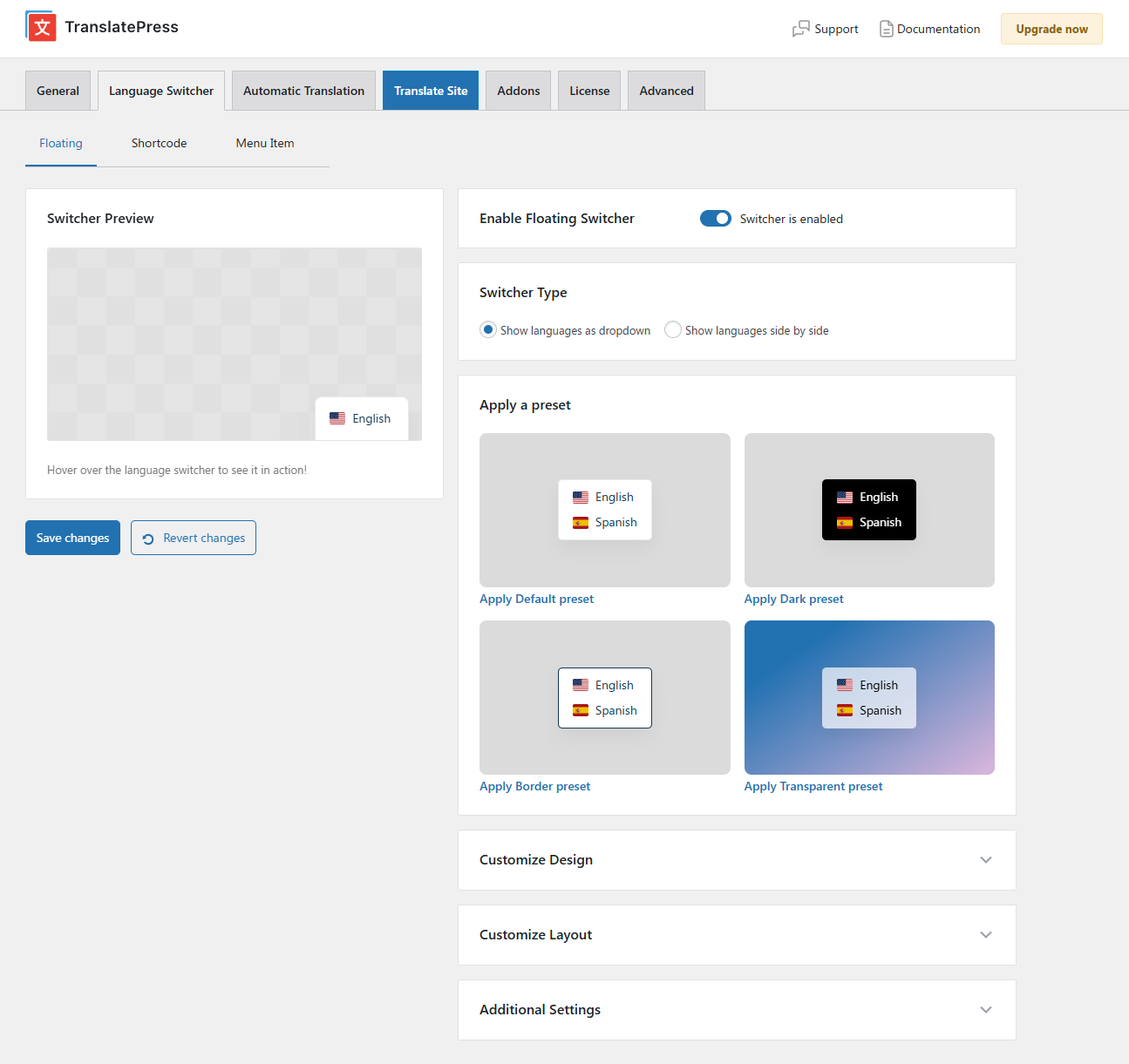
Floating Language Switcher

Menu Language Switcher

Changelog
3.0.5
- Fixed CSS for Black Friday offer from admin notice
3.0.4
- Added 39 more languages including Irish, Maltese and Sicilian
- Added support for Latin American Spanish automatic translation in TranslatePress AI
- Added support for Divi search in secondary language
- Added support for exact match search in String Translation by placing the string in quotes: “example”
- Allow schema.org data to be translated
- Fixed Regular String Translation search so filtered languages also match terms appearing in the middle of translated strings, not only at the start
- Prevent automatic translation of strings that are 0 or 1 characters long or strings that are punctuation only
- Change background hover color for transparent preset in order to improve contrast of language switcher
- Fixed two missing spaces in floating switcher HTML markup
- Fix PHP warning with empty domain for gettext with context
- Fixed edge case error “call to a member function is_available() on null”
- Moved the “Automatically Translate Slug” setting to be first in line
- Extended the license message for item_name_mismatch to provide more context
- Improved text information next to the default language
Older versions
Click Here to view the full changelog, or you can find it in the changelog.txt file in the plugin folder.