

Forms to Slack & Trello Integration
Most Easy and Reliable Way to Connect Your WordPress Form Plugins to Trello & Slack .
Plugin info
Maintenance & Compatibility
Maintenance score
Possibly abandoned • Last updated 2092 days ago
Is Forms to Slack & Trello Integration abandoned?
Possibly abandoned (last update 2092 days ago).
Compatibility
Similar & Alternatives
Explore plugins with similar tags, and compare key metrics like downloads, ratings, updates, support, and WP/PHP compatibility.
Description
Forms to Slack & Trello Integration. is a WordPress Integration Plugin its Create Trello Card or Slack Comment After a WordPress form Data Is Saved.
It uses Trello And Sack API for sending the Data. supported Form Plugins are .
-
Contact form 7 form Submission to Slack & Trello Integration
- Text fields
- Text Area fields
- Number
- tel
-
ninja form Submission to Slack & Trello Integration
- Text fields
- Text Area fields
- Number
- tel
-
Formidable form Submission to Slack & Trello Integration
- Text fields
- Text Area fields
- Number
- tel
-
WPform Submission to Slack & Trello Integration
- Text fields
- Text Area fields
- Number
- tel
-
weForms Submission to Slack & Trello Integration
- Text fields
- Text Area fields
- Number
- tel
Installation
This section describes how to install the plugin and get it working.
e.g.
- Upload
slatrefolder to the/wp-content/plugins/directory - Activate the plugin through the ‘Plugins’ menu in WordPress
Frequently Asked Questions
Where does it save logs and service account credentials?
Whatever it saves, it saves in the installed site database.
Review feed
Screenshots
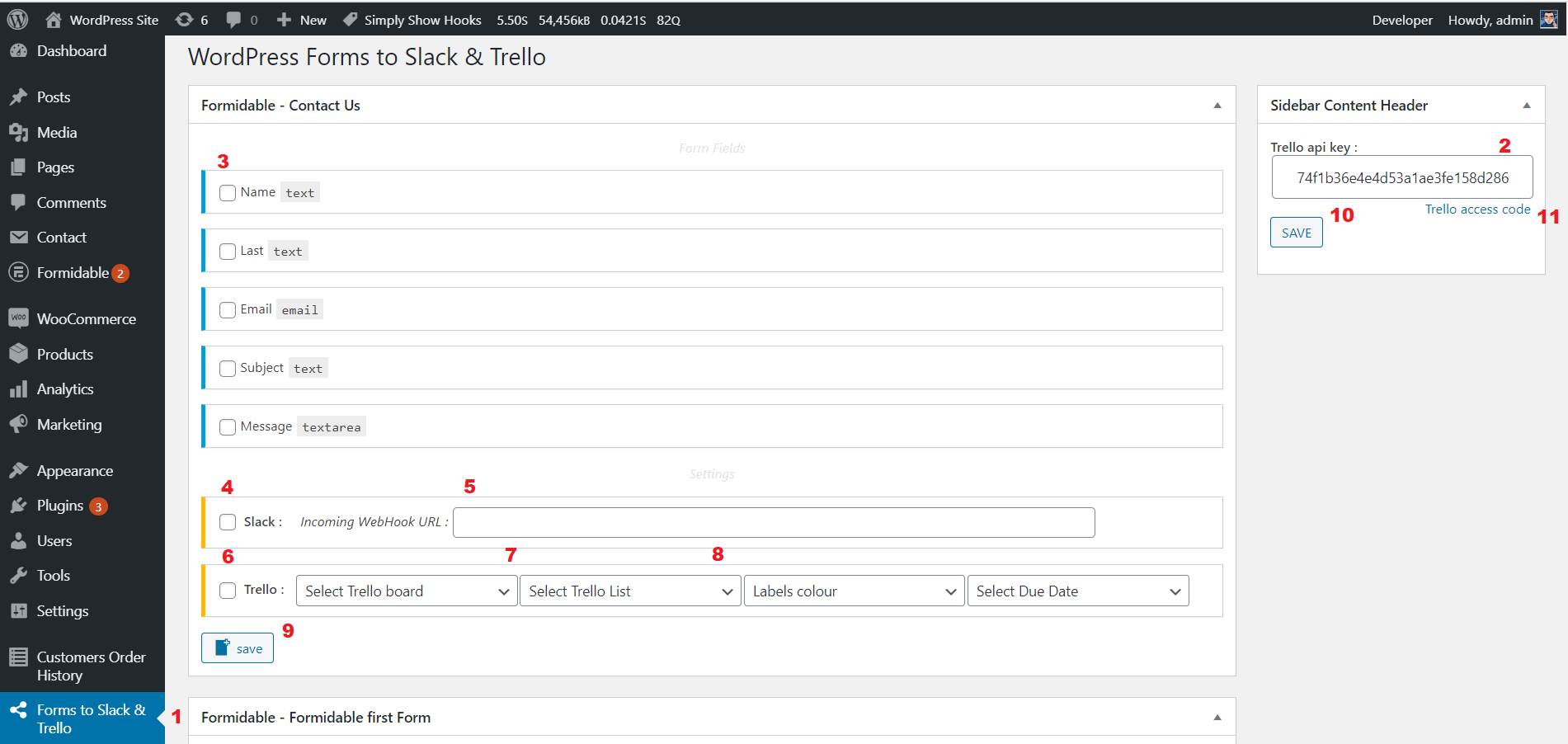
Plugin settings page.

Form data to Trello

Slack WebHook URL Creation
Changelog
v1.0.0-beta.1 (9 July, 2020)
- Initial Release version.