
Plugin info
Maintenance & Compatibility
Maintenance score
Possibly abandoned • Last updated 3951 days ago • 2 reviews
Is SM CountDown Widget abandoned?
Possibly abandoned (last update 3951 days ago).
Compatibility
Similar & Alternatives
Explore plugins with similar tags, and compare key metrics like downloads, ratings, updates, support, and WP/PHP compatibility.
Description
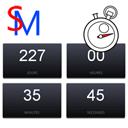
This widget allows you to display a JQuery responsive countdown timer on your website. You can use it as a widget or include it wherever shortcodes are supported.
It comes out of the box with french and german translations.
The widget contains media queries in its css stylesheet. You can edit it to suit your needs.
This widget also supports shortcodes!
Just add a [smcountdown timerdate=’xxx’] shortcode to any of you posts and you’ll get a responsive countdown timer!
The shortcode supports one parameter: timerdate.
* timerdate indicates the target date until which the timer counts down
Shortcode usage samples :
[smcountdown timerdate=’2015/12/31 23:59:59′]
Displays a countdown timer until Decembre 31th of 2015, 23h59m59s.
Installation
- Upload the zipfile to the
/wp-content/plugins/directory - Extract and remove it
- Activate the plugin through the ‘Plugins’ menu in WordPress
- Drag the new widget to desired sidebar, choose a title (or not) for the widget and select the image type.
Frequently Asked Questions
Review feed
Screenshots

Admin side of things.

Sample rendering.
Changelog
1.2
- Fixed widget sample date using slashes instead of hyphens
- Fixed widget target date not displaying (always returned to default)
1.1
- Typo fix “Minuts” => “Minutes”
- Tested with WordPress 4.2.2
1.0
- Initial release