

SMS Notifications for WooCommerce
Sends SMS notifications to your clients for order status changes. You can also receive an SMS message when a new order is received.
Plugin info
Maintenance & Compatibility
Maintenance score
Possibly abandoned • Last updated 1029 days ago • 1 reviews
Is SMS Notifications for WooCommerce abandoned?
Possibly abandoned (last update 1029 days ago).
Compatibility
Similar & Alternatives
Explore plugins with similar tags, and compare key metrics like downloads, ratings, updates, support, and WP/PHP compatibility.
Description
IMPORTANT: SMS Notifications for WooCommerce requires WooCommerce 3.0 or higher.
SMS API: Buy SMS credits on mTalkz
SMS Notifications for WooCommerce Sends SMS notifications to your clients for order status changes. You can also receive an SMS message when a new order is received.
Features
- Supported SMS gateway: mTalkz (http://www.mtalkz.com)
- Notify store owner about new orders
- Send SMS notification to client for each order status change
- Customize SMS template for each order status
- Custom signature can be appended to all outgoing SMS
- Support for a large number of standard variables in SMS templates
- Option to add custom variables in SMS templates
- Send international SMS
- Send SMS to billing or shipping address phone
- Automatically insert the international country code prefix to the customer’s phone number
- Can log all outgoing SMS for audit trail
Translations
- English
Documentation
Please refer to plugin documentation at (http://mtalkz.com/woocommerce-plugin/)
Translations
- English: by SkillsUp (default language).
Support
Please send a message to [email protected] for any help.
Installation
- You can:
- Upload the
su-wc-sms-notificationsfolder to/wp-content/plugins/directory via FTP. - Upload the full ZIP file via Plugins -> Add New -> Upload on your WordPress Administration Panel.
- Search SMS Notifications for WooCommerce in the search engine available on Plugins -> Add New and press Install Now button.
- Upload the
- Activate plugin through Plugins menu on WordPress Administration Panel.
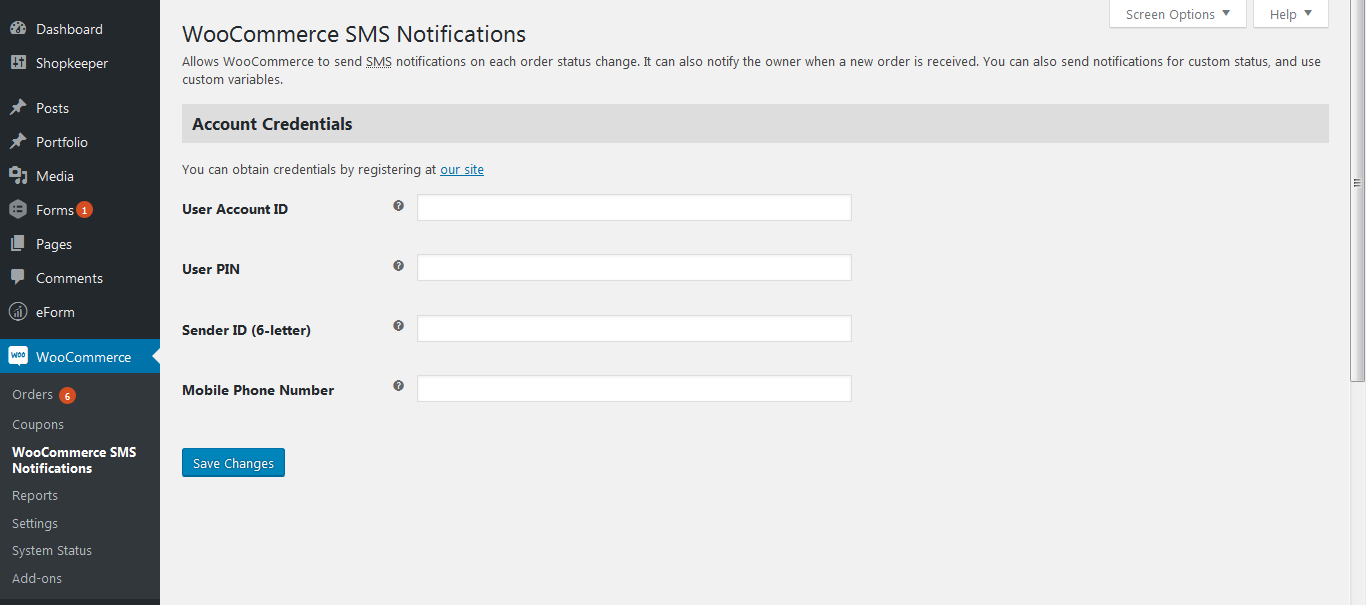
- Set up plugin on WooCommerce -> SMS Notifications for WooCommerce or through Settings link.
- For obtaining credentials, please register at (http://www.mtalkz.com/my-account/)
Frequently Asked Questions
Review feed
Screenshots


Changelog
2.0.2
- Improve compatibility with PHP 8.x
2.0.1
- Updated API list
2.0
- Renamed and republished
1.8
- Fixed a potential security issue in admin interface
1.7.3
- Modified plugin upgrade handling
1.7.2
- If you get db errors, please deactivate and reactivate the plugin
1.7.1
- Allow changes for new functionality even in case of upgrades (without deactivation and reactivation)
1.7
- Added options to send Abandoned Cart notifications
- Added support for line breaks in messages using %nl%
1.6.4
- Fix: apply_filters for new order message
1.6.3
- Reduced OTP resend delay from 2 minutes to 30 seconds
1.6.2
- Fixed the issue related to OTP generation in new temaplates
- Please click on Save Settings once for the templates to take effect
1.6.1
- Changed the name of OTP field
1.6
- Added options to customize OTP message templates
1.5.3
- Adds option to require OTP at checkout itself
1.5.2
- Visual improvements for Send OTP link
1.5.1
- Makes it more obvious that customers have to click on Send OTP link to receive OTP
1.5
- Moved logs to WooCommerce status logs
- Streamlined registration OTP feature
1.4.1
- Renamed variables in global scope to avoid conflicts with other plugins
1.4
- Replaced country code input box with country selection dropdown
1.3.3
- Minor fixes for some special cases
1.3
- Select pre and post OTP verification order status
- Adds OTP verification for user registration
- Adds OTP based login for default login form
- Adds OTP based login shortcode ‘suwcsms-otp-login’ for OTP based login form anywhere
1.2
- Gateway Updated
1.1
- Added OTP feature
- Added option to select between 2 APIs
- -FIXED- Signature string was not getting picked correctly
1.0
- Initial version.