
Social Chat Buttons
A comprehensive and free social media chat widget for WordPress with multi-network support.
Plugin info
Maintenance & Compatibility
Maintenance score
Maintained • Last updated 119 days ago
Is Social Chat Buttons abandoned?
Likely maintained (last update 119 days ago).
Compatibility
Similar & Alternatives
Explore plugins with similar tags, and compare key metrics like downloads, ratings, updates, support, and WP/PHP compatibility.
Description
Social Chat Buttons is a 100% FREE WordPress plugin that adds a beautiful floating chat widget to your website. Connect with your visitors through multiple social media platforms including WhatsApp, Telegram, Signal.
🌟 Key Features (All FREE!)
💬 Multi-Network Support
* WhatsApp Business & Personal
* Telegram
* Signal
* Instagram Direct
* Facebook Messenger
* Twitter/X DM
* LinkedIn Messages
* Viber
* Discord
🎨 Beautiful & Customizable Design
* Modern floating chat button
* Customizable colors and sizes
* Icon, text, or custom image modes
* Gradient header backgrounds
* Responsive design for all devices
* Auto dark mode (8 PM – 7 AM, based on visitor’s local time)
⚡ Advanced Features
* Smart availability scheduling – Set different hours for each contact
* Live preview in admin panel
* Auto-save settings as you type
* Message templates for each contact
* Photo avatars with media library integration
* Mobile-friendly or hide on mobile option
* Position control (left/right)
* Responsive scaling
🔧 Easy Management
* Intuitive admin interface
* Drag & drop contact management
* Bulk operations support
* Real-time settings preview
* One-click contact addition
🌍 Localization Ready
* Full internationalization support
* WordPress translation ready
* RTL support
🔒 Secure & Optimized
* WordPress coding standards compliant
* Nonce security verification
* Data sanitization & validation
* Lightweight and fast loading
* Clean uninstall option
* GDPR compliant – no personal data collection
💎 Why Choose Social Chat Buttons?
✅ Completely FREE – No premium version, no hidden costs
✅ Professional Design – Modern UI with smooth animations
✅ Developer Friendly – Clean code following WordPress standards
✅ Regular Updates – Actively maintained and improved
✅ Community Support – Support through WordPress forums
🚀 Perfect For:
- E-commerce stores
- Business websites
- Personal blogs
- Service providers
- Customer support teams
- Multi-language sites
Live Demo
Documentation
Support
Support
Need help? We provide free community support through:
- WordPress Support Forums: Plugin Support Page
- Documentation: Comprehensive guides and tutorials
- GitHub Issues: For developers and advanced users
Contributing
Social Chat Buttons is under GPLv2! Contribute on GitHub
External Services
This plugin creates direct links to third-party social media and messaging platforms when users click on chat buttons. The plugin itself does not send any data to these services – it simply generates URLs that users can choose to visit.
When a visitor clicks on a chat button, they will be redirected to the respective external service based on the contact information you’ve configured. This happens client-side in the user’s browser.
Services Used:
The plugin generates links to the following third-party services (based on which platforms you choose to enable):
-
Pinterest – For Pinterest messaging functionality
- URL format:
https://pinterest.com/send/{username}/ - Data sent: Pinterest username (configured by site admin)
- When: Only when user clicks the Pinterest chat button
- Privacy Policy: https://policy.pinterest.com/privacy-policy
- Terms of Service: https://policy.pinterest.com/terms-of-service
- URL format:
-
Microsoft Teams – For Microsoft Teams chat functionality
- URL format:
https://teams.microsoft.com/l/chat/0/0?users={email} - Data sent: Email address or Teams ID (configured by site admin)
- When: Only when user clicks the Teams chat button
- Privacy Policy: https://privacy.microsoft.com/privacystatement
- Terms of Service: https://www.microsoft.com/servicesagreement
- URL format:
-
Other Platforms – The plugin also creates links to these services (only if you configure them):
- WhatsApp (https://www.whatsapp.com/legal/privacy-policy)
- Telegram (https://telegram.org/privacy)
- Facebook Messenger (https://www.facebook.com/privacy/policy/)
- Instagram (https://privacycenter.instagram.com/policy/)
- Signal (https://signal.org/legal/)
- Discord (https://discord.com/privacy)
- Viber (https://www.viber.com/terms/viber-privacy-policy/)
- Twitter/X (https://twitter.com/privacy)
- LinkedIn (https://www.linkedin.com/legal/privacy-policy)
- Snapchat (https://values.snap.com/privacy/privacy-policy)
- KakaoTalk (https://www.kakao.com/policy/privacy)
- Threads (https://help.instagram.com/515230437301944)
- Reddit (https://www.reddit.com/policies/privacy-policy)
- VK (https://vk.com/privacy)
Important Notes:
-
No automatic data transmission: This plugin does not automatically send any data to these services. Links are only activated when users voluntarily click on them.
-
You control what’s shared: As the site administrator, you configure which platforms to use and what contact information (username, phone number, email) to include in the links.
-
User consent: When users click a chat button, they are consciously choosing to open that platform and are subject to that platform’s privacy policy and terms of service.
-
Local storage only: All plugin settings and contact information are stored only in your WordPress database. Nothing is transmitted to external servers except when users click the chat buttons.
Privacy Policy
This plugin does not collect, store, or transmit any personal data from your website visitors. All contact information is stored locally in your WordPress database and never shared with third parties by the plugin itself.
GDPR Compliance:
This plugin is fully GDPR compliant:
- No cookies: The plugin does not set any cookies or use browser storage to track users
- No personal data collection: We don’t collect, process, or store any personal information from your visitors
- No tracking: No analytics, tracking pixels, or third-party scripts are loaded by this plugin
- Local data only: All settings and configurations are stored locally in your WordPress database
- User control: Visitors have full control – they choose whether to click chat buttons and share information with external platforms
- Transparent: All external service connections are documented above and happen only with explicit user action
- Right to erasure: Uninstalling the plugin removes all data from your database (if clean uninstall option is enabled)
When visitors click on chat buttons, they are redirected to the respective social media platforms based on your configured contact information. Any data sharing at that point is governed by the privacy policies of those external platforms, and users are making an informed choice to use those services.
Credits
- Developed with ❤️ by Hassan Tafreshi
- Community feedback and suggestions
- WordPress community support
⭐ Love this plugin? Please leave a 5-star review! It helps us continue developing tools for the WordPress community.
Installation
Automatic Installation
- Go to your WordPress admin panel
- Navigate to Plugins > Add New
- Search for “Social Chat Buttons”
- Click Install Now and then Activate
Manual Installation
- Download the plugin from WordPress.org
- Upload the plugin files to
/wp-content/plugins/social-chat-buttons/ - Activate the plugin through the Plugins menu in WordPress
Setup
- After activation, go to Social Chat Buttons in your admin menu
- Click Panel to add your social media contacts
- Configure appearance in Settings
- Your chat widget will appear on your website!
Frequently Asked Questions
Yes! Social Chat Buttons is 100% free with all features included. There’s no premium version or hidden costs.
Yes! You can set different availability schedules for each contact. Define working hours for each day of the week with multiple time slots support.
Yes! The widget is fully responsive and works perfectly on all devices. You can also choose to hide it on mobile if needed.
Absolutely! Customize colors, sizes, position, button mode (icon/text/image), and much more through the intuitive settings panel.
Yes! The plugin is optimized to work with all major caching plugins including WP Rocket, W3 Total Cache, and WP Super Cache.
Yes! The plugin is fully internationalized. You can easily translate it to any language.
Unlimited! Add as many social media contacts as you need for different departments or purposes.
No! The plugin is lightweight and optimized for performance. It loads minimal resources and won’t affect your site speed.
Review feed
Screenshots
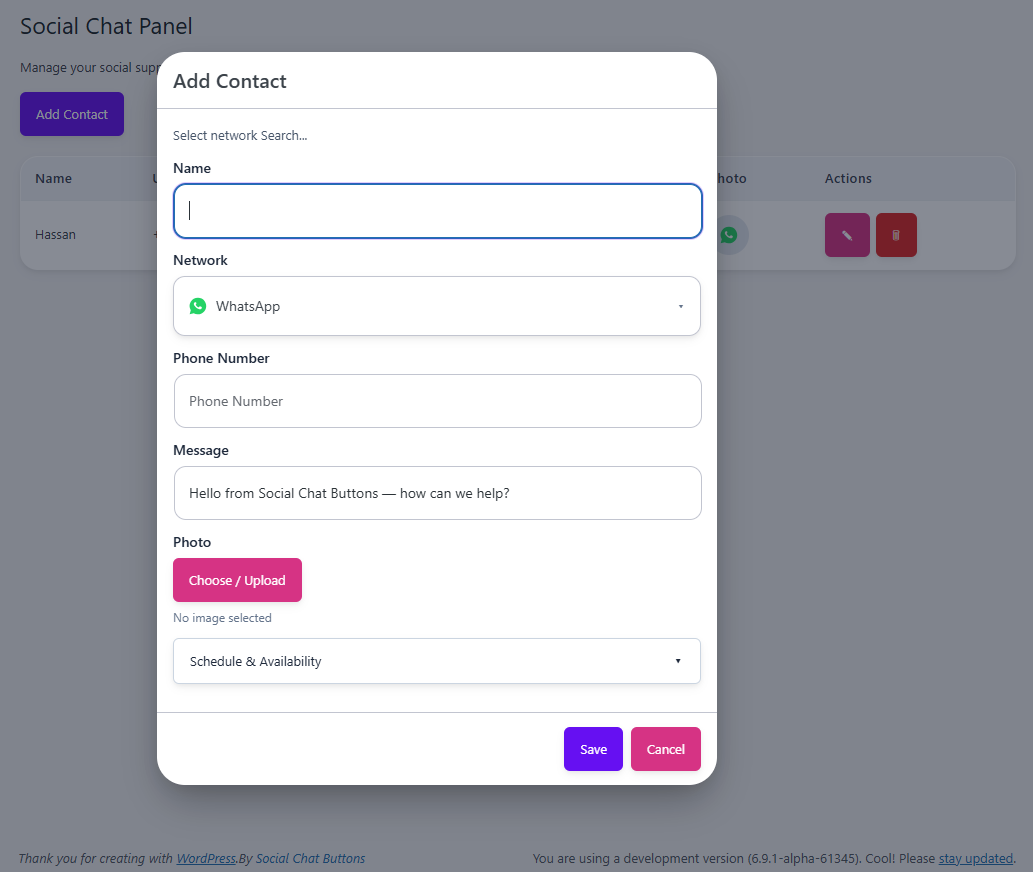
Admin Panel - Easy contact management with modern interface
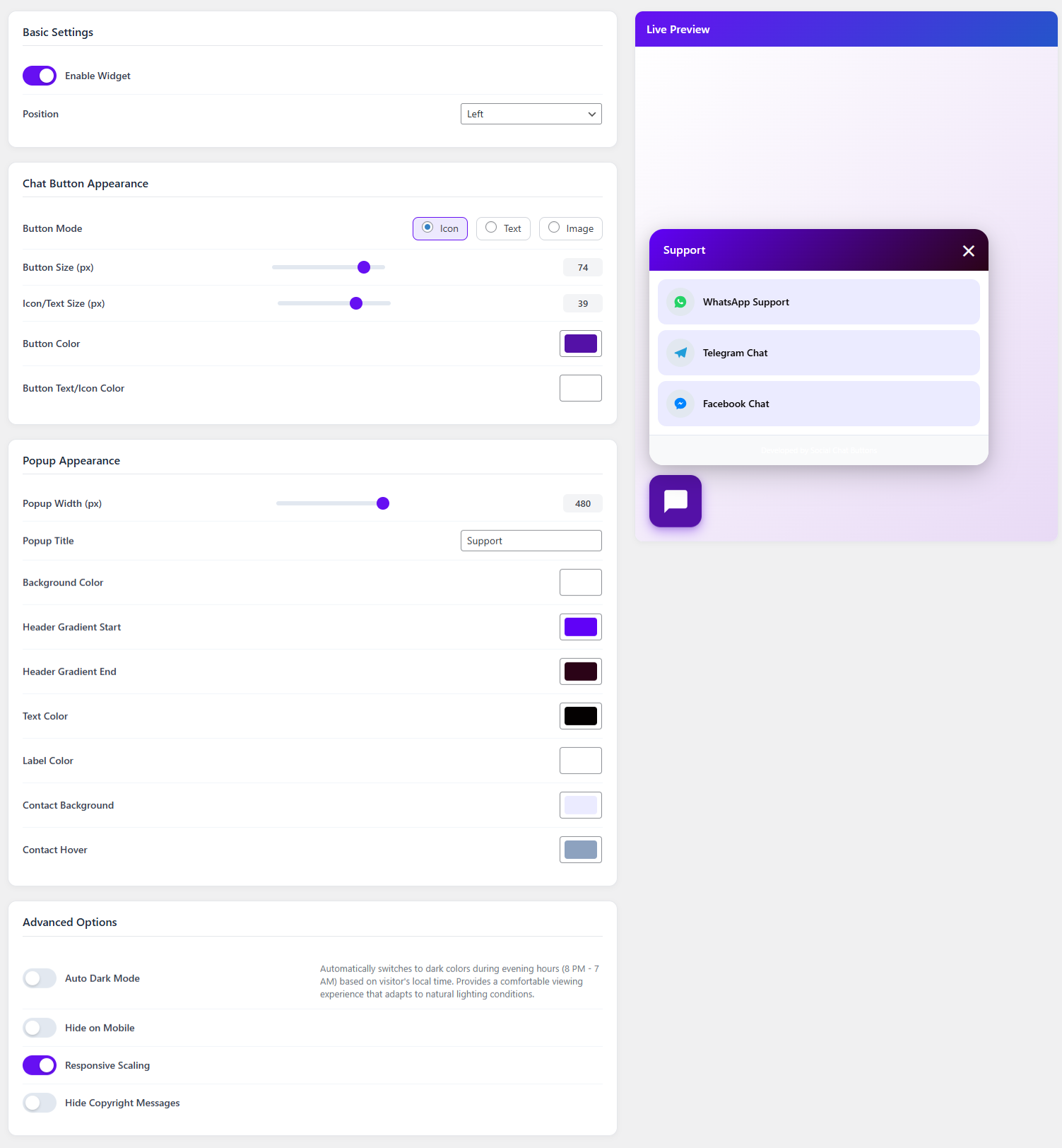
Settings Page - Comprehensive customization options with live preview
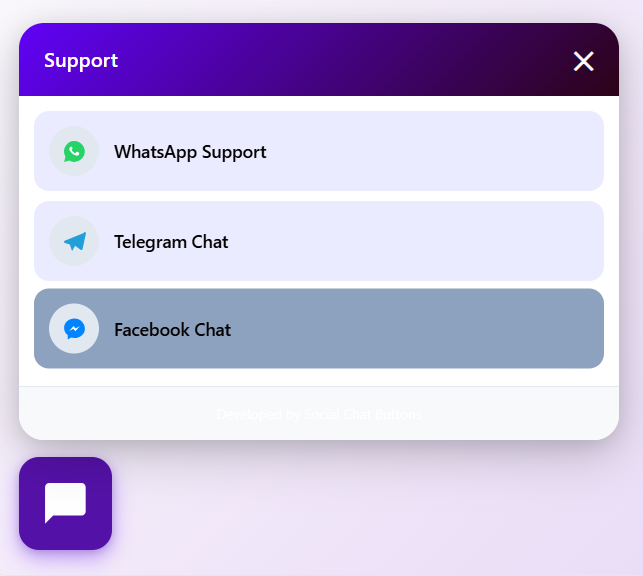
Frontend Widget - Beautiful floating chat button on your website
Changelog
1.0.0
- Initial release
- Multi-network social media support
- Admin panel with contact management
- Security features with nonce verification