

Super Simple Tracking Codes
Just because it's super simple to add tracking codes to your website with this plugin.
Plugin info
Maintenance & Compatibility
Maintenance score
Possibly abandoned • Last updated 1732 days ago
Is Super Simple Tracking Codes abandoned?
Possibly abandoned (last update 1732 days ago).
Compatibility
Similar & Alternatives
Explore plugins with similar tags, and compare key metrics like downloads, ratings, updates, support, and WP/PHP compatibility.
Description
With this plugin you can add tracking codes to your website super simple! Just enter the property ID, container ID or pixel ID and the plugin will to the rest. You can add the tracking code to all pages of your site or specify the pages you want to track. You even can exclude user roles from tracking. There is a hole GDPR settings section where you can enable a cookie consent. You can choose from various positions where the cookie consent will be visable for your visitors. You even can change the colors of the cookie consent.
FEATURES
- Add Google Analytics
- Add Google Tag Manager
- Add Facebook Pixel
- Add tracking codes sidewide or select specific pages
- Exclude user roles from tracking
- Show cookie consent and customise it
This plugin uses the Cookie Consent from Insites All credits go to them.
Hit the support page to add a feature request. But hey, remember to keep it super simpel! 😉
DISCLAIMER: INSTALLING THIS PLUGIN DOES NOT MAKE YOUR SITE GDPR COMPLIANT. YOU ARE RESPONSIBLE FOR ENSURING THAT ALL GDPR REQUIREMENTS ARE MET ON YOUR WEBSITE.
Installation
- Install using the WordPress built-in Plugin installer, or extract the zip file and drop the contents in the
wp-content/plugins/directory of your WordPress installation. - Activate the plugin through the ‘Plugins’ menu in WordPress
- You can find the settings under Settings > Tracking codes
Frequently Asked Questions
- Informational: You tell your users that you use cookies, and that by continuing to use your website they accept them.
- Opt-out: You tell your users that you use cookies, and give them one button to disable cookies, and another to dismiss the message.
- Opt-in: You tell your users that you wish to use cookies, and give them one button to enable cookies, and another to refuse them.
Review feed
Screenshots

Example 1

Example 2

Example 3

GDPR settings

Google Analytics settings
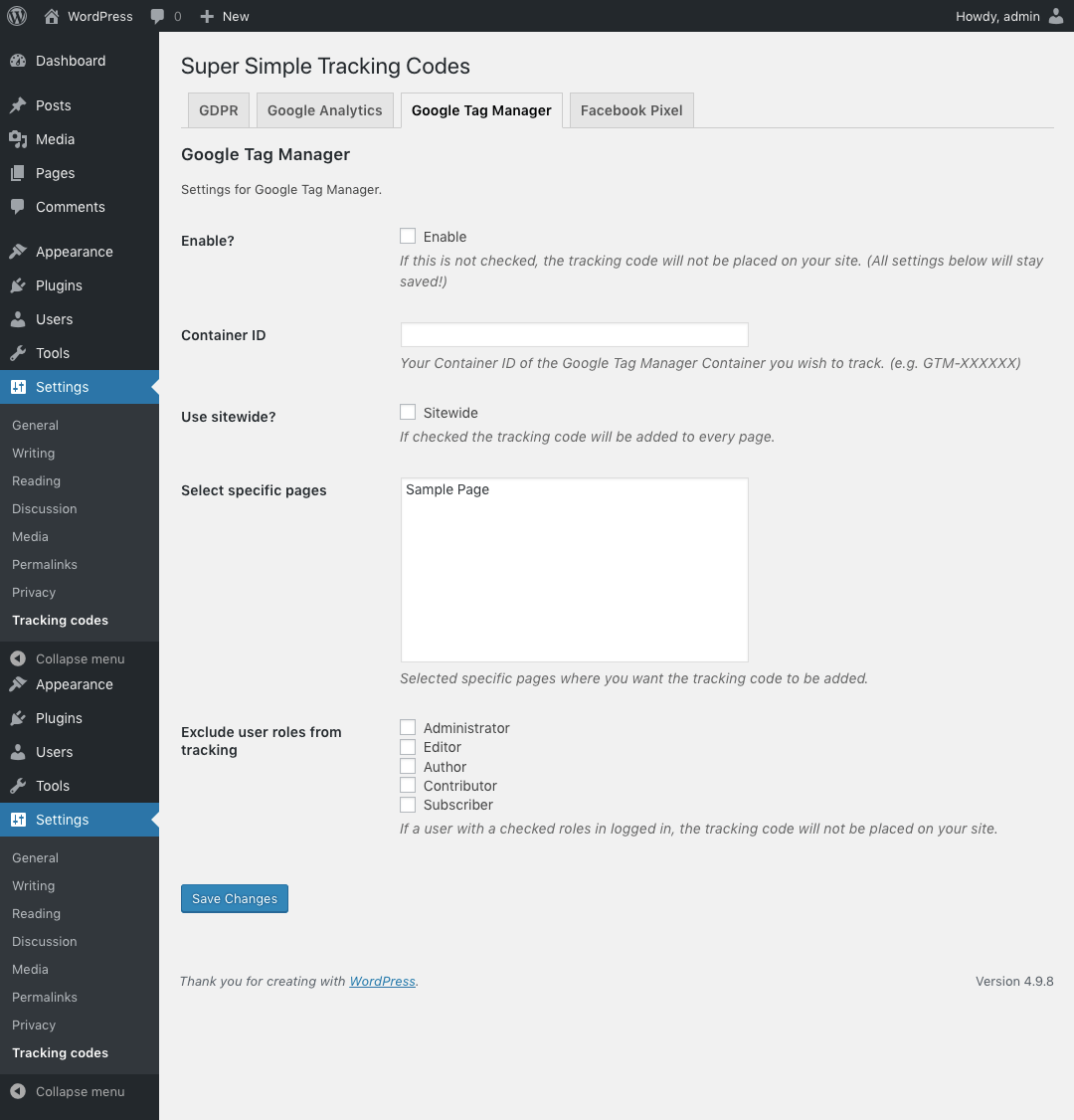
Google Tag Manager settings

Facebook Pixel settings
Changelog
1.0.0
- Initial release.